
1. Introduction
This manual provides essential information for the installation and maintenance of your PANMILED LED Backlight Strips. These strips are designed as replacement parts for various LG 55-inch TV models. Please read these instructions carefully before proceeding with installation to ensure proper function and safety.
Important Compatibility Note: Before ordering and installation, it is crucial to match the strips shown in the product photos to the original backlight strips in your television. Disassemble your TV and compare the physical appearance, connectors, and markings to confirm compatibility. This product is compatible with LG 55" TV models including 55LB650V, 55LB561V, 55LB6100, 55LB629V, 55LB570V, 55LB5900, 55LB5500, 55LF652V, 55LF5800, 55LB6500, 55LF6000, and 55LB6300.
2. Package Contents
The PANMILED LED Backlight Strip set includes the following components:
- 10 x LED Backlight Strips (5 pieces of 'A' type and 5 pieces of 'B' type)

Image: Overview of the 10 LED backlight strips included in the package, showing both 'A' and 'B' types.
3. Specifications
| Feature | Specification |
|---|---|
| Strip Length | 45.35 inches (approx. 115.1 cm) |
| Quantity per Set | 10 pieces (5x A-type, 5x B-type) |
| LED Bead Voltage | 6V per LED bead |
| LEDs per Strip | 11 beads (A+B configuration) |
| Adhesive | Double-sided adhesive paper on the back |
| Material | Aluminum |
4. Setup and Installation
4.1 Safety Precautions
- Always unplug the television from the power outlet before beginning any disassembly or installation.
- Exercise caution when handling internal TV components, especially the LCD panel, as it is fragile.
- Wear anti-static gloves if available to prevent damage from static discharge.
4.2 General Disassembly (Refer to External Resources)
Disassembling a 55-inch television requires careful attention to detail and specific tools. Due to the variety of TV models, detailed disassembly steps are beyond the scope of this manual. It is highly recommended to search for specific video tutorials on platforms like YouTube for your exact LG TV model (e.g., "LG 55LB5900 backlight replacement") to guide you through the process of safely removing the back cover, internal components, and the LCD panel to access the existing backlight strips.
4.3 Backlight Strip Replacement
- Remove Old Strips: Carefully detach the old LED backlight strips from the TV panel. Note their orientation and connection points.
- Prepare New Strips: The new PANMILED strips come with double-sided adhesive on the back. Peel off the protective backing before installation.
- Connect Strips: The set includes 'A' type and 'B' type strips. These strips connect end-to-end using integrated connectors. Ensure the polarity (+ and -) aligns correctly. Gently push the connectors together until they are securely seated.
- Position and Adhere: Carefully place the connected strips into their designated channels on the TV panel. Press firmly to ensure the adhesive creates a secure bond.
- Verify LED Lenses: Each LED has a clear lens. Ensure these lenses are clean and properly seated over each LED for optimal light distribution.
- Test Functionality: Before reassembling the entire TV, it is highly recommended to temporarily connect the power supply to the backlight strips (if possible and safe to do so, often with a backlight tester) to verify that all LEDs illuminate correctly.
- Reassembly: Once functionality is confirmed, carefully reassemble the TV by reversing the disassembly steps. Ensure all screws and connectors are properly secured.
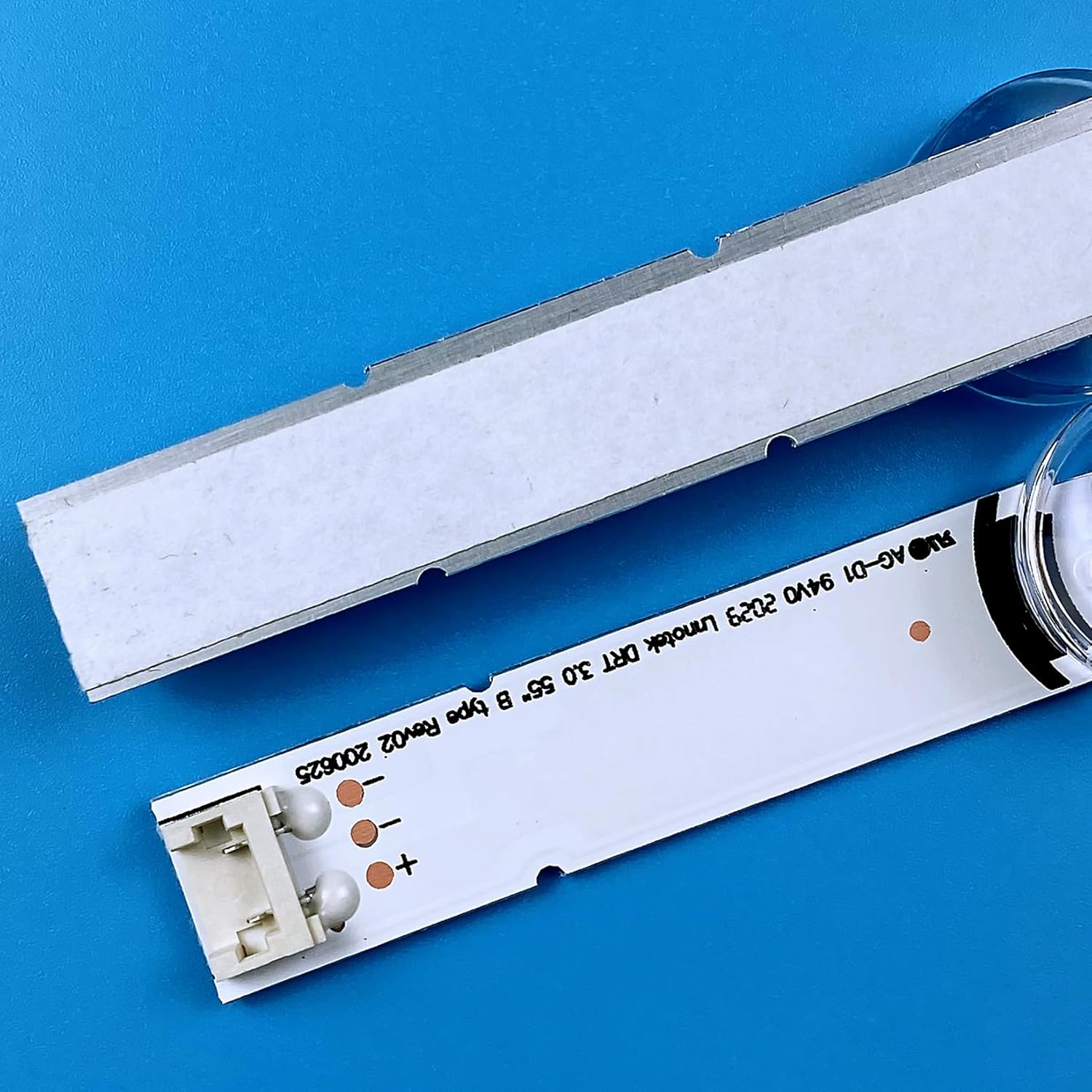
Image: The double-sided adhesive on the back of the LED strip, ready for installation.
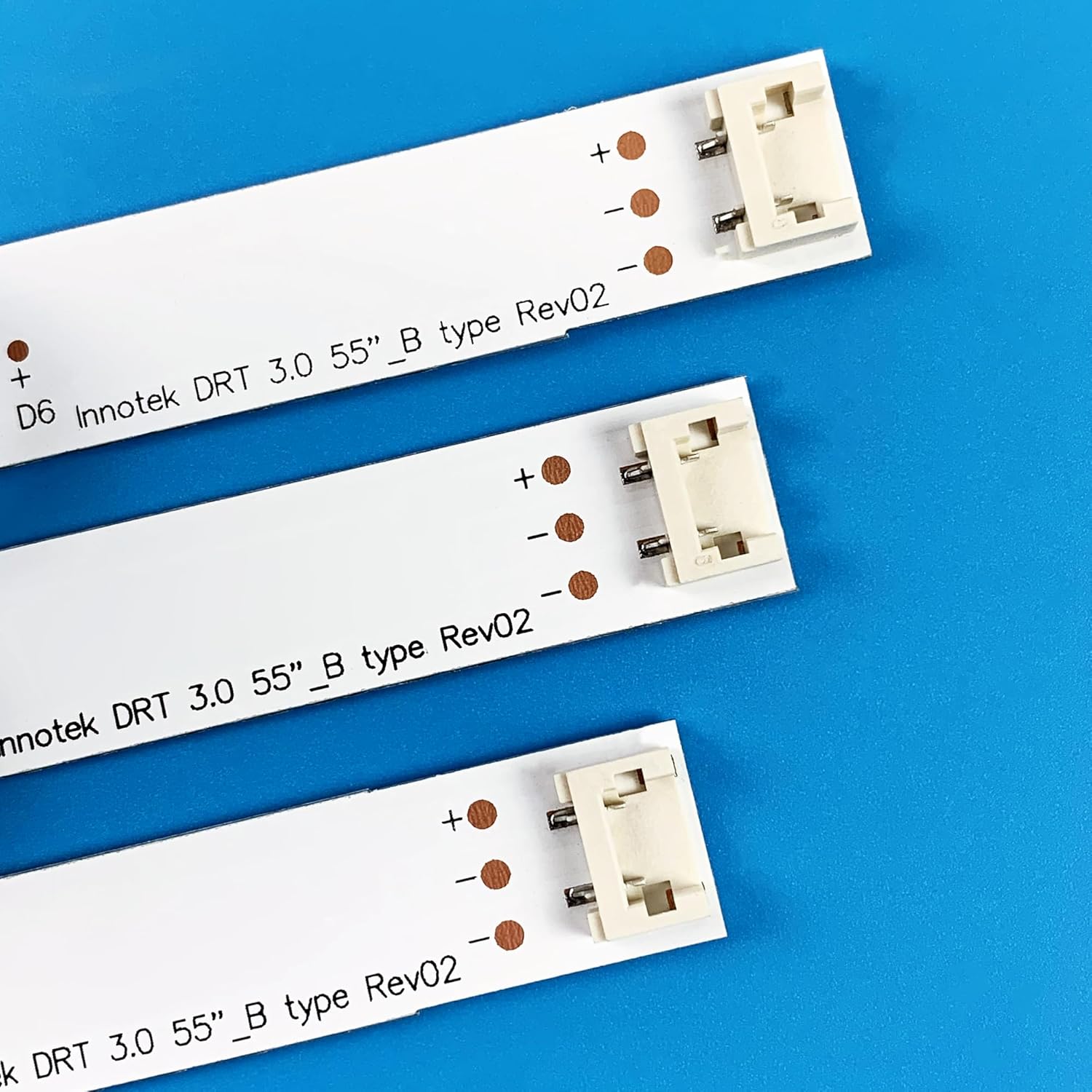
Image: Detail of the interlocking connectors on the LED strips, highlighting the positive and negative terminals for correct alignment.
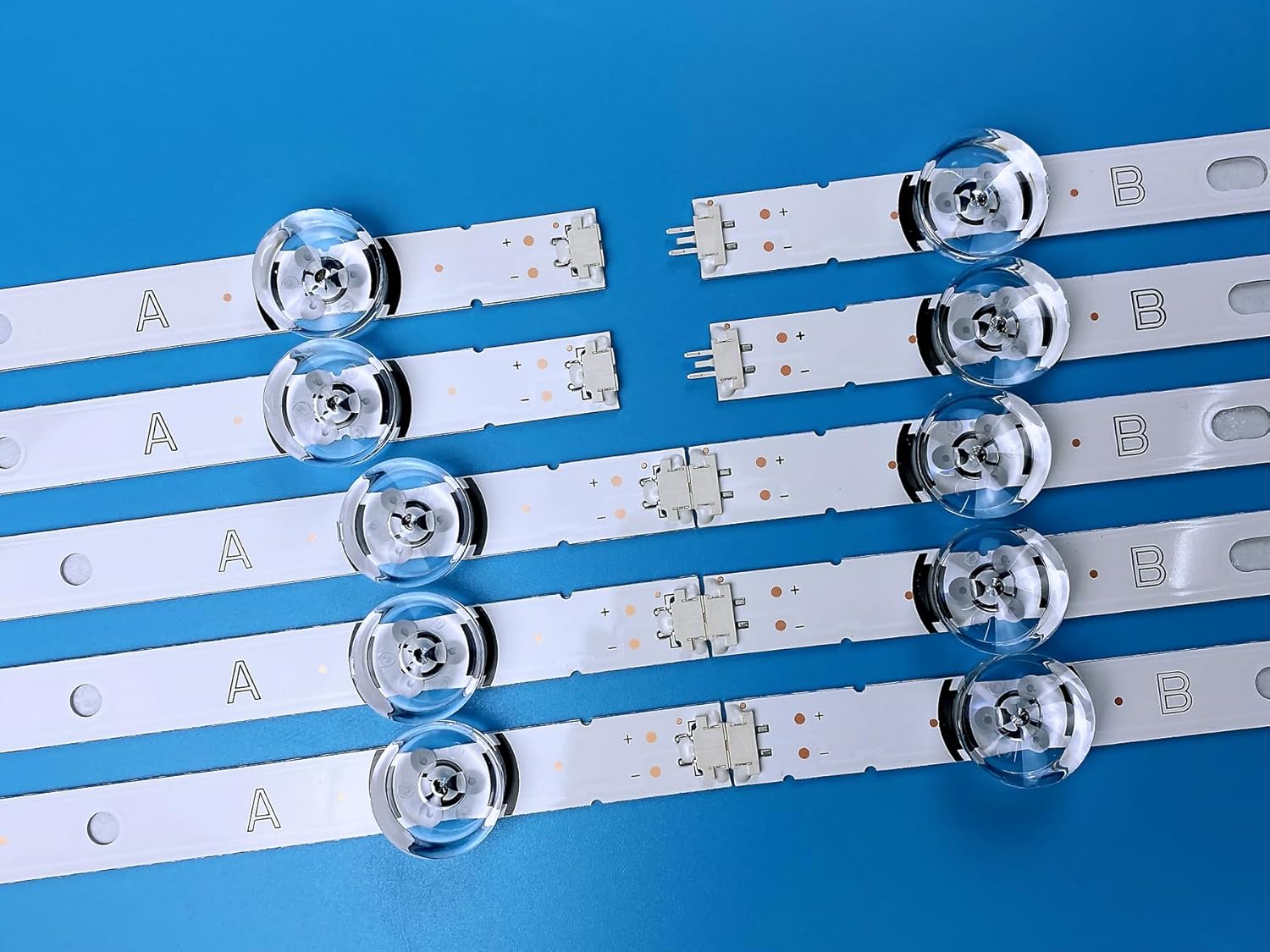
Image: Multiple 'A' and 'B' type LED strips connected in series, illustrating the complete assembly.
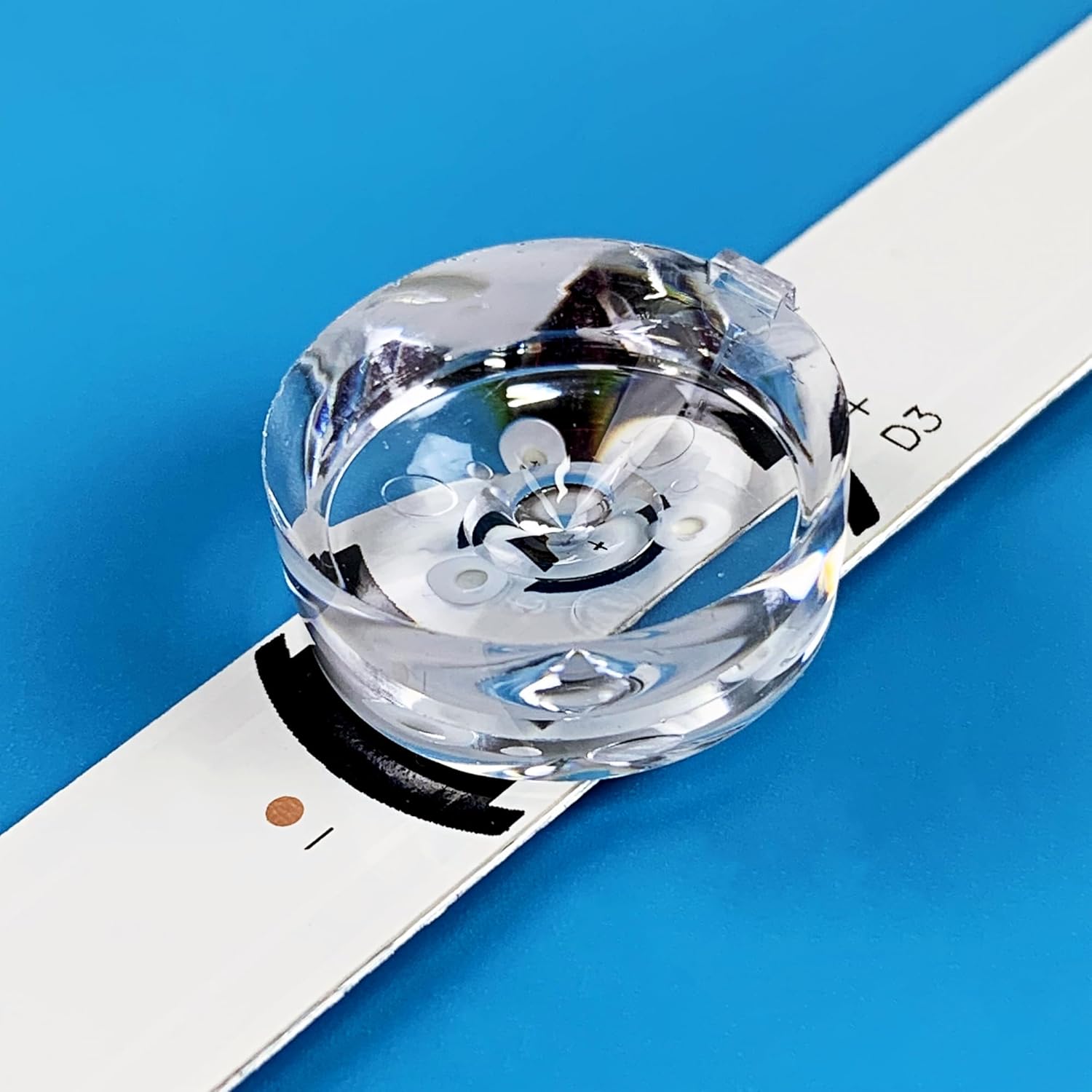
Image: A close-up view of an LED lens on a backlight strip.
Video: A demonstration of unpacking, connecting, and testing the PANMILED LED backlight strips for an LG 55-inch TV. This video shows the strips being connected and then illuminated to confirm functionality.
Video: A visual guide demonstrating the connection and testing process for the PANMILED LED backlight strips, specifically for LG 55LB6100 and 55LB5900 models.
5. Operating Instructions
The PANMILED LED Backlight Strips are replacement components designed to restore the original backlight functionality of your LG 55-inch TV. Once correctly installed, they operate seamlessly with your television's existing power supply and control systems. No additional user operation is required beyond the normal use of your television.
6. Maintenance
These LED backlight strips are designed for long-term, maintenance-free operation once installed. To ensure their longevity and optimal performance:
- Avoid exposing the television to extreme temperatures or humidity.
- Prevent physical impact or pressure on the TV screen, which could damage the internal components, including the backlight strips.
- If the TV needs cleaning, ensure it is unplugged and use a soft, dry cloth. Do not use liquid cleaners directly on the screen or internal components.
7. Troubleshooting
If you encounter issues after installing the new backlight strips, consider the following troubleshooting steps:
- No Backlight / Dim Screen:
- Ensure all connectors between the backlight strips are securely seated.
- Verify that the main power connector from the TV's power board to the backlight assembly is properly connected.
- Check for any visible damage to the new strips or their LEDs.
- Uneven Brightness / Dark Spots:
- Confirm that all LED lenses are correctly positioned over their respective LEDs.
- Ensure the strips are evenly adhered to the panel and not bent or misaligned.
- TV Flashing:
- This can sometimes indicate a faulty connection or an issue with the TV's power supply to the backlights. Recheck all connections.
- If you have a backlight tester, test each strip individually to ensure consistent illumination.
If these steps do not resolve the issue, it may indicate a problem with other TV components or require professional assistance.
8. Warranty and Support
PANMILED provides a 180-day after-sales service guarantee for these LED backlight strips. If you have any questions, concerns, or require assistance with your product, please do not hesitate to contact our customer service team. We are committed to responding within 24 hours to address your inquiries.
For more information about PANMILED products, please visit our official store page.