
1. Product Overview
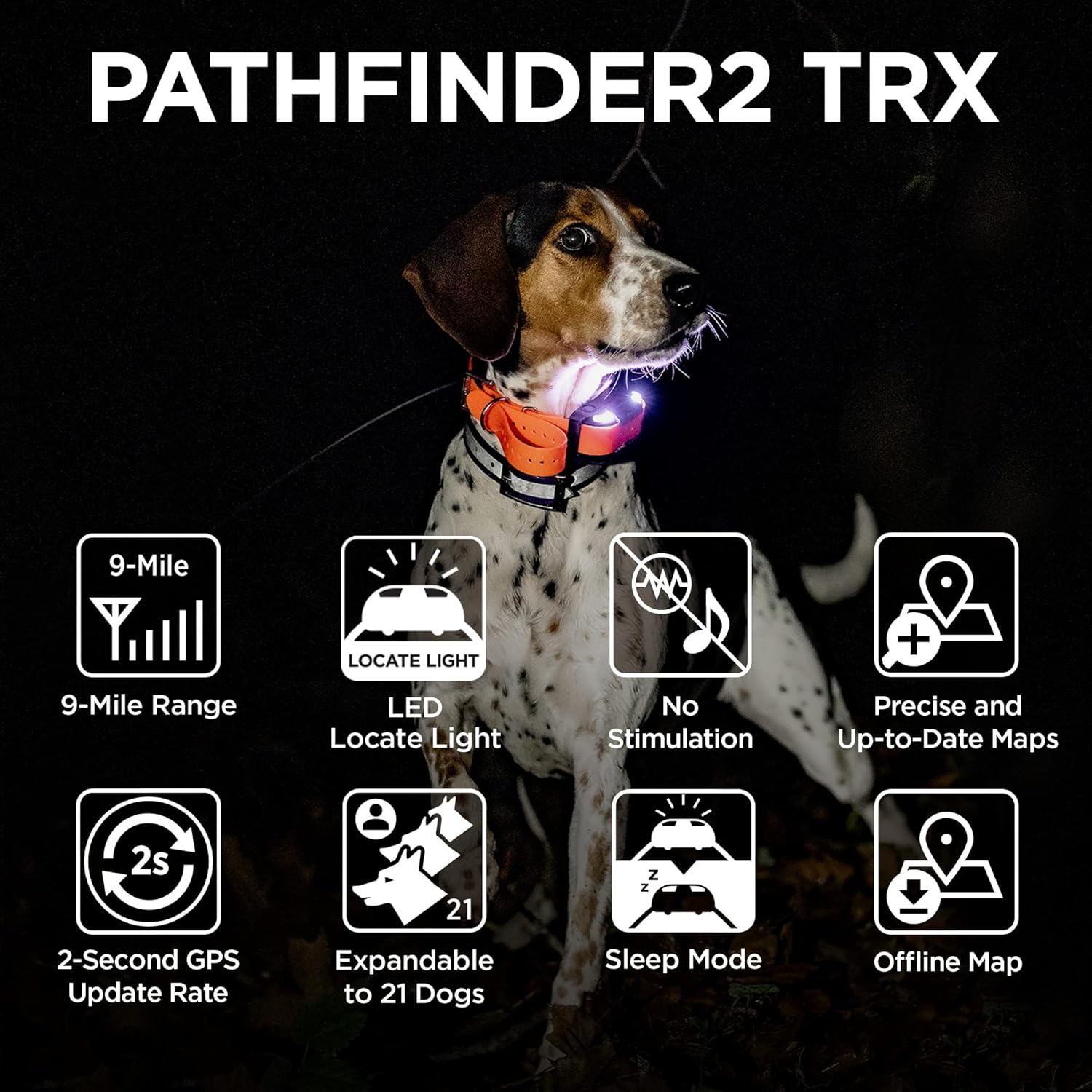
The Dogtra Pathfinder 2 TRX Additional Receiver is a GPS-only tracking collar designed to enhance your dog tracking experience. It works seamlessly with the Dogtra PATHFINDER2 real-time tracking app, allowing you to monitor up to 21 dogs within a 9-mile range. This receiver is built for durability and reliability in various outdoor environments, featuring an IPX9K waterproof rating and a rechargeable battery.
Key Features:
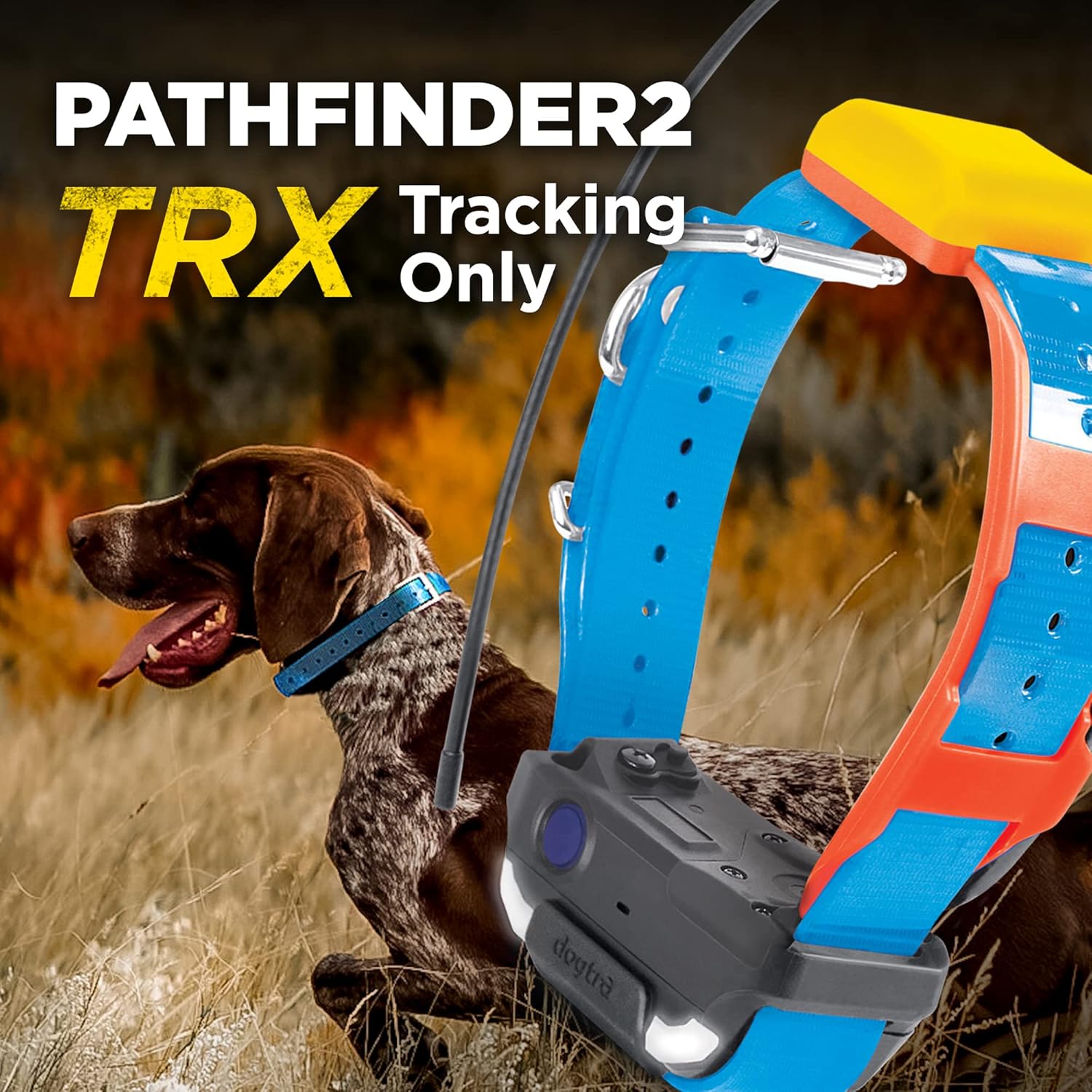
- GPS Only Tracking: Provides precise location tracking without correction output, making it suitable for UKC, AKC, and PKC events.
- Real-Time Tracking App: Utilizes the Dogtra PATHFINDER2 app for live tracking of multiple dogs.
- Smartwatch Compatibility: Track your dogs directly from your Apple Watch Series 5 and up or Samsung Galaxy Watch4 series.
- Free App & Maps: No subscriptions or monthly fees required. Access General, Satellite, and Terrain map views, with the option to download offline maps.
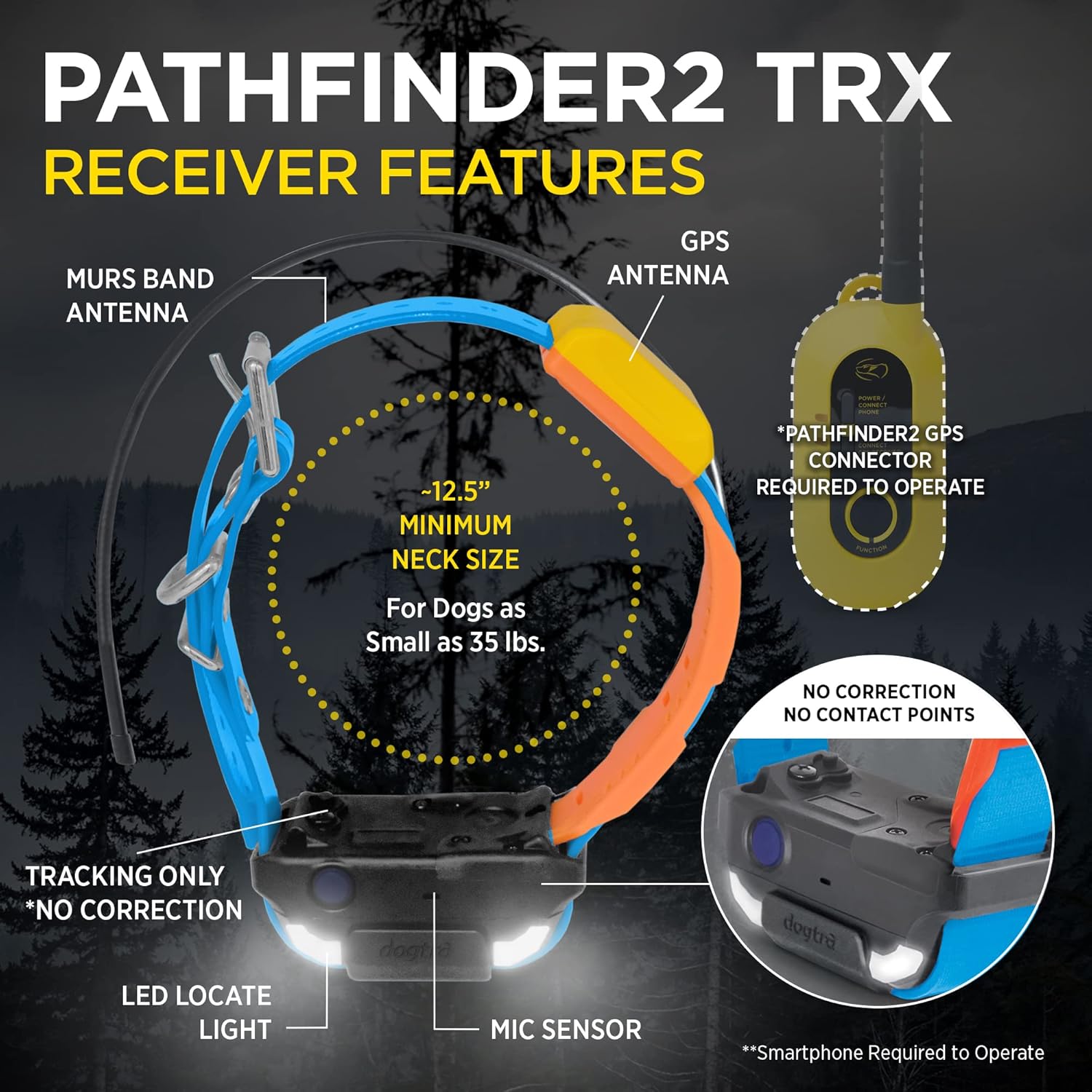
- LED Locate Light: Integrated LED light for enhanced visibility and locating your dog in low-light conditions.
- Durable & Waterproof: Fully IPX9K waterproof design ensures reliability in harsh conditions.
- Battery Saving Sleep Mode: Optimizes battery life when not actively tracking.

2. Setup
Before first use, ensure your Pathfinder 2 TRX receiver is fully charged. Download the official Dogtra PATHFINDER2 app on your smartphone (iOS 12.1+ or Android 6.0+). The system requires a smartphone with Bluetooth 5.0 for optimal performance.
2.1. Initial Charging
Connect the charging cable to the receiver and a power source. The LED indicator will show charging status. Ensure the device is fully charged before proceeding with setup.
2.2. App Download and Pairing
Search for "Dogtra PATHFINDER2" in your device's app store and install it. Follow the in-app instructions to pair your Pathfinder 2 TRX receiver with your smartphone and the GPS Connector (sold separately as part of the full system). Ensure all components are within Bluetooth range (approx. 30 feet) during the pairing process.
2.3. Firmware Update
It is crucial to keep your device's firmware and app software up to date for optimal performance. The app will notify you if an update is needed. Follow the steps below or refer to the official firmware update video for detailed instructions.
- Ensure your Pathfinder 2 TRX receiver and GPS Connector are powered on and within Bluetooth proximity of your smartphone.
- Open the Dogtra PATHFINDER2 app.
- Navigate to the 'Menu' section within the app.
- Select 'Settings'.
- Scroll down and tap on 'Firmware Update'.
- Tap 'Firmware Version Check' to see if an update is needed for your devices.
- If an update is available, select the device and confirm to begin the update process. Keep your phone near the device until the update is completed.
3. Operating Instructions
The Pathfinder 2 TRX receiver works in conjunction with the Dogtra PATHFINDER2 app to provide comprehensive dog tracking capabilities.
3.1. Real-Time Tracking
Once paired, your dog's location will appear on the app's map screen. You can switch between General, Satellite, and Terrain map views to best suit your environment. The app provides real-time updates on your dog's position and movement.

3.2. Smartwatch Integration
For added convenience, the Pathfinder 2 TRX system is compatible with select smartwatches. The smartwatch app provides quick access to your dog's GPS location, a compass for direction, and map views. This allows for hands-free tracking during activities.

3.3. Offline Maps
The app supports offline maps, allowing you to download and save map areas for use in locations without cellular service. This ensures continuous tracking capability regardless of network availability.

3.4. LED Locate Light
The receiver features an integrated LED locate light. This light can be activated via the app to help you visually locate your dog in dark or low-visibility conditions.
3.5. Sleep Mode
To conserve battery life, the Pathfinder 2 TRX receiver can be put into a battery-saving sleep mode via the app. This is useful when the device is not actively being used for tracking.

4. Maintenance
Proper maintenance ensures the longevity and optimal performance of your Dogtra Pathfinder 2 TRX receiver.
4.1. Cleaning
Clean the receiver with water-safe methods as needed. Ensure all charging ports and seals are free of debris before charging or exposing to water.
4.2. Battery Care
The device uses a Lithium Polymer battery. For best battery life, avoid extreme temperatures and store the device with a partial charge if not used for extended periods.
5. Troubleshooting
If you encounter issues with your Pathfinder 2 TRX receiver, refer to the following common troubleshooting tips:
- Connectivity Issues: Ensure your receiver, GPS Connector, and smartphone are all within Bluetooth range (approximately 30 feet) and have sufficient battery life.
- App Not Displaying Location: Verify that the receiver and GPS Connector are powered on and communicating with the app. Check your phone's Bluetooth settings.
- Firmware/Software Outdated: Always ensure your firmware and app software are up to date. Refer to Section 2.3 for firmware update instructions.
- No Correction Output: The Pathfinder 2 TRX is a GPS-only tracking collar and does not provide correction output. This is by design and allows for use in competitive events.
6. Specifications
| Feature | Detail |
|---|---|
| Model Name | PATHFINDER2 TRX ADDITIONAL RECEIVER BLUE |
| Item Model Number | 644622080387 |
| Item Weight | 6.6 ounces |
| Item Dimensions (LxWxH) | 4.5 x 4.5 x 1.25 inches |
| Batteries | 1 Lithium Polymer batteries required (included) |
| Color | Blue |
| Material | Plastic (or synthetic material) |
| Waterproof Rating | IPX9K |
| Age Range Description | All Life Stages |
| Breed Recommendation | Medium, Large |
| Included Components | Remote Control (GPS Connector) |
7. Warranty & Support
7.1. Warranty Information
The Dogtra Pathfinder 2 TRX Additional Receiver comes with a 1 Year Manufacturer Warranty. Please retain your proof of purchase for warranty claims.
7.2. Additional Support
For further assistance, you can refer to the official User Manual PDF or visit the Dogtra website for more resources.
