
1. Introduction
Thank you for choosing the WAAW US200SB DUO TWS Bluetooth Speaker. This speaker offers a unique audio experience, allowing you to enjoy your music with high quality and power. Its innovative design enables use as a single unit or separated into two for true wireless stereo (TWS) sound. With IPX6 water resistance and up to 14 hours of playback, it is designed for versatile use in various environments. This manual provides essential information for safe and optimal use of your speaker.
2. Safety Information
- Read all instructions carefully before using the product.
- Keep the speaker away from extreme temperatures, direct sunlight, and heat sources.
- Do not expose the speaker to fire or dispose of it in fire, as the battery may explode.
- Do not disassemble, repair, or modify the speaker. This may void the warranty and cause damage.
- Use only the provided charging cable or a certified equivalent.
- Ensure the charging port cover is securely closed when the speaker is exposed to water to maintain IPX6 water resistance.
- Avoid prolonged listening at high volumes to prevent hearing damage.
3. Package Contents
Please check that all items are present in your package:
- WAAW US200SB DUO TWS Bluetooth Speaker
- Micro USB Charging Cable
- User Manual
4. Product Overview
The WAAW US200SB DUO TWS speaker features a robust design with intuitive controls. It can be used as a single cylindrical unit or separated into two individual speakers.
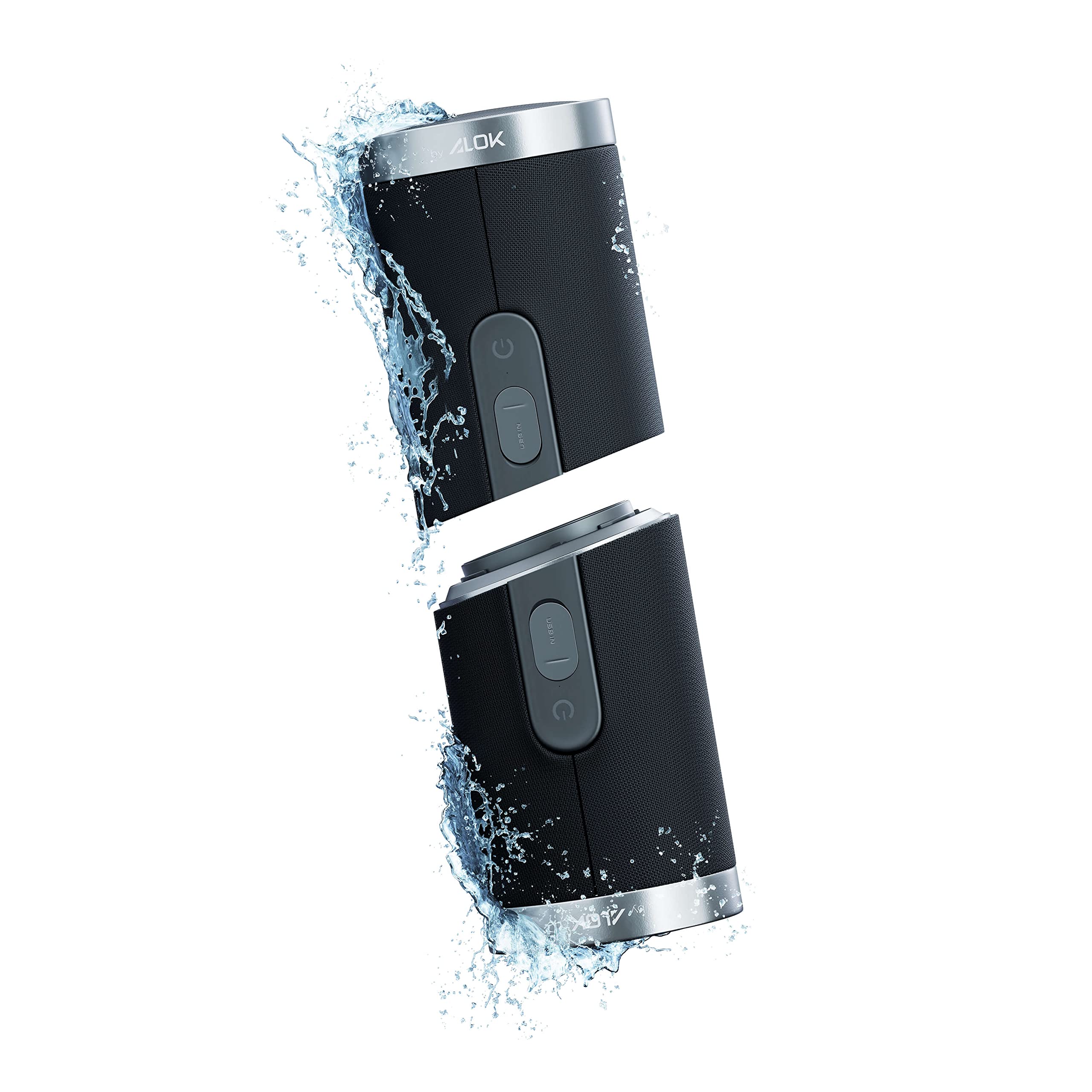
Image: The WAAW US200SB DUO TWS Bluetooth Speaker shown as a single, combined unit.

Image: A detailed view of the control panel on the WAAW US200SB DUO TWS Speaker, showing power and volume buttons.

Image: The WAAW US200SB DUO TWS Speaker split into two distinct units, highlighting its True Wireless Stereo capability.
5. Setup
5.1 Initial Charging
Before first use, fully charge your WAAW US200SB DUO speaker. Connect the provided Micro USB cable to the charging port on the speaker and the other end to a USB power adapter (not included) or a computer USB port. The charging indicator light will show the charging status. A full charge takes approximately 2-3 hours.
5.2 Power On/Off
- To power on: Press and hold the Power button (U) for 2-3 seconds until you hear an audible prompt.
- To power off: Press and hold the Power button (U) for 2-3 seconds until you hear an audible prompt.
6. Operating Instructions
6.1 Bluetooth Pairing (Single Speaker Mode)
- Ensure the speaker is powered on and in Bluetooth pairing mode (indicated by a flashing LED).
- On your device (smartphone, tablet, etc.), enable Bluetooth and search for available devices.
- Select "WAAW US200SB DUO" from the list of devices.
- Once connected, the speaker will provide an audible confirmation, and the LED indicator will turn solid.
6.2 TWS (True Wireless Stereo) Pairing (Two Speakers)
To enjoy a true stereo sound experience, you can pair two WAAW US200SB DUO speakers together.
- Ensure both WAAW US200SB DUO speakers are powered on and not connected to any other Bluetooth device.
- On one of the speakers (this will be your primary speaker), press the TWS button (often indicated by a chain link icon or similar). The speaker will enter TWS pairing mode.
- The two speakers will automatically search for and connect to each other. You will hear an audible confirmation once TWS pairing is successful.
- Once TWS is established, connect your device to the primary speaker via Bluetooth as described in Section 6.1. Only the primary speaker will appear in your device's Bluetooth list.
6.3 Hands-Free Calling
The WAAW US200SB DUO features a built-in microphone for hands-free calls when connected to your smartphone.
- To answer a call: Press the Play/Pause button once.
- To end a call: Press the Play/Pause button once.
- To reject a call: Press and hold the Play/Pause button for 2 seconds.
6.4 Music Playback Controls
- Play/Pause: Press the Play/Pause button once.
- Volume Up: Press the Volume Up (+) button.
- Volume Down: Press the Volume Down (-) button.
- Next Track: Press and hold the Volume Up (+) button.
- Previous Track: Press and hold the Volume Down (-) button.
7. Charging
The speaker is powered by a 3000mAh rechargeable battery. When the battery is low, you will hear an audible alert. Connect the Micro USB charging cable to the speaker's charging port and a power source. The charging indicator will illuminate during charging and turn off or change color when fully charged. Charging time is approximately 2-3 hours for a full charge, providing 12-14 hours of music playback depending on volume and content.
8. Water Resistance (IPX6)
The WAAW US200SB DUO speaker is rated IPX6 water resistant. This means it can withstand powerful water jets from any direction. It is suitable for use outdoors, by the pool, or in rainy conditions. However, it is not designed to be submerged in water. Ensure the charging port cover is tightly sealed before exposing the speaker to water to maintain its water resistance.
9. Specifications
| Feature | Specification |
|---|---|
| Brand | WAAW |
| Model Name | US200SB DUO TWS Bluetooth Speaker |
| Item Model Number | WAAW0003 |
| Connectivity Technology | Bluetooth, USB |
| Wireless Communication Technology | Bluetooth 5.0 |
| Bluetooth Profiles | A2DP / AVRCP / HSP / HFP |
| Maximum Range | 10 meters (obstacle-free environment) |
| Audio Output Mode | Stereo |
| Speaker Type | Component |
| Speaker Size | 2 inches |
| Woofer Diameter | 4 inches |
| Maximum Speaker Output Power | 20 Watts (RMS) |
| Impedance | 4 Ohm |
| Frequency Response | 70 Hz - 18 kHz |
| Power Source | Battery Powered |
| Battery Capacity | 3000mAh |
| Music Playback Time | 12-14 hours (varies with music type and volume) |
| Charging Time | 2-3 hours |
| Charging Cable Type | Micro USB |
| Water Resistant Rating | IPX6 |
| Built-in Microphone | Yes |
| Hands-Free Calls | Yes |
| Automatic Shutdown | Yes (in connection mode) |
| Product Dimensions | 20 x 7.6 x 7.6 cm |
| Item Weight | 796 grams |
| Included Components | Micro USB Charging Cable |
| Compatible Devices | Tablet, Computer, Smartphone |
10. Maintenance
- Cleaning: Wipe the speaker with a soft, damp cloth. Do not use abrasive cleaners or solvents.
- Storage: Store the speaker in a cool, dry place away from direct sunlight and extreme temperatures.
- Battery Care: To prolong battery life, charge the speaker at least once every three months if not in regular use.
11. Troubleshooting
11.1 Speaker does not power on
- Ensure the battery is charged. Connect the speaker to a power source and try again.
- Press and hold the Power button for a longer duration (5-7 seconds).
11.2 Cannot pair with Bluetooth device
- Ensure the speaker is in pairing mode (flashing LED).
- Make sure Bluetooth is enabled on your device and it is within 10 meters of the speaker.
- Forget/delete "WAAW US200SB DUO" from your device's Bluetooth list and try pairing again.
- Restart both the speaker and your Bluetooth device.
11.3 TWS pairing fails
- Ensure both speakers are WAAW US200SB DUO models and are not connected to any other Bluetooth device.
- Power off both speakers, then power them on and try TWS pairing again.
- Make sure the speakers are close to each other during TWS pairing.
11.4 No sound or low volume
- Increase the volume on both the speaker and your connected device.
- Ensure the speaker is properly connected via Bluetooth.
- Check if the audio source is playing.
12. Warranty and Support
The WAAW US200SB DUO TWS Bluetooth Speaker comes with an extended warranty. For detailed warranty terms and conditions, please refer to the warranty card included in your package or visit the official WAAW website. For technical support, troubleshooting assistance, or service inquiries, please contact WAAW customer support through their official channels.


