Introduction
Thank you for purchasing the Tangkula 42-Inch Tower Fan. This manual provides important information regarding the safe operation, assembly, maintenance, and troubleshooting of your new fan. Please read this manual thoroughly before use and retain it for future reference.
Important Safety Instructions
- Read all instructions before using this fan.
- Ensure the power supply voltage matches the rating label on the fan.
- Do not operate any fan with a damaged cord or plug. Discard fan or return to an authorized service facility for examination and/or repair.
- Do not run cord under carpeting. Do not cover cord with throw rugs, runners, or similar coverings. Arrange cord away from traffic area and where it will not be tripped over.
- To disconnect fan, turn controls to OFF, then remove plug from outlet.
- Do not insert or allow fingers or foreign objects to enter any ventilation or exhaust opening as this may cause an electric shock or fire, or damage the fan.
- Do not block air intakes or exhaust in any manner.
- Always place the fan on a stable, flat surface during operation to prevent it from tipping over.
- This fan is not intended for use in wet or damp locations.
- Unplug the fan from the outlet when not in use, when moving it from one location to another, and before cleaning.
- This appliance has a polarized plug (one blade is wider than the other). To reduce the risk of electric shock, this plug is intended to fit in a polarized outlet only one way. If the plug does not fit fully in the outlet, reverse the plug. If it still does not fit, contact a qualified electrician. Do not attempt to defeat this safety feature.
Package Contents
Please check the package contents carefully. If any items are missing or damaged, contact customer service.
- 1 x Tangkula 42-Inch Tower Fan
- 1 x Remote Control
- 1 x User Manual
Product Features
- Customizable Airflow: Offers 3 wind modes (Normal, Natural, Sleep) and multiple speed settings (3 for Natural/Sleep, 8 for Normal mode).
- Wide Oscillation: Features an 80° wide-angle oscillation for broad air coverage.
- Smart Control: Equipped with a smart touch control panel and an LED display. Includes a remote control with a range of up to 16.5 feet.
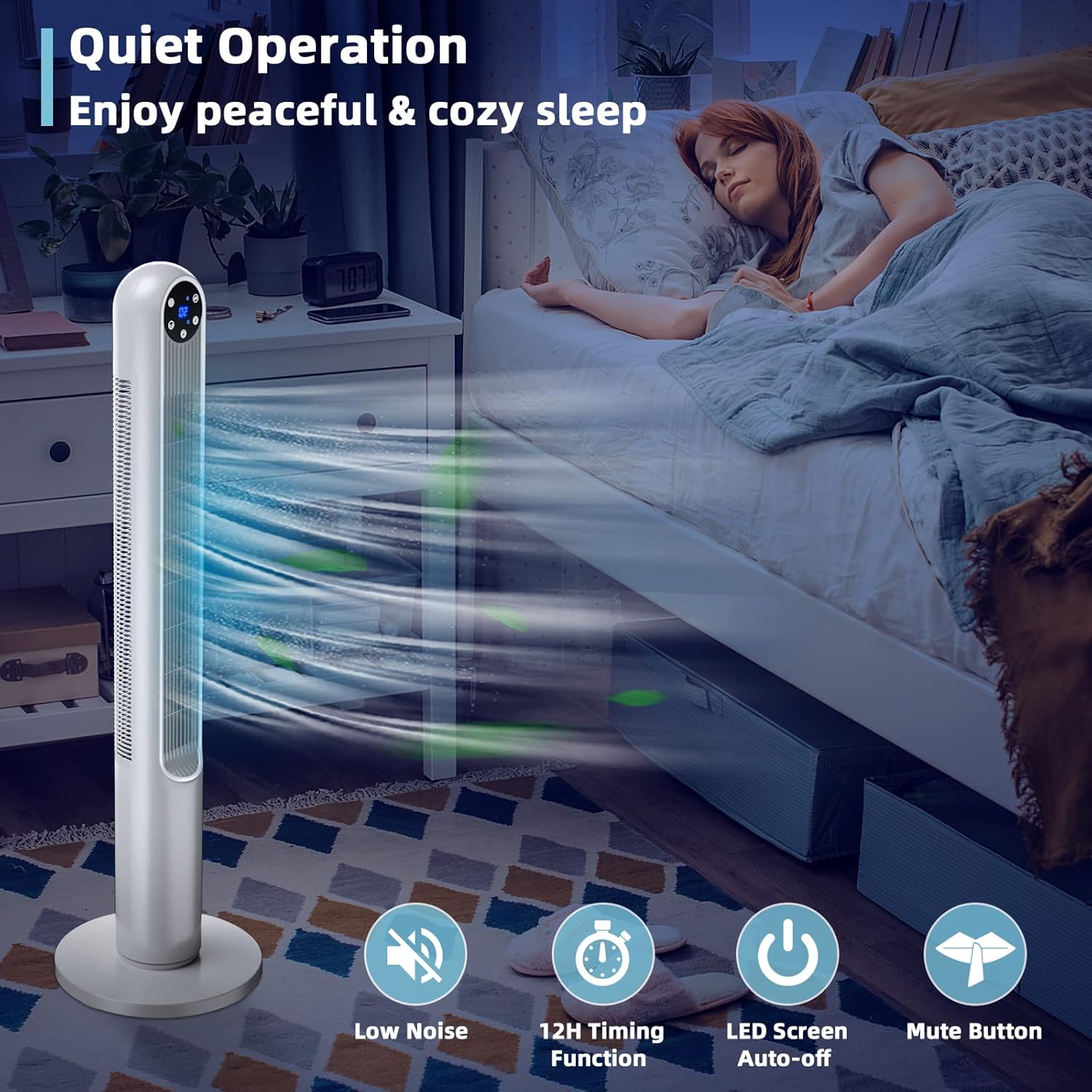
- Quiet Operation: Designed for low noise, includes a 12-hour timing function, auto-off LED screen, and mute button for undisturbed sleep.
- Safe Bladeless Design: Features a narrow fence and bladeless design, suitable for households with children and pets. ETL certified.
- Space-Saving Design: Compact dimensions (12"D x 12"W x 42"H) make it suitable for various rooms without occupying much floor space.
- Portable: Lightweight design allows for easy movement between rooms.
Setup and Assembly
The Tangkula Tower Fan requires minimal assembly. Follow these steps to prepare your fan for use:
- Unpack: Carefully remove all components from the packaging. Retain packaging for storage or if return is necessary.
- Base Assembly (if required): If the base is separate, align the two halves of the base and snap or screw them together. Then, align the assembled base with the bottom of the fan body and secure it according to the instructions provided in the box (typically by twisting or using screws).
- Placement: Place the fan on a firm, level surface. Ensure there is adequate space around the fan for proper airflow and oscillation.
- Power Connection: Plug the power cord into a standard 120V AC electrical outlet.
Operating Instructions
Your Tangkula Tower Fan can be operated using the touch control panel on the top of the fan or the included remote control.
Control Panel & Remote Functions:
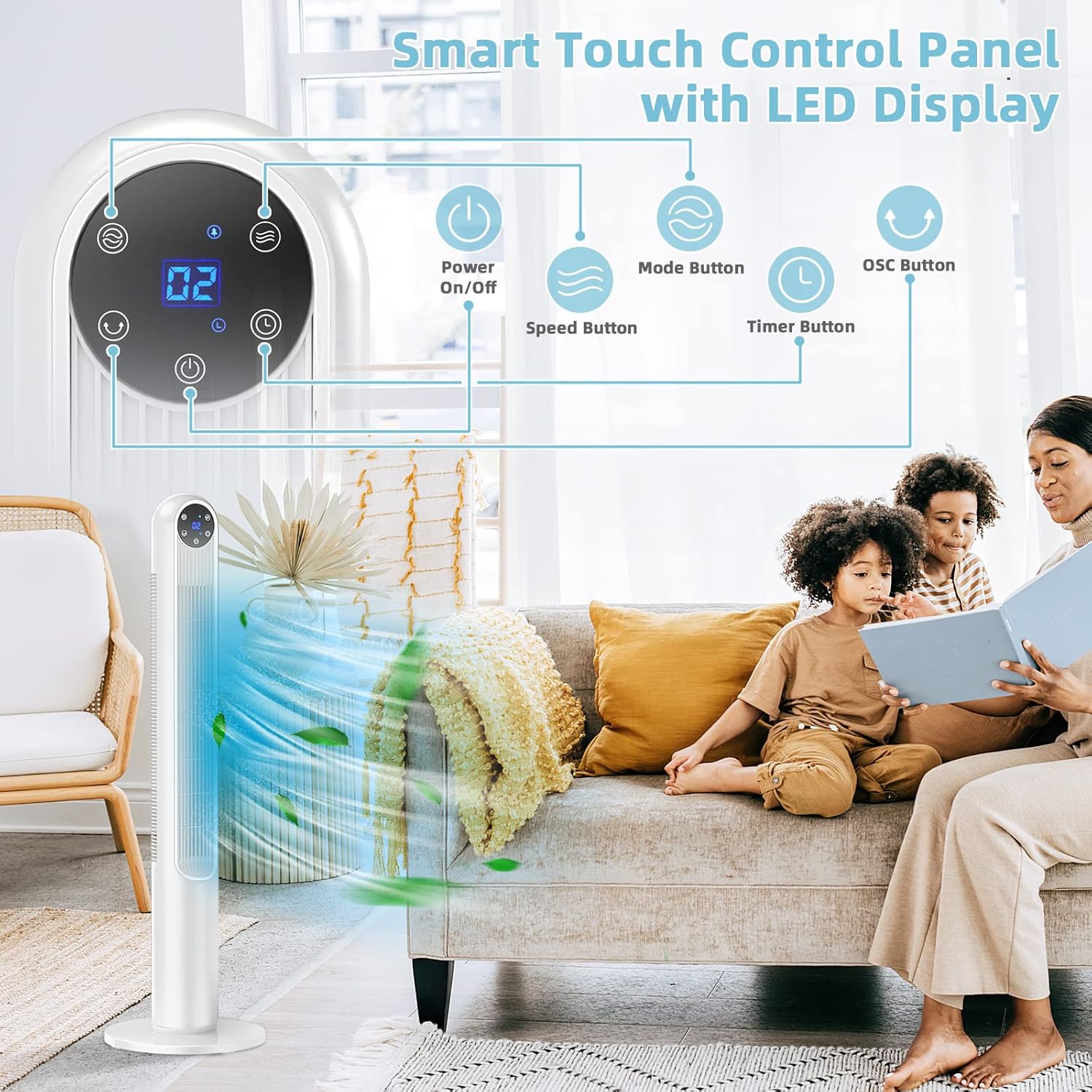
- Power On/Off: Press the Power Button () to turn the fan on or off.
- Speed Adjustment: Press the Speed Button () to cycle through available speed settings.
- In Normal mode: 8 speed settings.
- In Natural & Sleep modes: 3 speed settings (Low, Medium, High).
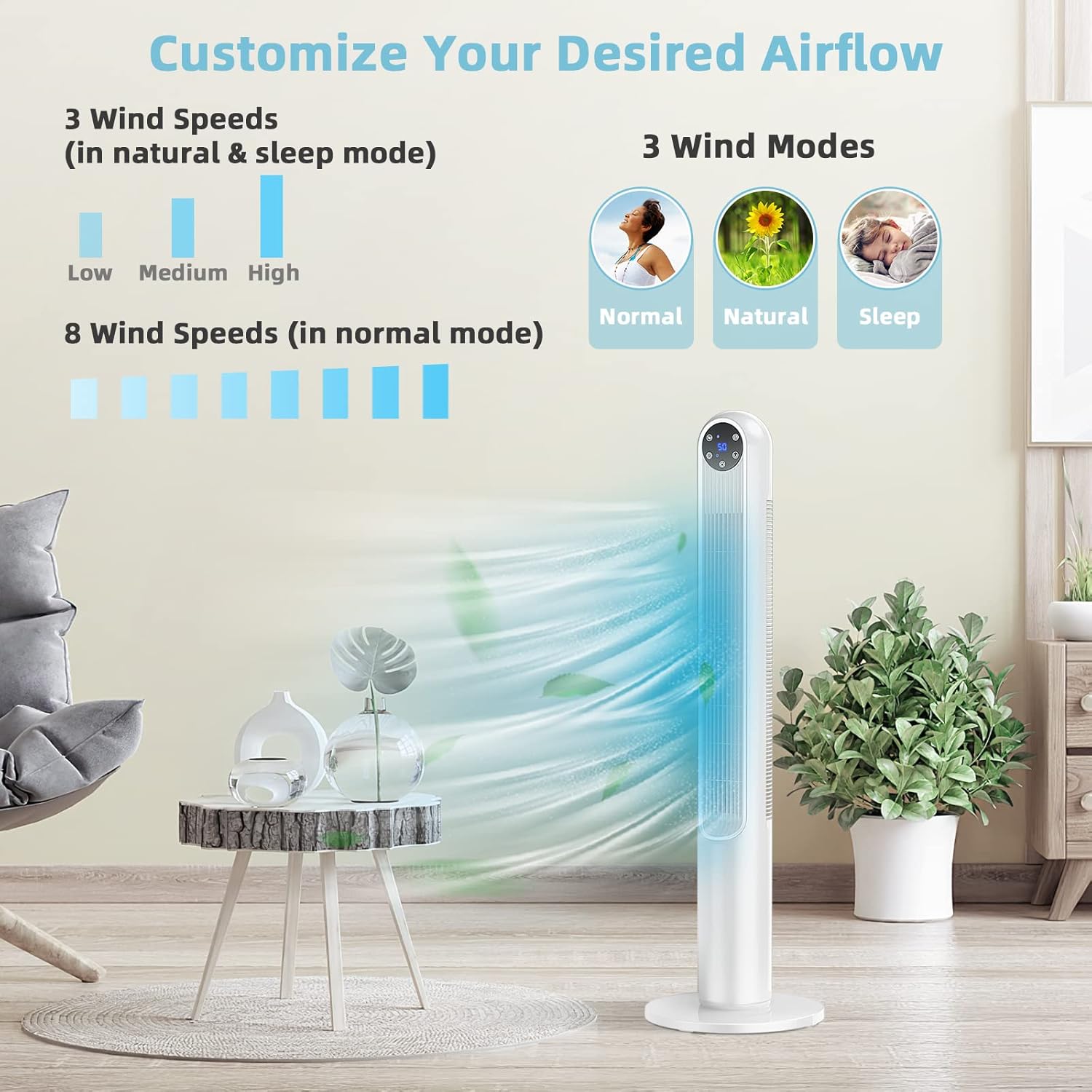
Image: Fan Wind Modes and Speeds. This image illustrates the three wind modes (Normal, Natural, Sleep) and the different speed options available for each mode. - Mode Selection: Press the Mode Button () to switch between Normal, Natural, and Sleep modes.
- Oscillation: Press the OSC Button () to activate or deactivate the 80° oscillation function. When active, the fan head will rotate from side to side to distribute air across a wider area.

Image: 80 Degree Oscillation for Wide Air Coverage. This image shows the fan oscillating, with arrows indicating the wide area of air distribution in a room. - Timer Function: Press the Timer Button () to set the fan to automatically turn off after a specified period, up to 12 hours. Each press typically increases the timer by one hour.
- Mute Button: The remote control includes a mute button to silence operational beeps or sounds.
- LED Display: The LED display shows the current settings (e.g., speed level, timer). The LED screen can auto-off for undisturbed sleep.
Understanding Wind Modes:
- Normal Mode: Provides a constant, steady airflow at your selected speed (1-8).
- Natural Mode: Simulates natural breeze by varying the fan speed intermittently (Low, Medium, High).
- Sleep Mode: Operates at a lower, quieter speed with a gentle, varying airflow, ideal for sleeping (Low, Medium, High). The LED display will dim or turn off automatically.
Maintenance
Regular cleaning and maintenance will help ensure the longevity and optimal performance of your fan.
- Before Cleaning: Always unplug the fan from the power outlet before cleaning or performing any maintenance.
- Exterior Cleaning: Use a soft, damp cloth to wipe the exterior surfaces of the fan. Do not use abrasive cleaners or solvents, as these may damage the finish.
- Dust Removal: Use a vacuum cleaner with a brush attachment or compressed air to remove dust from the air intake and exhaust vents. Ensure no dust accumulates inside the fan.
- Storage: If storing the fan for an extended period, clean it thoroughly, then place it back in its original packaging or cover it to protect it from dust. Store in a cool, dry place.
Troubleshooting
If you encounter issues with your Tangkula Tower Fan, refer to the following common problems and solutions:
| Problem | Possible Cause | Solution |
|---|---|---|
| Fan does not turn on. | No power supply. Power cord not securely plugged in. Fan is off. | Check if the power outlet is working. Ensure the power cord is firmly plugged into the outlet. Press the Power button on the control panel or remote. |
| Weak or no airflow. | Air intake/exhaust blocked. Fan speed set too low. | Ensure vents are clear of obstructions. Increase the fan speed setting. |
| Fan is making unusual noise. | Fan not on a level surface. Internal obstruction or dust buildup. | Place the fan on a stable, flat surface. Unplug the fan and carefully inspect for any foreign objects or excessive dust. Clean as per maintenance instructions. |
| Remote control not working. | Batteries are dead or incorrectly inserted. Obstruction between remote and fan. | Replace batteries with new ones, ensuring correct polarity. Remove any objects blocking the signal path. Ensure you are within the 16.5ft range. |
If the problem persists after attempting these solutions, please contact customer support.
Specifications
| Brand | Tangkula |
| Model Name | GT-TK-US10090WH-ES |
| Color | White |
| Product Dimensions | 12"D x 12"W x 42"H (30.5cm D x 30.5cm W x 106.7cm H) |
| Item Weight | 8.5 Pounds (3.86 kg) |
| Power Source | Corded Electric |
| Voltage | 120 Volts |
| Wattage | 40 watts |
| Number of Power Levels | 8 (Normal Mode) / 3 (Natural & Sleep Modes) |
| Oscillation Angle | 80° |
| Timer | Up to 12 Hours |
| Control Method | Remote, Push Button |
| Cable Length | 69.6 Inches (176.8 cm) |
| Indoor/Outdoor Usage | Indoor |
| Special Features | Bladeless, Lightweight, Oscillating, Portable, LED Display, Timer |
| Certification | ETL |
Warranty Information
Specific warranty details for your Tangkula 42-Inch Tower Fan may vary. Please refer to the warranty card included with your purchase or the retailer's website for detailed information regarding warranty coverage, terms, and conditions. Keep your proof of purchase for any warranty claims.
Customer Support
If you have any questions, require assistance, or need to report a problem with your Tangkula Tower Fan, please contact Tangkula customer service. You can typically find contact information on the product packaging, the retailer's website, or the official Tangkula website.
When contacting support, please have your model number (GT-TK-US10090WH-ES) and purchase date ready.


