
1. Introduction and Overview
This manual provides essential information for the safe and effective installation, operation, and maintenance of your One For All Full Motion Heavy TV Wall Mount, Model WM5660. This mount is designed to securely hold televisions ranging from 42 to 100 inches with a maximum weight capacity of 176 lbs. It supports all VESA patterns from 100 x 100 to 600 x 400, offering dynamic movement for optimal viewing angles.

Image: The One For All Full Motion Heavy TV Wall Mount, showcasing its robust design and articulated arms.
2. Safety Information
Please read all instructions carefully before installation. Incorrect installation can lead to serious injury or damage to your TV and property. Always ensure the wall structure can support the combined weight of the mount and your television. If unsure, consult a qualified professional.
- Do not exceed the maximum weight capacity of 176 lbs (80 kg).
- Ensure the wall mount is installed on solid wood studs (up to 24 in. on center) or concrete/brick walls using appropriate anchors.
- Verify that the VESA pattern of your TV is compatible with the mount (100x100 to 600x400).
- Keep children and pets away during installation.
- This product is UL listed, indicating it meets rigorous safety standards.

Image: The UL Listed certification logo, signifying product safety compliance.
3. Package Contents
Before beginning installation, ensure all components are present and undamaged. The package typically includes:
- TV Wall Mount Assembly
- Mounting Hardware Kit (screws, washers, spacers, concrete anchors)
- Spirit Level
- Installation Instructions / Quick Start Guide

Image: An illustration highlighting the inclusion of various mounting materials for a straightforward setup.
4. Setup and Installation
For detailed, step-by-step installation guidance, it is recommended to use the dedicated One For All installation app. Simply scan the QR code provided in the quick start guide to access the app. The mount is optimized for stud walls, supporting up to 24-inch on-center wall studs.
- Choose Location: Select a suitable wall location, considering viewing angles and proximity to power outlets.
- Locate Studs: Use a stud finder to accurately locate and mark the center of your wall studs.
- Attach Wall Plate: Secure the wall plate to the marked studs using the provided lag bolts. Ensure it is level using the spirit level.
- Attach TV Brackets: Secure the TV brackets to the back of your television, ensuring they align with the VESA mounting holes.
- Mount TV: Carefully lift and hook the TV (with attached brackets) onto the wall plate. Secure the TV to the mount using the locking mechanisms.

Image: A close-up view of the TV mount installed on a wall, showing integrated cable management features.
Video: An official product video demonstrating the features and installation process of the One For All Premium Full Motion Wall Mount.
5. Operating and Adjustments
The One For All Full Motion TV Wall Mount offers extensive flexibility for an optimal viewing experience. It features a dynamic design allowing for significant movement and precise adjustments.
- Full Motion Capability: Extend, retract, and swivel your TV to achieve the perfect viewing angle from anywhere in the room. The mount allows for up to 180 degrees of horizontal adjustment (swivel).
- Adjustable Tilt: Easily adjust the vertical tilt of your TV by up to 20 degrees to reduce glare and optimize viewing comfort.
- Optimal Wall Distance: The mount maintains a low profile with a minimum wall distance of 2.6 inches when fully retracted, and can extend up to 24 inches from the wall.
- Easy Leveling: After installation, the level of the bracket can be easily adjusted to ensure your TV is perfectly straight.
- Protection Systems: Features a bumper protection system to prevent the TV from hitting the wall and anti-scratch padding on the arms to protect your TV's finish.

Image: A side view of the TV mount fully extended from the wall, demonstrating its range of motion.

Image: A top-down view illustrating the dynamic movement capabilities of the mount's articulated arms.

Image: A hand demonstrating the adjustment of the tilt mechanism on the TV mount.

Image: Visual representation of key features including adjustable tilt, easy leveling, bumper protection, and anti-scratch padding.
6. Maintenance
To ensure the longevity and optimal performance of your TV wall mount, follow these simple maintenance guidelines:
- Cleaning: Wipe the mount with a soft, dry cloth to remove dust. For stubborn marks, use a slightly damp cloth and mild detergent, then dry thoroughly. Avoid abrasive cleaners or solvents.
- Periodic Checks: Periodically inspect all screws and bolts to ensure they remain tight and secure. Check for any signs of wear or damage to the mount's components.
- Lubrication: The moving parts of the mount are designed for smooth operation. If any stiffness occurs, a small amount of silicone-based lubricant can be applied to the pivot points.
7. Troubleshooting
If you encounter issues with your TV wall mount, refer to the following common troubleshooting steps:
| Problem | Possible Cause | Solution |
|---|---|---|
| TV tilts forward or sags | TV weight exceeds capacity; Tilt mechanism not tightened; Improper installation. | Ensure TV weight is within the 176 lbs limit. Tighten the adjustable tilt mechanism. Verify proper installation on secure wall studs. |
| Difficulty moving the TV | Joints are stiff; Cables are snagged. | Apply a small amount of silicone-based lubricant to the moving joints. Check cable routing to ensure they are not obstructing movement. |
| TV is not level | Post-installation leveling adjustment needed. | Utilize the easy leveling adjustment feature on the mount to correct the TV's horizontal position. |
If the problem persists after attempting these solutions, please contact One For All customer support.

Image: Icons representing key features: VESA compatibility, 176 lbs. capacity, 120-degree swivel, and powder-coated finish.
8. Specifications
| Feature | Detail |
|---|---|
| Model Number | WM5660 |
| Compatible TV Sizes | 42" to 100" |
| Maximum Weight Capacity | 176 lbs (80 kg) |
| VESA Compatibility | 100x100 to 600x400 |
| Horizontal Swivel | Up to 180° |
| Vertical Tilt | Up to 20° |
| Minimum Wall Distance | 2.6 inches |
| Compatible Wall Studs | Up to 24 inches on center |
| Product Dimensions | 20.3 x 3.4 x 30.4 inches |
| Item Weight | 34.6 pounds |
| Certification | UL Listed |
9. Warranty and Support
The One For All Full Motion Heavy TV Wall Mount (Model WM5660) comes with a 10-year warranty, ensuring long-term reliability and peace of mind.
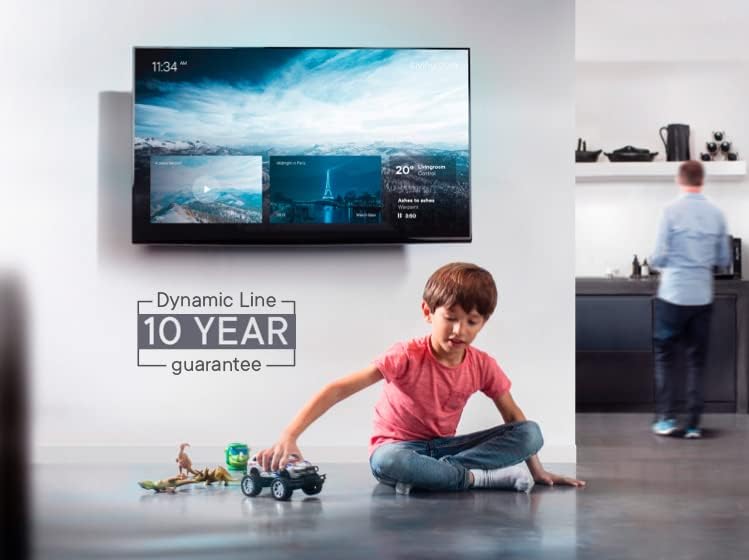
Image: A visual representation of the 10-year guarantee provided with the product.
For any questions, technical assistance, or warranty claims, please contact the One For All Support team:
- Phone: 888-440-7074
- Operating Hours: Monday to Friday, 9 AM to 4 PM ET


