
1. Introduction
This manual provides detailed instructions for the safe and efficient operation of your U`King ZQ02235US 100W Bee Eye Moving Head DJ Light. Please read this manual thoroughly before installation and use to ensure proper function and to prevent damage to the unit or injury to personnel. Keep this manual for future reference.
The U`King ZQ02235US is a versatile stage lighting fixture featuring a 100W Bee Eye moving head design with a powerful 60W white light and six 10W 4-in-1 RGBW LEDs. It offers multiple effects including honeycomb, beam, zoom, strobe, and wash, controlled via DMX512, sound activation, automatic programs, or master/slave configurations.
2. Safety Instructions
- Always connect the unit to a grounded power outlet.
- Ensure the voltage of the power supply matches the voltage specified on the unit.
- Do not operate the unit if the power cord is damaged.
- Avoid direct eye exposure to the light source.
- Ensure adequate ventilation around the unit to prevent overheating.
- Do not open the housing; there are no user-serviceable parts inside. Refer all servicing to qualified personnel.
- Keep the unit away from rain, moisture, and extreme temperatures.
- Mount the unit securely using appropriate hardware and safety cables.
3. Package Contents
Verify that all components are present and in good condition upon opening the package:
- 1 x U`King ZQ02235US Moving Head Light
- 1 x Power Cord
- 1 x User Manual (this document)
- 1 x Mounting Bracket
- 2 x Mounting Screws
4. Product Overview
The U`King ZQ02235US combines a powerful 60W white LED with six 10W RGBW LEDs to deliver dynamic lighting effects. Its compact design and robust construction make it suitable for various stage and event applications.
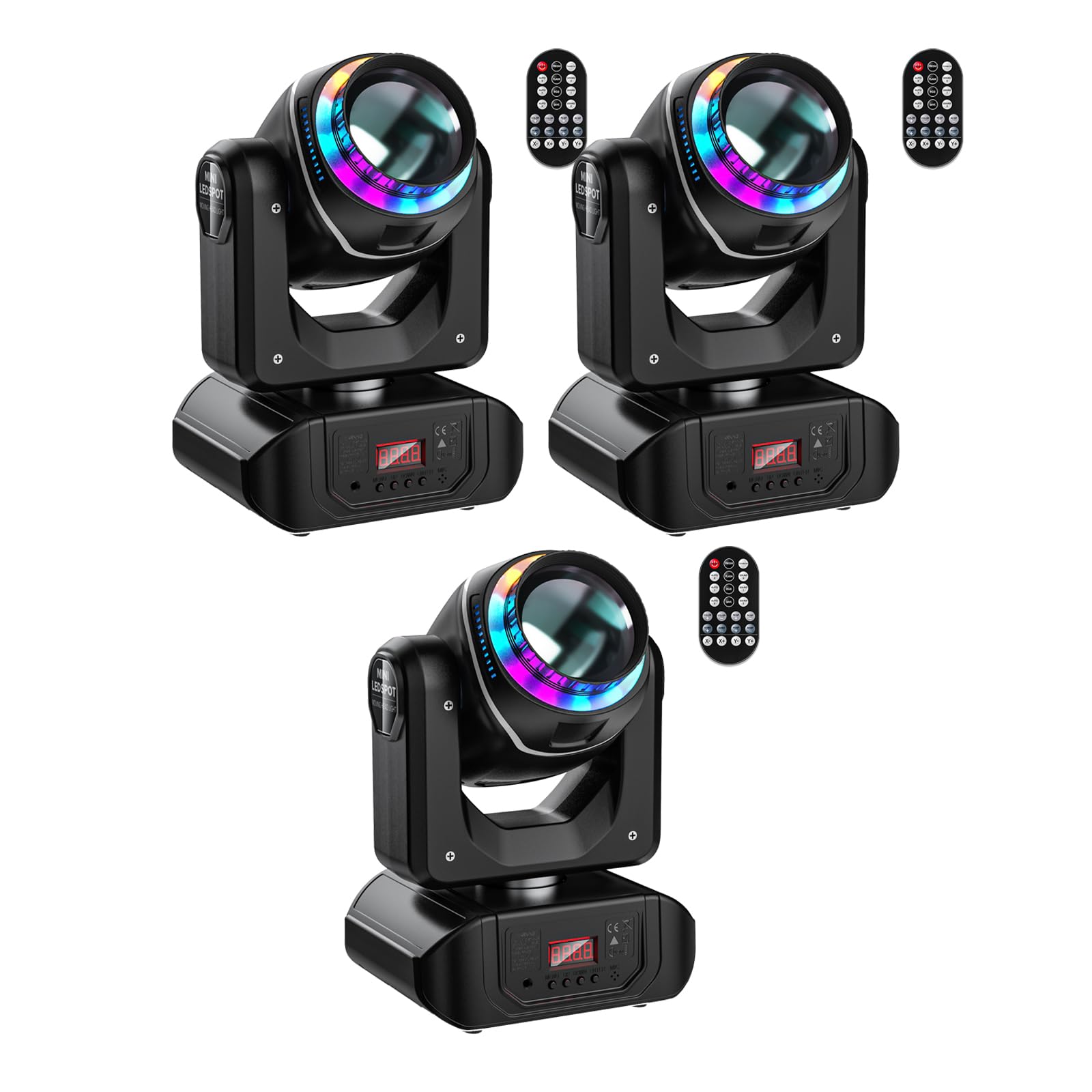
Figure 4.1: Front view of the U`King ZQ02235US Moving Head DJ Light, showcasing its main light source and Bee Eye LEDs.
Key Features:
- Light Source: 1x 60W White LED + 6x 10W 4-in-1 RGBW LEDs.
- Gobo Wheel: 8 distinct gobos for pattern projection.
- Color Wheel: 8 vibrant colors for diverse lighting moods.
- Movement: 540° Pan and 180° Tilt for wide coverage.
- Effects: Honeycomb, Beam, Zoom, Strobe (25 times/sec), Wash light effects.
- Control Modes: DMX512, Sound Activated, Automatic, Master/Slave.
- Channels: 16 or 18 DMX channels for precise control.
- Construction: Durable aluminum and plastic housing with built-in cooling fan.
5. Setup
5.1 Mounting the Fixture
The U`King ZQ02235US can be mounted in various positions (e.g., truss, ceiling, floor) using the provided mounting bracket and screws. Ensure the mounting surface is capable of supporting the fixture's weight and that a safety cable is used for overhead installations.
- Attach the mounting bracket to the base of the fixture using the two provided mounting screws.
- Secure the fixture to a truss or other suitable structure using a clamp (not included) and the mounting bracket. For floor placement, ensure the unit is on a stable, level surface.
- Always use a safety cable (not included) when mounting the fixture overhead.
5.2 Power Connection
Connect the supplied power cord to the power input on the rear of the fixture and then to a grounded AC 100-240V, 50-60Hz power outlet.
5.3 DMX Connection (Optional)
For DMX control, connect a DMX cable (not included) from your DMX controller's output to the DMX IN port on the first fixture. For multiple fixtures, daisy-chain them by connecting the DMX OUT of the first fixture to the DMX IN of the next, and so on. Ensure the last fixture in the chain has a DMX terminator (not included) connected to its DMX OUT port.
6. Operating Instructions
The fixture features an LCD display and four control buttons (MENU, UP, DOWN, ENTER) for navigating settings and selecting operating modes.

Figure 6.1: Control panel with LCD display and navigation buttons (MENU, UP, DOWN, ENTER).
6.1 Control Panel Navigation
- MENU: Press to cycle through the main menu options or to exit a sub-menu.
- UP: Press to increase values or scroll up through menu options.
- DOWN: Press to decrease values or scroll down through menu options.
- ENTER: Press to confirm a selection or enter a sub-menu.
6.2 Operating Modes
The U`King ZQ02235US supports four primary operating modes:
- DMX512 Control Mode:
This mode allows for precise control of all fixture functions using an external DMX controller. The fixture uses either 16 or 18 DMX channels. Refer to the DMX Channel Chart (not provided in this manual, typically found in a separate DMX protocol sheet) for specific channel assignments.
- Use the MENU button to navigate to the DMX address setting.
- Use UP/DOWN to set the desired DMX start address (e.g., A001).
- Press ENTER to confirm.
- Ensure your DMX controller is sending signals to the correct address.
- Automatic Mode (Auto-Run):
The fixture will run through pre-programmed internal light shows without external control. This mode is ideal for quick setup or when a DMX controller is not available.
- Navigate to the "Auto" or "Show" menu option.
- Select an automatic program (if multiple are available) using UP/DOWN.
- Press ENTER to activate the selected auto-run program.
- Sound Activated Mode:
The fixture's effects will react to ambient sound or music detected by its built-in microphone. Sensitivity can often be adjusted.
- Navigate to the "Sound" or "Music" menu option.
- Press ENTER to activate sound-activated mode.
- Adjust sound sensitivity if available in the menu.
- Master/Slave Mode:
In this configuration, one fixture acts as the "Master" and controls other "Slave" fixtures. All Slave units will mirror the Master's movements and effects.
- Connect the DMX OUT of the Master unit to the DMX IN of the first Slave unit, and so on.
- Set the Master unit to either Automatic or Sound Activated mode.
- Set all Slave units to "Slave" mode via their control panels.
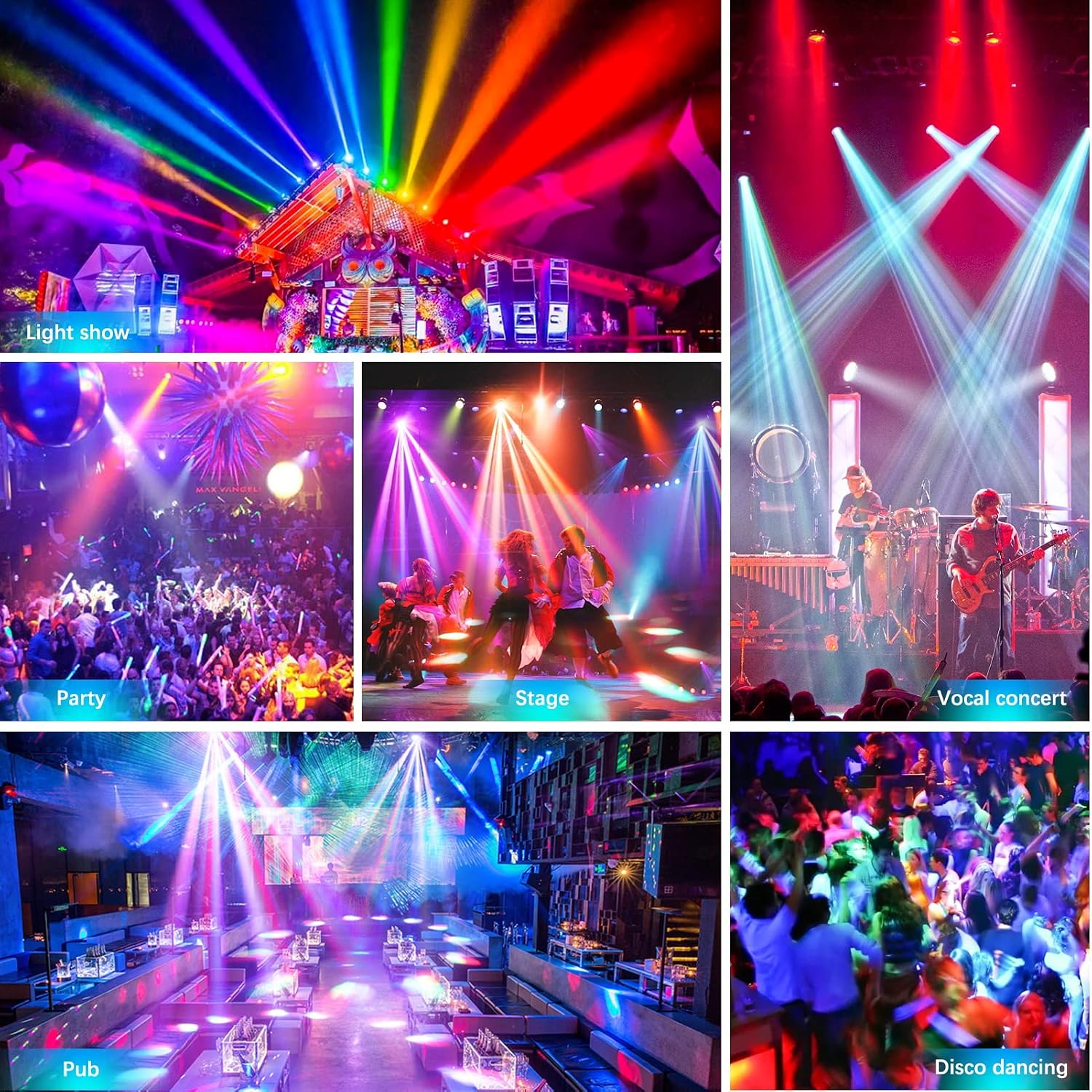
Figure 6.2: Illustrative examples of the light's effects in different environments, including light shows, parties, and stage performances.
7. Maintenance
Regular maintenance ensures optimal performance and extends the lifespan of your fixture.
7.1 Cleaning
- Disconnect the power before cleaning.
- Use a soft, lint-free cloth to wipe the exterior of the fixture.
- For optical lenses, use a specialized lens cleaning solution and a soft cloth to avoid scratches.
- Periodically clean the ventilation openings to ensure proper airflow and prevent dust buildup.
7.2 Fan Inspection
The fixture includes a built-in fan for heat dissipation. Periodically check the fan for any unusual noises or obstructions. A noisy fan may indicate a bearing issue and should be addressed by qualified service personnel.
8. Troubleshooting
If you encounter issues with your U`King ZQ02235US, refer to the following common problems and solutions:
- No Power:
- Check if the power cord is securely connected to both the fixture and the power outlet.
- Verify that the power outlet is functional.
- Inspect the power cord for any damage.
- No Light Output:
- Ensure the fixture is receiving power and the display is active.
- In DMX mode, check your DMX controller settings and DMX address. Ensure the DMX signal is present.
- In Auto or Sound mode, ensure the mode is correctly selected and activated.
- Fixture Not Responding to DMX:
- Verify the DMX address on the fixture matches the address set on your controller.
- Check DMX cable connections for proper seating and continuity.
- Ensure a DMX terminator is used on the last fixture in the chain.
- Try a different DMX cable or port on your controller.
- Unusual Fan Noise:
- This may indicate a fan bearing issue. While the unit has a built-in fan for cooling, excessive or grinding noise suggests a potential malfunction.
- Ensure ventilation openings are clear of dust and debris.
- If the noise persists, contact customer support for assistance.
9. Specifications
| Brand | U`King |
| Model | ZQ02235US |
| Voltage | AC 100-240V, 50-60Hz |
| Light Source | 1x 60W White LED + 6x 10W 4-in-1 RGBW LEDs |
| DMX Channels | 16/18 CH |
| Control Modes | DMX512, Sound Activated, Automatic, Master/Slave |
| Pan Movement | 540° |
| Tilt Movement | 180° |
| Strobe | 25 times/second |
| Material | Aluminum + Plastic |
| Product Dimensions | 33.53 x 26.92 x 23.11 cm |
| Item Weight | 4.01 kg |
10. Warranty and Support
The U`King ZQ02235US Stage Light is covered by a 30-Day Money Back Guarantee and a 90-Day Warranty from the date of purchase. For any questions, technical support, or warranty claims, please contact U`King customer service via the after-sale email provided at the time of purchase or on the official U`King website. We aim to reply within 12 hours and assist in resolving any issues.


