
Cook's Essentials CE117ICE-SS
Cook's Essentials Portable Ice Maker Instruction Manual
Model: CE117ICE-SS
Introduction
Thank you for purchasing the Cook's Essentials Portable Ice Maker. This manual provides important information regarding the safe operation, maintenance, and troubleshooting of your new appliance. Please read this manual thoroughly before using the ice maker and retain it for future reference.
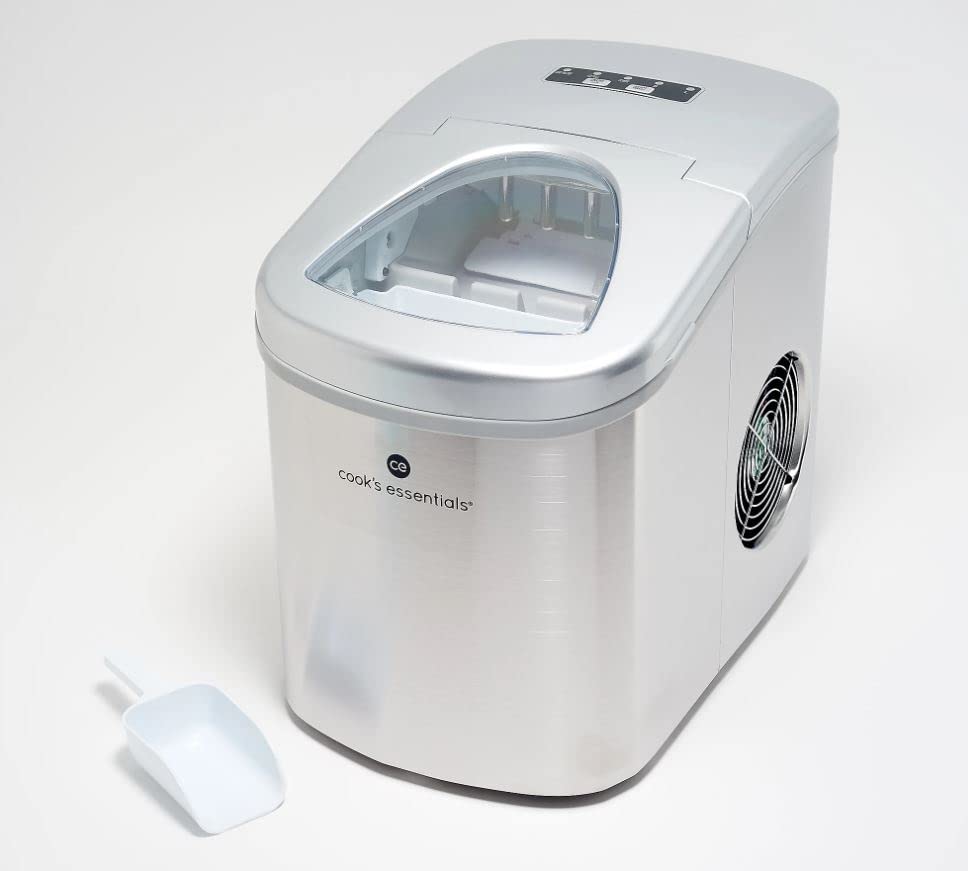
Image: The Cook's Essentials Portable Ice Maker in silver, shown with its accompanying white ice scoop. The unit features a clear lid and a side ventilation grille.
Important Safety Instructions
- Read all instructions before use.
- Do not immerse cord, plug, or any part of the appliance in water or other liquids.
- Close supervision is necessary when any appliance is used by or near children.
- Unplug from outlet when not in use and before cleaning.
- Do not operate any appliance with a damaged cord or plug, or after the appliance malfunctions or has been damaged in any manner.
- Use only manufacturer-recommended attachments.
- Do not use outdoors.
- Do not let cord hang over edge of table or counter, or touch hot surfaces.
- Do not place on or near a hot gas or electric burner, or in a heated oven.
- Always attach plug to appliance first, then plug cord into the wall outlet. To disconnect, turn any control to "off", then remove plug from wall outlet.
- Do not use appliance for other than intended use.
- This appliance is for household use only.
What's in the Box
Upon unpacking, please ensure all components are present and in good condition:
- Cook's Essentials Portable Ice Maker Unit
- Ice Scoop
- Ice Basket
- Instruction Manual (this document)
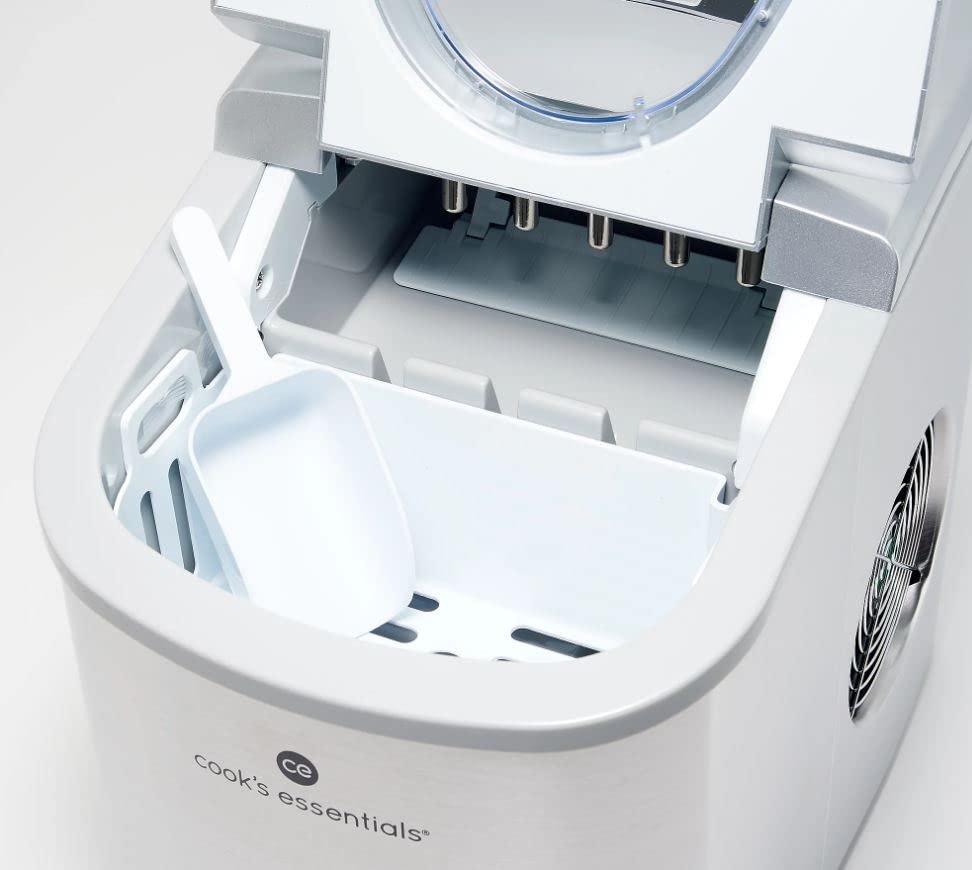
Image: An inside view of the ice maker, highlighting the removable ice basket and the white ice scoop placed within it. The ice-making mechanism is visible above the basket.
Setup
- Unpack: Carefully remove the ice maker from its packaging.
- Placement: Place the ice maker on a flat, stable surface away from direct sunlight and heat sources. Ensure there is at least 4 inches of clearance around the unit for proper ventilation.
- Clean: Before first use, clean the interior of the ice maker. Refer to the "Maintenance" section for detailed cleaning instructions.
- Power Connection: Plug the power cord into a grounded electrical outlet.
- Add Water: Open the lid and remove the ice basket. Fill the water reservoir with potable water up to the MAX fill line. Do not overfill.
Operating Instructions
Control Panel Overview
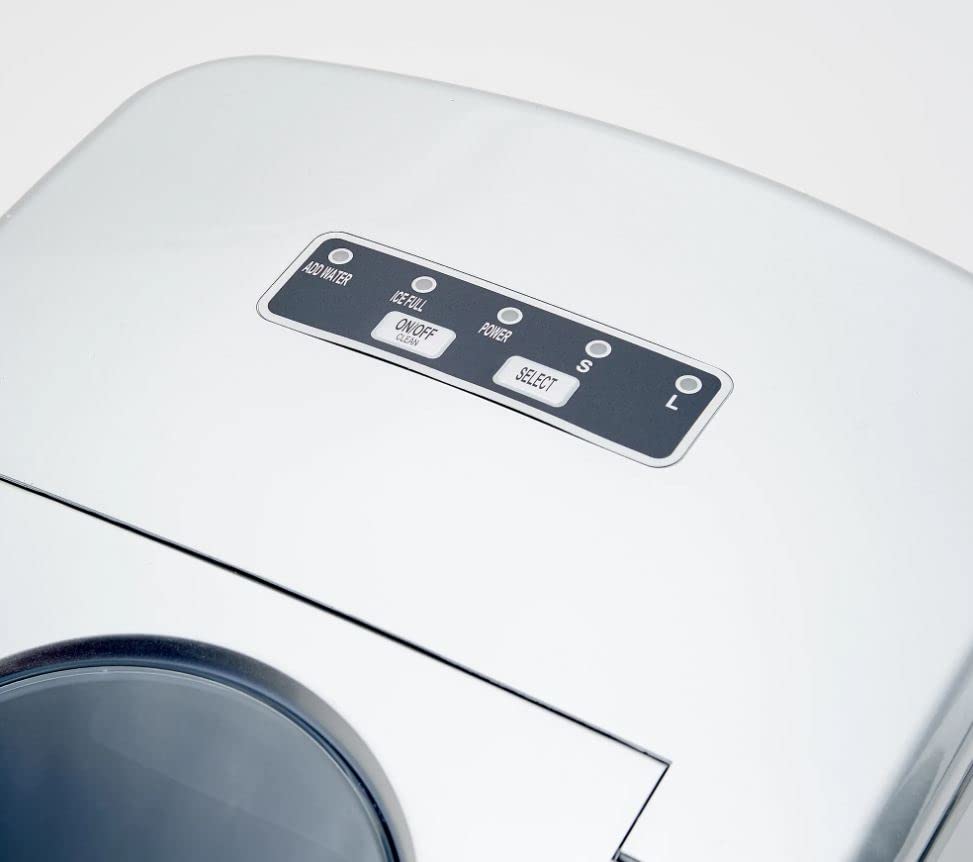
Image: A detailed view of the ice maker's control panel. It features indicator lights for "ADD WATER", "ICE FULL", and "POWER", along with buttons for "ON/OFF" and "SELECT" to choose between small (S) and large (L) ice cube sizes.
- ADD WATER Indicator: Illuminates when the water reservoir needs refilling.
- ICE FULL Indicator: Illuminates when the ice basket is full.
- POWER Indicator: Illuminates when the unit is powered on.
- ON/OFF Button: Press to turn the ice maker on or off.
- SELECT Button: Press to choose between small (S) or large (L) ice cube sizes. The corresponding indicator light will illuminate.
Making Ice
- Ensure the unit is plugged in and the water reservoir is filled.
- Press the ON/OFF button to turn on the ice maker. The POWER indicator will light up.
- Press the SELECT button to choose your desired ice cube size (Small or Large).
- The ice maker will begin the ice-making cycle. The first batch of ice may take slightly longer.
- When the ICE FULL indicator lights up, the ice basket is full. Remove ice to continue production.
- When the ADD WATER indicator lights up, refill the water reservoir.
- To stop ice production, press the ON/OFF button.
Maintenance
Cleaning
Regular cleaning helps maintain ice quality and extends the life of your ice maker. The unit features a self-cleaning mode.
- Self-Cleaning Mode:
- Ensure the water reservoir is filled.
- Press and hold the ON/OFF button for 5 seconds to activate self-cleaning. The unit will cycle water through its system.
- The self-cleaning cycle typically lasts for a few minutes. Once complete, drain the water.
- Manual Cleaning:
- Unplug the ice maker from the power outlet.
- Remove the ice basket.
- Drain any remaining water from the reservoir by removing the drain plug located at the bottom of the unit (if applicable, consult diagram in full manual).
- Clean the interior with a soft cloth dampened with a mild detergent solution. Rinse thoroughly.
- Clean the exterior with a soft, damp cloth.
- Dry all parts thoroughly before reassembling and storing.
Storage
If the ice maker will not be used for an extended period, drain all water, clean the unit, and store it in a dry, cool place.
Troubleshooting
| Problem | Possible Cause | Solution |
|---|---|---|
| Ice maker not working. | Not plugged in; Power outage; Unit is off. | Ensure unit is plugged into a working outlet; Check circuit breaker; Press ON/OFF button. |
| "ADD WATER" indicator is on. | Water reservoir is empty. | Fill the water reservoir up to the MAX line. |
| "ICE FULL" indicator is on. | Ice basket is full. | Remove ice from the basket. |
| Ice cubes are small or clumpy. | Water temperature too high; Air temperature too high; Unit needs cleaning. | Use colder water; Ensure unit is in a cool, well-ventilated area; Perform self-cleaning or manual cleaning. |
| Unusual noise during operation. | Normal operation sounds (compressor, water pump); Unit not level. | Some noise is normal; Ensure unit is on a flat, stable surface. If noise is excessive or new, contact customer support. |
Specifications
| Feature | Detail |
|---|---|
| Model Number | CE117ICE-SS |
| Brand | Cook's Essentials |
| Ice Production Capacity | Up to 26 lbs per 24 hours |
| Ice Basket Capacity | 1/2 lb |
| Construction Material | Stainless Steel |
| Refrigerant | R134a |
| Dimensions (Approx.) | 12.1 x 11.1 x 10 inches |
| Weight (Approx.) | 19 Pounds |
Warranty and Support
This product is sold as "Renewed" by Amazon Renewed. For specific warranty information and customer support, please refer to the documentation provided with your renewed product or contact Amazon Renewed customer service directly. General product support for Cook's Essentials appliances can often be found on the manufacturer's official website.
Ask a question about this manual
Ask about setup, troubleshooting, compatibility, parts, safety, or missing instructions. Manuals+ will review the question and use this page’s manual context to help answer it.