
Welcome
Thank you for choosing the WARSUN H09 LED Work Light. This manual provides important information for the safe and efficient use of your new work light. Please read it thoroughly before operation and retain it for future reference.
Product Overview
Key Features
- Super Bright COB Output: Up to 2200 lumens for wide area illumination.
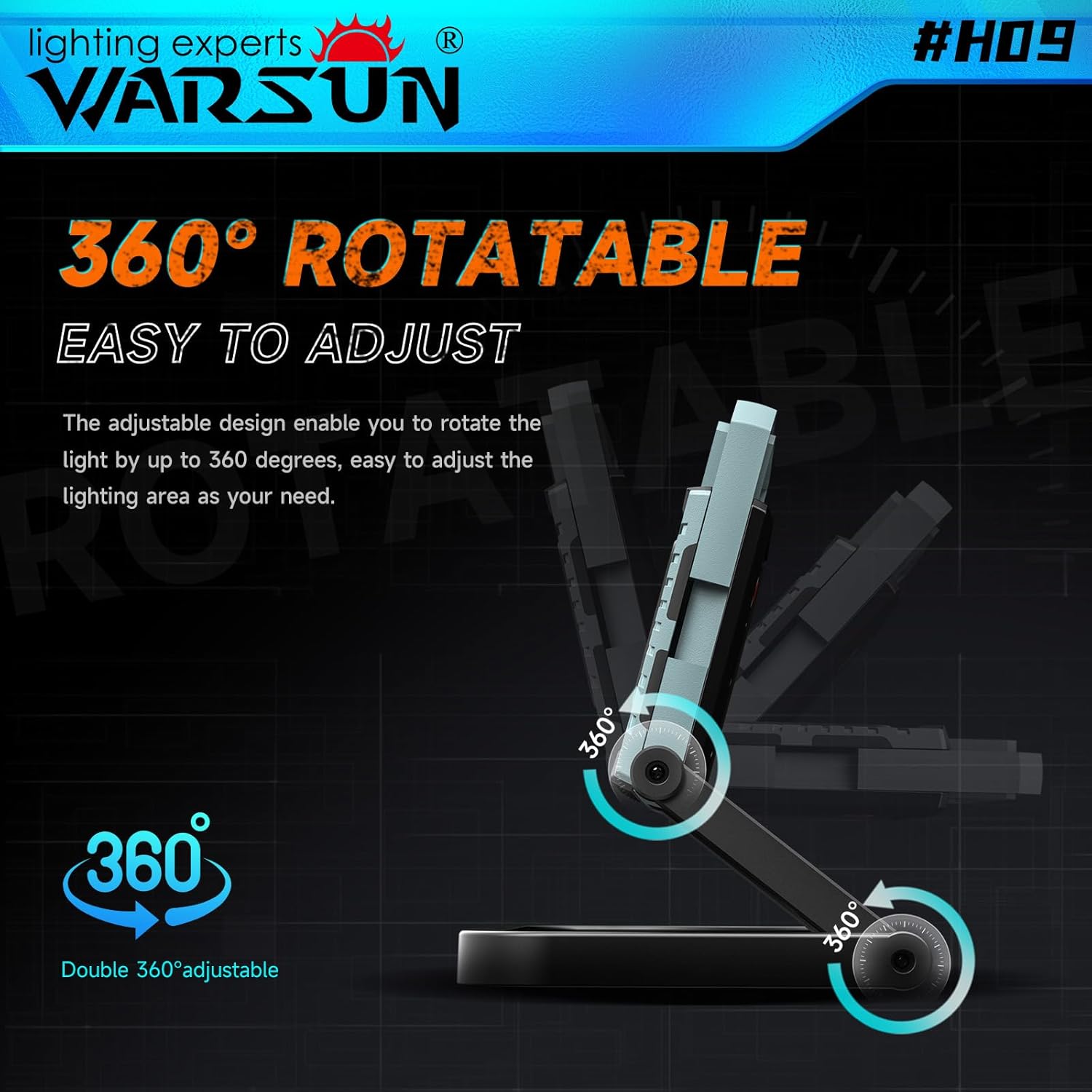
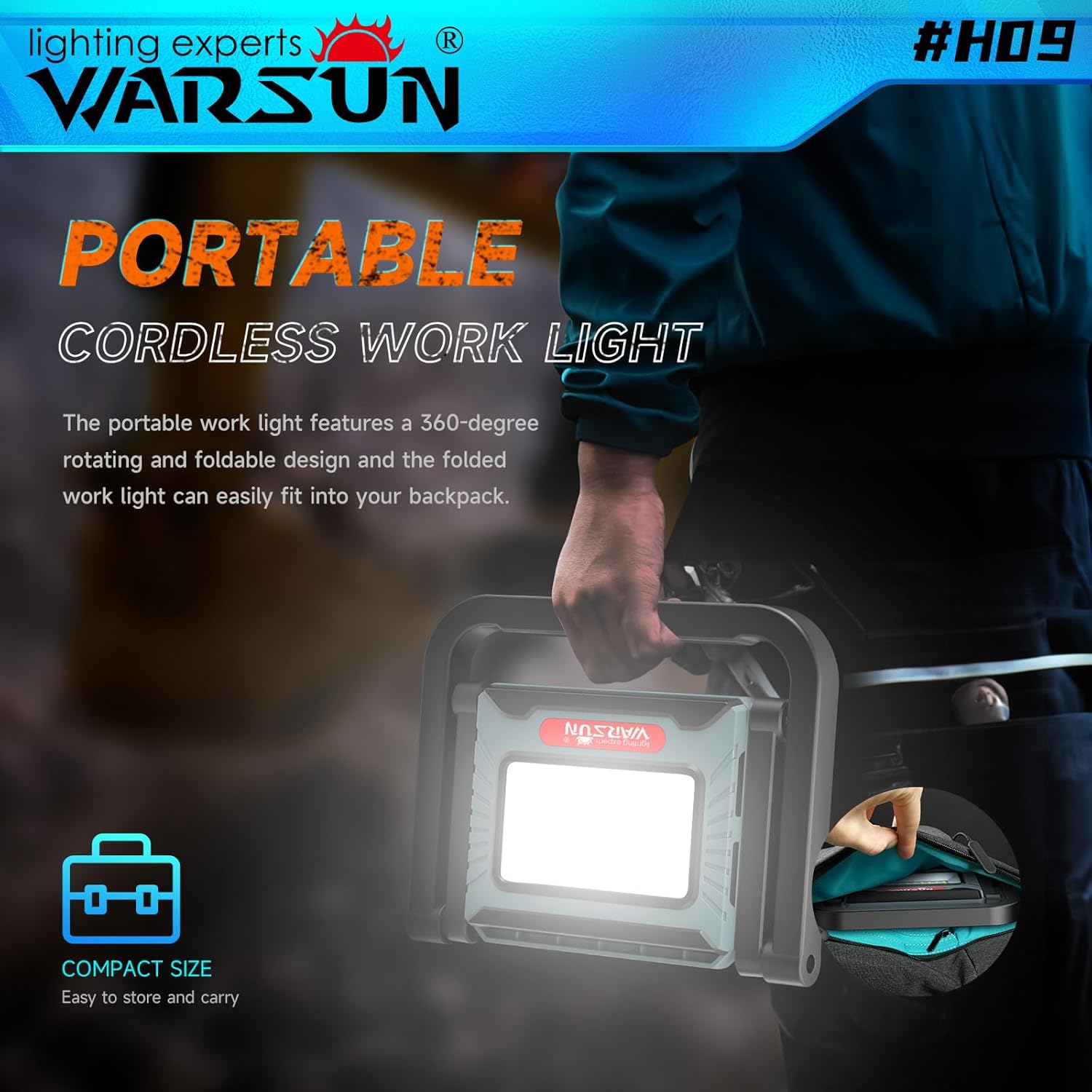
- Ergonomic and Portable Design: Features a 360-degree rotating and foldable stand with a retractable handle for easy adjustment and transport.
- Large Capacity Battery: Integrated 8000mAh rechargeable battery provides extended operation and can function as a power bank.
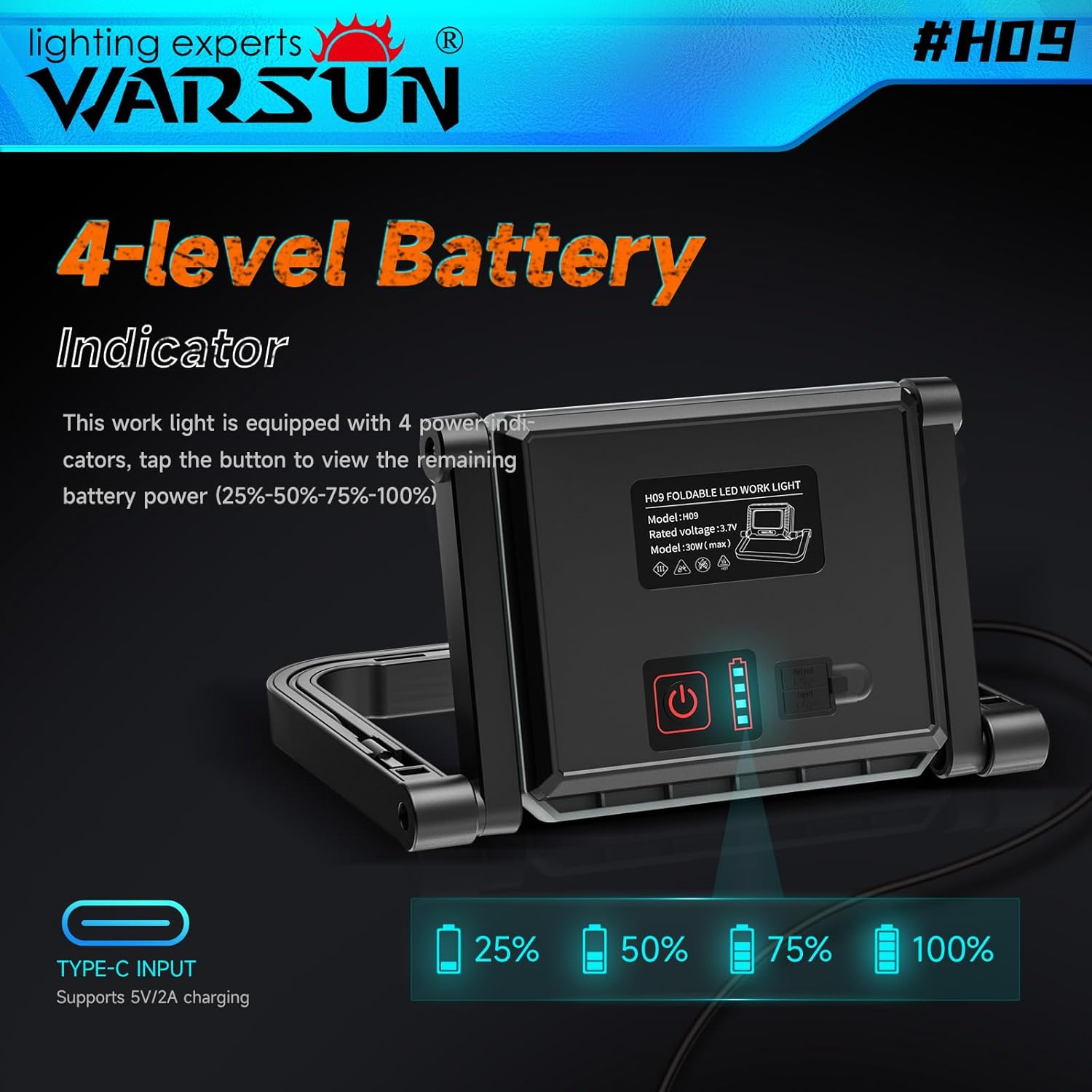
- 4-Level Battery Indicator: Clearly displays remaining battery power (25%, 50%, 75%, 100%).
- Adjustable Brightness: Three brightness levels (10%, 50%, 100%) to suit various lighting needs.
- Integrated Cable Storage: Includes a dedicated slot for the charging cable.
Package Contents
- 1 x WARSUN H09 LED Work Light
- 1 x USB Charging Cable (stored in the unit)
- 1 x User Manual
Setup
Initial Charge
Before first use, fully charge the work light.
- Locate the charging cable storage slot on the back of the unit.
- Remove the USB charging cable.
- Connect the USB-C end of the cable to the input port on the work light.
- Connect the USB-A end to a compatible 5V/2A USB power adapter (not included).
- The battery indicators will illuminate to show charging progress. All four indicators will be solid when fully charged.
Adjusting the Stand
The work light features a 360-degree rotatable and foldable stand.
- Gently unfold the stand to your desired angle.
- The light head can be rotated 360 degrees to direct illumination.
- For portability, fold the stand flat against the unit.

Operating Instructions
Power On/Off and Brightness Adjustment
The work light has a single power button for controlling power and brightness.
- To Power On: Press the power button once. The light will turn on at 10% brightness.
- To Adjust Brightness: Press the power button repeatedly to cycle through brightness levels: 10% (Low) → 50% (Medium) → 100% (High).
- To Power Off: After cycling through 100% brightness, pressing the button again will turn the light off. Alternatively, press and hold the power button for 2 seconds to turn off the light from any brightness level.
Battery Indicator
The four LED indicators on the back of the unit display the remaining battery charge.
- One LED: 0-25% charge remaining
- Two LEDs: 25-50% charge remaining
- Three LEDs: 50-75% charge remaining
- Four LEDs: 75-100% charge remaining
Charging and Power Bank Function
Recharging the Work Light
Use the provided USB charging cable to recharge the internal 8000mAh battery.
- Connect the USB-C end to the work light's input port.
- Connect the USB-A end to a 5V/2A USB power source.
- The battery indicators will flash during charging and remain solid when fully charged.
Using as a Power Bank
The WARSUN H09 can also serve as an emergency power bank for your electronic devices.
- Locate the USB-A output port on the back of the work light.
- Connect your device's charging cable to this port.
- The work light provides a 2A current output for charging.
Maintenance
- Cleaning: Wipe the unit with a soft, damp cloth. Do not use abrasive cleaners or solvents.
- Storage: Store the work light in a cool, dry place away from direct sunlight when not in use. Ensure the battery is partially charged before long-term storage.
- Cable Management: Utilize the integrated charging cable storage slot to prevent loss or damage to the cable.

Troubleshooting
| Problem | Possible Cause | Solution |
|---|---|---|
| Light does not turn on | Battery is depleted | Charge the work light fully. |
| Light is dim | Low battery or incorrect brightness setting | Charge the battery or cycle through brightness levels. |
| Device not charging from work light | Work light battery is low or cable is faulty | Ensure work light is charged; try a different charging cable. |
| Light flickers | Loose connection or internal issue | Ensure all connections are secure. If problem persists, contact support. |
Specifications
| Feature | Detail |
|---|---|
| Model | H09 |
| Brand | WARSUN |
| Light Output | 2200 Lumens (Max) |
| Brightness Levels | 10%, 50%, 100% |
| Battery Capacity | 8000mAh Lithium Ion |
| Power Source | Battery Powered |
| Input Voltage | 5 Volts |
| Output Amperage (Power Bank) | 2 Amps |
| Light Source Type | LED (COB) |
| Color Temperature | 6000 Kelvin |
| Beam Angle | 120 Degrees |
| Average Life | 30000 Hours |
| Material | Acrylonitrile Butadiene Styrene (ABS) |
| Finish Type | Powder Coated |
| Product Dimensions | 8.62"L x 6.85"W x 1.38"H |
| Item Weight | 1.43 Pounds |
| Mounting Type | Bracket Mount |
| Features | Directional Light, Energy Efficient, Long Lifespan, Environmentally Friendly, 360 Rotatable Stand, Foldable Design, Retractable Handle, Integrated Cable Storage |
Warranty and Support
The WARSUN H09 LED Work Light comes with a one-year free warranty from the date of purchase.
For warranty claims, technical support, or any inquiries, please contact WARSUN customer service through the retailer where the product was purchased or visit the official WARSUN website. Please have your purchase receipt and product model number (H09) ready.

