
AFMAT ES10GY
AFMAT Effortless Stapler User Manual
Model: ES10GY | Brand: AFMAT
1. Overview
The AFMAT Effortless Stapler is designed for efficient and comfortable stapling, capable of handling up to 50 sheets of paper with reduced effort. Its ergonomic design allows for both desktop and handheld use, making it suitable for various office, home, and school environments. This manual provides essential information for proper use and maintenance of your stapler.

Image: The AFMAT Effortless Stapler, showcasing its ergonomic design and gray finish.
2. Product Features
- 50-Sheet Stapling Capacity: Designed to staple up to 50 sheets of 70 gsm paper using #23/8 staples, ensuring high efficiency for demanding tasks.
- 50% Effort Reduced: Ergonomically designed for comfortable one-finger operation, significantly reducing the force required for stapling, ideal for frequent users.
- Easy to Use & Quick Reloading: Features a convenient release button for fast and effortless staple reloading.
- JAM-FREE Technology: Engineered to prevent staple jams, ensuring smooth and consistent performance. Includes a built-in staple remover for convenience.
- Space-Saving & Durable: Compact design with a small footprint, constructed from sturdy plastic and solid metal for long-lasting durability.
3. Setup
3.1 Loading Staples
- Locate the red release button at the rear of the stapler.
- Press the release button firmly. The staple magazine tray will pop out from the front.
- Insert a strip of compatible staples into the open magazine tray. Ensure the staples are facing the correct direction (legs down).
- Gently push the staple magazine tray back into the stapler until it clicks securely into place.
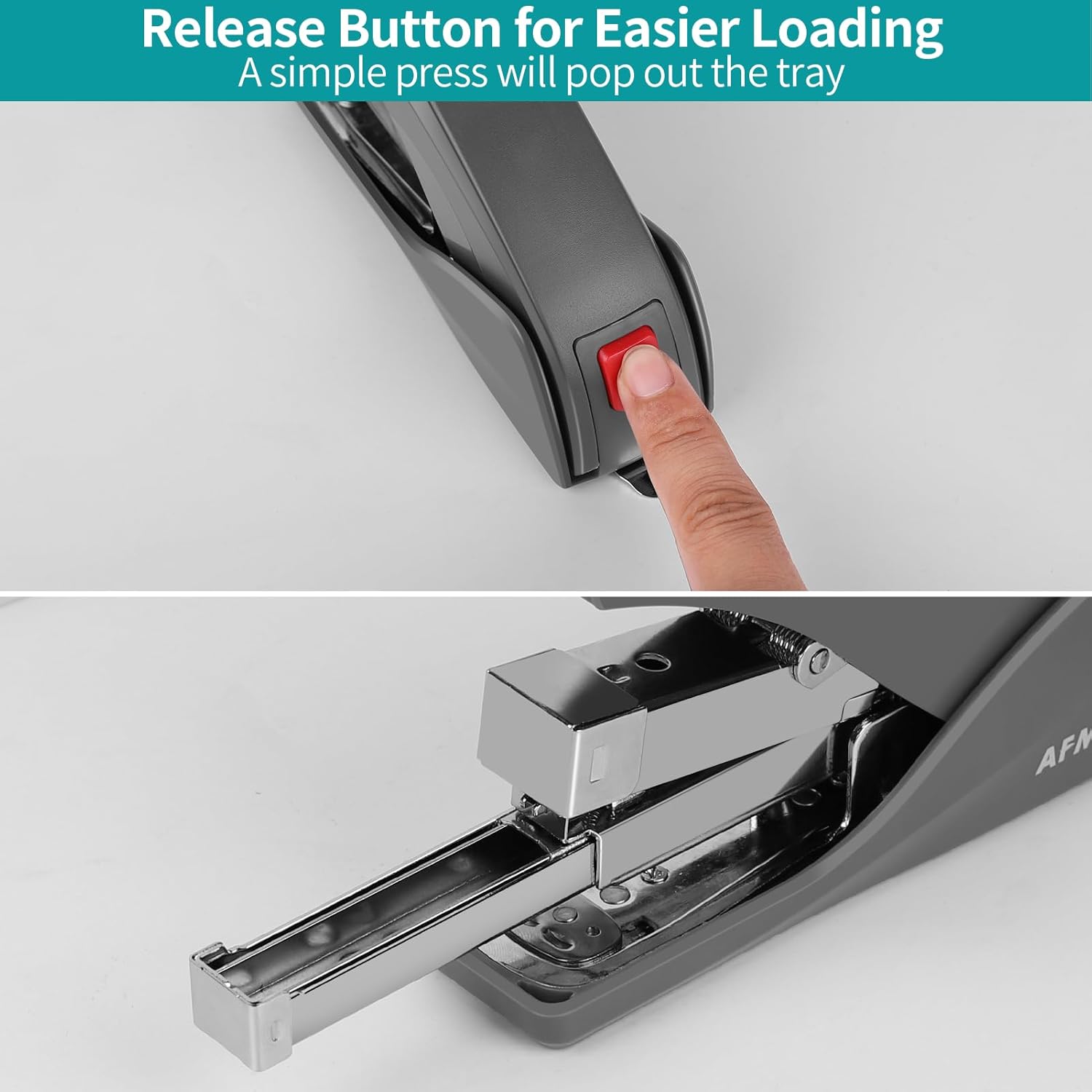
Image: Pressing the red release button to open the staple tray for reloading.
3.2 Compatible Staple Types
The AFMAT Effortless Stapler supports various staple types depending on the number of sheets you intend to staple. Refer to the table below for guidance:
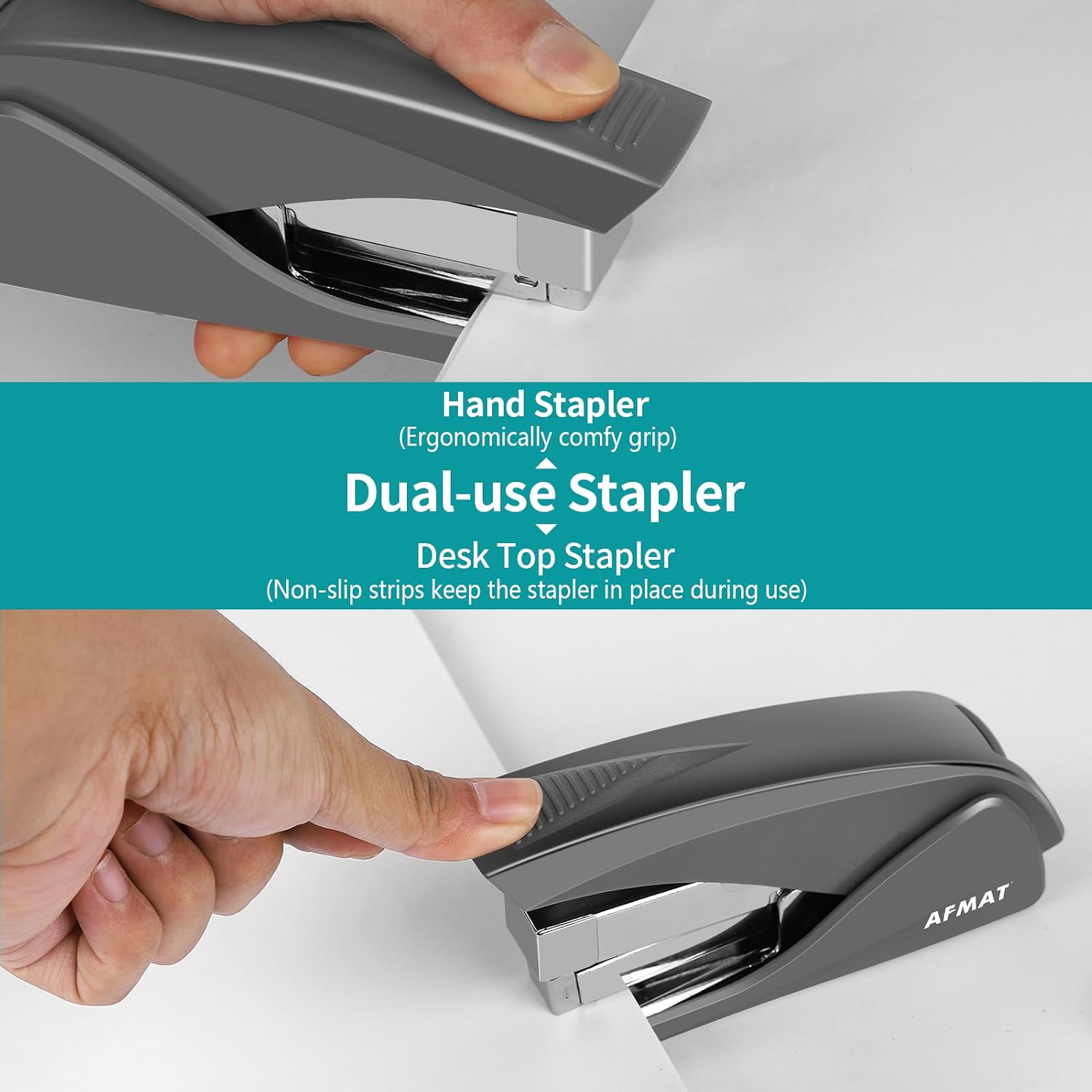
Image: A guide illustrating suitable staple types (#26/6, #24/6, #23/6, #23/8) and their corresponding sheet capacities for 70 gsm and 80 gsm paper.
Note: Staples are not included with the stapler.
4. Operating Instructions
4.1 Stapling Documents
- Align the papers you wish to staple.
- Insert the corner of the papers into the stapler's opening.
- Press down firmly on the stapler's top handle. Ensure you press deep enough until the stapler mechanism fully engages and releases the staple.
- Release the handle. The papers should now be securely stapled.
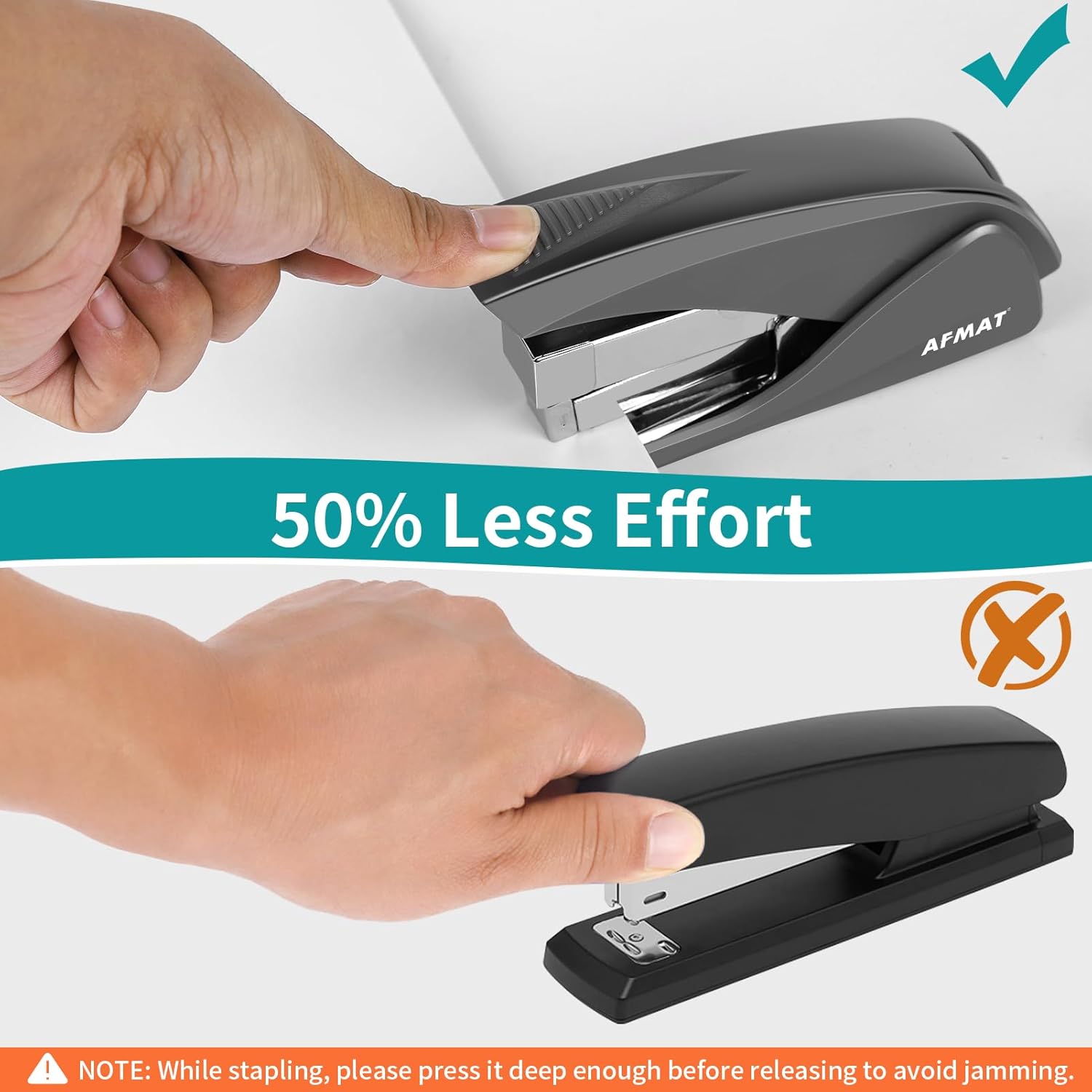
Image: Demonstration of the stapler's 50% less effort feature, showing easy one-finger operation.

Image: The stapler in action, demonstrating its ability to staple up to 50 sheets at a time.
4.2 Dual-Use Functionality (Handheld & Desktop)
The AFMAT Effortless Stapler is versatile, designed for both handheld and desktop use. Its ergonomic grip ensures comfort when held, while non-slip strips on the base keep it stable during desktop operation.

Image: The stapler demonstrating its dual functionality, usable as both a handheld and a desktop stapler.
4.3 Using the Built-in Staple Remover
The stapler features a convenient built-in staple remover at the rear. To remove a staple:
- Locate the metal claw at the back of the stapler.
- Slide the claw underneath one side of the staple.
- Gently lift the stapler, allowing the claw to pry up the staple leg.
- Repeat for the other side of the staple if necessary, then remove the staple from the paper.

Image: A close-up view of the built-in staple remover in use, demonstrating how to easily remove staples.
5. Maintenance
To ensure the longevity and optimal performance of your AFMAT Effortless Stapler, follow these simple maintenance guidelines:
- Cleaning: Periodically wipe the exterior of the stapler with a soft, dry cloth to remove dust and debris. Avoid using harsh chemicals or abrasive cleaners.
- Storage: Store the stapler in a dry environment, away from extreme temperatures and direct sunlight.
- Avoid Overloading: Do not attempt to staple more sheets than the recommended capacity, as this can strain the mechanism and lead to jams or damage.
- Proper Staples: Always use the correct type and size of staples as specified in Section 3.2 to prevent jamming and ensure smooth operation.
6. Troubleshooting
If you encounter issues with your AFMAT Effortless Stapler, refer to the common troubleshooting steps below:

Image: A visual troubleshooting guide detailing steps to resolve stapler jams and issues with the staple tray not opening.
6.1 What to do if the stapler is jammed?
- Press the release button to open the staple tray.
- Gently catch and remove any jammed staples using a pair of pliers.
- Remove and discard a few staples near the staple outlet to clear the path.
6.2 What to do if the staple tray is jammed and cannot be opened?
- If you press the button and the staple tray cannot be opened, gently separate the stuck metal parts using your hands or a pair of pliers.
- Once freed, press the button again, and the staple tray should now open.
Important Tips:
- When the stapler is jammed, please stop stapling to avoid further damage.
- Do not try to staple through hard paper cards or materials that exceed the stapler's capacity.
- Always refer to the product page or this manual to use the correct staple type for this stapler.
7. Specifications
| Attribute | Detail |
|---|---|
| Brand | AFMAT |
| Model Number | ES10GY |
| Color | Gray |
| Material | Sturdy Plastic, Metal |
| Item Weight | 11.4 ounces |
| Product Dimensions (L x W x H) | 5.3 x 1.4 x 3.6 inches (approx.) |
| Number of Fasteners (Capacity) | 50 sheets (using #23/8 staples) |

Image: Detailed dimensions of the AFMAT Effortless Stapler.
8. Warranty and Support
For specific warranty information regarding your AFMAT Effortless Stapler, please refer to the documentation included with your purchase or visit the official AFMAT website. Typically, warranty details cover manufacturing defects and material flaws under normal use.
For customer support, product inquiries, or to access additional resources, please visit the official AFMAT store:
Related documentsES10GY


Ask a question about this manual
Ask about setup, troubleshooting, compatibility, parts, safety, or missing instructions. Manuals+ will review the question and use this page’s manual context to help answer it.