
1. Introduction
Thank you for choosing the Bushnell 131056 Power View 10x50mm Binoculars. These binoculars are designed to provide clear, bright, and detailed views for various outdoor activities such as birdwatching, hunting, and sporting events. Featuring a 10x magnification and 50mm objective lenses, they offer an improved perception of depth and a wide field of view. The BAK 7 Porro Prism system and multi-coated lenses ensure glare-free, clear, and bright images. The unique InstaFocus center focusing system allows for quick and precise adjustments.

Image 1.1: Front view of the Bushnell 131056 Power View 10x50mm Binoculars.
2. Parts of the Binocular
Familiarize yourself with the main components of your Bushnell Power View binoculars:
- Objective Lenses: The large lenses at the front of the binoculars that gather light.
- Eyepieces: The lenses you look through.
- InstaFocus Lever: The central lever used for quick focusing.
- Diopter Adjustment Ring: Located on the right eyepiece, used for fine-tuning focus to compensate for differences in vision between your eyes.
- Eyecups: Adjustable cups around the eyepieces for comfortable viewing, especially for eyeglass wearers.
- Center Hinge: Allows adjustment of the interpupillary distance.
- Tripod Adapter Socket: A threaded socket, usually covered, located at the front of the center hinge, for mounting the binoculars on a tripod (adapter sold separately).

Image 2.1: Angled view of the binoculars, highlighting the InstaFocus lever.
3. Setup
3.1. Adjusting Eyecups
- For Non-Eyeglass Wearers: Rotate the eyecups counter-clockwise until they are fully extended. This positions your eyes at the optimal distance from the eyepieces.
- For Eyeglass Wearers: Leave the eyecups in the down position (fully retracted). This allows you to see the full field of view while wearing your glasses.
3.2. Adjusting Interpupillary Distance (IPD)
The interpupillary distance is the distance between the centers of your pupils. To match this to your binoculars:
- Hold the binoculars up to your eyes.
- Adjust the angle between the two barrels by moving them closer together or further apart until you see a single, clear circular field of view.

Image 3.1: Top view illustrating the adjustable barrels for interpupillary distance.
3.3. Focusing
Your Bushnell Power View binoculars feature an InstaFocus system for rapid focusing:
- Diopter Adjustment (Initial Setup):
- Close your right eye and look through the left eyepiece.
- Using the InstaFocus lever, focus on a distant object until it appears sharp and clear.
- Now, open your right eye and close your left eye.
- Rotate the diopter adjustment ring on the right eyepiece until the same object appears sharp and clear.
- Your binoculars are now adjusted for your eyes. Note this diopter setting for future use if desired.
- General Focusing: Once the diopter is set, use only the InstaFocus lever to focus on objects at varying distances.
4. Operation
With your binoculars properly set up, you are ready to observe. Hold the binoculars steady and use the InstaFocus lever to bring your desired subject into sharp view. The 10x magnification brings distant objects 10 times closer, and the 50mm objective lenses gather ample light for bright images, even in lower light conditions.
For extended viewing or to minimize hand shake, consider mounting your binoculars on a tripod using the integrated tripod adapter socket (tripod adapter sold separately).
Image 4.1: Binoculars in use for outdoor observation.
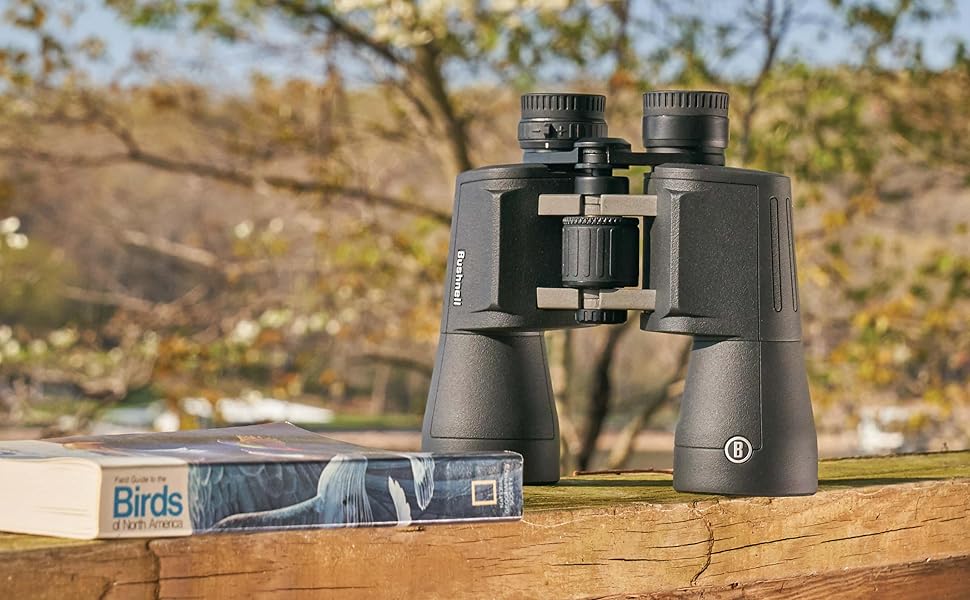
Image 4.2: Binoculars ready for birdwatching.
5. Maintenance
5.1. Cleaning Lenses
When cleaning the lenses, use only a soft, lint-free cloth specifically designed for optical surfaces. Avoid using abrasive cloths, paper towels, or facial tissues, as these can scratch the lens coatings. For stubborn dirt or smudges, a small amount of optical lens cleaning fluid can be applied to the cloth, not directly to the lens.
5.2. Storage
Store your binoculars in a cool, dry place when not in use. The included carrying case provides protection from dust and minor impacts. Avoid storing them in direct sunlight or in areas with high humidity.
5.3. General Handling
Avoid dropping the binoculars or subjecting them to harsh impacts, as this can misalign the optical components. Do not attempt to disassemble the binoculars, as this will void the warranty and can cause irreparable damage.
6. Troubleshooting
| Problem | Possible Cause | Solution |
|---|---|---|
| Image is blurry or out of focus. | Improper focus adjustment. | Adjust the InstaFocus lever. Ensure diopter is correctly set for your eyes. |
| Double image or two overlapping circles. | Interpupillary distance not correctly set. | Adjust the barrels until a single, circular field of view is achieved. |
| Image is dim. | Low light conditions or dirty lenses. | Ensure objective lenses are clean. Use in adequate lighting. |
7. Specifications
| Feature | Detail |
|---|---|
| Magnification | 10x |
| Objective Lens Diameter | 50mm |
| Prism Type | Porro Prism (BAK 7) |
| Field of View (FOV) | 341 ft at 1000 yd (6.5°) |
| Focus System | InstaFocus (Center) |
| Lens Coating | Multi-coated |
| Housing Material | Polymer with rubber covering |
| Tripod Adaptable | Yes (adapter sold separately) |
8. Warranty & Support
Bushnell products are manufactured to high standards and are designed to provide reliable performance. For specific warranty information, please refer to the warranty card included with your product or visit the official Bushnell website. If you encounter any issues or require technical assistance, please contact Bushnell customer support through their official channels.
For further assistance, please visit the Bushnell official website.

