
1. Introduction
Thank you for choosing the Gantch Smart Touch Wall Light Switch. This device integrates modern design with smart home technology, allowing you to control your lighting via touch, a mobile application, or voice commands through compatible smart assistants. This manual provides essential information for safe installation, setup, and operation of your smart light switch.
Note: This is a Zigbee smart switch and requires a Tuya Zigbee 3.0 Hub (Smart Gateway) for smart functionalities. The hub connects to your 2.4GHz WiFi network to enable remote control and integration with other smart home platforms.
2. Important Safety Information
WARNING: RISK OF ELECTRIC SHOCK. Improper installation can be dangerous or illegal. Always consult a qualified electrician if you are unsure about any part of the installation process.
- Always turn off power at the circuit breaker before installing or servicing the switch.
- This switch requires a neutral wire for operation. If your electrical box does not have a neutral wire, this switch is not compatible.
- Ensure all wire connections are secure and properly insulated.
- Do not exceed the maximum load rating of 2400 watts.
- Install in a dry indoor location only.
3. Package Contents
Please check the package for the following items:
- Gantch Smart Touch Wall Light Switch (GC-MWF-3)
- Mounting Screws
- User Manual
4. Setup and Installation
4.1. Pre-Installation Checklist
- Confirm your electrical box has a neutral wire.
- You have a Tuya Zigbee 3.0 Hub (Smart Gateway). This is required and sold separately.
- Your home WiFi network is 2.4GHz.
- Turn off power at the circuit breaker for the switch location.
4.2. Wiring Diagram
Follow the wiring diagram carefully. Incorrect wiring can damage the switch or cause electrical hazards.
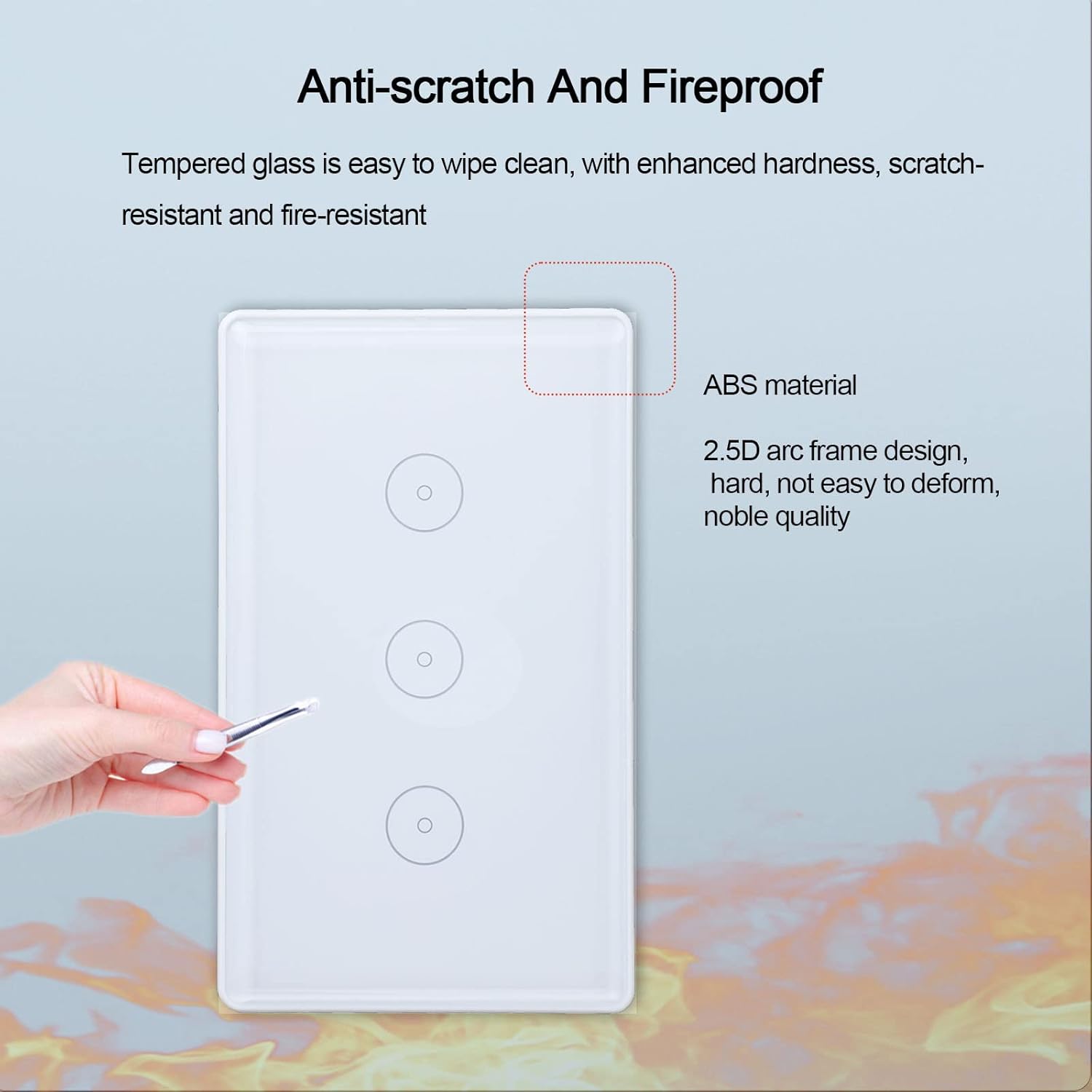
Image: Rear view of the Gantch Smart Switch showing wiring terminals for Neutral Wire (N), Live Wire (L1, L2, L3 for 3-gang), and Ground (PE). Dimensions are also indicated: 71mm (2.8in) height, 70mm (2.76in) width, 120mm (4.72in) overall width, 10mm (0.39in) front panel thickness, and 42mm (1.65in) depth.
- Identify the Live (Load), Neutral, and Ground wires from your wall box.
- Connect the Live wire from your wall box to the 'L' terminal on the switch.
- Connect the Neutral wire from your wall box to the 'N' terminal on the switch.
- Connect the Ground wire from your wall box to the 'PE' terminal on the switch.
- Connect the load wires (to your lights) to the 'L1', 'L2', 'L3' terminals as appropriate for your setup (e.g., L1 for the first gang, L2 for the second, etc.).
4.3. Physical Installation
- Carefully push the wired switch into the wall box.
- Secure the switch to the wall box using the provided screws.
- Attach the glass front panel.
- Restore power at the circuit breaker. The indicator light on the switch should illuminate.
5. Operating Instructions
5.1. App Download and Pairing
- Download the Smart Life or Tuya Smart app from the App Store (iOS) or Google Play Store (Android).
- Register a new account or log in to an existing one.
- Add your Tuya Zigbee 3.0 Hub to the app first, following the hub's instructions.
- Once the hub is added, select the hub in the app and choose to add a sub-device.
- Follow the in-app instructions to put the smart switch into pairing mode (usually by pressing and holding a button on the switch for a few seconds until an indicator light blinks).
- The app will discover and add the switch. You can then rename it for easy identification.
5.2. Touch Control
The switch features a responsive touch panel. Simply tap the circular touch areas on the glass panel to manually turn the connected lights ON or OFF.
5.3. App Control
Once paired with the app via your Zigbee hub, you can control your lights remotely from anywhere with an internet connection.
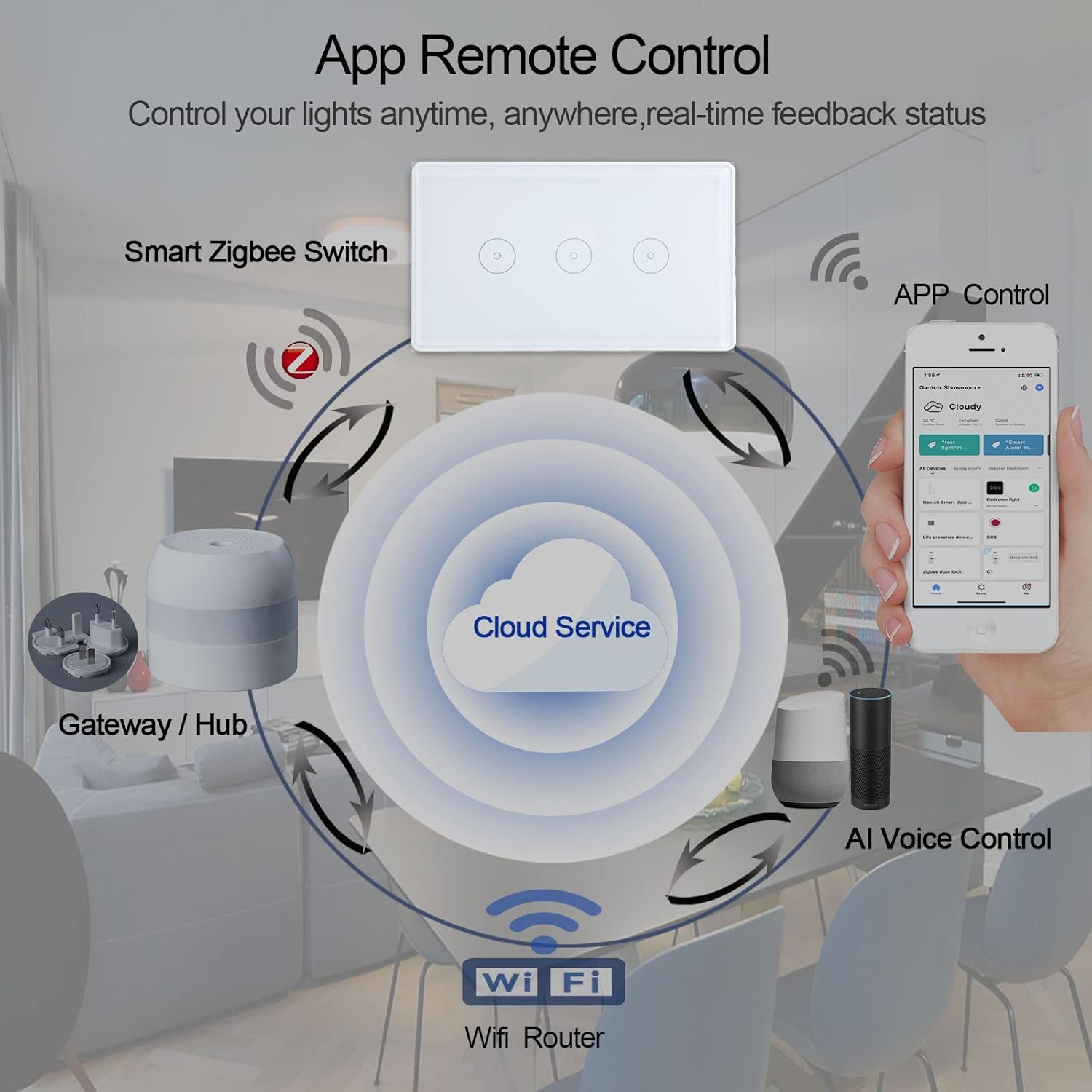
Image: Diagram illustrating how the Smart Zigbee Switch connects to a Gateway/Hub, which then connects to a WiFi Router and Cloud Service. This enables App Control and AI Voice Control (e.g., Alexa, Google Home).
- Remote Control: Turn lights ON/OFF from your smartphone, even when you're away from home.
- Scheduling and Timers: Set custom schedules for lights to turn ON/OFF automatically at specific times. Create countdown timers for convenience.
- Smart Scenes: Create customized scenes (e.g., "Sleep Mode," "Dining Mode," "Reading Mode," "Go Home Mode") to control multiple lights or devices with a single tap.
- Share Control: Share control of your smart switch with family members through the app.

Image: Screenshots of the mobile app interface for setting schedules, showing options to set ON/OFF times and repeat days.

Image: Visual examples of different smart scenes like Sleep Mode, Dining Mode, Reading Mode, and Go Home Mode, demonstrating how the switch can be integrated into various home automation scenarios.
5.4. Voice Control (Alexa & Google Home)
Integrate your Gantch Smart Switch with Amazon Alexa or Google Home for convenient voice control:
- Ensure your Smart Life/Tuya account is linked to your Alexa or Google Home app.
- Discover devices in your Alexa or Google Home app.
- Use voice commands such as: "Alexa, turn on the living room light" or "Hey Google, set the kitchen light to off."
5.5. Multi-Control Association (2-Way/3-Way Circuits)
This smart switch supports multi-control association within the app, allowing you to achieve 2-way or 3-way circuit functionality with other smart switches (e.g., controlling one light from two different switch locations).

Image: Illustration showing multiple smart switches in a home setting, with hands holding smartphones demonstrating multi-mobile app control and device sharing among family members.
To set up multi-control:
- Ensure all switches you wish to associate are added to the Smart Life/Tuya app.
- In the app, navigate to the settings of one of the switches.
- Look for an option like "Multi-Control Association" or "2-Way Switch Setup."
- Follow the in-app prompts to link the desired switches.
Note: You can multi-control associate this switch to multiple different switches, but several gangs on one switch are not available for multi-control. Only one gang on one switch can be associated for multi-control.
6. Maintenance
The Gantch Smart Touch Wall Light Switch is designed for durability and easy maintenance.

Image: Close-up of the smart switch highlighting its anti-scratch tempered glass and fireproof ABS material, emphasizing its durability and safety features.
- Cleaning: The 2.5D curved tempered glass panel is easy to wipe clean. Use a soft, damp cloth. Avoid abrasive cleaners or harsh chemicals.
- Durability: The switch features enhanced hardness, scratch-resistant tempered glass, and fire-resistant ABS material for long-lasting performance and safety.
- Moisture Resistance: The moisture-proof design allows it to function reliably in typical indoor conditions, preventing most accidents.
7. Troubleshooting
- Switch not responding to touch:
- Check if power is supplied to the switch at the circuit breaker.
- Ensure the switch is properly installed and wired according to the diagram.
- Switch not connecting to the app:
- Confirm your Tuya Zigbee 3.0 Hub is powered on and connected to your 2.4GHz WiFi network.
- Ensure the switch is within range of the Zigbee hub.
- Verify the switch is in pairing mode (indicator light blinking).
- Restart the Zigbee hub and try pairing again.
- Make sure your smartphone is connected to the same 2.4GHz WiFi network as your Zigbee hub during the initial setup.
- Voice control not working:
- Check if your Smart Life/Tuya account is correctly linked to your Alexa or Google Home app.
- Ensure the device name in the Smart Life/Tuya app matches the name you are using for voice commands.
- Verify your Alexa/Google Home device is online and functioning correctly.
- Confusion between WiFi and Zigbee:
- This Gantch Smart Switch operates using the Zigbee protocol. It requires a separate Tuya Zigbee 3.0 Hub to function. The hub then connects to your home's 2.4GHz WiFi network to provide internet connectivity and allow app/voice control. This switch does not connect directly to your WiFi router.
8. Specifications
| Feature | Specification |
|---|---|
| Model Number | GC-MWF-3 |
| Brand | Gantch |
| Connectivity | Zigbee (requires Tuya Zigbee 3.0 Hub) |
| Operating Voltage | 240 Volts |
| Wattage | 2400 watts |
| Switch Type | Smart Touch Switch, 3-way circuit compatible |
| Material | Aluminum Alloy, Glass (Tempered Glass Panel, ABS material) |
| Color | White |
| Dimensions (L x W x H) | 12 x 7.2 x 4 cm (4.72 x 2.83 x 1.58 inches) |
| Mounting Type | Wall Mount |
| International Protection Rating | IP65 |
| Certifications | FCC |
| Neutral Wire Required | Yes |
9. Warranty and Support
For warranty information or technical support, please contact the manufacturer or your retailer. If you have any questions about the use of the product, please reach out to us, and we will provide assistance as soon as possible.