
Introduction
Welcome to your KREAFUNK aGO II wireless speaker. This manual provides essential information for setting up, operating, and maintaining your device. Please read it carefully before using your speaker to ensure optimal performance and longevity.
Product Overview
The KREAFUNK aGO II is a compact and powerful portable Bluetooth speaker designed for on-the-go music enjoyment. It features Bluetooth 5.1 connectivity, IPX5 water resistance, and the ability to pair two speakers for stereo sound.
Key Features
- Bluetooth 5.1 for stable wireless connection.
- 6W digital amplifier for powerful sound.
- True Wireless Stereo (TWS) function for pairing two speakers.
- IPX5 water resistance.
- Compact size (8.0 x 8.0 x 3.9 cm) and lightweight (180g).
- Up to 10 hours of playback time.
- USB Type-C charging.
- Integrated leather loop for easy portability.
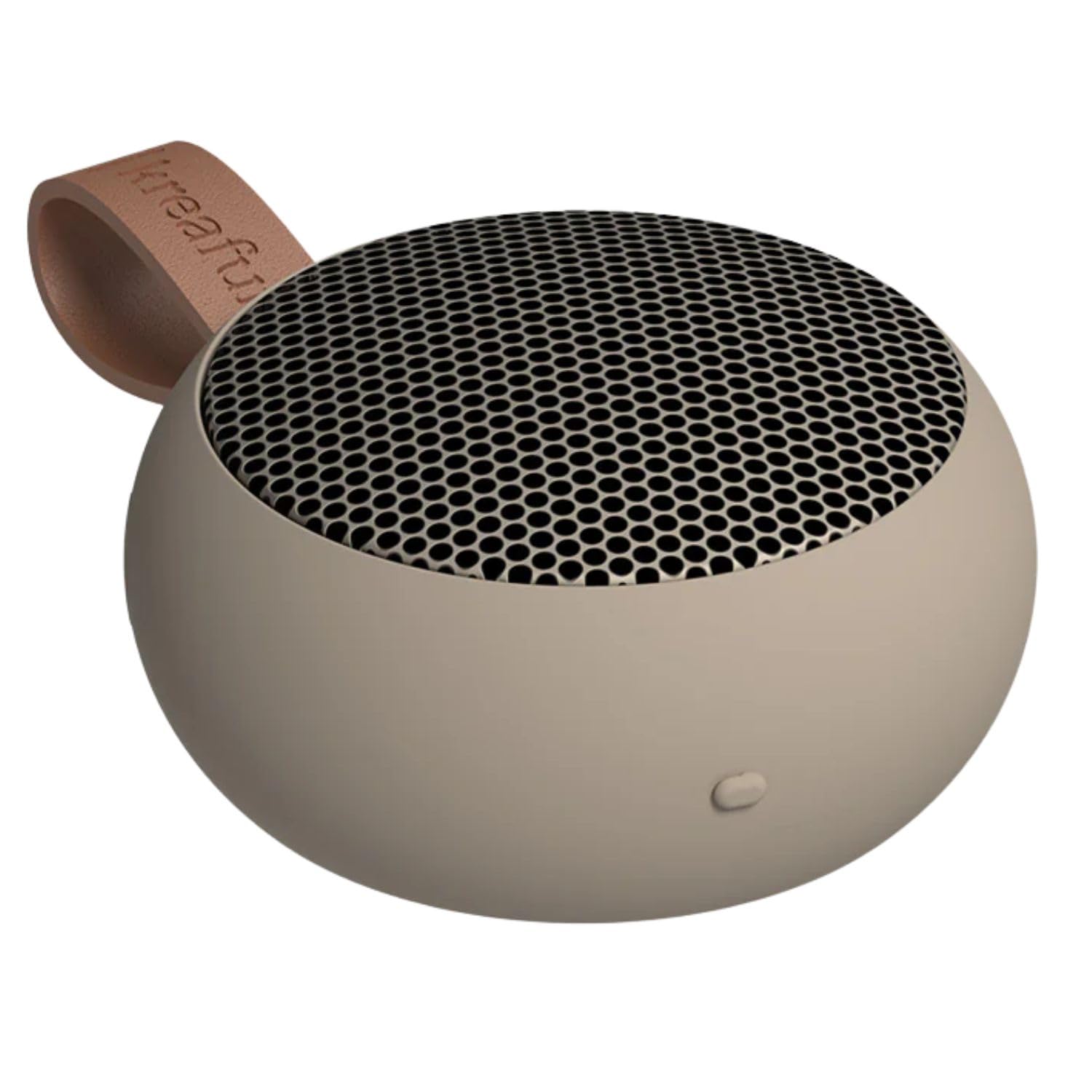
KREAFUNK aGO II wireless speaker in Ivory Sand color.

KREAFUNK aGO II speaker with its integrated leather loop.
Setup
Charging the Speaker
Before first use, fully charge your aGO II speaker.
- Connect the provided USB Type-C cable to the charging port on the speaker.
- Connect the other end of the cable to a compatible USB power adapter (not included).
- The LED indicator will show charging status. A full charge takes approximately 2-3 hours.
The speaker can be used while charging.

Close-up of the USB Type-C charging port on the KREAFUNK aGO II speaker.

Graphic detailing the charging time and playback duration of the KREAFUNK aGO II speaker.
Powering On/Off
To power on the speaker, press and hold the power button until you hear an audible cue. To power off, repeat the action.
Operating Instructions
Bluetooth Pairing
- Ensure the speaker is charged and powered on.
- The speaker will automatically enter pairing mode, indicated by a flashing LED.
- On your device (smartphone, tablet, computer), enable Bluetooth and search for available devices.
- Select "KREAFUNK aGO II" from the list.
- Once connected, the LED indicator will stop flashing, and you will hear a confirmation sound.
The speaker will automatically reconnect to the last paired device when powered on, if the device is within range and Bluetooth is enabled.
Basic Controls
The aGO II features three control buttons for simple operation:
- Power Button: Press and hold to power on/off. Short press for play/pause.
- Volume Up Button: Short press to increase volume. Long press for next track.
- Volume Down Button: Short press to decrease volume. Long press for previous track.
- Call Answering: Short press the power button to answer or end a call.

Close-up view of the control buttons on the KREAFUNK aGO II speaker.
Stereo Pairing (True Wireless Stereo - TWS)
For an enhanced audio experience, you can pair two aGO II speakers together to create a stereo sound system.
- Ensure both aGO II speakers are powered on and not connected to any other Bluetooth device.
- On one speaker, press and hold the power button until you hear a pairing sound. This speaker will be the primary unit.
- The two speakers will automatically connect to each other. You will hear a confirmation sound once connected.
- Now, connect your device to the primary speaker via Bluetooth as described in the "Bluetooth Pairing" section.
Once paired, both speakers will play audio in stereo.

Graphic illustrating two KREAFUNK aGO II speakers paired for stereo sound.
Water Resistance (IPX5)
The KREAFUNK aGO II speaker features an IPX5 water resistance rating, meaning it is protected against low-pressure water jets from any direction. This makes it suitable for use in environments where it might be exposed to splashes, such as bathrooms or outdoors.
Important: Do not submerge the speaker in water. Ensure the charging port cover is securely closed to maintain water resistance.

KREAFUNK aGO II speaker placed in a bathroom setting, demonstrating its IPX5 water resistance.

Graphic highlighting the IPX5 water resistance feature of the KREAFUNK aGO II speaker.
Portability
The aGO II is designed for maximum portability. Its compact size and integrated leather loop allow you to easily carry it, hang it, or attach it to your bag.

KREAFUNK aGO II speaker hanging from a hook, highlighting its portable design.

KREAFUNK aGO II speaker held in a hand, illustrating its compact size.
Maintenance
Cleaning
Wipe the speaker with a soft, damp cloth. Do not use abrasive cleaners or solvents.
Storage
Store the speaker in a cool, dry place away from direct sunlight and extreme temperatures.
Battery Care
The built-in rechargeable battery has a limited lifespan. To prolong battery life, avoid fully discharging the speaker frequently and charge it regularly.
Specifications
| Feature | Detail |
|---|---|
| Model | aGO II (KFWT139) |
| Bluetooth Version | 5.1 |
| Output Power | 6W Digital Amplifier |
| Playback Function | Stereo Playback (True Wireless Stereo) |
| Water Resistance | IPX5 |
| Weight | 180 g |
| Dimensions | 8.0 x 8.0 x 3.9 cm |
| Continuous Playback Time | Up to 10 hours |
| Charging Time | Approx. 2-3 hours |
| Charging Port | USB Type-C |
| Compatible Devices | iOS, Android, Mac OS, Windows, Linux |
Note: Specifications are subject to change without notice. Battery life and charging times may vary based on usage and environment.
Troubleshooting
No Power
- Ensure the speaker is fully charged. Connect it to a power source using the USB Type-C cable.
- Press and hold the power button for a few seconds to turn it on.
No Sound
- Check if the speaker is paired correctly with your device.
- Increase the volume on both the speaker and your connected device.
- Ensure the speaker is not muted.
- Try re-pairing the speaker with your device.
Bluetooth Disconnection
- Ensure your device is within the Bluetooth range (typically 10 meters) of the speaker.
- Check for interference from other wireless devices.
- Turn off and on Bluetooth on your device, then try reconnecting.
- Power cycle both the speaker and your device.
Stereo Pairing Issues
- Ensure both speakers are fully charged and not connected to any other Bluetooth device before attempting TWS pairing.
- Follow the stereo pairing instructions carefully.
- If issues persist, power off both speakers, then try the TWS pairing process again.
Warranty and Support
KREAFUNK products come with a standard manufacturer's warranty. For detailed warranty information, please refer to the warranty card included with your product or visit the official KREAFUNK website.
For technical support, troubleshooting assistance, or service inquiries, please contact KREAFUNK customer support through their official channels.
Official KREAFUNK Store: Visit Store


