
Introduction
The VTech Crawl & Learn Bright Lights Ball is an interactive developmental toy designed to engage infants and toddlers. This durable and easy-to-use toy features a variety of lights, sounds, and textures to stimulate sensory development and encourage crawling. Its robust construction ensures it can withstand active play.
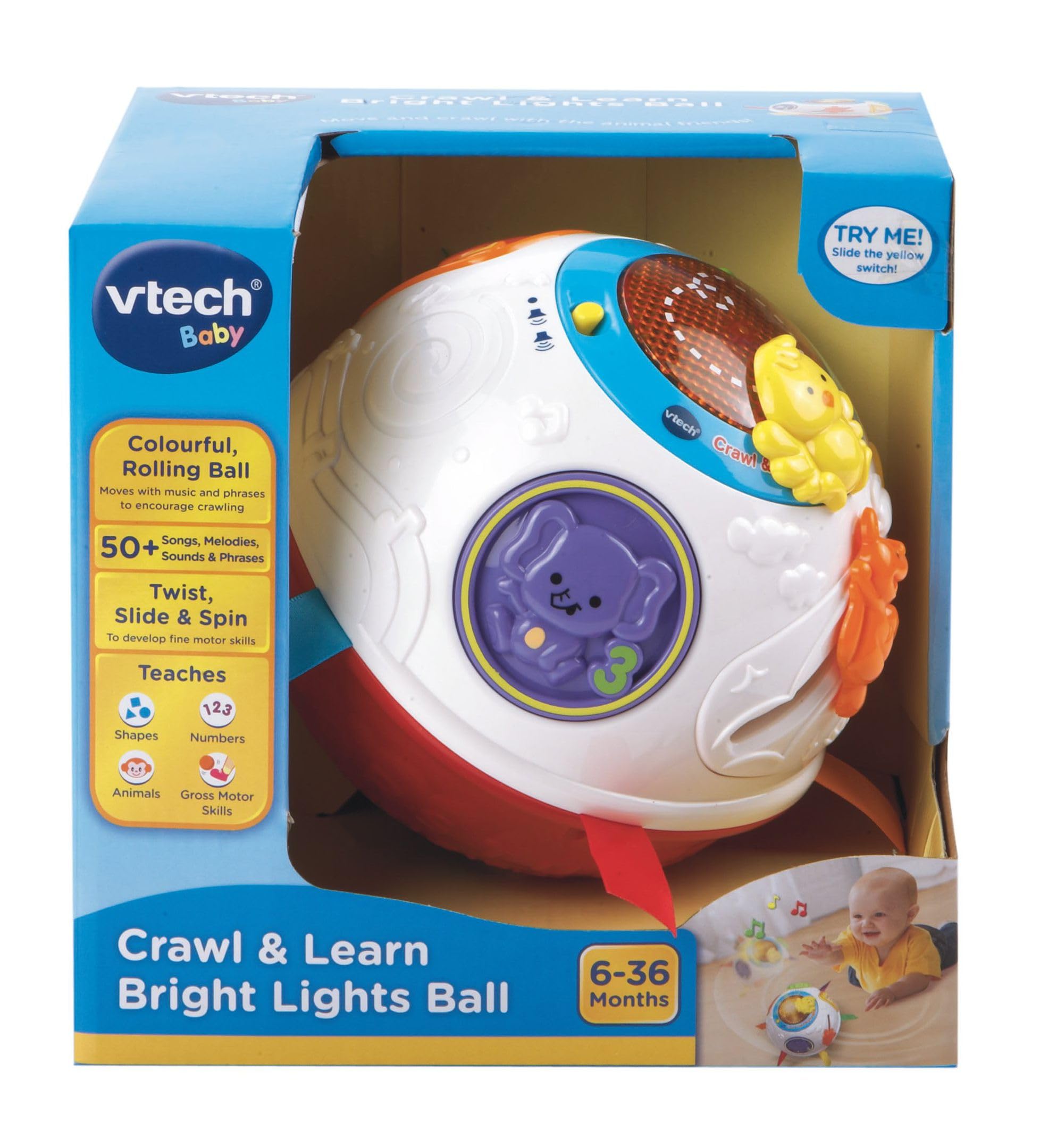
Image of the VTech Crawl & Learn Bright Lights Ball. This spherical toy features multiple colors, textures, and interactive elements, including a yellow chick figure, a central light-up panel, and various buttons and gears around its surface. Colorful fabric tags protrude from the ball.
Setup
Unboxing
Upon opening the package, you will find:
- 1 VTech Crawl & Learn Bright Lights Ball
Battery Installation
- Locate the battery compartment on the underside of the ball.
- Using a screwdriver, open the battery compartment cover.
- Insert 3 new "AA" size batteries (not included), ensuring correct polarity (+/-).
- Replace the battery compartment cover and secure it with the screw.
Important: Always use fresh batteries of the same type. Do not mix old and new batteries or different types of batteries.
Operating Instructions
Power On/Off and Volume Control
Locate the power switch and volume control on the side of the ball. Slide the switch to turn the toy on or off, and adjust the volume to your preferred level.
Interactive Features
- Light-Up Panel: The central panel illuminates with various patterns and colors, attracting attention and encouraging visual tracking.
- Buttons and Gears: Press the animal-themed buttons or spin the gears to activate different sounds, melodies, and phrases.
- Tactile Elements: Explore the different textures and soft fabric tags around the ball, promoting tactile exploration.
- Motion Sensor: The ball responds to movement, playing sounds and phrases as it rolls, encouraging crawling and chasing.
Encourage your child to interact with the various features to discover different sounds, lights, and movements.
This video provides a live demonstration of the VTech Crawl & Learn Bright Lights Ball. It showcases the toy's various interactive features, including its lights, sounds, and moving parts, as a hand interacts with different sections of the ball. The video highlights how the ball encourages engagement and exploration.
Maintenance
Cleaning
To clean the toy, wipe its surface with a slightly damp cloth. Do not immerse the toy in water or use harsh cleaning agents. Ensure the toy is completely dry before storing or allowing a child to play with it.
Storage
Store the VTech Crawl & Learn Bright Lights Ball in a cool, dry place away from direct sunlight when not in use. Remove batteries if the toy will not be used for an extended period to prevent battery leakage.
Troubleshooting
- Toy not turning on:
- Check if the power switch is in the "On" position.
- Ensure batteries are correctly installed with proper polarity.
- Replace old batteries with new ones.
- No sound or low sound:
- Check the volume control switch and adjust it to a higher setting.
- Replace batteries if they are low.
- Lights not working:
- Replace batteries.
Specifications
| Model Number | 950-151532 |
| Brand | VTech |
| Item Weight | 2.2 pounds |
| Manufacturer | MAKI (as listed by retailer) |
| Release Date | January 1, 2022 |
| Power Source | 3 x "AA" batteries (not included) |
Warranty and Support
For warranty information or product support, please refer to the documentation included with your purchase or contact the manufacturer directly. Keep your purchase receipt as proof of purchase.

