
Gantch GC-ZTY02
Gantch Tuya ZigBee 3.0 Wired Gateway
User Manual
Product Overview
The Gantch Tuya ZigBee 3.0 Wired Gateway serves as the essential hub for your ZigBee smart home ecosystem. It connects a wide array of ZigBee smart products, acting as the central bridge and control unit for your smart devices. This gateway ensures stable and reliable communication, allowing you to manage your smart home effortlessly.

Image: The Gantch Tuya ZigBee 3.0 Wired Gateway, shown with its included Ethernet cable, USB power cable, and power adapter.
Key Features:
- Essential ZigBee Hub: A mandatory component for connecting various ZigBee smart products, serving as the central control point for your smart home.
- Broad Compatibility: Fully compatible with all Tuya smart products, allowing for a customizable smart home system tailored to your specific needs.
- Stable and Reliable Connectivity: Supports up to 50 online devices, offering superior stability and reliability compared to wireless gateways. Features plug-and-play functionality with no Wi-Fi setup required.
- Home Intelligent Linkage: Integrates seamlessly with Tuya ZigBee series products, including switches, sockets, sensors, door locks, electric curtains, and universal infrared remote controls.
- Easy Installation: Designed as a wired device, it connects directly to your router via an Ethernet cable (included), requiring no specialized technical skills for setup.
Setup Guide
Follow these steps to set up your Gantch Tuya ZigBee 3.0 Wired Gateway:
- Power Connection: Connect the provided USB power cable to the gateway and plug the power adapter into a standard electrical outlet.
- Network Connection: Use the included Ethernet cable to connect the gateway's LAN port to an available LAN port on your network router. The gateway is designed for wired connection and does not require Wi-Fi setup.
- Indicator Check: Once powered on and connected, observe the indicator lights on the gateway. Refer to the device's specific LED indicators for status (e.g., power, network activity).
- App Installation: Download and install the "Smart Life" or "Tuya Smart" application on your smartphone or tablet from your device's app store.
- Add Device in App: Open the app, register or log in, and follow the in-app instructions to add a new device. Select the ZigBee Gateway from the list of available devices.

Image: Illustration of the Gantch Tuya Gateway's role in interconnecting smart switches to control lights and smart sensors to monitor home status.
Operating Instructions
Once your gateway is set up, you can begin integrating and controlling your smart devices:
Adding ZigBee Devices:
- In the Smart Life/Tuya Smart app, navigate to the gateway's interface.
- Select the option to "Add Sub-device" or "Add Device".
- Follow the specific pairing instructions for each ZigBee device you wish to add (e.g., pressing a reset button on the device). The gateway will automatically detect and add compatible devices.
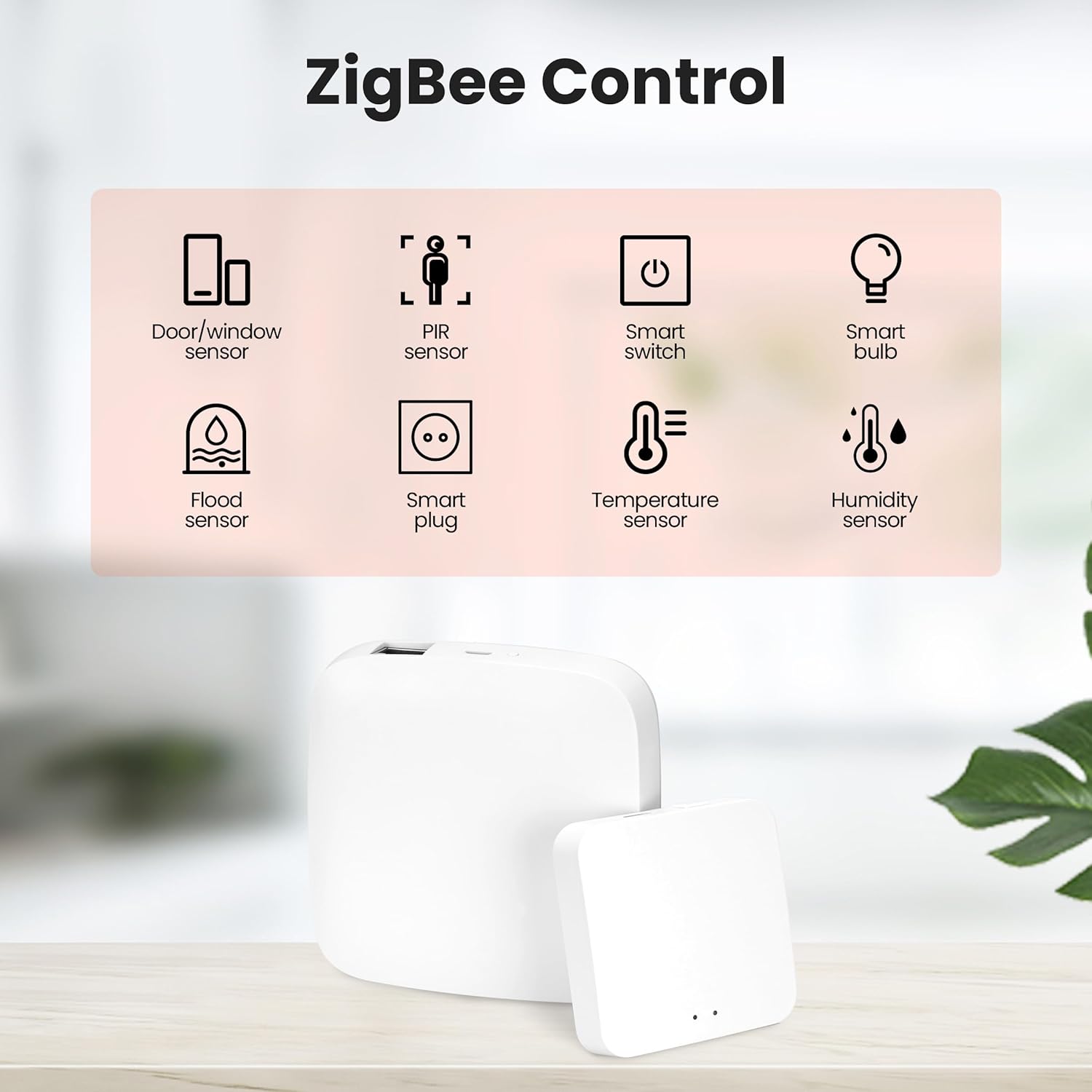
Image: Visual representation of various ZigBee controlled devices, including door/window sensors, PIR sensors, smart switches, smart bulbs, flood sensors, smart plugs, temperature sensors, and humidity sensors.
Remote Control and Automation:
- App Control: Use the Smart Life/Tuya Smart app to remotely control all connected ZigBee devices from anywhere with an internet connection.
- Scene Creation: Create custom scenes and automations within the app. For example, set lights to turn on when a door sensor detects entry, or adjust air conditioning based on temperature sensors.

Image: A smartphone screen showing the ZigBee Gateway interface within the app, demonstrating remote control capabilities for connected smart devices.
Voice Control Integration:
- The gateway is compatible with Amazon Alexa and Google Assistant.
- Enable the Smart Life/Tuya Smart skill/action in your Alexa or Google Home app.
- Link your Smart Life/Tuya Smart account.
- Discover devices. You can now use voice commands to control your connected ZigBee devices (e.g., "Alexa, turn on the living room lights").

Image: A person interacting with Google Home and Amazon Alexa devices, illustrating the voice control functionality for smart home devices connected via the gateway.
Maintenance
To ensure the longevity and optimal performance of your Gantch Tuya ZigBee 3.0 Wired Gateway, please observe the following maintenance guidelines:
- Cleaning: Use a soft, dry cloth to wipe the exterior of the gateway. Do not use liquid cleaners, aerosols, or solvents, as these may damage the device.
- Environment: Place the gateway in a dry environment, away from direct sunlight, excessive heat, and moisture. Avoid placing it near strong electromagnetic fields.
- Ventilation: Ensure that the ventilation openings on the device are not blocked to prevent overheating.
- Firmware Updates: Periodically check the Smart Life/Tuya Smart app for any available firmware updates for the gateway. Keeping the firmware updated ensures the best performance and security.
Troubleshooting
If you encounter issues with your Gantch Tuya ZigBee 3.0 Wired Gateway, refer to the following common troubleshooting steps:
| Problem | Possible Cause | Solution |
|---|---|---|
| Gateway not powering on. | Power adapter or cable issue; power outlet problem. | Check power cable connection. Try a different power outlet. Ensure the power adapter is functioning correctly. |
| Gateway not connecting to network. | Ethernet cable disconnected or faulty; router issue; network configuration. | Ensure the Ethernet cable is securely connected to both the gateway and the router. Try a different Ethernet cable. Restart your router. Check router settings for any restrictions. |
| Cannot add ZigBee sub-devices. | Sub-device not in pairing mode; too far from gateway; interference. | Ensure the sub-device is in pairing mode (refer to its manual). Move the sub-device closer to the gateway. Reduce potential interference from other wireless devices. |
| Voice control not working. | Skill/action not enabled; account not linked; device not discovered. | Verify that the Smart Life/Tuya Smart skill/action is enabled in your Alexa/Google Home app. Ensure your Smart Life/Tuya Smart account is correctly linked. Ask Alexa/Google to "Discover devices". |
Specifications
Detailed specifications for the Gantch Tuya ZigBee 3.0 Wired Gateway (Model GC-ZTY02):
| Attribute | Detail |
|---|---|
| Manufacturer | Gantch |
| Part Number | BR-GC-ZTY02 |
| Item Model Number | GC-ZTY02 |
| Item Weight | 5 ounces |
| Product Dimensions | 3.6 x 3.6 x 1 inches |
| Color | White |
| Material | ABS |
| Country of Origin | USA |
| Batteries Included? | No |
| Batteries Required? | No |
Warranty and Support
For information regarding the product warranty, please refer to the documentation included with your purchase or contact the seller directly. Warranty terms and conditions may vary.
For technical support, troubleshooting assistance beyond this manual, or general inquiries, please contact Gantch customer support through the contact information provided on their official website or through your point of purchase. Ensure you have your product model number (GC-ZTY02) and purchase details ready when seeking support.
Ask a question about this manual
Ask about setup, troubleshooting, compatibility, parts, safety, or missing instructions. Manuals+ will review the question and use this page’s manual context to help answer it.