
Introduction
Thank you for choosing the LUMI Zello Portable Pro White Noise Machine. This device is designed to create a peaceful environment with a variety of soothing sounds and gentle lighting, ideal for promoting sleep for babies and adults, both at home and while traveling. Please read this manual carefully before use to ensure proper operation and maintenance.
Important Safety Information
Caution: Keep out of reach of children. This product is not a toy. Do not use if the cord is damaged or if it causes a shock when touched. To avoid hearing damage, do not use at high volumes for prolonged periods, especially for children. Always follow the instructions provided with this product.
Statements regarding dietary supplements have not been evaluated by the FDA and are not intended to diagnose, treat, cure, or prevent any disease or health condition.
Product Overview and Key Features
The LUMI Zello Portable Pro White Noise Machine is an advanced sleep aid featuring:
- 30 Soothing Sounds: Includes 7 white noise sounds, 7 fan options, and 16 natural sounds (lullabies, shushing, womb heartbeat, rainfall, crackling bonfire, washing machine, and hairdryer).
- Warm White & Red Night Light: Offers adjustable dim and bright settings for warm white light, plus a red light shown to promote melatonin production.
- Timer Function: Continuous play or auto shut-off options for 30, 60, or 90 minutes.
- Portable Design: Compact and lightweight with a child-lock clip for attachment to prams, car seats, or cots.
- Rechargeable Battery: Up to 20 hours of playtime on a single charge via USB-C.
- Safe Volume Levels: Adjustable volume from 55 to 108 dB, with a recommended soft level of around 65 dB for overnight use.
- Smart Memory Function: Remembers your last sound and light settings.

Image: The Zello Portable Pro White Noise Machine with an overlay listing its key features: 30 sounds, adjustable volume, warm night light, red light sleep aid, sleep timer, memory function, 20+ hours battery life, portable clip, and USB-C rechargeable.
What's Included in the Box
Please check the package contents to ensure all items are present:
- LUMI Zello Portable Pro White Noise Machine
- Portable Clip
- USB-C Charging Cable
- User Manual (this document)

Image: A visual representation of the items included in the box: the Zello Portable Pro White Noise Machine, a portable clip, a USB-C charging cable, and the user manual.
Setup
- Initial Charge: Before first use, fully charge the device using the provided USB-C cable. Connect the USB-C end to the machine's charging port and the USB-A end to a compatible power adapter (not included) or computer USB port. The charging indicator light will show charging status.
- Attachment (Optional): If using the portable clip, attach it securely to the designated loop on the top of the device. This allows for easy attachment to prams, car seats, or cots. Ensure the child-lock clip is properly engaged if used with children.

Image: The Zello Portable Pro White Noise Machine connected to a USB-C charging cable, illustrating the charging process.

Image: The Zello Portable Pro White Noise Machine securely clipped to the side of a baby's crib, demonstrating its portable use.
Operating Instructions
1. Power On/Off
- Press and hold the ⏻ (Power) button for 2 seconds to turn the device ON or OFF.
2. Sound Selection
- Press the ♫ (Sound Category) button to cycle through sound categories (White Noise, Fan Sounds, Natural Sounds).
- Once a category is selected, press the ⏭ (Next Track) or ⏮ (Previous Track) buttons to select a specific sound within that category.
- The device offers 30 unique sounds.

Image: The Zello Portable Pro White Noise Machine displaying icons for different sound categories: white noise, fan sounds, womb heartbeat, and lullabies, indicating the variety of 30 soothing sounds available.
3. Volume Adjustment
- Press the 🔊 (Volume Up) button to increase the volume.
- Press the 🔉 (Volume Down) button to decrease the volume.
- Recommended volume for overnight use is around 65 dB.
4. Light Settings
- Press the 🌟 (Light) button to cycle through light modes: Warm White (Dim), Warm White (Bright), Red Light, Breathing Light, and Off.
- The red light is designed to aid melatonin production for better sleep.
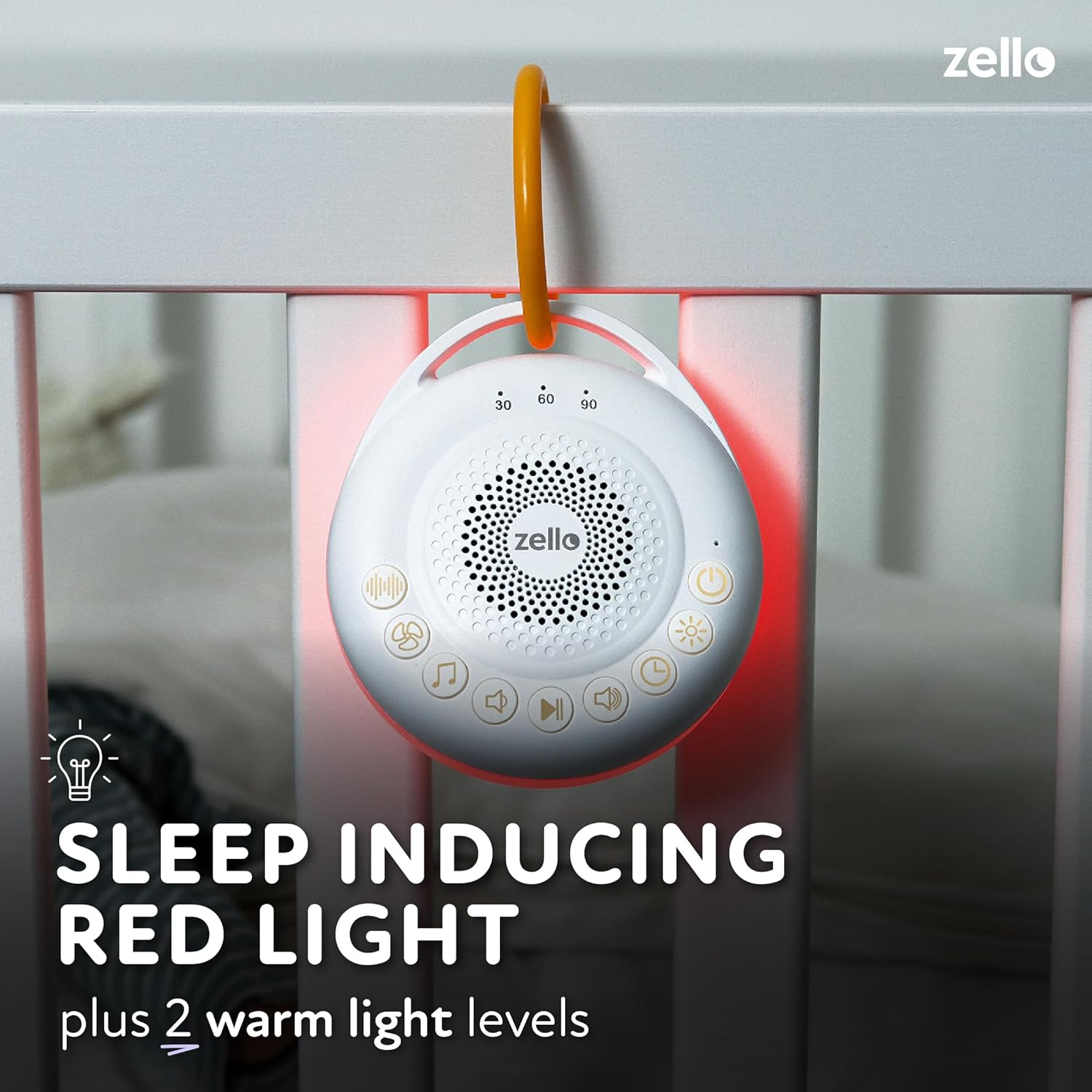
Image: The Zello Portable Pro White Noise Machine emitting a red light, illustrating its sleep-inducing red light feature alongside two warm light levels.
5. Timer Function
- Press the ⏱ (Timer) button to set an auto shut-off timer for 30, 60, or 90 minutes.
- Pressing the button repeatedly will cycle through the timer options. No indicator light means continuous play.
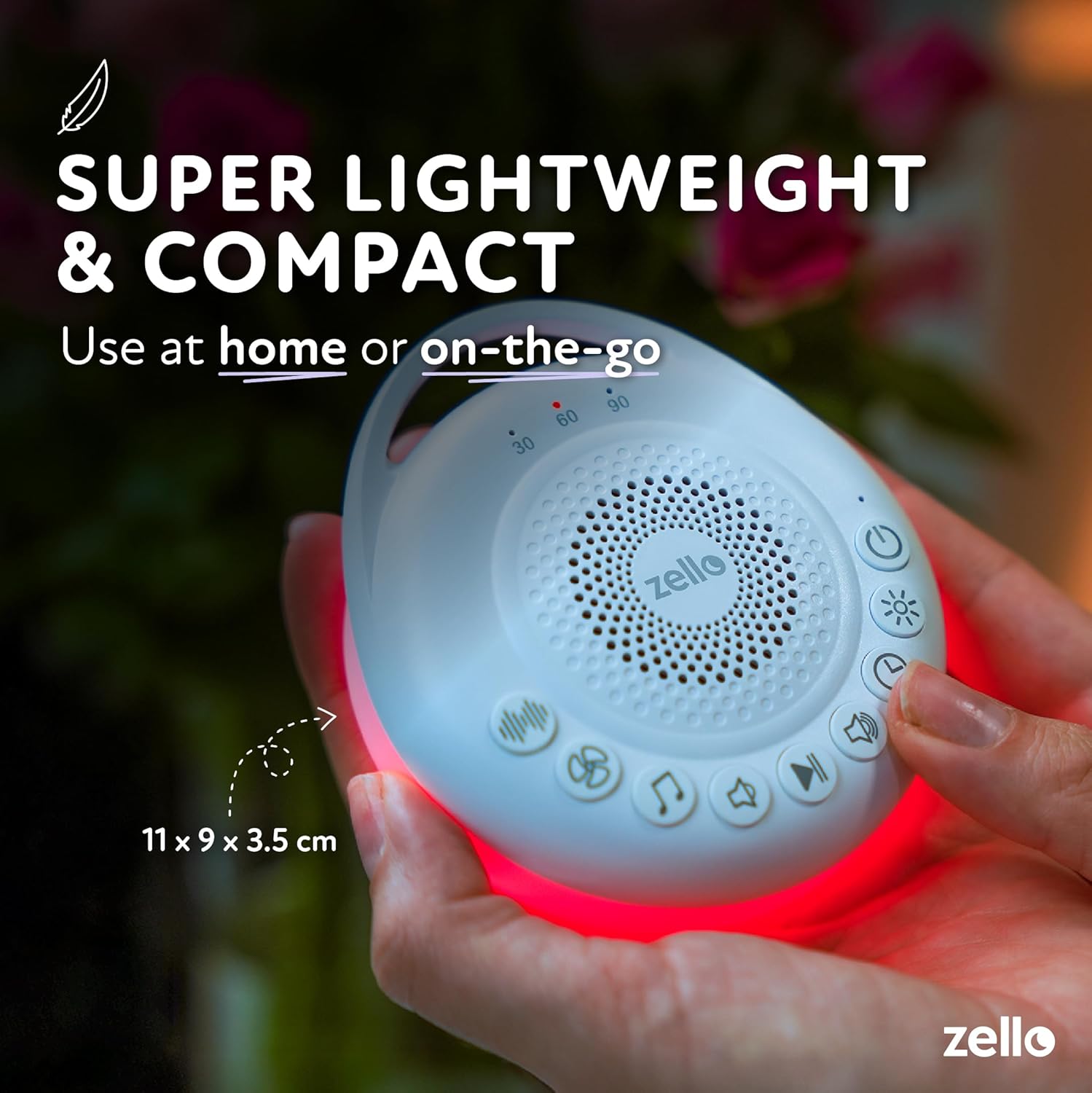
Image: A baby sleeping near the Zello Portable Pro White Noise Machine, which highlights its auto shut-off timer (30/60/90 min) and smart memory function, remembering the last light and sound settings.
6. Child-Lock Clip
- The integrated clip features a child-lock mechanism to prevent accidental removal by children. Ensure it is securely fastened when attaching to prams or cots.
Maintenance
- Cleaning: Wipe the device with a soft, dry cloth. Do not use liquid cleaners or abrasive materials.
- Storage: Store the device in a cool, dry place when not in use.
- Battery Care: To prolong battery life, avoid fully discharging the battery frequently. Charge the device regularly.
Troubleshooting
| Problem | Possible Cause | Solution |
|---|---|---|
| Device does not turn on. | Battery is depleted. | Charge the device using the provided USB-C cable. |
| No sound or low volume. | Volume is set too low or muted. | Increase the volume using the Volume Up button. |
| Light is not working. | Light function is turned off or set to a very dim level. | Press the Light button to cycle through light modes and increase brightness. |
| Battery life is shorter than expected. | High volume or continuous light use. | Reduce volume or light brightness. Ensure full charge before use. |
| Crackling or popping sound from speaker. | Speaker damage or interference. | Try reducing volume. If problem persists, contact customer support. |
Specifications
| Feature | Detail |
|---|---|
| Model Number | PWN03 |
| Dimensions | 4.33 x 3.54 x 1.38 inches (11 x 9 x 3.5 cm) |
| Weight | 7.05 ounces |
| Battery | 1 Lithium Ion battery (included) |
| Battery Life | Up to 20 hours |
| Charging Port | USB-C |
| Sound Options | 30 (7 white noise, 7 fan, 16 natural) |
| Light Options | Warm White (2 levels), Red Light, Breathing Light |
| Timer Options | Continuous, 30 min, 60 min, 90 min |
| Volume Range | 55 - 108 dB |

Image: The Zello Portable Pro White Noise Machine held in a hand, illustrating its super lightweight and compact design, with dimensions of 11 x 9 x 3.5 cm.
Warranty and Support
LUMI products are manufactured to high-quality standards. For warranty information or technical support, please refer to the contact details provided with your purchase or visit the official LUMI website.
Please retain your proof of purchase for warranty claims.


