1. Product Overview
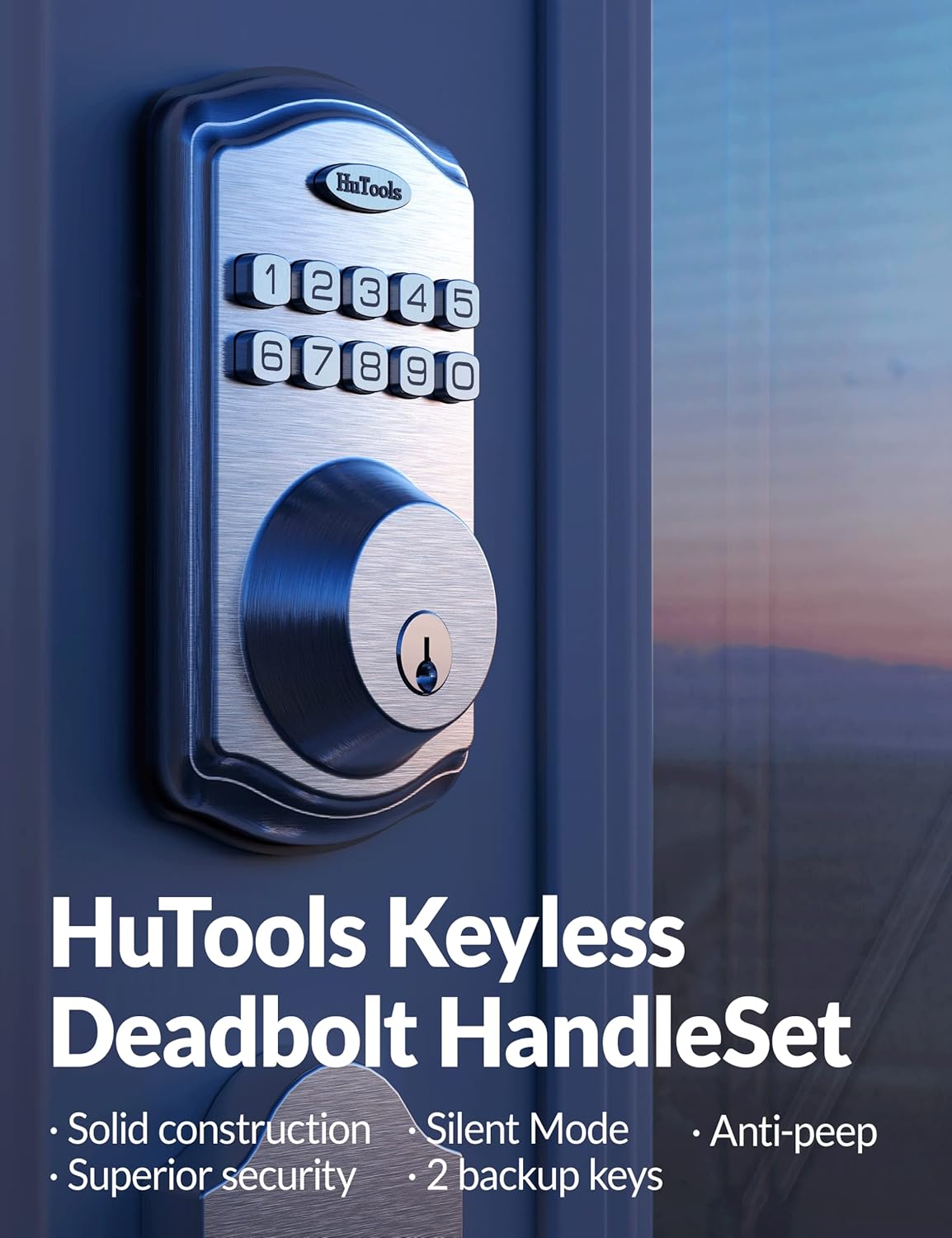
The HuTools Keypad Electronic Deadbolt Lock provides secure and convenient keyless entry to your home. This system allows for multiple user codes, automatic locking, and includes traditional key access for versatility.

Package Contents:
- 1 HuTools Electronic Keypad & Interior Assembly
- HuTools Handleset
- 2 Backup Keys
- 1 Latch & Strike Plate
- Mounting Hardware
- Installation Guide (this manual)

2. Setup and Installation
Before beginning installation, ensure your door meets the following specifications:
- Door Thickness: 1-3/8 inches to 2 inches
- Adjustable Backset: 2-3/8 inches or 2-3/4 inches
- Door Hole: 2-1/8 inches
The lock is designed for both left and right-handed doors. No hard wiring, app, or hub is required for operation.

Battery Installation: The lock requires 4 AA batteries (not included). Install them into the interior assembly following the polarity indicators. Ensure batteries are fresh for optimal performance.
Follow the detailed instructions provided in the included Installation Guide for step-by-step assembly and mounting. The adjustable throughbolt slides facilitate easy installation without requiring additional drilling for most standard doors.
3. Operating Instructions
This electronic deadbolt offers multiple ways to secure and access your property.
User Codes
- You can program up to 20 unique user codes, each 4 to 10 digits long.
- A one-time user code can be generated for temporary access, ideal for visitors or service personnel.

Auto-Lock Feature
Enable the Auto Lock feature to automatically secure your door after a set period (adjustable from 10 to 99 seconds) once it has been unlocked. This provides peace of mind, ensuring your door is always locked.

Instant Lock
To instantly lock your door from the outside, simply press and hold any single button on the keypad for 2 seconds.
Back-lit Keypad
The keypad features back-lighting, making the numbers clearly visible in low-light conditions or at night with just one touch.
Virtual Password
Enhance security by entering random digits before or after your actual access code. This feature, known as a virtual password, helps to confuse onlookers and prevent code theft.
Battery Saving Away Mode
Activate this mode to disable all access codes and functions until the master code is entered on the keypad. This is useful for extended periods of absence to conserve battery life and enhance security.
Quiet Lock and Unlock
The lock can be set to mute audio indicators during locking and unlocking operations, preventing disturbances, especially during quiet hours.
4. Maintenance
Proper maintenance ensures the longevity and reliable operation of your HuTools lock.
Battery Life and Indicator
The lock is designed to operate for over 300 days on 4 AA batteries. A low battery indicator (flashing red lights) will alert you when the batteries are running low, prompting replacement.
Backup Keys
Two backup mechanical keys are included, providing an alternative access method in case of battery depletion or electronic malfunction.
Weather Resistance
The lock is built to withstand temperatures ranging from -4°F to 129°F. For optimal performance and durability, it is advised to install the lock under sheltered areas and avoid direct exposure to wet weather conditions.
Regularly check the lock for any loose components and ensure the keypad is clean. Avoid using abrasive cleaners that could damage the finish or electronic components.
5. Troubleshooting
If you encounter issues with your HuTools Keypad Electronic Deadbolt Lock, refer to the following common troubleshooting tips:
Keypad Disabled (Wrong Entry Limits)
The keypad will be temporarily disabled after 10 incorrect access attempts to ensure security. Wait for the lockout period to expire before attempting to enter codes again. Refer to your detailed installation guide for specific reset procedures if needed.
Lock Not Responding
- Check the batteries. If the low battery indicator is active or if the lock is unresponsive, replace all 4 AA batteries with new ones.
- Ensure the battery pack is correctly seated and the wires are properly connected.
- Verify that the deadbolt mechanism is not obstructed and moves freely.
Difficulty Locking/Unlocking
- Check the alignment of the deadbolt with the strike plate on the door frame. Misalignment can prevent smooth operation.
- Ensure the door itself is not warped or sagging, which could affect the lock's alignment.
For persistent issues or advanced troubleshooting, please contact HuTools customer support.
6. Specifications
| Brand | HuTools |
| Model Number | DKSET |
| Color | Satin Nickel |
| Material | Stainless Steel, Zinc, Bronze (Handle) |
| Product Dimensions | 6.06"L x 3"W |
| Item Weight | 4.89 Pounds |
| Lock Type | Keypad Lock |
| Hand Orientation | Ambidextrous |
| Batteries Required | Yes (4 AA batteries, not included) |
| Special Feature | Adjustable throughbolt |
| Door Thickness Compatibility | 1-3/8 inches to 2 inches |
| Adjustable Backset | 2-3/8 inches or 2-3/4 inches |
| Door Hole Compatibility | 2-1/8 inches |
7. Warranty Information
The HuTools Keypad Electronic Deadbolt Lock is backed by a limited lifetime mechanical and electronic warranty. This warranty covers defects in materials and workmanship under normal use. Please retain your proof of purchase for warranty claims.
For detailed terms and conditions of the warranty, please refer to the official HuTools website or contact customer support.
8. Support
HuTools is committed to providing excellent customer service. We offer free lifetime technical support for your Keypad Electronic Deadbolt Lock.
If you require assistance with installation, programming, troubleshooting, or any other product-related inquiries, please contact our support team through the following channels:
- Online Support: Visit the official HuTools Store on Amazon: HuTools Store
- Email Support: Refer to your product packaging or the HuTools website for the most current email contact information.
When contacting support, please have your product model number (DKSET) and a description of your issue ready to help us assist you more efficiently.


