
Introduction
This manual provides essential instructions for the installation and proper handling of the SRJTEK LCD Screen Replacement for Xiaomi Redmi Note 10S. This product is designed to replace defective screens on models M2101K7BG, M2101K7BI, M2101K7BNY, and M2101K7BL.
Important Safety Information and Precautions
Read all instructions carefully before proceeding with installation. Improper installation can damage your device or the replacement screen.
- The screen is made of glass and is extremely fragile. Handle with care to prevent breakage.
- Always test the screen functionality before full installation. Do not remove protective films or labels during testing.
- Be aware of static electricity. Take precautions to avoid static discharge, which can damage electronic components.
- Do not bend the LCD cable excessively. Bending it more than 90 degrees can cause a black screen or display issues.
- If you lack experience in electronic repairs, it is highly recommended to seek professional assistance from a repair shop.
Package Contents
Verify that all items are present in your package:
- 1x LCD Display Touch Screen Digitizer Frame Assembly Replacement Kit
- 1x Anti-fall All-inclusive Tempered Film
- 1x Free Adhesive Tape
- 1x Set of Special Removal Tools (2x screwdrivers, 1x plastic spudger, 2x open shell fragments, 1x suction cup)
Installation Guide
This section outlines the general steps for replacing your screen. For detailed visual instructions, it is recommended to search for relevant installation videos on platforms like YouTube for your specific phone model.
- Preparation: Power off your device completely. Remove the SIM card tray.
- Disassembly: Carefully open the phone casing using the provided tools. Disconnect the battery and other relevant flex cables.
- Remove Old Screen: Gently detach the old, damaged screen assembly. Be mindful of any adhesive or connectors.
- Pre-Installation Test: Before fully installing the new screen, connect the new LCD assembly's flex cable to the phone's motherboard. Do NOT remove any protective films or labels at this stage. Power on the phone and test the display, touch functionality, and color accuracy. Ensure there are no dead pixels, lines, or unresponsive areas.
- Full Installation: If the test is successful, power off the phone. Carefully remove the protective films and labels from the new screen. Apply the provided adhesive tape as needed. Mount the new screen assembly into the phone frame. Reconnect all flex cables and the battery.
- Reassembly: Close the phone casing, ensuring all clips and screws are properly secured.
- Final Check: Power on the phone and perform a final check of all functions.
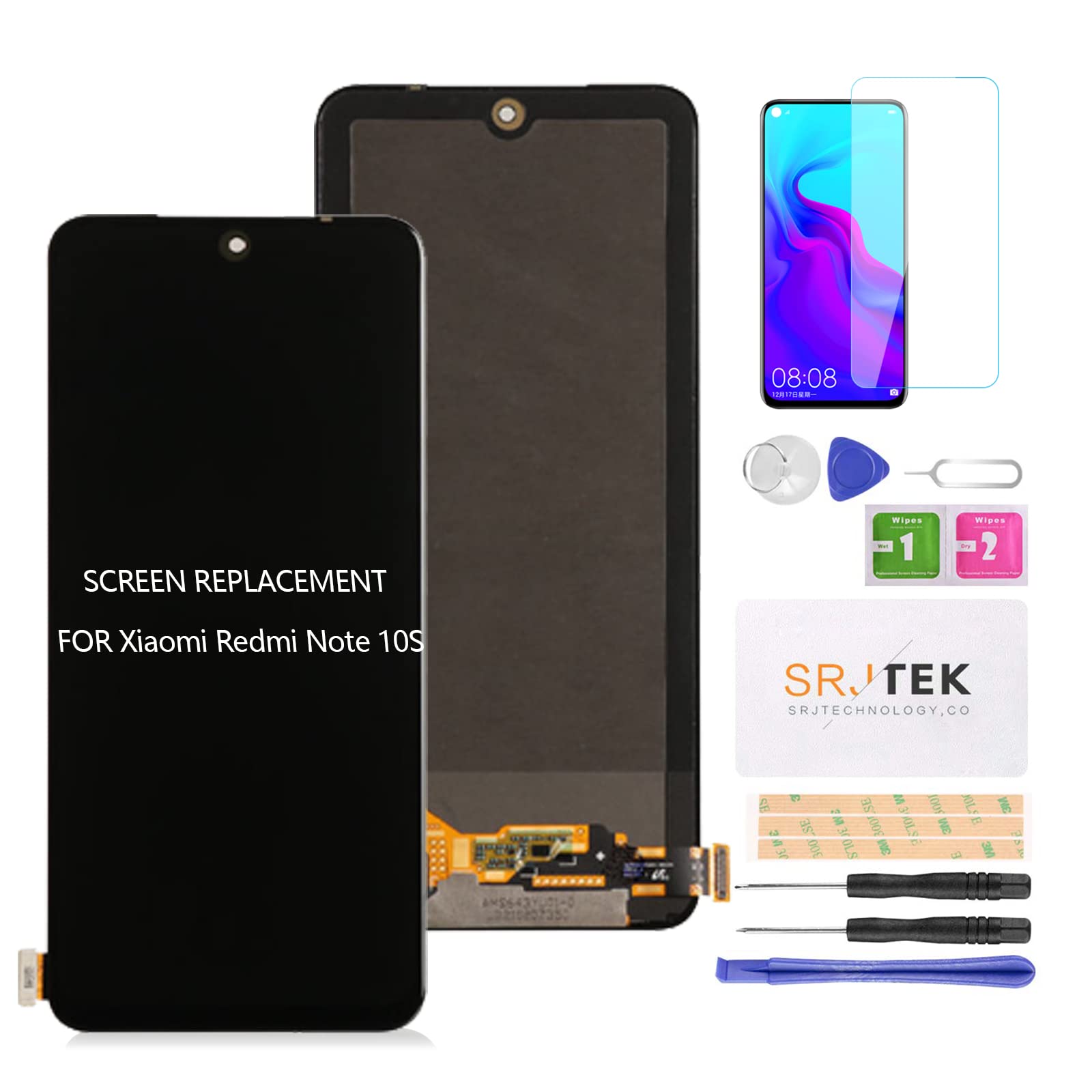
Image: SRJTEK LCD Screen Replacement for Xiaomi Redmi Note 10S. This image shows the complete screen assembly with its protective packaging.
Operating (Post-Installation)
Once the screen is successfully installed, your device should function as normal. The new screen offers high color saturation, resolution, and a smooth touch experience. Apply the included tempered film for additional protection.
Maintenance
To ensure the longevity and optimal performance of your new screen:
- Avoid dropping the device or subjecting it to strong impacts.
- Clean the screen regularly with a soft, lint-free cloth. Avoid harsh chemicals.
- Keep the device away from extreme temperatures and moisture.
- Consider using a protective case in addition to the tempered film.
Troubleshooting
If you encounter issues after installation, refer to the following common problems and solutions:
- Black Screen: If the screen remains black after powering on, press and hold the power key and volume key simultaneously. If the phone vibrates, it indicates that the main flex cable might not be properly installed. Power off the device and carefully re-install the screen assembly, ensuring all connections are secure.
- Incorrect Screen Response/Unresponsive Touch: This could be due to an improperly seated flex cable or a faulty connection. Power off the device, disconnect, and reconnect the screen's flex cable. Ensure no dust or debris is obstructing the connector.
- Display Issues (Pixel Distortion, Lines, Wrong Colors): Verify that the LCD cable is not bent more than 90 degrees. Recheck all connections. If the issue persists after re-seating the cable, the screen itself might be defective.
- Screen Not Fitting Properly: Ensure you have the correct model screen for your device (M2101K7BG, M2101K7BI, M2101K7BNY, M2101K7BL). Double-check that no debris is preventing the screen from seating flush in the frame.
If troubleshooting steps do not resolve the issue, contact customer support or seek professional repair.
Specifications
| Feature | Detail |
|---|---|
| Product Type | LCD Display Touch Screen Digitizer Frame Assembly |
| Compatibility | Xiaomi Redmi Note 10S (Models: M2101K7BG, M2101K7BI, M2101K7BNY, M2101K7BL) |
| Material | Original Quality LCD |
| Screen Size | 6.43 inches |
| Resolution | 1080x2400 pixels |
| Manufacturer | SRJTEK |
Warranty and Support
SRJTEK products are quality tested before shipment. For warranty information or technical support, please refer to the seller's policy on the platform where the product was purchased or contact SRJTEK customer service directly. Keep your purchase receipt as proof of purchase.