Introduction
The LARKSOUND 3.1.2 Dolby Atmos Sound Bar with Wireless Subwoofer is designed to deliver a premium home theater experience. Featuring built-in upward-firing speakers and true surround sound with Dolby Atmos technology, it transports you into an immersive 3D audio environment. The left/right elevation speakers utilize Atmos' height channels to create sound that flows above and around you, providing breathtaking, moving audio.
What's in the Box
Upon unboxing your LARKSOUND 3.1.2 Sound Bar, please ensure all the following components are present:
- Sound Bar Unit
- Wireless Subwoofer
- Remote control
- Wall mounting kit
- HDMI(ARC) cable (1x4.92ft)
- Optical cable (1x4.92ft)
- AUX cable (1x4.92ft)

Figure 1: Included Components of the LARKSOUND 3.1.2 Sound Bar System.
Setup
Follow these steps to set up your LARKSOUND 3.1.2 Sound Bar for optimal performance:
- Placement: Position the sound bar directly below your TV, ensuring the upward-firing speakers are unobstructed. Place the wireless subwoofer in a convenient location near the sound bar, ideally on the same side of the room for best bass integration.

Figure 2: Recommended placement of the soundbar and subwoofer.
- Connections: Connect the sound bar to your TV using the provided HDMI(ARC) cable for the best audio quality and control. Alternatively, you can use the Optical or AUX cables.

Figure 3: Available connection ports on the soundbar.
- Power On: Plug in the power adapters for both the sound bar and the wireless subwoofer. The units should automatically power on and attempt to pair.
- Subwoofer Pairing: The subwoofer and sound bar are designed to pair automatically. If pairing fails, press and hold the pair button on the back of the subwoofer for 5 seconds. The indicator light on the subwoofer will flash, then turn solid blue once paired.

Figure 4: The 6.5" powerful wireless subwoofer.
- Initial Test: Play some audio from your TV or a connected device to confirm sound output from both the sound bar and subwoofer.
Official Product Video: Setup and Features Overview
This official Larksound video provides a comprehensive overview of the 3.1.2 Dolby Atmos Soundbar, including unboxing, setup instructions, and a demonstration of its key features and sound quality. It highlights the wireless subwoofer pairing and various connectivity options.
Operating
Control your LARKSOUND 3.1.2 Sound Bar using the included remote control or the buttons on the unit itself.
- Power: Press the Power button on the remote or sound bar to turn the unit on or off.
- Input Selection: Use the Mode button on the remote or sound bar to cycle through input sources: HDMI(ARC), Optical, AUX IN, Bluetooth, and USB.
- Volume Control: Adjust the volume using the Vol+ and Vol- buttons on the remote or sound bar.
- EQ Modes: Optimize your audio experience with preset equalizer modes. Press the EQ button on the remote or sound bar to switch between:
- Movie Mode: Enhances cinematic sound effects and dialogue.
- Music Mode: Provides balanced audio for music playback.
- Voice Mode: Clarifies dialogue for TV shows and news.
- Normal Mode: Standard audio profile.
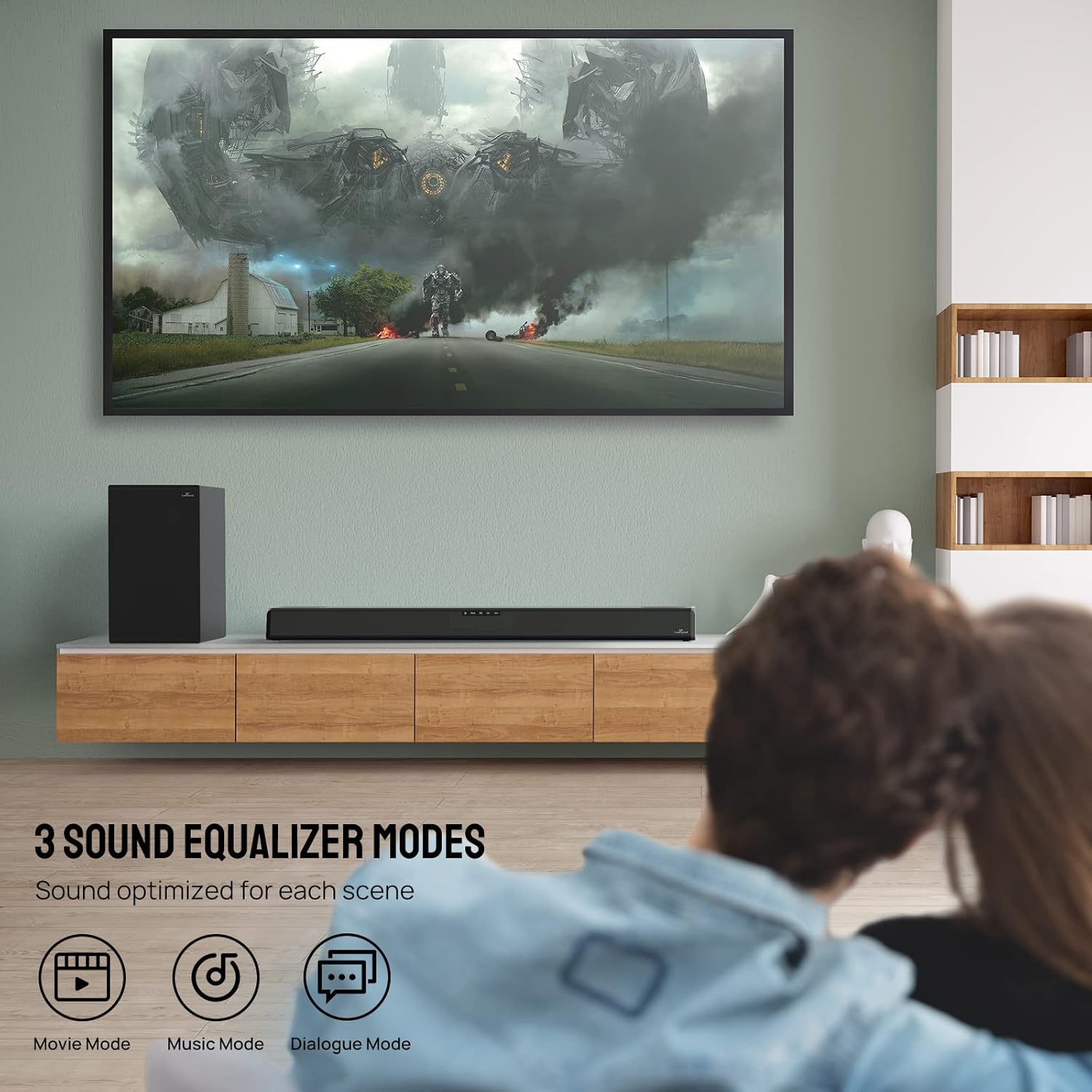
Figure 5: Selectable EQ Modes for various content types.
- Bass Adjustment: Use the Bass+ and Bass- buttons on the remote to fine-tune the subwoofer's output.
- Bluetooth Pairing: To pair a new Bluetooth device, select the Bluetooth input mode. The sound bar will enter pairing mode. Select "LARKSOUND 3.1.2" from your device's Bluetooth settings.
- 4K HDR Pass-Through: The sound bar supports 4K HDR pass-through, allowing you to connect 4K devices directly to the sound bar's HDMI input and output to your TV, maintaining high-quality video.

Figure 6: Enjoy 4K content with seamless pass-through.
Maintenance
To ensure the longevity and optimal performance of your LARKSOUND 3.1.2 Sound Bar, follow these maintenance guidelines:
- Cleaning: Use a soft, dry cloth to clean the surfaces of the sound bar and subwoofer. Avoid using liquid cleaners, aerosols, or abrasive materials, as they may damage the finish.
- Ventilation: Ensure proper ventilation around both units. Do not block any ventilation openings.
- Environment: Keep the sound bar and subwoofer away from direct sunlight, heat sources, excessive dust, moisture, and strong magnetic fields.
- Power Cord: Regularly check the power cords for any damage. If damaged, discontinue use and contact customer support.
Troubleshooting
If you encounter any issues with your LARKSOUND 3.1.2 Sound Bar, please refer to the following common troubleshooting steps:
| Problem | Possible Cause | Solution |
|---|---|---|
| No power | Power cord not securely connected. | Ensure both the sound bar and subwoofer power cords are firmly plugged into a working outlet. |
| No sound | Incorrect input selected; TV/device volume too low; Cables not connected properly. | Verify the correct input mode is selected on the sound bar. Increase volume on both the sound bar and TV/device. Check all audio cable connections. |
| Subwoofer not pairing | Out of range; Interference; Pairing failed. | Ensure subwoofer is within 10 meters of the sound bar. Reduce interference from other wireless devices. Manually re-pair the subwoofer (see Setup section). |
| Remote not working | Batteries are dead or incorrectly inserted; Obstruction between remote and sound bar. | Replace batteries in the remote. Ensure no objects are blocking the remote's signal to the sound bar. |
Specifications
| Feature | Detail |
|---|---|
| Model Name | LARKSOUND 3.1.2 |
| Speaker Type | Soundbar |
| Surround Sound Channel Configuration | 3.1.2 |
| Special Feature | Bass Boost |
| Connectivity Technology | HDMI(ARC), Optical, AUX IN, Bluetooth, USB |
| Wireless Communication Technology | Bluetooth |
| Bluetooth Range | 10 Meters |
| Subwoofer Connectivity Technology | Wireless |
| Color | Black |
| Item Weight | 22.4 pounds |
| Manufacturer | Larksound |
Warranty
The LARKSOUND 3.1.2 Dolby Atmos Sound Bar comes with a limited warranty. Please refer to the warranty card included in your product packaging for detailed terms and conditions. Keep your proof of purchase for warranty claims.
Support
For further assistance, technical support, or warranty inquiries, please visit the official LARKSOUND website or contact their customer service department. Contact details can typically be found in the included user manual or on the product's official support page.


