1. Introduction
Thank you for purchasing the OLIGHT S2R Baton II LED Flashlight. This compact and powerful EDC (Everyday Carry) flashlight is designed for versatility and reliability, featuring a maximum output of 1150 lumens, multiple lighting modes, magnetic charging, and a convenient magnetic tailcap for hands-free use. This manual provides detailed instructions for the safe and effective operation, setup, and maintenance of your S2R Baton II flashlight.

Image 1.1: The OLIGHT S2R Baton II LED Flashlight in green, showcasing its compact design and textured body.
2. Safety Information
Please read this manual carefully before using the product. Failure to follow these instructions may result in injury or damage to the product.
2.1 General Warnings
- DO NOT shine the light directly into human or animal eyes. The powerful beam can cause temporary blindness or permanent eye damage.
- DO NOT cover the flashlight head when it is on, or place the flashlight head close to any object. The heat generated by the flashlight can cause the object to burn or even result in unexpected disasters.
- DO NOT use non-rechargeable batteries.
- DO NOT immerse the flashlight in water. This product is Not Water Resistant.
- Keep out of reach of children.
- Store the flashlight in a cool, dry place.
3. Package Contents
Verify that all items are present in your package:
- OLIGHT S2R Baton II LED Flashlight (with included battery)
- MCC 1A Magnetic Charging Cable
- Pocket Clip (two reversible clips)
- Lanyard/Wrist Strap
- User Manual
4. Product Overview
The OLIGHT S2R Baton II features a compact design with a side switch for easy operation and a magnetic tailcap for versatile mounting.

Image 4.1: Overview of the S2R Baton II highlighting key specifications such as 1150 lumens max output, 60 days max runtime, 135 meters max throw, and compact dimensions.
4.1 Components
- LED Emitter: High-performance cool white LED.
- TIR Optic Lens: Provides a balanced beam.
- Side Switch: Controls all functions.
- Battery Level Indicator: Integrated into the side switch.
- Magnetic Tailcap: For hands-free attachment and charging.
- Pocket Clip: Reversible for multiple carrying options.
5. Setup
5.1 First Use & Battery Installation
Before first use, please unscrew the tailcap and remove the insulating film from the battery compartment. Ensure the battery is inserted with the positive (+) end facing the head of the flashlight.
5.2 Charging
The S2R Baton II uses a magnetic charging system. Connect the MCC 1A magnetic charging cable to a USB power source (e.g., computer, power bank, USB wall adapter) and attach the magnetic end to the tailcap of the flashlight. The indicator on the charging cable will glow red during charging and turn green when fully charged.

Image 5.1: The highly efficient MCC 1A charger connected to the flashlight's magnetic tailcap, demonstrating various charging options including computer, car charger, power bank, and USB phone charger.
6. Operating Instructions
6.1 Basic Operation
- Turn ON/OFF: Single click the side switch to turn the flashlight ON/OFF.
- Change Brightness Levels: When the flashlight is ON, press and hold the side switch to cycle through Low, Medium, and High modes. Release the switch to select the desired mode.
- Moonlight Mode: When the flashlight is OFF, press and hold the side switch for over one second to activate Moonlight mode.
- Turbo Mode: Double click the side switch to activate Turbo mode. Double click again to return to the previous mode.
- Strobe Mode: Triple click the side switch to activate Strobe mode. Single click or press and hold to exit.
- Lockout/Unlock: When the flashlight is OFF, press and hold the side switch for approximately two seconds until the moonlight mode briefly turns on and then off. The flashlight is now locked out. To unlock, press and hold the side switch for approximately two seconds until the moonlight mode turns on.
6.2 Battery Level Indication
The LED indicator located under the side switch provides real-time battery status:
- Green: Battery remaining > 70%
- Yellow: Battery remaining 15% - 70%
- Red: Battery remaining < 15%

Image 6.1: The S2R Baton II on a tree branch, illustrating the three-color power level indication (green, yellow, red) on the side switch.
6.3 Hands-Free Use
The S2R Baton II features a strong magnet in its tailcap, allowing it to be attached to ferrous metal surfaces for hands-free illumination. The reversible pocket clip also offers multiple carrying options, such as clipping to a pocket, backpack strap, or hat brim.
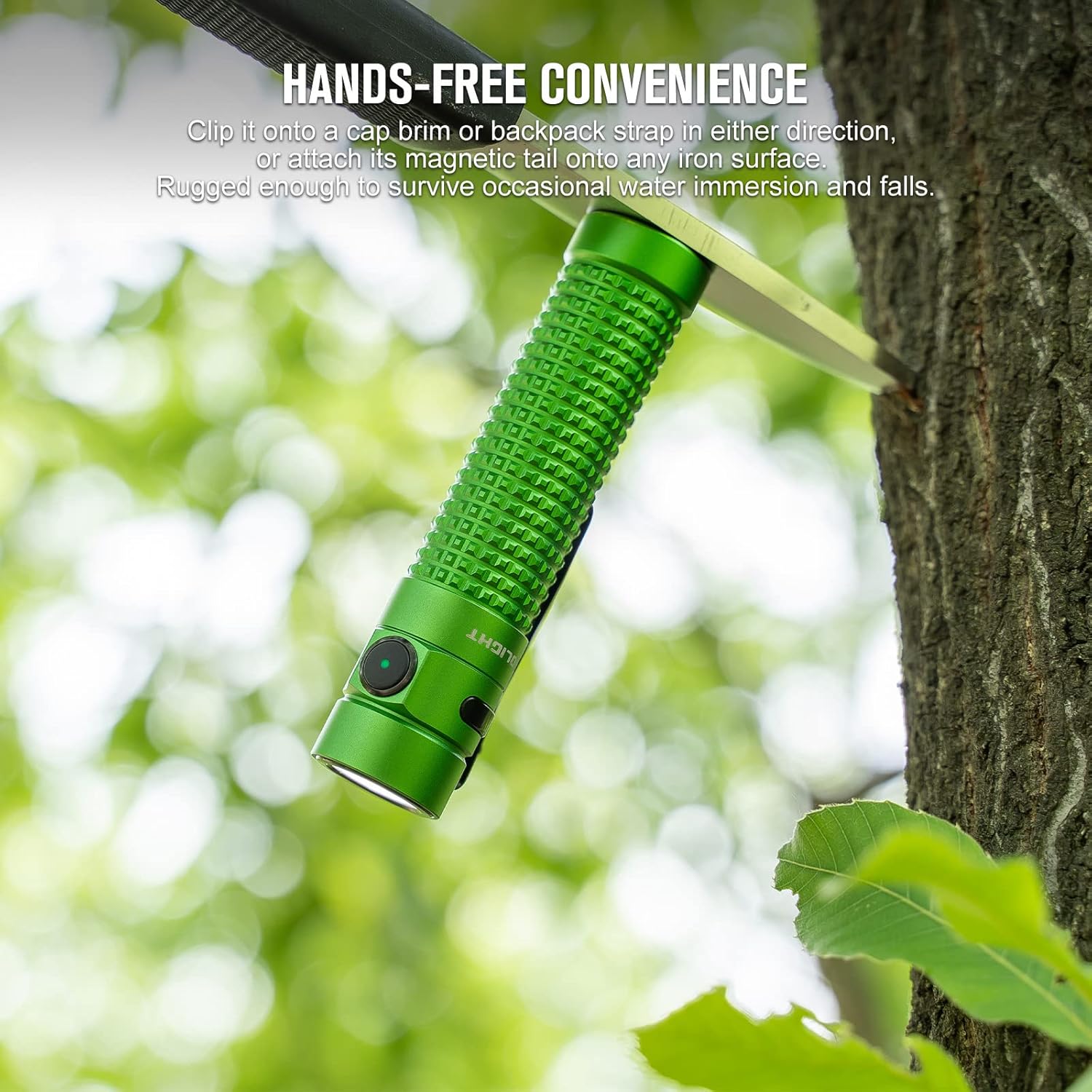
Image 6.2: The S2R Baton II attached magnetically to a metal surface, demonstrating its hands-free convenience.

Image 6.3: Close-up view of the S2R Baton II's new pocket clip finish, showing how it can be attached to various items for easy access.
7. Maintenance
7.1 Cleaning
Regularly clean the threads and O-rings with a clean cloth. Lubricate the threads with silicone grease to prevent wear and tear.
7.2 Battery Care
- Charge the battery fully before long-term storage.
- Recharge the battery every 3-6 months to maintain optimal performance.
- If the flashlight will not be used for an extended period, remove the battery to prevent potential leakage.
8. Troubleshooting
If your OLIGHT S2R Baton II is not functioning correctly, please refer to the following common issues and solutions:
| Problem | Possible Cause | Solution |
|---|---|---|
| Flashlight does not turn on. | Battery low or depleted. Insulating film not removed. Battery inserted incorrectly. Flashlight is in lockout mode. | Charge the battery. Remove the insulating film. Ensure battery polarity is correct. Unlock the flashlight (press and hold side switch for ~2 seconds). |
| Light output is dim or flickers. | Low battery. Loose tailcap. Dirty contacts. | Charge the battery. Tighten the tailcap. Clean battery contacts and threads. |
| Magnetic charging not working. | Charging cable not properly connected. USB power source issue. Dirty charging contacts. | Ensure magnetic end is firmly attached to tailcap. Try a different USB port or adapter. Clean the magnetic charging contacts on both the cable and flashlight. |
If the issue persists after attempting these solutions, please contact OLIGHT customer support for further assistance.
9. Specifications
| Feature | Detail |
|---|---|
| Model | S2R Baton II |
| Light Source | Cool White LED |
| Max Output | 1150 Lumens |
| Max Beam Distance | 135 Meters |
| Power Source | Customized Rechargeable Lithium-Ion Battery |
| Max Runtime | Up to 60 Days (Moonlight mode) |
| Charging Type | Magnetic Charging (MCC 1A) |
| Material | Aluminum Alloy |
| Color | Green |
| Weight | 5.6 ounces (approx. 158.7g) |
| Dimensions | 5.79 x 2.01 x 1.54 inches (Package Dimensions) |
| Water Resistance Level | Not Water Resistant |
| Special Features | Magnetic Tailcap, Battery Indicator, Reversible Pocket Clip |
10. Warranty and Support
OLIGHT offers a comprehensive warranty for its products. For detailed warranty information and customer support, please visit the official OLIGHT website or contact their customer service directly. Please retain your proof of purchase for warranty claims.
For further assistance or inquiries, please refer to the OLIGHT official website: www.olightstore.com