
Benchmark 16" Cordless Lawn Trimmer - 60 Volt
Benchmark 16" Cordless Lawn Trimmer - 60 Volt User Manual
Model: 16" Cordless Lawn Trimmer - 60 Volt
1. Important Safety Information
Always read and understand all safety warnings, instructions, illustrations, and specifications provided with this power tool. Failure to follow all instructions listed below may result in electric shock, fire, and/or serious injury.
General Safety Warnings:
- Keep work area clean and well lit. Cluttered or dark areas invite accidents.
- Do not operate power tools in explosive atmospheres, such as in the presence of flammable liquids, gases, or dust. Power tools create sparks which may ignite the dust or fumes.
- Keep children and bystanders away while operating a power tool. Distractions can cause you to lose control.
Battery Tool Use and Care:
- Recharge only with the charger specified by the manufacturer. A charger that is suitable for one type of battery pack may create a risk of fire when used with another battery pack.
- Use power tools only with specifically designated battery packs. Use of any other battery packs may create a risk of injury and fire.
- When battery pack is not in use, keep it away from other metal objects, like paper clips, coins, keys, nails, screws or other small metal objects, that can make a connection from one terminal to another. Shorting the battery terminals together may cause burns or a fire.
- Under abusive conditions, liquid may be ejected from the battery; avoid contact. If contact accidentally occurs, flush with water. If liquid contacts eyes, additionally seek medical help. Liquid ejected from the battery may cause irritation or burns.
2. Package Contents
Carefully unpack all items and ensure you have received the following:
- Benchmark 16" Cordless Lawn Trimmer (Main Unit)
- 2.5 Ah Battery Pack (with SAMSUNG cells)
- 2.5 A Rapid Charger
- User Manual
If any items are missing or damaged, please contact customer support.
3. Product Overview
Familiarize yourself with the components of your Benchmark 16" Cordless Lawn Trimmer.
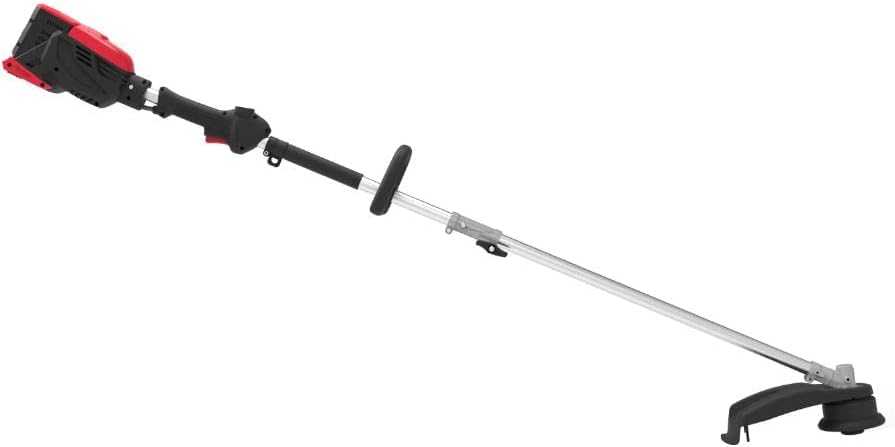
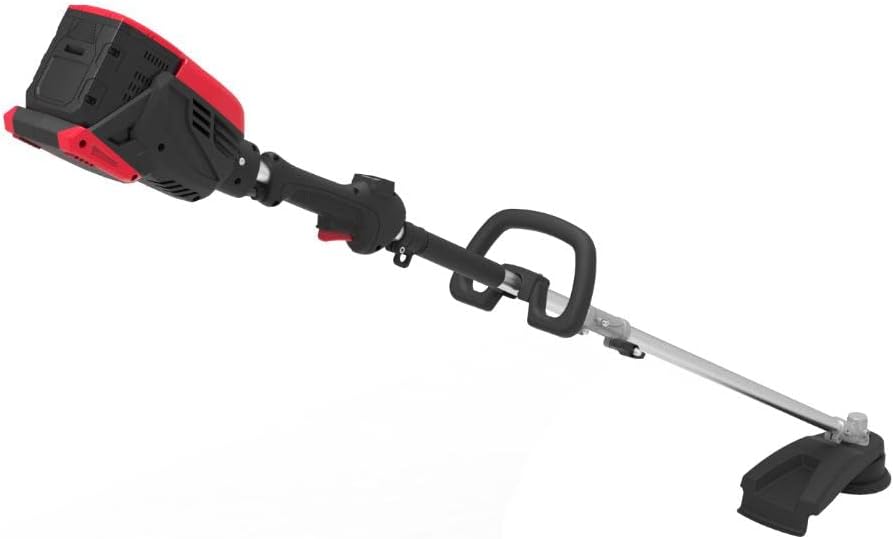
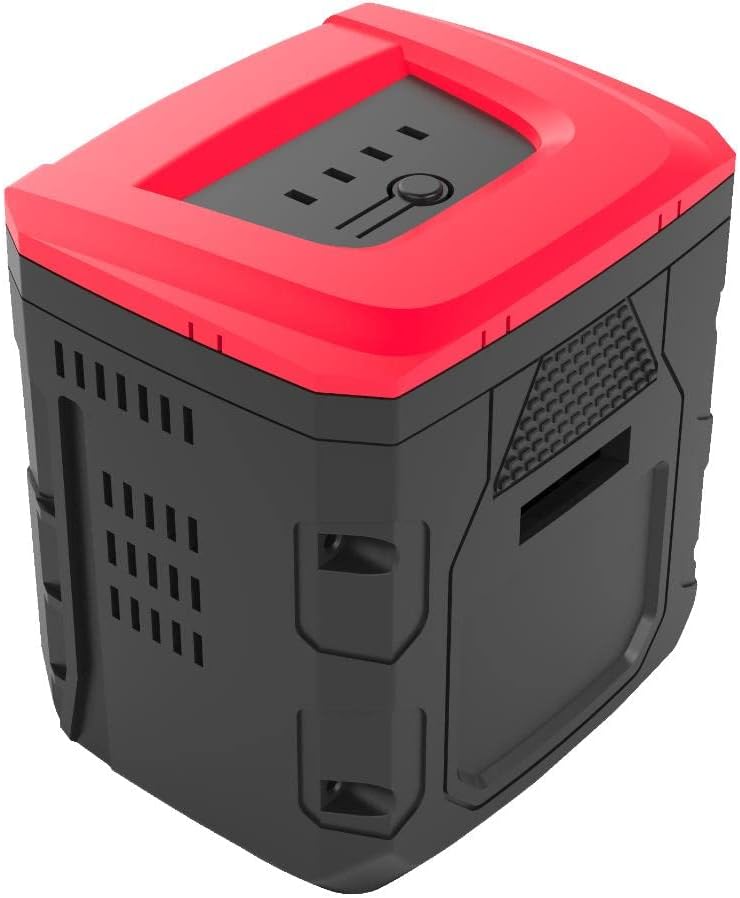

4. Setup
4.1 Assembly
The Benchmark 16" Cordless Lawn Trimmer requires some assembly before first use. Follow these steps:
- Attach the auxiliary handle to the main shaft. Ensure it is securely fastened at a comfortable position for operation.
- Connect the upper and lower shaft sections. Listen for a click to confirm they are locked into place.
- Install the debris guard onto the cutting head. Use the provided fasteners to secure it firmly.
4.2 Battery Charging
Before first use, fully charge the 2.5 Ah battery pack.
- Plug the 2.5 A rapid charger into a standard electrical outlet. The charger's indicator light may illuminate to show it is powered.
- Slide the 60 Volt battery pack into the charger. Ensure it clicks into place.
- Monitor the charger's indicator lights. They will typically show charging status (e.g., red for charging, green for fully charged).
- Once fully charged, remove the battery pack from the charger.
4.3 Battery Installation
To install the charged battery pack into the trimmer:
- Align the battery pack with the battery compartment on the trimmer's motor housing.
- Slide the battery pack firmly into the compartment until it locks into place. Ensure it is seated securely to prevent it from dislodging during operation.
5. Operating Instructions
5.1 Starting and Stopping
To start the trimmer, ensure the battery is installed, then press the safety lock-off button (if present) and squeeze the trigger switch. To stop, release the trigger switch.
5.2 Speed Control
The trimmer features three variable speeds (4500/5000/5500 RPM) to adapt to different working conditions. Use the speed selector switch to choose the appropriate RPM for your task. Lower speeds are suitable for lighter trimming, while higher speeds provide maximum power for tougher weeds.
5.3 Trimming Techniques
- Cutting Path: Use a sweeping motion, moving the trimmer head from side to side.
- Bump Feeding: This trimmer features a bump feeding mechanism. To advance more line, lightly tap the cutting head on a firm surface while the trimmer is running.
- Edging: For precise edging along sidewalks or driveways, tilt the trimmer head to a vertical position.
- Attachment Acceptable: This trimmer is designed to accept various attachments (sold separately). Refer to the attachment's manual for specific installation and operation instructions.
6. Maintenance
Regular maintenance ensures optimal performance and extends the life of your trimmer.
6.1 Cleaning
- After each use, remove the battery pack.
- Clean the trimmer head and debris guard of any grass clippings, dirt, or debris using a stiff brush or cloth.
- Wipe down the main unit with a damp cloth. Do not use harsh chemicals or abrasive cleaners.
- Ensure all vents are clear of obstructions to prevent overheating.
6.2 Line Replacement
When the trimmer line becomes too short or breaks, it will need to be replaced. Refer to the trimmer head's specific instructions for the correct line diameter and winding method. Always remove the battery before attempting line replacement.
6.3 Storage
- Store the trimmer in a dry, secure location, out of reach of children.
- Remove the battery pack from the trimmer before storing for extended periods.
- Store the battery pack in a cool, dry place, away from direct sunlight and extreme temperatures.
7. Troubleshooting
If you encounter issues with your trimmer, refer to the table below for common problems and solutions.
| Problem | Possible Cause | Solution |
|---|---|---|
| Trimmer does not start | Battery not charged Battery not properly installed Safety switch not engaged | Charge battery fully Re-install battery securely Ensure safety lock-off button is pressed before trigger |
| Low power or short run time | Battery not fully charged Battery nearing end of life Overheating | Fully charge battery Consider replacing battery Allow trimmer to cool down; clear vents |
| Trimmer line not feeding | Line tangled or jammed Incorrect line installation Line too short | Remove battery and clear obstruction Re-spool line correctly Replace trimmer line |
8. Specifications
| Feature | Specification |
|---|---|
| Brand | Benchmark |
| Model | 16" Cordless Lawn Trimmer - 60 Volt |
| Power Source | Battery Powered (60 Volt) |
| Motor Type | Brushless Motor |
| Cutting Width | 16 Inches |
| Variable Speeds | 4500 / 5000 / 5500 RPM |
| Battery Included | (1) 2.5 Ah battery pack with SAMSUNG cells |
| Charger Included | (1) 2.5 A rapid charger |
| Feeding Mechanism | Bump feeding |
| Item Weight | 19.35 Pounds |
| Package Dimensions | 41.4 x 10.9 x 10 inches |
| Assembly Required | Yes |
| UPC | 822733326338 |
| Manufacturer | BENCHMARK |
| Country of Origin | Canada |
9. Warranty and Support
For warranty information, technical support, or to order replacement parts, please contact Benchmark customer service. Keep your purchase receipt as proof of purchase for warranty claims.
Please refer to the product packaging or the official Benchmark website for the most current contact information.
Related documents16" Cordless Lawn Trimmer - 60 Volt

Ask a question about this manual
Ask about setup, troubleshooting, compatibility, parts, safety, or missing instructions. Manuals+ will review the question and use this page’s manual context to help answer it.