
aeac GCA-207
aeac Smart Watch GCA-207 User Manual
Model: GCA-207 | Brand: aeac
Introduction
This manual provides comprehensive instructions for setting up, operating, and maintaining your aeac Smart Watch GCA-207. Please read this manual thoroughly to ensure proper use and to fully utilize all features of your device.
What's in the Box
- aeac Smart Watch GCA-207 (with silicone band)
- Charging Cable
- User Manual
Setup
1. Charging the Device
Before first use, fully charge your aeac Smart Watch. Connect the magnetic charging cable to the charging points on the back of the watch and plug the USB end into a power adapter (not included) or a computer's USB port. The watch screen will indicate charging status.
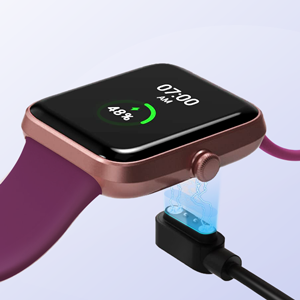
Image: Close-up of the aeac Smart Watch GCA-207 connected to its magnetic charging cable.
2. App Installation and Pairing
To unlock the full potential of your smartwatch, download and install the VeryFit app on your smartphone. The app is compatible with iOS 9.0 / Android 6.0 or above.
- Scan the QR code in the manual or search for "VeryFit" in your phone's app store (Apple App Store for iOS, Google Play Store for Android).
- Open the VeryFit app and follow the on-screen instructions to create an account or log in.
- Ensure Bluetooth is enabled on your smartphone.
- In the VeryFit app, navigate to the "Device" section and select "Add Device" or "Bind Device".
- Select your aeac Smart Watch (GCA-207) from the list of available devices.
- Confirm the pairing request on both your watch and smartphone.
Image: Smartphone screen showing the VeryFit app interface with various health data, positioned next to the aeac Smart Watch GCA-207.
Operating Instructions
Basic Navigation
- Touch Screen: Swipe left, right, up, or down to navigate through menus and screens. Tap to select an option.
- Side Button: Press the side button to return to the home screen or wake the device. A long press may access power options.
Accessing Features
From the home screen, swipe in different directions to access various functions:
- Swipe down: Quick settings (brightness, DND, etc.).
- Swipe up: Notifications.
- Swipe left/right: Widgets for health data, exercise, weather, music control, etc.

Image: A hand interacting with the touchscreen of the aeac Smart Watch GCA-207, showing a menu of applications.
Health Monitoring
The aeac Smart Watch GCA-207 is equipped with high-performance sensors to monitor key health metrics:
- Heart Rate: Continuous 24-hour monitoring (when enabled in the VeryFit app).
- Blood Oxygen (SpO2): Measure your blood oxygen levels.
- Stress Level: Track your stress levels throughout the day.
- Sleep Monitoring: Records deep sleep, light sleep, and awake times to provide insights into your sleep patterns.
- Step & Calorie Counter: Tracks your daily steps, distance, and calories burned.
Detailed data and historical trends can be viewed within the VeryFit app. For a quick check, slide left on the watch face and use the one-click monitoring feature.
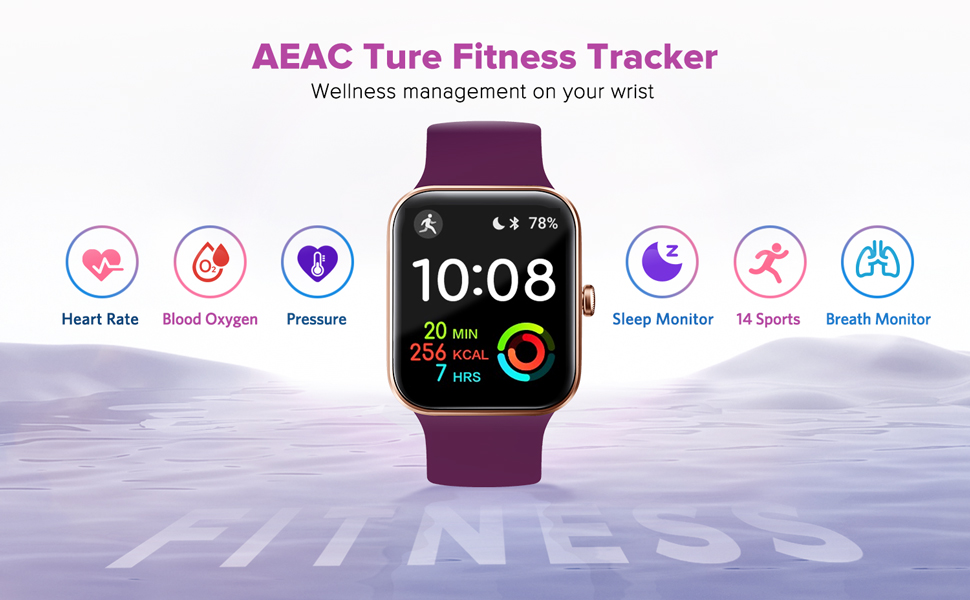
Image: A user wearing the aeac Smart Watch GCA-207, with the watch screen displaying various health metrics like heart rate, sleep, steps, and stress levels.
Multiple Sports Modes
The smartwatch supports multiple sports modes to accurately track your activities and help optimize your exercise routine. These include:
- Walking
- Running
- Mountaineering
- Swimming
- Yoga
- Hiking
- Cycling
- Treadmill
- Elliptical
- Workout
- Open Water Swim
- Indoor Cycle
- Cricket
- Indoor Run
- Indoor Walk
- Rower
- Pool Swim
Select the appropriate mode before starting your workout to get accurate tracking of duration, distance, calories, and other relevant data.
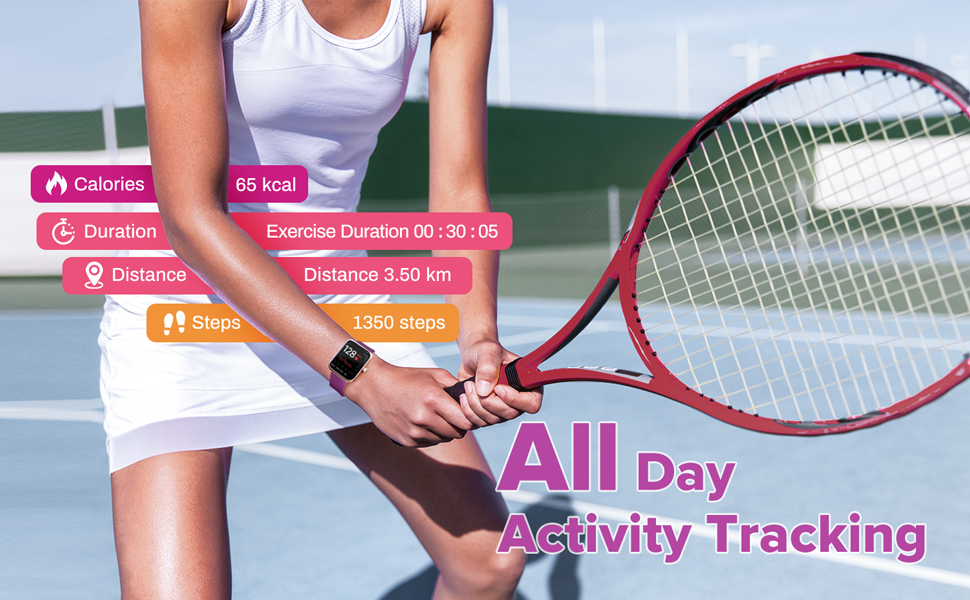
Image: A man wearing the aeac Smart Watch GCA-207, stretching before exercise, with icons representing various sports modes displayed.
Message Notifications & Practical Tools
Stay connected by receiving notifications directly on your wrist when paired with your smartphone. The watch supports notifications from various applications including Facebook, WhatsApp, Instagram, and Twitter.
Additional practical tools include:
- Alarm Clock
- Stopwatch
- Music Controller
- Weather Forecast
- Sedentary Reminder
- Adjustable Brightness
- "Find Your Phone" feature
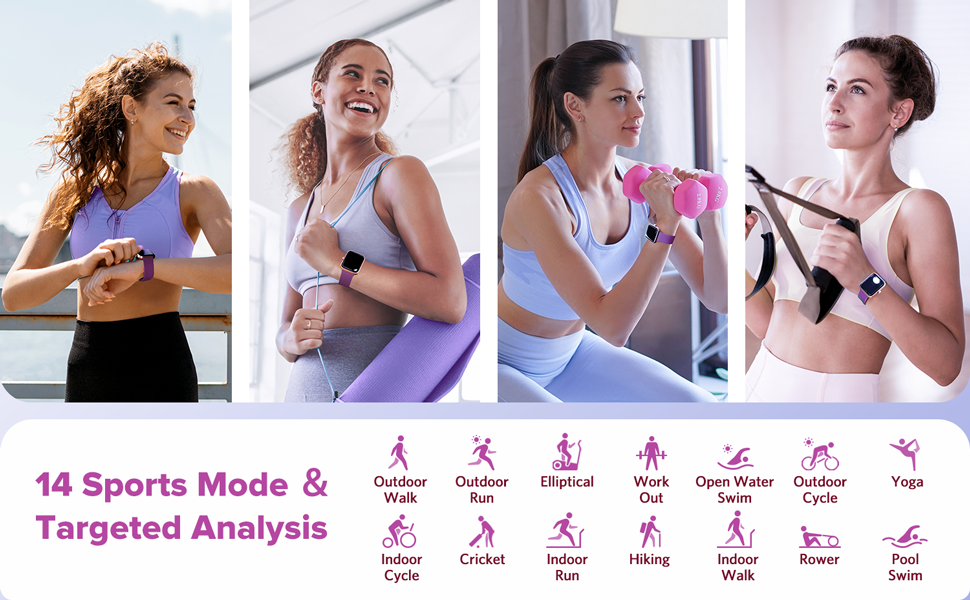
Image: A hand wearing the aeac Smart Watch GCA-207, with notification bubbles from various social media and communication apps floating around it.
Customization
Personalize your smartwatch experience with various customization options:
- DIY Dial: Upload your favorite photos to create unique watch faces.
- Multiple Languages: The watch supports several languages for user interface.
- Watch Faces: Choose from a variety of pre-installed watch faces or download more via the VeryFit app.
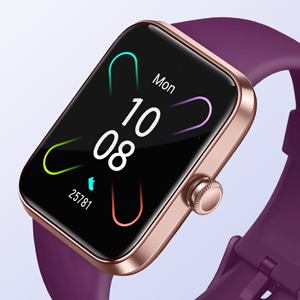
Image: The aeac Smart Watch GCA-207 displaying a custom photo watch face, with a smartphone screen showing the watch face customization interface in the VeryFit app.
Waterproofing
The aeac Smart Watch GCA-207 features a 5ATM waterproof rating, making it suitable for various water-related activities. You can wear it while:
- Washing hands
- In the rain
- Swimming (pool or open water)
Note: Avoid hot water, saunas, or diving, as extreme temperatures and high-pressure water jets may compromise the waterproof seal.
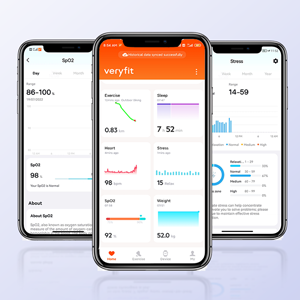
Image: A woman wearing the aeac Smart Watch GCA-207 while swimming in a pool, demonstrating its 5ATM waterproof capability.
Battery Life
The aeac Smart Watch GCA-207 is designed with a large capacity and low power consumption, offering up to 14 days of battery life on a single charge under typical usage conditions. Actual battery life may vary based on usage patterns and enabled features.
Maintenance
- Cleaning: Regularly clean your watch and band with a soft, damp cloth. Ensure the charging contacts are free of dirt and debris.
- Storage: Store the watch in a cool, dry place when not in use.
- Avoid Chemicals: Do not expose the watch to strong chemicals, detergents, or solvents, as these can damage the materials.
Troubleshooting
| Issue | Solution |
|---|---|
| Watch not turning on | Ensure the watch is fully charged. Connect it to the charger for at least 30 minutes. |
| Unable to pair with smartphone |
|
| Inaccurate health data/step count |
|
| Notifications not appearing |
|
Specifications
- Model: GCA-207
- Screen Size: 1.69 Inches
- Display Type: LCD
- Connectivity: Bluetooth 5.0
- Battery Capacity: 300 mAh Lithium Polymer
- Water Resistance: 5ATM (IP68)
- Operating System: Android (compatible with Android 6.0+ / iOS 9.0+)
- Memory Storage Capacity: 128 MB
- Sensors: Accelerometer, Optical Heart Rate Sensor, and other unspecified sensors
- Band Material: Silicone
- Case Material: Resin
- Item Weight: 5 Grams
- Item Dimensions: 4.33 x 2.95 x 2.1 inches
Warranty & Support
The aeac Smart Watch GCA-207 comes with a 3-year warranty, as promised by the manufacturer. For any questions, technical assistance, or warranty claims, please contact aeac customer support through your purchase platform or the official aeac website.
Please retain your proof of purchase for warranty validation.
Related documentsGCA-207


Ask a question about this manual
Ask about setup, troubleshooting, compatibility, parts, safety, or missing instructions. Manuals+ will review the question and use this page’s manual context to help answer it.