
Max Power MPD823
Max Power Portable Speaker - MPD823 User Manual
Model: MPD823
Introduction
Thank you for choosing the Max Power Portable Speaker MPD823. This high-powered PA loudspeaker system is designed to provide an immersive audio experience with its versatile features, including Bluetooth connectivity, USB input, LED lights, and a built-in rechargeable battery. This manual will guide you through the setup, operation, and maintenance of your new speaker.
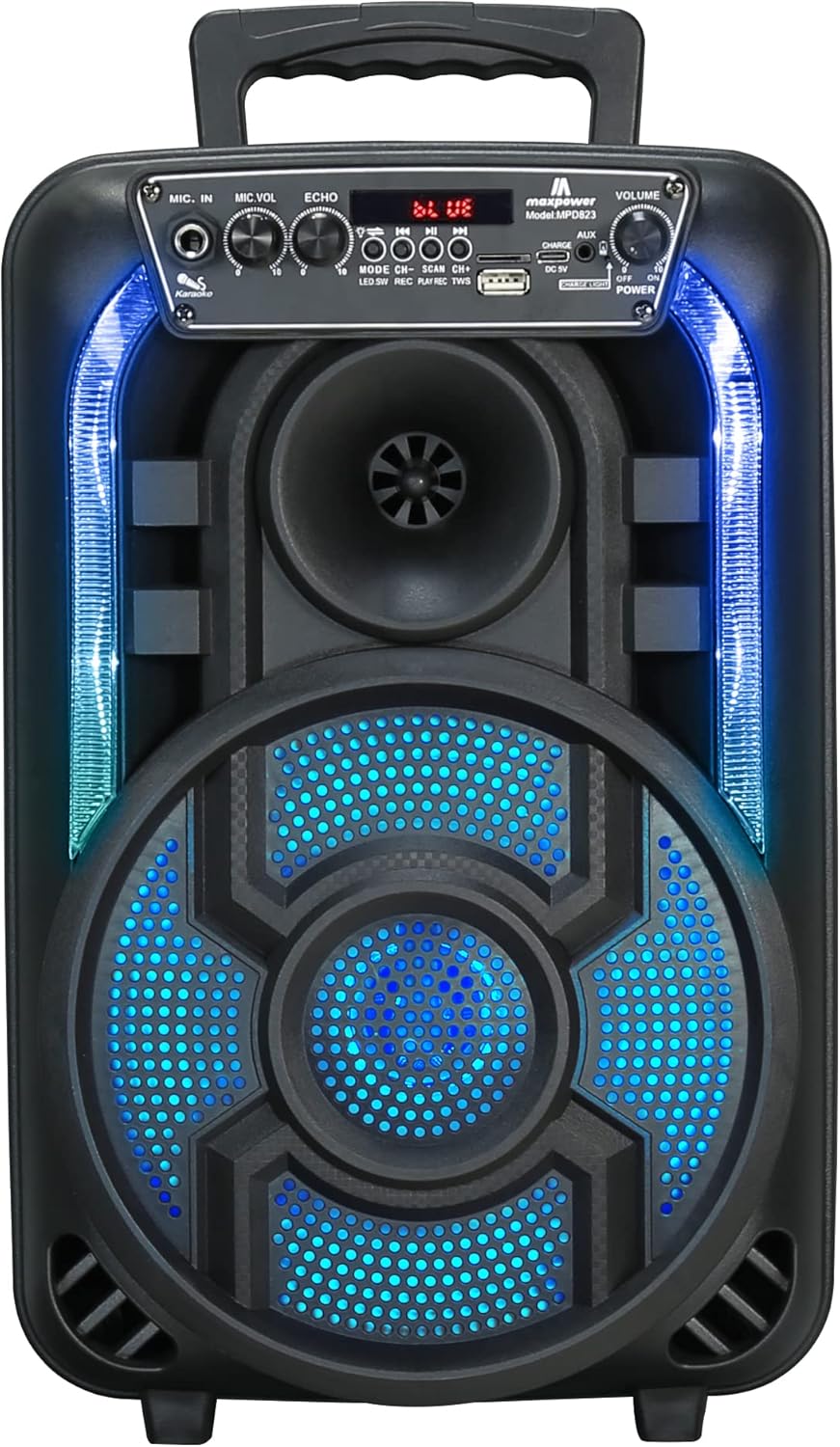
Figure 1: Front view of the Max Power Portable Speaker MPD823, showcasing its illuminated blue LED lights and control panel.
Package Contents
- Max Power Portable Speaker MPD823
- Wired Microphone
- Remote Control
- Charging Cable (Type C)
- User Manual
Setup
1. Charging the Speaker
Before first use, fully charge the speaker. Connect the provided charging cable to the DC 5V input port on the speaker and the other end to a suitable power source. The charging level indicator lights will show the battery status. A full charge ensures maximum playtime.
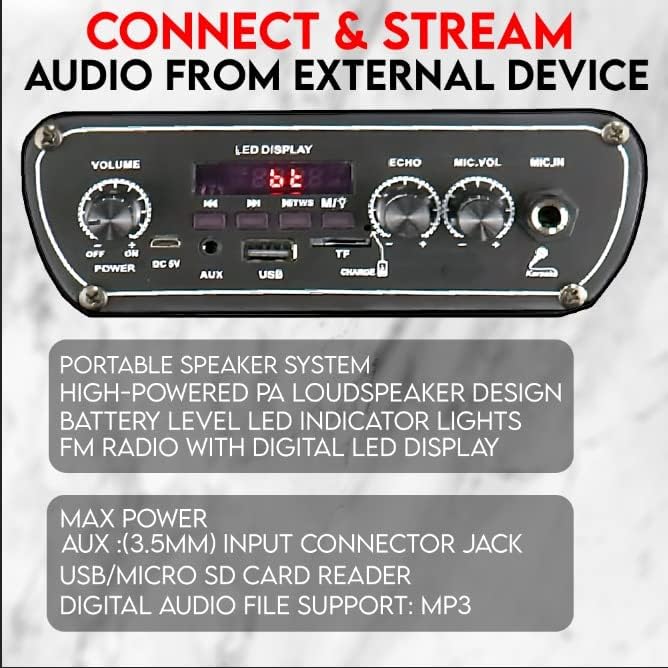
Figure 2: Detail of the speaker's control panel, highlighting the USB, AUX, and DC 5V charging input ports.
2. Powering On/Off
Locate the ON/OFF switch on the control panel. Slide it to the ON position to power on the speaker. Slide it to the OFF position to power off.
Operating Instructions
1. Bluetooth Connectivity
The speaker is capable of connecting to Bluetooth-enabled devices such as Android mobile phones, iPads, iPhones, laptops, and tablets. The effective range for Bluetooth connection is 5-10 meters.
- Ensure the speaker is powered on and in Bluetooth mode (indicated by the LED display).
- On your device, enable Bluetooth and search for available devices.
- Select "MPD823" from the list of devices.
- Once connected, you will hear a confirmation sound from the speaker.
2. USB and AUX Input
You can play audio directly from a USB drive or an external device using the AUX input.
- USB Input: Insert a USB flash drive containing MP3 audio files into the USB port. The speaker will automatically detect and begin playing the music.
- AUX Input: Connect an external audio device (e.g., smartphone, MP3 player) to the AUX (3.5mm) input jack using a 3.5mm audio cable (not included). Switch the speaker to AUX mode if it doesn't automatically detect the input.
3. Microphone Usage (Karaoke)
The included wired microphone allows for karaoke and public address functions.
- Connect the wired microphone to the MIC.IN port on the control panel.
- Adjust the MIC.VOL knob to control the microphone volume.
- Use the ECHO knob to add an echo effect to your voice.

Figure 3: Overview of key features including karaoke controls, auxiliary input, FM radio, and the light switch.
4. LED Lights
The speaker features multi-color flashing DJ lights to enhance your audio experience.
- Locate the Light Switch on the control panel.
- Flip the switch to turn the LED lights on or off.
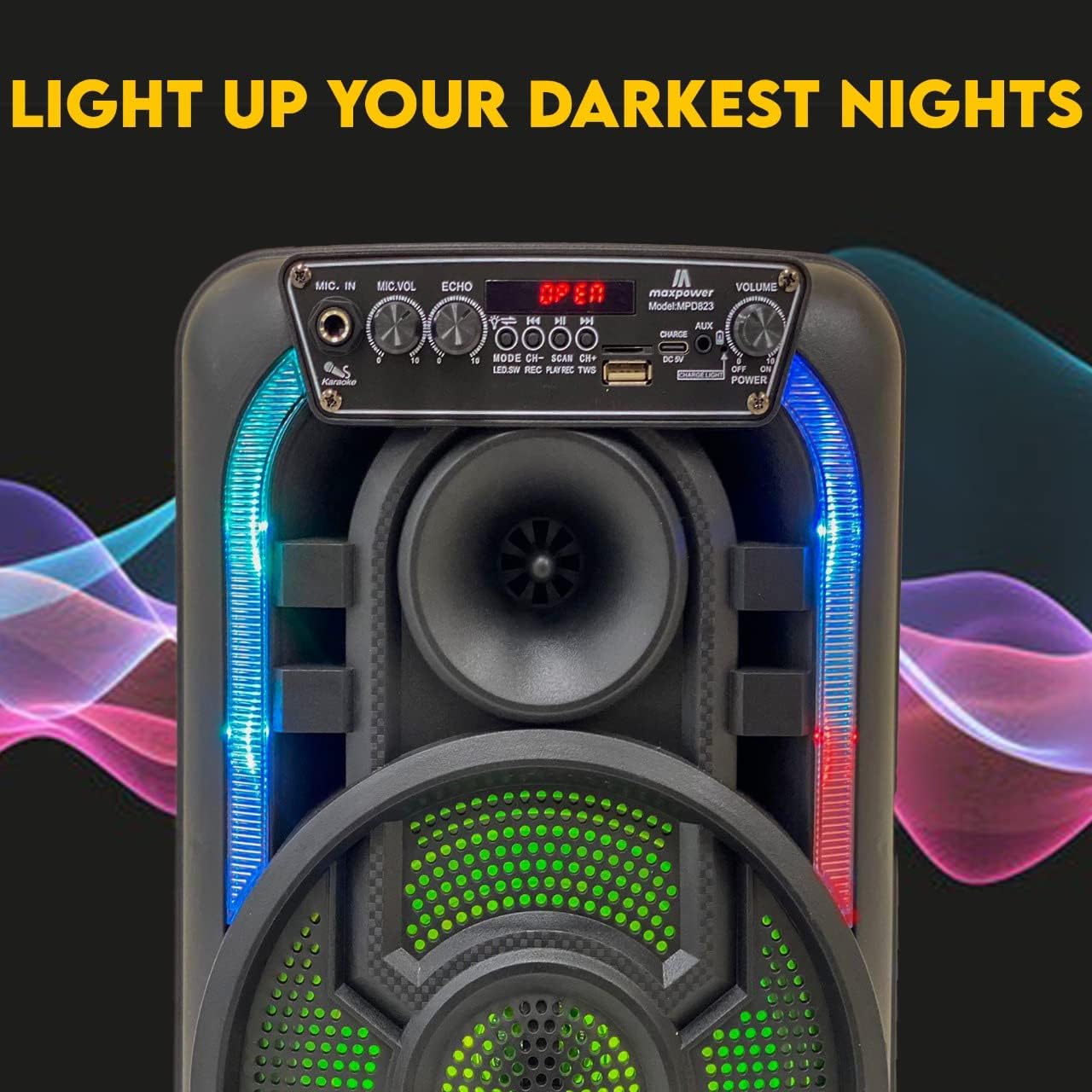
Figure 4: The speaker with its dynamic LED lights illuminated, creating an engaging visual effect.
5. FM Radio
The speaker includes a built-in FM radio with a digital LED display.
- Switch the speaker to FM radio mode.
- Use the control buttons (e.g., SCAN) to automatically search for and save available radio stations.
- Use the CH+ and CH- buttons to navigate between saved stations.
6. Volume Control
Adjust the overall volume using the VOLUME knob on the control panel.
Maintenance
- Cleaning: Use a soft, dry cloth to clean the speaker's exterior. Do not use abrasive cleaners or solvents.
- Storage: Store the speaker in a cool, dry place away from direct sunlight and extreme temperatures when not in use for extended periods.
- Battery Care: To prolong battery life, avoid fully discharging the battery frequently. Charge the speaker regularly, even if not in constant use.
- Water Exposure: This speaker is not waterproof. Avoid exposing it to water or excessive moisture.
Troubleshooting
| Problem | Possible Cause | Solution |
|---|---|---|
| No power | Battery is low or dead. | Charge the speaker using the provided charging cable. |
| No sound | Volume is too low; incorrect input mode; device not connected properly. | Increase volume; ensure correct input mode (Bluetooth, USB, AUX); re-pair Bluetooth device or re-connect cable. |
| Bluetooth not connecting | Speaker is out of range; Bluetooth not enabled on device; speaker not in pairing mode. | Move device closer to speaker (within 5-10 meters); enable Bluetooth on your device; ensure speaker is in Bluetooth mode. |
| Microphone not working | Microphone not plugged in correctly; MIC.VOL is too low. | Ensure microphone is fully inserted into the MIC.IN port; increase MIC.VOL. |
Specifications
| Feature | Detail |
|---|---|
| Model Number | MPD823 |
| Dimensions (L x W x H) | 9.4 x 6.3 x 14.2 inches |
| Item Weight | 5.1 pounds (2.32 Kilograms) |
| Power Source | Battery Powered (1 Lithium Ion battery included) |
| Connectivity Technology | Bluetooth, USB |
| Audio Input | USB, Bluetooth, Microphone, Aux (3.5mm) |
| Material | Polypropylene (PP) |
| Color | Black |
| Mounting Type | Tabletop |
| Compatible Devices | Laptop, Tablet, Smartphone |
| UPC | 761062717021 |

Figure 5: Dimensions of the Max Power Portable Speaker MPD823.
Warranty Information
Max Power products are manufactured with high-quality materials and craftsmanship. For specific warranty details, please refer to the warranty card included with your purchase or visit the official Max Power website. Keep your purchase receipt as proof of purchase for any warranty claims.
Customer Support
If you have any questions, require technical assistance, or encounter issues not covered in this manual, please contact Max Power customer support. Contact information can typically be found on the product packaging or the official Max Power website.
Related documentsMPD823


Ask a question about this manual
Ask about setup, troubleshooting, compatibility, parts, safety, or missing instructions. Manuals+ will review the question and use this page’s manual context to help answer it.