
Introduction
This instruction manual provides essential information for the YUNSI G652D Singlemode Bare Optical Fiber, 30KM. This product is designed for use as an OTDR test launch cable and for various FTTH (Fiber to the Home) applications. It features G652D standard compliance, low attenuation, and suitability for diverse optical test environments.
The bare optical fiber is supplied without connectors, allowing for custom termination as required by specific applications. Its robust design ensures reliable performance in both indoor and outdoor settings.
Product Features
- Full-spectrum single-mode fiber: Optimized for broad wavelength performance.
- Macro bending radius is small: Complies with G.652D standard, offering flexibility and reduced signal loss under bending.
- Attenuation value is small: Ensures minimal signal degradation over distance.
- Suitable for any optical test environment: Versatile for various testing and deployment scenarios.
Product Usage: OTDR Test Launch Cable
The YUNSI G652D Singlemode Bare Optical Fiber is primarily used as a test launch cable for Optical Time-Domain Reflectometer (OTDR) measurements. This is particularly useful when measuring short fiber optic links, where direct OTDR measurements can sometimes yield inaccurate or volatile attenuation values.
When measuring short fiber links (typically less than 5km), OTDR curves may exhibit fluctuations that affect numerical calculations. The use of a launch cable helps to mitigate these effects by extending the effective fiber length, allowing the OTDR to stabilize and provide more reliable readings. This improves the accuracy of attenuation and event detection.
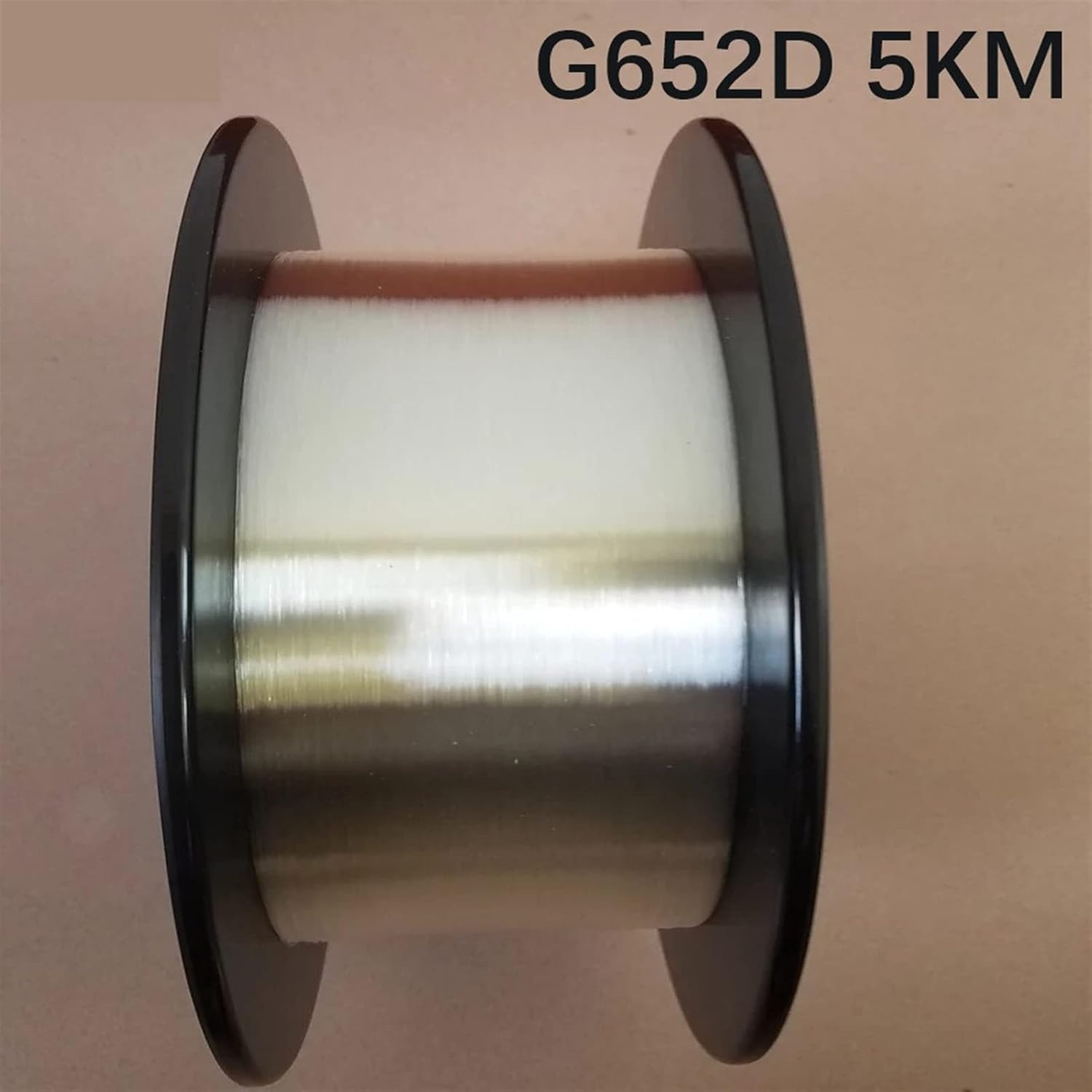
Image: YUNSI G652D Singlemode Bare Optical Fiber on a spool. This image shows the fiber wound on a black spool, with a label indicating "G652D 5KM".
Improving OTDR Measurement Accuracy for Short Links:
- Adding a False Test Fiber (Launch Cable): By introducing a 5km launch cable, the total fiber length for the OTDR measurement is increased. This helps to reduce the impact of initial measurement fluctuations and improve the stability of the OTDR trace, leading to more satisfactory results. While this method introduces a slight test error due to the added length, it provides valuable reference data for project validation.
- Combined Measurement Method: For enhanced accuracy, measure link loss using a light source and optical power meter, which closely aligns with standard loss measurement methods. Concurrently, use the OTDR to measure the fiber length. This combination leverages the strengths of both instruments for comprehensive analysis.

Image: Close-up view of the YUNSI G652D Singlemode Bare Optical Fiber on a spool. This image provides a detailed look at the fiber material and winding.
Video: Demonstration of OTDR Bare Fiber Professional Test Data. This video shows an OTDR device displaying test results for bare optical fiber, including wavelength 1550 with a test loss of 0.177dB and wavelength 1310 with a test loss of 0.314dB.

Image: Multiple YUNSI G652D Singlemode Bare Optical Fiber spools stacked. This image illustrates several spools of the bare optical fiber, showcasing the product in a storage or inventory context.
Specifications
| Brand | YUNSI |
| Model Name | Optical Fiber Accessories |
| Item Model Number | B09YCYNC78 |
| Cable Type | Fiber Optic |
| Fiber Type | G652D Singlemode SM 9/125um |
| Length | 30KM (as per current product variant) |
| Connector Type | None (Bare Fiber) |
| Recommended Uses | Optical Network Testing and Measurement (OTDR) |
| Indoor/Outdoor Usage | Indoor, Outdoor |
| Outer Material | Plastic (Spool) |
| Item Weight | 4.41 pounds (approx. for 30KM variant) |

Image: Dark blue plastic spool for optical fiber. This image shows the empty or packaged spool, highlighting its design.
Safety Information
When handling optical fiber, always observe the following safety precautions:
- Wear appropriate eye protection to prevent injury from fiber shards.
- Handle fiber carefully to avoid breakage, which can create sharp ends.
- Dispose of all fiber scraps in a designated, sealed container.
- Avoid direct exposure to laser light from active fiber optic cables.
- Keep the work area clean and free of debris.
Storage and Maintenance
To ensure the longevity and performance of your bare optical fiber, follow these storage and maintenance guidelines:
- Store the fiber on its original spool in a clean, dry environment, away from direct sunlight and extreme temperatures.
- Avoid subjecting the fiber to excessive bending or crushing forces.
- Keep the fiber ends protected from dust and contamination until ready for termination.
- Regularly inspect the fiber for any physical damage before use.
Troubleshooting
If you encounter issues during OTDR testing or fiber deployment, consider the following:
- High Attenuation Readings: Verify that the fiber is not excessively bent or kinked. Ensure proper cleaning of fiber ends before connection. Check the OTDR settings for correct wavelength and range.
- Inconsistent OTDR Traces: Confirm that the launch cable is securely connected and free from damage. Ensure the OTDR is properly calibrated. Environmental factors like temperature fluctuations can sometimes affect readings.
- Difficulty with Termination: Ensure you are using the correct tools and techniques for G652D singlemode fiber. Practice on scrap pieces if necessary.
Warranty and Support
For warranty information or technical support regarding your YUNSI G652D Singlemode Bare Optical Fiber, please refer to the purchase documentation or contact YUNSI customer service directly. Ensure you have your product model number (B09YCYNC78) available when seeking support.
Manufacturer: hangfuture