
Introduction
Thank you for choosing the Shadowhawk S1476 LED Flashlight. This high-performance flashlight is equipped with an upgraded XHP70.2 LED chip, delivering up to 20,000 lumens of brightness. It features a rechargeable 26650 battery, USB-C charging, power bank functionality, 5 lighting modes, zoom capability, and IP67 waterproofing. This manual provides essential information for safe and effective use of your flashlight.

The Shadowhawk S1476 Flashlight provides a super bright, wide beam, capable of illuminating up to 120 square meters or focusing on objects up to 500 meters away.
Package Contents
Please verify that all items are present in your package:
- 1 x Shadowhawk S1476 High Intensity Flashlight
- 1 x 5000mAh 26650 Rechargeable Battery
- 1 x USB-C Charging Cable
- 1 x Battery Holder (for AAA batteries)
- 3 x AAA Batteries
- 1 x Key Chain Light
- 1 x Flashlight Holster
- 1 x Instruction Manual
- 1 x Gift Box

The Shadowhawk S1476 package includes the flashlight, rechargeable battery, charging cable, AAA battery holder, AAA batteries, keychain light, and holster.
Setup
Battery Installation
- Unscrew the tail cap of the flashlight.
- Insert the provided 26650 rechargeable battery with the positive (+) end facing towards the flashlight head. Alternatively, insert three AAA batteries into the provided battery holder and then insert the holder into the flashlight with the positive (+) end facing the flashlight head.
- Screw the tail cap back on securely.
Initial Charging
Before first use, fully charge the 26650 battery.
- Locate the USB-C charging port on the flashlight.
- Connect the provided USB-C cable to the flashlight and to a USB power source (e.g., wall adapter, power bank, computer).
- The power display indicators will illuminate, showing the charging progress (25%, 50%, 75%, 100%).
- Charging typically takes 4-6 hours. The flashlight features overcharge protection and will automatically stop charging when complete.

The flashlight charges via USB-C and displays the battery level with LED indicators.
Operating Instructions
Power On/Off
- Press the power button once to turn the flashlight ON.
- To turn OFF the flashlight from any mode, press and hold the power button for 3 seconds.
Changing Light Modes
The S1476 flashlight features 5 lighting modes:
- With the flashlight ON, press the power button repeatedly to cycle through the daily modes: High → Medium → Energy Saving.
- Continue pressing the button to access emergency modes: Flashing (Strobe) → SOS.
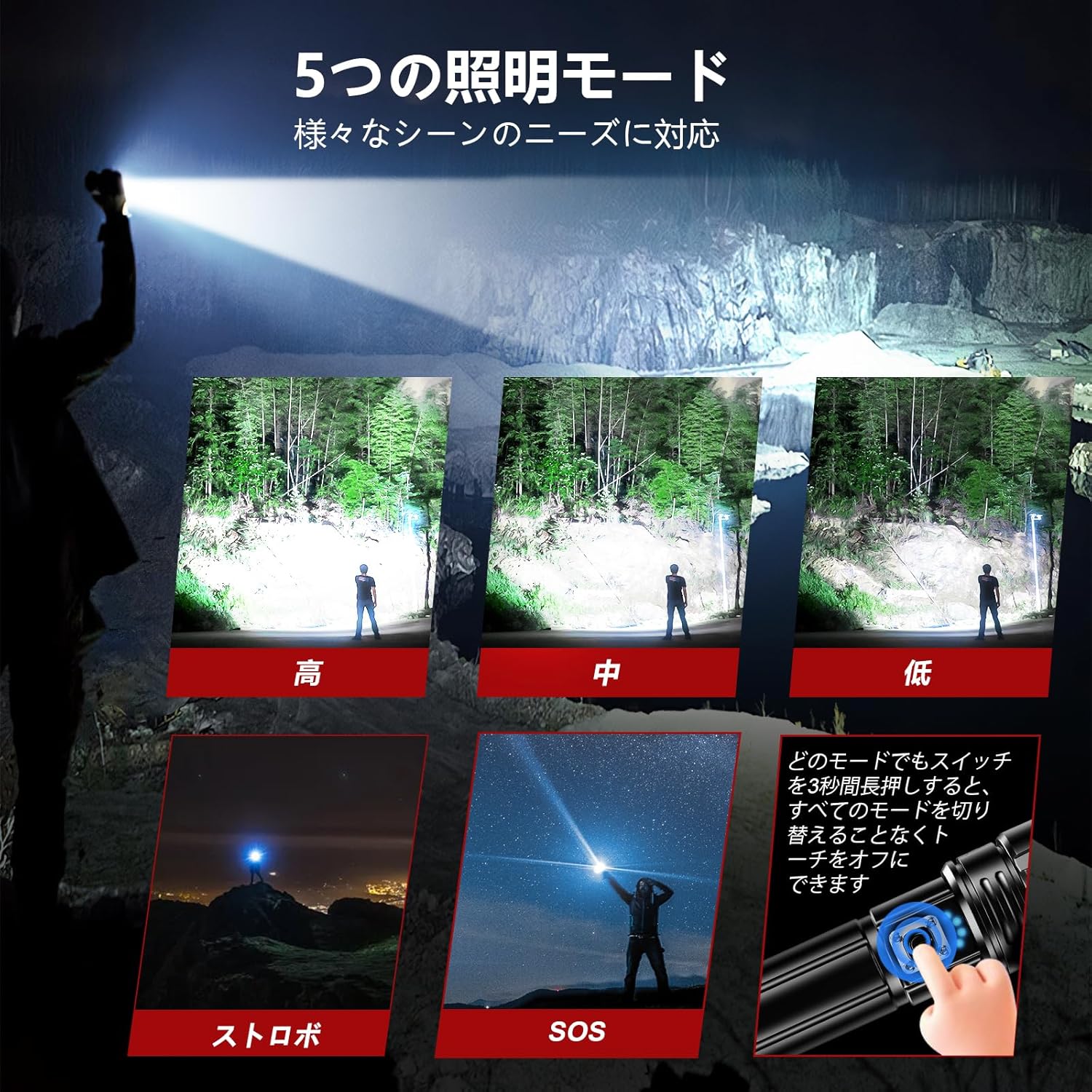
The flashlight offers five distinct lighting modes for various situations.
Zoom Function
Adjust the beam focus by gently pulling or pushing the head of the flashlight.
- Pull the head out for a narrow, long-distance spotlight beam (up to 500 meters).
- Push the head in for a wide, large-area floodlight beam (up to 120 square meters).
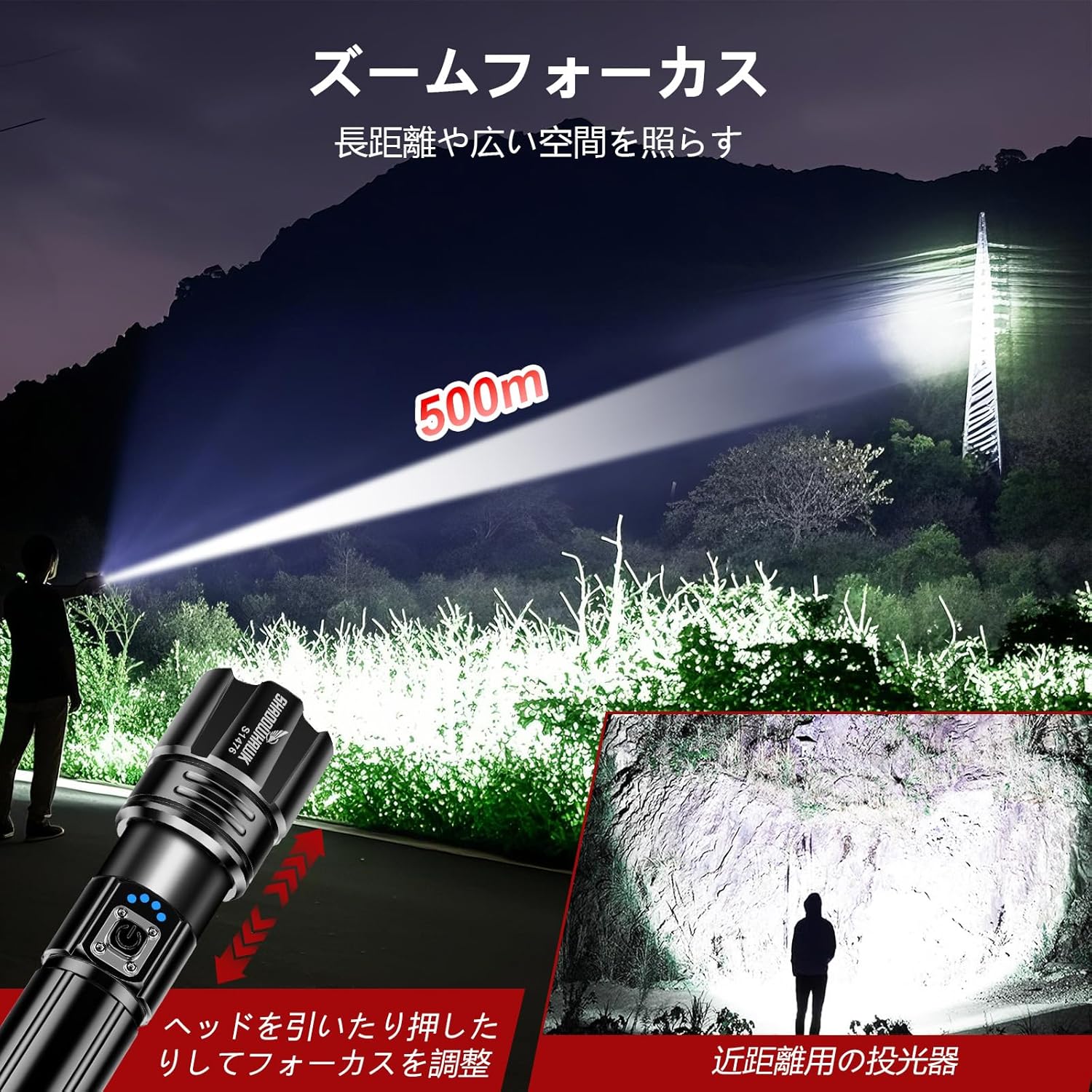
The adjustable head allows for seamless transition between spotlight and floodlight.
Power Bank Function (USB Output)
The S1476 flashlight can also serve as an emergency power bank to charge other devices.
- Connect your mobile phone, tablet, or other digital device to the flashlight's USB output port using an appropriate charging cable.
- The flashlight will begin charging your device.
The flashlight's USB output port allows it to function as a power bank for other devices.
Maintenance
Cleaning
- Wipe the flashlight body with a soft, damp cloth.
- Do not use abrasive cleaners or solvents.
Water Resistance (IP67)
The S1476 flashlight is IP67 rated, meaning it is protected from dust and can withstand immersion in water up to 1 meter for 30 minutes.
- Ensure the USB-C port cover is securely closed to maintain water resistance.
- Do not submerge the flashlight in water for extended periods or at depths greater than 1 meter.
- The flashlight is designed to withstand rain and splashes but is not intended for diving.

The IP67 waterproof rating ensures the flashlight's durability in various weather conditions.
Storage
- Store the flashlight in a cool, dry place when not in use.
- If storing for an extended period, charge the battery to approximately 50% and recharge every 3-6 months to prolong battery life.
Troubleshooting
| Problem | Possible Cause | Solution |
|---|---|---|
| Flashlight does not turn on. | Battery is depleted or incorrectly inserted. | Charge the battery or check battery orientation. Ensure tail cap is fully tightened. |
| Light is dim or flickers. | Low battery charge. Loose connections. | Recharge the battery. Ensure battery and tail cap are securely connected. |
| Flashlight does not charge. | Charging cable or power source issue. USB-C port not fully connected. | Try a different USB-C cable or power source. Ensure the cable is firmly inserted into the flashlight's USB-C port. |
| Cannot adjust zoom. | Mechanism might be stiff or obstructed. | Gently twist and pull/push the head. Ensure no debris is obstructing the mechanism. |
Specifications
| Model | S1476 |
| Light Source | XHP70.2 LED Chip |
| Brightness | Up to 20,000 Lumens |
| Beam Distance | Up to 500 meters |
| Lighting Modes | High, Medium, Energy Saving, Flashing (Strobe), SOS |
| Battery Type | 1 x 26650 Lithium Ion (5000mAh) or 3 x AAA (with holder) |
| Charging Port | USB-C (Input & Output) |
| Charging Time | 4-6 hours (approx.) |
| Run Time | Up to 8 hours (Medium mode) |
| Water Resistance | IP67 (Dustproof, submersible up to 1m for 30 min) |
| Material | Aerospace Grade Aluminum Alloy |
| Dimensions | 22D x 17.5W x 5.5H Centimeters (Product Dimensions) |
| Weight | 0.49 Kilograms |
Warranty and Support
Shadowhawk is committed to providing high-quality products and customer satisfaction.
Service Guarantee
Every Shadowhawk S1476 flashlight undergoes careful inspection before shipment to ensure full functionality. If you encounter any issues during use, please do not hesitate to contact our customer support team for assistance. We are dedicated to finding the best solution for our customers.
Contact Information
For support, please refer to the contact details provided with your purchase or visit the official Shadowhawk website.


