
Introduction
Thank you for choosing the litokam LF-P1t Indoor Security Camera. This device is designed to provide reliable indoor surveillance with advanced features such as 1080P video resolution, 360-degree pan, 110-degree tilt, two-way audio, motion detection, and night vision. This manual will guide you through the setup, operation, and maintenance of your camera.
What's in the Box
Please check the package contents to ensure all items are present:
- litokam LF-P1t Indoor Security Camera
- USB Charging Cable (Micro USB)
- Mounting Bracket
- User Manual
Product Overview
The litokam LF-P1t camera offers comprehensive indoor monitoring. Its compact design allows for versatile placement, and its features ensure you stay connected to your home.

Image: The litokam LF-P1t Indoor Security Camera, a compact white dome-shaped camera with a black lens, shown next to its packaging.
Key Features:
- 1080P HD Video: Clear and detailed live streaming and recordings.
- 360° Horizontal & 110° Vertical Rotation: Wide-angle coverage with remote control.
- Two-Way Audio: Built-in microphone and speaker for communication.
- Motion Detection & Auto Tracking: Alerts and automatic tracking of movement.
- Advanced Night Vision: 8 IR LEDs provide clear vision up to 33 feet in low light.
- Cloud & Local Storage: Supports Micro SD card (up to 128GB, not included) and cloud storage options.
- Works with Amazon Alexa: Voice control for convenient monitoring.
Setup Guide
Follow these steps to set up your litokam LF-P1t camera:
- Download the Smart App: Search for the 'little elf' app on your smartphone's app store (iOS or Android) and download it. Create an account if you don't have one.
- Power On the Camera: Connect the camera to a power source using the provided USB cable. The camera will power on and indicate its status (e.g., a flashing red light).
- Connect to 2.4GHz Wi-Fi: Open the app, click the '+' icon to add a new device. Follow the in-app instructions to connect the camera to your 2.4GHz Wi-Fi network. Ensure your smartphone is also connected to the same 2.4GHz Wi-Fi network during setup.
- Scan QR Code: The app will display a QR code. Position your camera to scan this QR code from your phone screen. Once scanned, you will hear a beep sound.
- Complete Setup: After hearing the beep, confirm in the app and wait approximately 20 seconds for the camera to connect. The setup is complete when the camera's indicator light turns solid blue.

Image: Visual representation of the three setup steps: downloading the app, powering on and connecting to Wi-Fi, and enjoying live video streaming.
Operating Instructions
Pan and Tilt Control
The camera features 360° horizontal and 110° vertical rotation. You can remotely control the camera's viewing angle directly from the app. Simply swipe your finger on the live view screen to adjust the camera's direction.
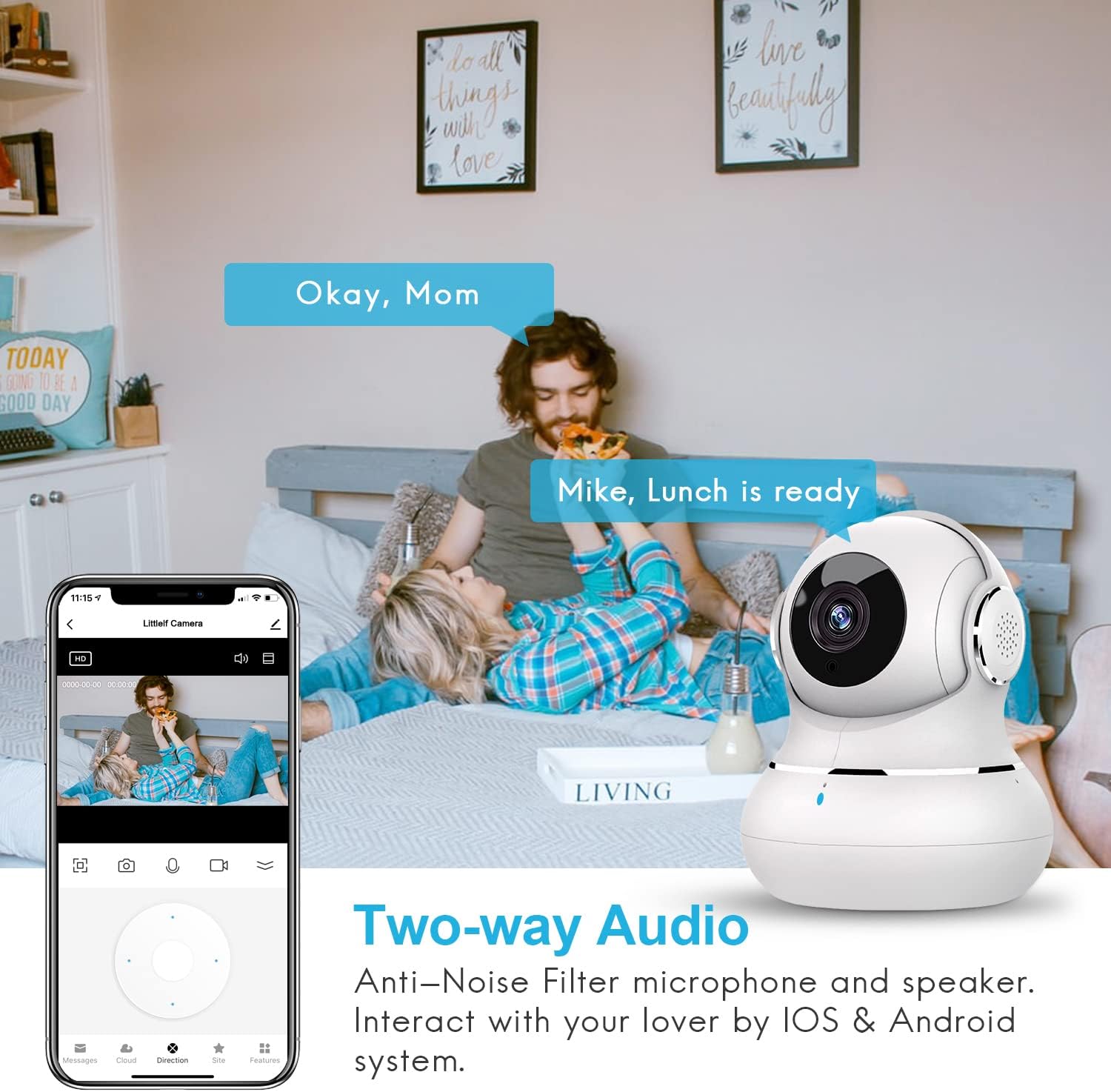
Image: A diagram illustrating the camera's 360-degree horizontal and 110-degree vertical rotation capabilities, with an example of remote control via a smartphone app.
Two-Way Audio
Engage in real-time conversations through the camera using the two-way audio feature. The built-in microphone and speaker, equipped with noise filter technology, allow you to communicate with family members or pets from anywhere.

Image: A scene depicting a couple interacting with the camera via two-way audio, with speech bubbles indicating communication.
Motion Detection and Auto Tracking
The camera utilizes smart perception technology to detect movements. When motion is detected, the camera sends immediate alerts to your phone and can automatically track the moving object. You can adjust the sensitivity of motion detection within the app.

Image: A smartphone screen displaying a motion detection alert, with a cat jumping in the background, indicating real-time notifications.
Night Vision
Equipped with 8 IR LEDs, the camera provides clear night vision up to 33 feet. The night vision mode can be manually turned on or off via the app, or it can automatically activate in low-light conditions, ensuring continuous monitoring without light pollution.

Image: A split image showing a baby in daylight (OFF) and in night vision (ON), demonstrating the camera's advanced night vision capabilities with IR LEDs.
Storage Options
The camera supports local storage via a Micro SD card (up to 128GB, not included) for recording pictures and videos. Additionally, a 14-day cloud storage trial with 7-day cycling for event recording is offered, utilizing high-level encryption for privacy protection.

Image: An illustration showing the camera with icons for TF Card (Micro SD) and Cloud Storage, indicating available recording options.
Amazon Alexa Integration
The litokam LF-P1t camera is compatible with Amazon Alexa. You can use voice commands to view live feeds on compatible Alexa-enabled devices, such as an Echo Show.

Image: A person using an Amazon Echo Show to view the camera feed, demonstrating compatibility with Amazon Alexa.
Maintenance
To ensure optimal performance and longevity of your litokam LF-P1t camera, follow these maintenance guidelines:
- Cleaning: Gently wipe the camera lens and body with a soft, dry cloth. Avoid using liquid cleaners or abrasive materials that could damage the lens or surface.
- Placement: Place the camera in a stable location, away from direct sunlight, heat sources, and excessive moisture. Ensure it has a clear line of sight for optimal monitoring.
- Software Updates: Regularly check the app for firmware updates. Keeping your camera's software up-to-date ensures you have the latest features and security enhancements.
- Power Supply: Use only the provided charging cable and a compatible power adapter (5V) to power the camera.
Troubleshooting
If you encounter issues with your litokam LF-P1t camera, refer to the following common solutions:
Camera Frequently Goes Offline
- Wi-Fi Signal: Ensure the camera is within range of your 2.4GHz Wi-Fi router and has a strong signal. Obstructions like thick walls can weaken the signal.
- Router Interference: Other devices on your network might cause interference. Try repositioning the camera or router.
- Power Supply: Verify the camera is receiving consistent power. Check the USB cable and power adapter for any damage.
- Reset Camera: If connection issues persist, try resetting the camera. Refer to the app or the full manual for specific reset instructions.
Static Noise During Two-Way Audio
- Environmental Noise: High background noise in the camera's environment can contribute to static.
- Network Quality: A weak or unstable Wi-Fi connection can affect audio quality. Ensure a strong network signal.
- Distance: If the camera and your phone are too far apart or have many obstructions, audio quality may degrade.
Connection Fails During Setup
- 2.4GHz Wi-Fi: Confirm your router is broadcasting a 2.4GHz Wi-Fi network and your phone is connected to it. The camera does not support 5GHz Wi-Fi.
- Correct Password: Double-check that you are entering the correct Wi-Fi password.
- Camera Status: Ensure the camera's indicator light is flashing red before attempting to connect, indicating it's in pairing mode.
- Reset and Retry: If connection fails, reset the camera and try the setup process again.
Specifications
| Feature | Detail |
|---|---|
| Model Number | LF-P1t |
| Video Capture Resolution | 1080p (1920 x 1080 Pixels) |
| Viewing Angle | 360 Degrees (Horizontal), 110 Degrees (Vertical) |
| Connectivity Technology | Wireless (Wi-Fi, 2.4GHz only) |
| Night Vision Range | 33 Feet |
| Power Source | Battery Powered (via charging cable) |
| Voltage | 5 Volts |
| Wattage | 10 watts |
| Compatible Devices | Smartphone (iOS, Android), Amazon Alexa |
| Storage Options | Micro SD Card (up to 128GB), Cloud Storage |
| Dimensions (L x W x H) | 3.15 x 2.76 x 3.94 inches |
| Item Weight | 7.7 ounces (0.22 Kilograms) |
| Material | Chromium |
| Indoor/Outdoor Usage | Indoor Use Only |
Warranty and Support
Warranty Information
The litokam LF-P1t Indoor Security Camera typically comes with a three-year warranty. Please refer to your purchase documentation or contact customer support for specific warranty terms and conditions.
Customer Support
For further assistance, technical support, or warranty claims, please contact litokam customer service through the official website or the contact information provided in your product packaging. You can also visit the litokam Store on Amazon for more information.


