
1. Introduction
The MEIKEE 42W RGB Wall Washer Light is a versatile lighting solution designed for both indoor and outdoor applications. It offers extensive color customization, dynamic lighting modes, and smart control features via a mobile application. This manual provides detailed instructions for setup, operation, maintenance, and troubleshooting to ensure optimal performance and longevity of your device.

Figure 1: MEIKEE 42W RGB Wall Washer Lights with included remote and app interface.
Key features include:
- Bluetooth Connect & APP Control: Seamlessly control your lights via the "Hao Deng" app on your smartphone.
- 16 Million Colors & 20 Modes: Choose from a vast spectrum of colors and dynamic lighting effects, including dimmable white light (2700k to 6500k).
- Timing Function & Group Control: Schedule automatic on/off times and control multiple lights simultaneously or individually.
- Music & Microphone Rhythm Pattern: Lights can synchronize color changes with music played through the app or external sounds detected by your phone's microphone.
- IP66 Waterproof & Wide Application: Durable design suitable for various outdoor and indoor environments, including parties, weddings, landscapes, and architectural lighting.
2. Setup
2.1 Physical Installation
The MEIKEE Wall Washer Light can be installed in two primary ways: wall-mounted or ground-inserted. Ensure the installation location is stable and provides adequate power access.
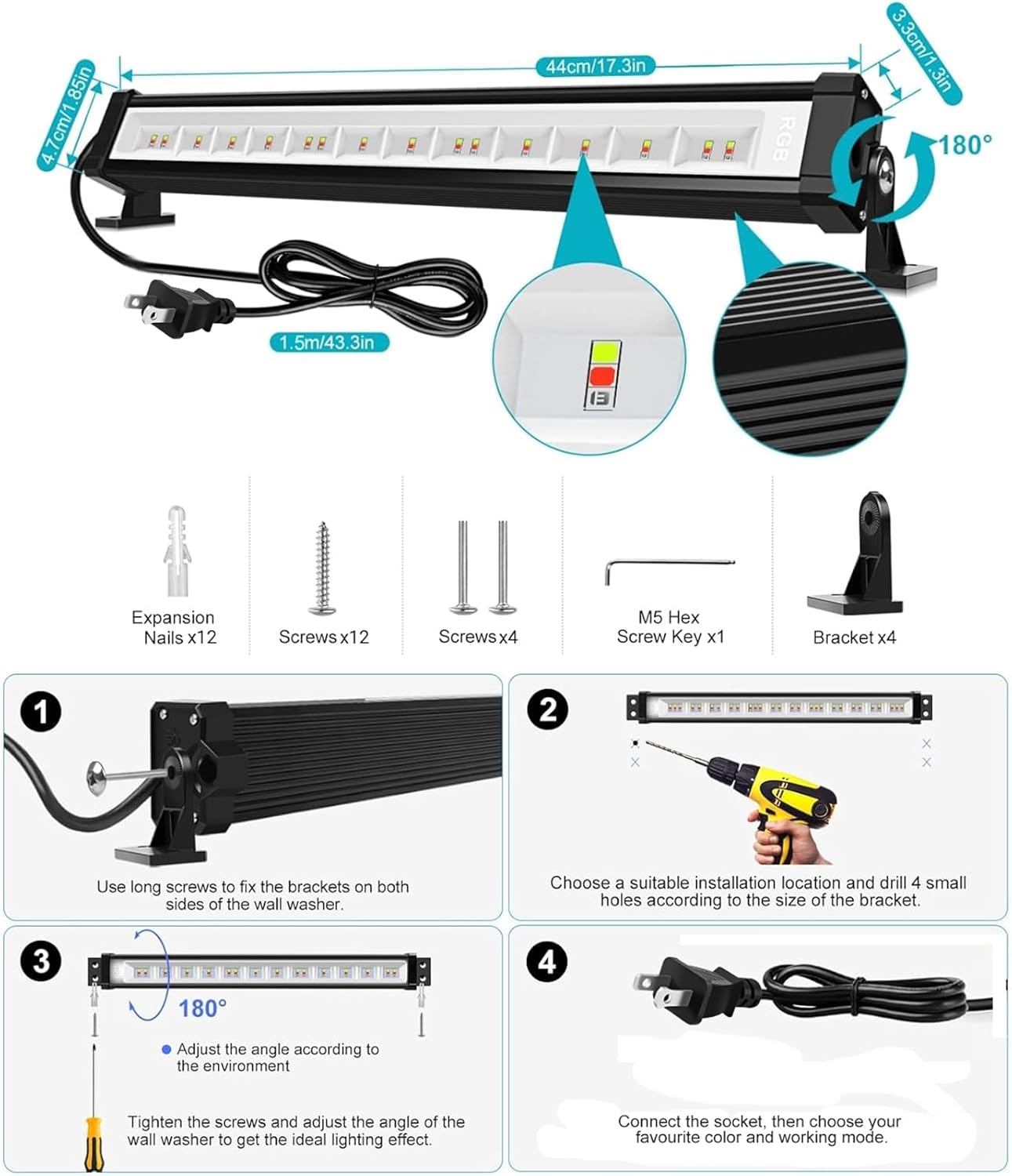
Figure 2: Installation method for the MEIKEE Wall Washer Light. The light includes adjustable brackets for flexible positioning.
- Attach Brackets: Use the provided long screws to fix the brackets to both sides of the wall washer light.
- Choose Location: Select a suitable installation location. For wall mounting, ensure the surface is sturdy. For ground insertion, use appropriate ground stakes (not included, but implied by application images).
- Drill Holes: Drill 4 small holes according to the size of the bracket.
- Secure Light: Mount the light securely using the provided screws and expansion nails.
- Adjust Angle: Adjust the angle of the light up to 180 degrees to achieve the desired lighting effect.
- Connect Power: Connect the power plug to a suitable socket.
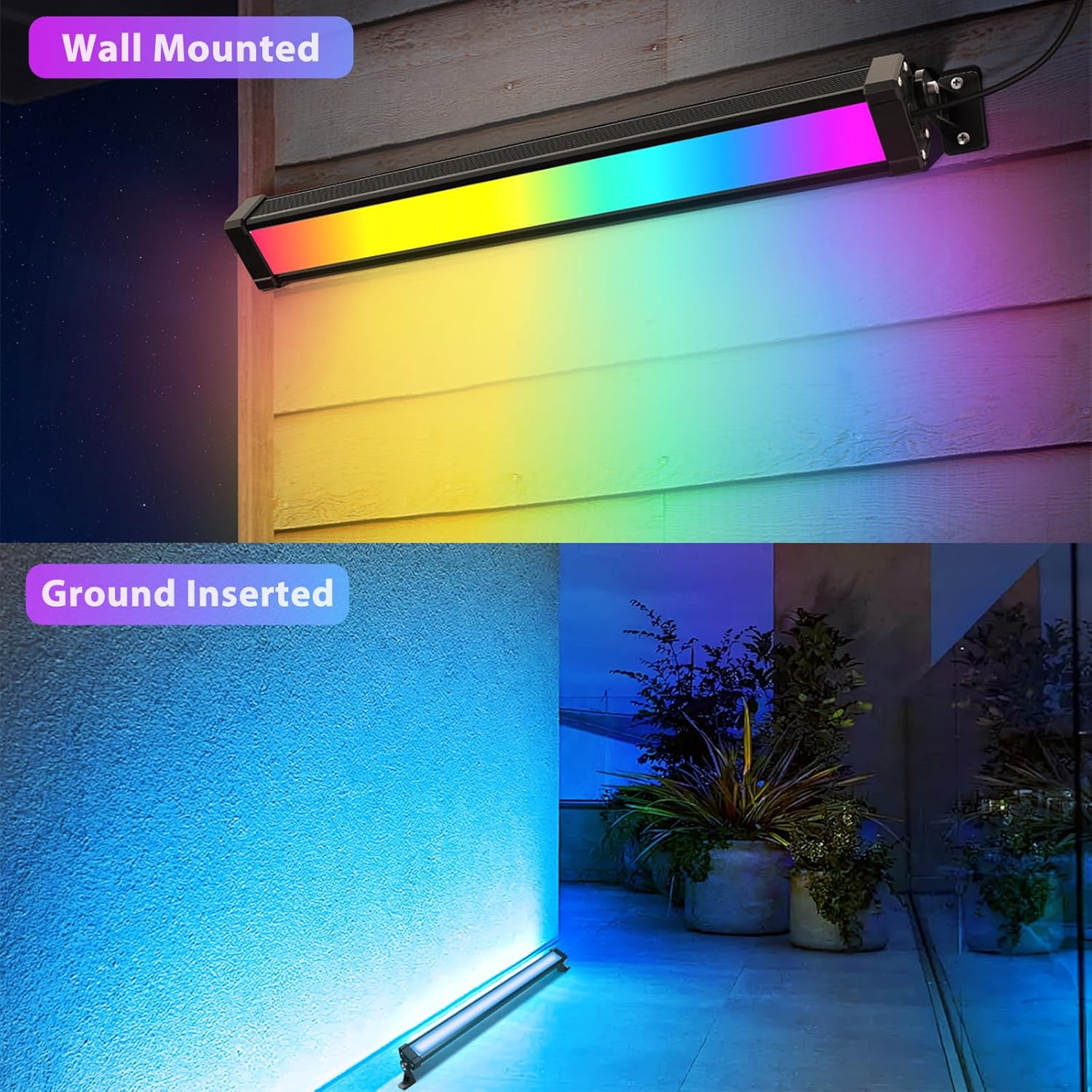
Figure 3: Examples of wall-mounted and ground-inserted installations.
2.2 App Connection
The MEIKEE Wall Washer Light is controlled via Bluetooth using the "Hao Deng" app.
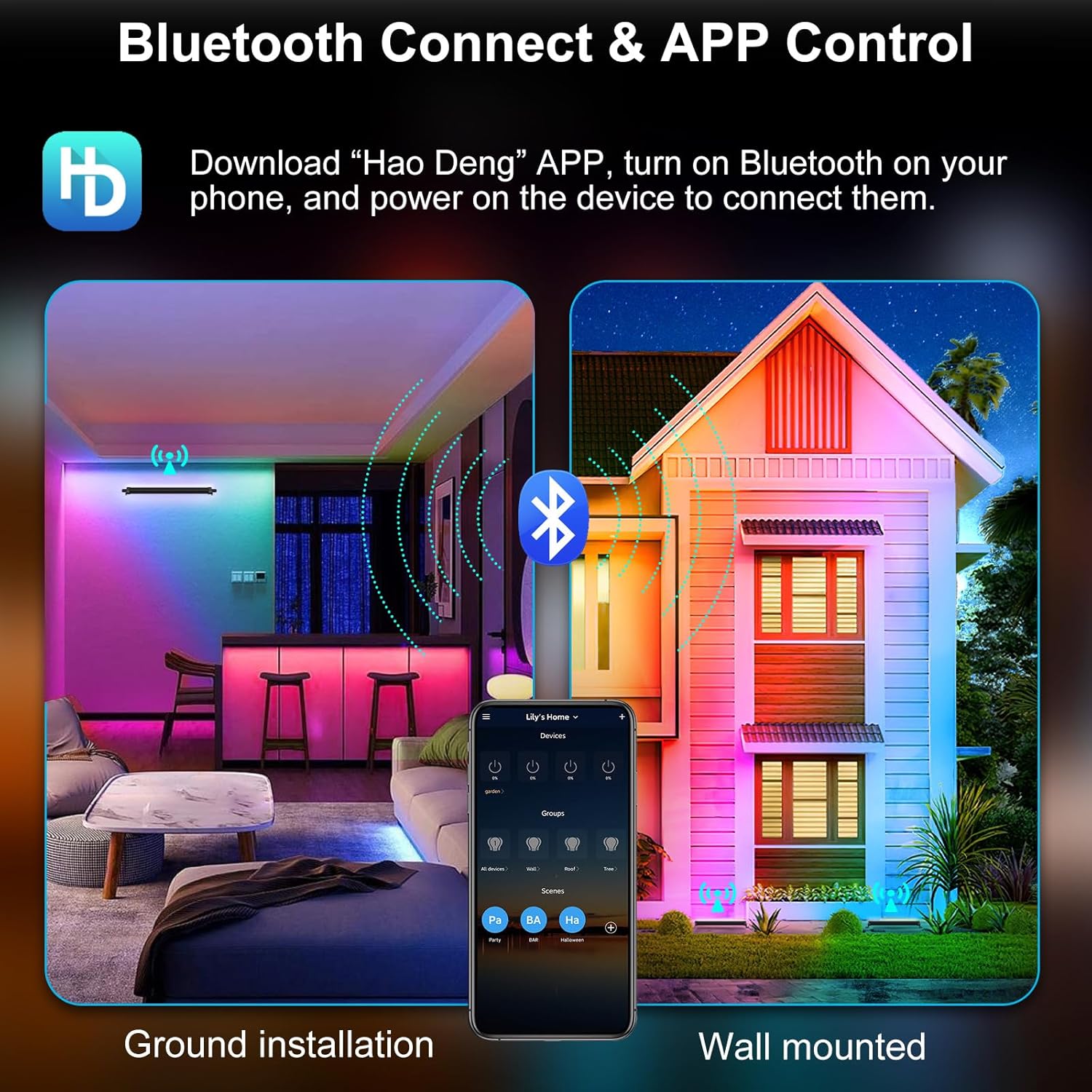
Figure 4: Bluetooth connection and app control interface.
- Download App: Download the "Hao Deng" app from Google Play Store (for Android) or Apple App Store (for iOS).
- Enable Bluetooth: Ensure Bluetooth is enabled on your smartphone.
- Power On Light: Plug in and power on the MEIKEE Wall Washer Light.
- Connect: Open the "Hao Deng" app. The app should automatically detect and connect to the light(s) within a 50m/164ft range (without wall obstacles). No gateway is required.
Video 1: Official MEIKEE video demonstrating the smart RGBCW Wall Washer Light features, including app control and various lighting effects.
3. Operating Instructions
3.1 Color & Mode Selection
The "Hao Deng" app provides extensive control over the light's colors and modes.
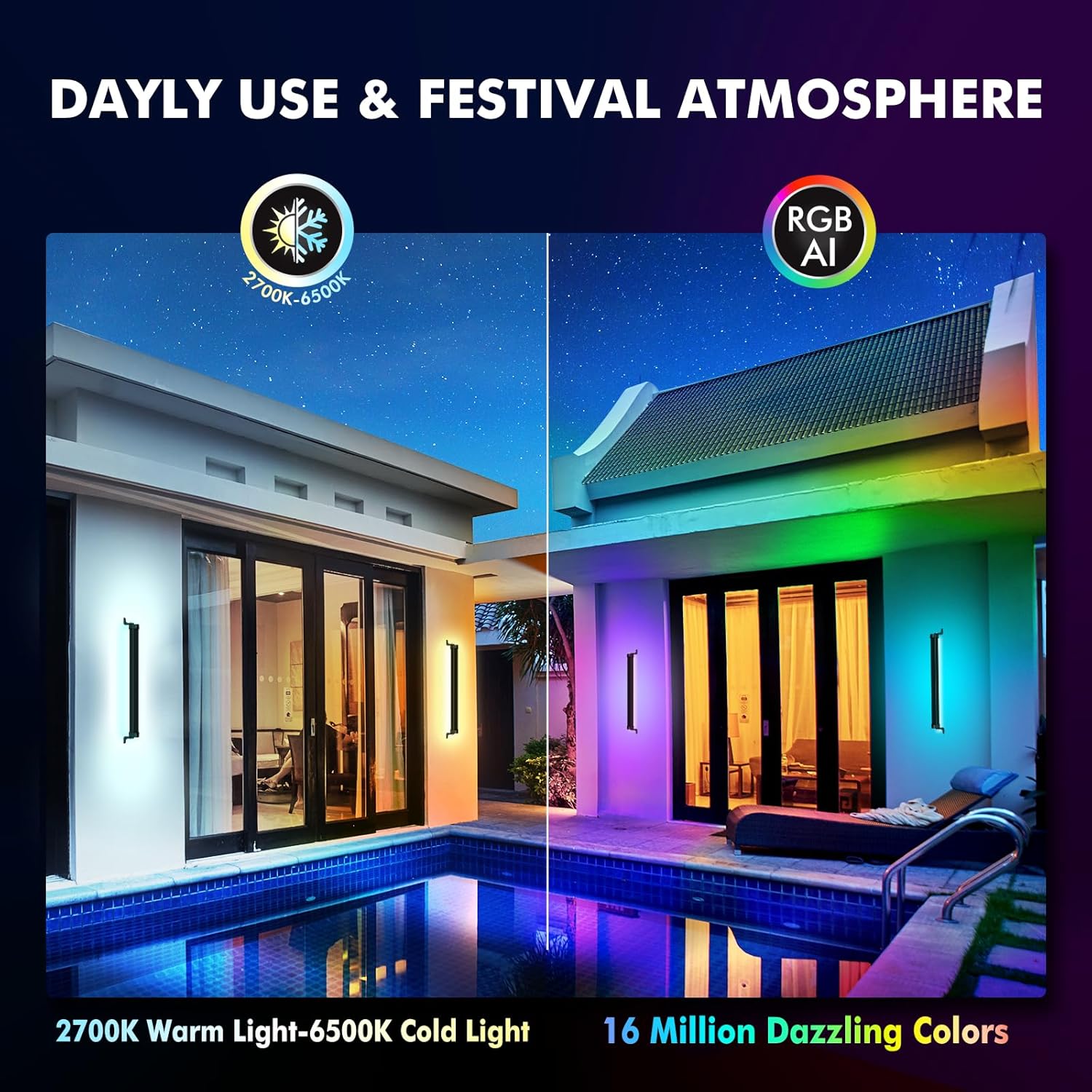
Figure 5: App interface for selecting 16 million colors and 20 dynamic modes.
- Color Palette: Use the color wheel in the app to select from 16 million colors.
- White Light Adjustment: Adjust white light from 2700K (warm white) to 6500K (cool white).
- Dynamic Modes: Choose from 20 pre-set dynamic modes for various effects.
- Brightness & Speed: Adjust the brightness and speed of dynamic modes as desired.
- Color Capture: Use your phone's camera through the app to capture a color from your surroundings and apply it to the light.
3.2 Timing Function
Set schedules for your lights to turn on or off automatically.
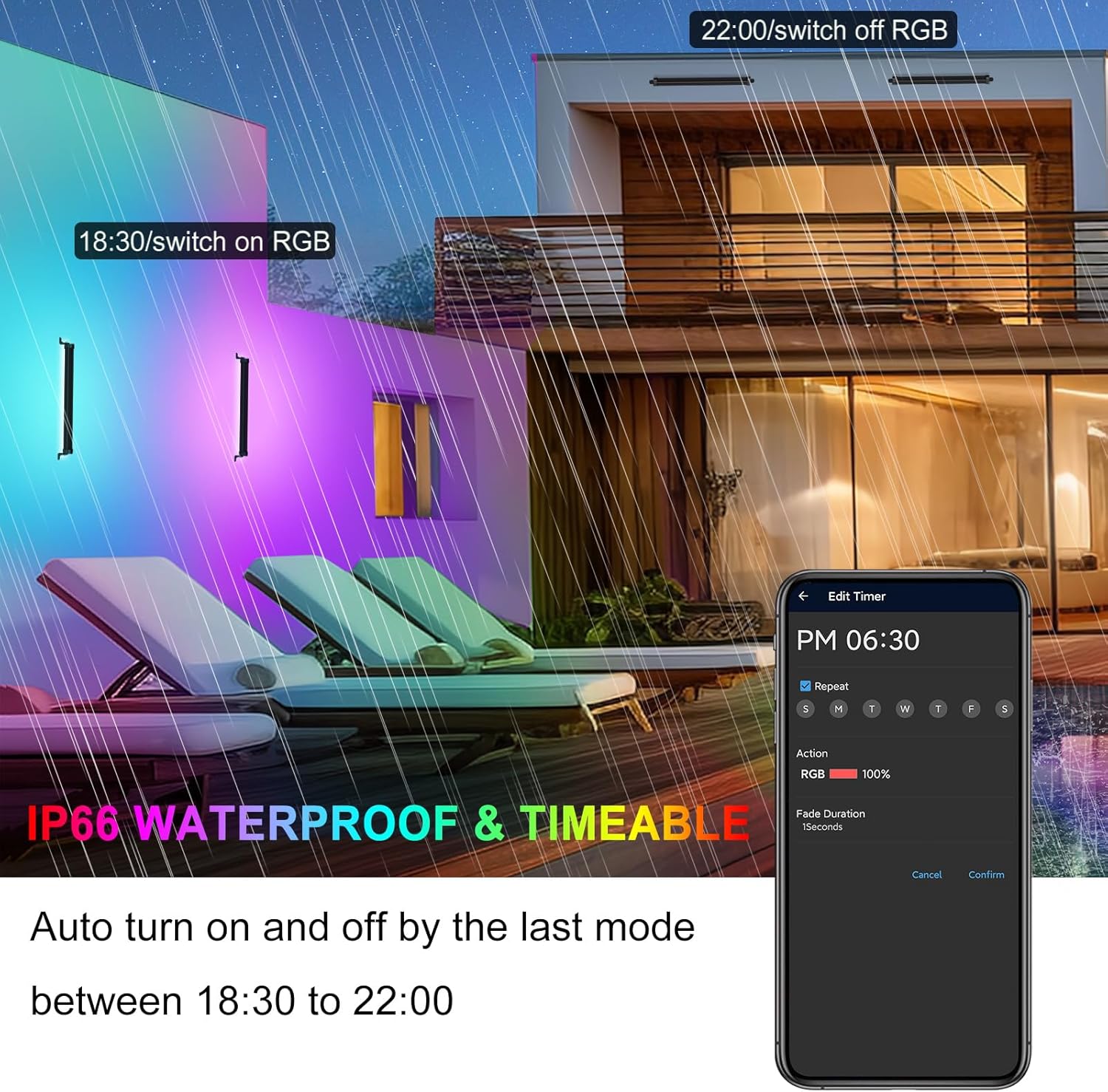
Figure 6: Setting up the timing function in the app.
- Navigate to the timer settings within the "Hao Deng" app.
- Set specific times for the light to turn on or off.
- You can also set a specific mode to activate automatically at a scheduled time.
3.3 Music & Microphone Rhythm Pattern
Synchronize your lighting with music or ambient sounds.
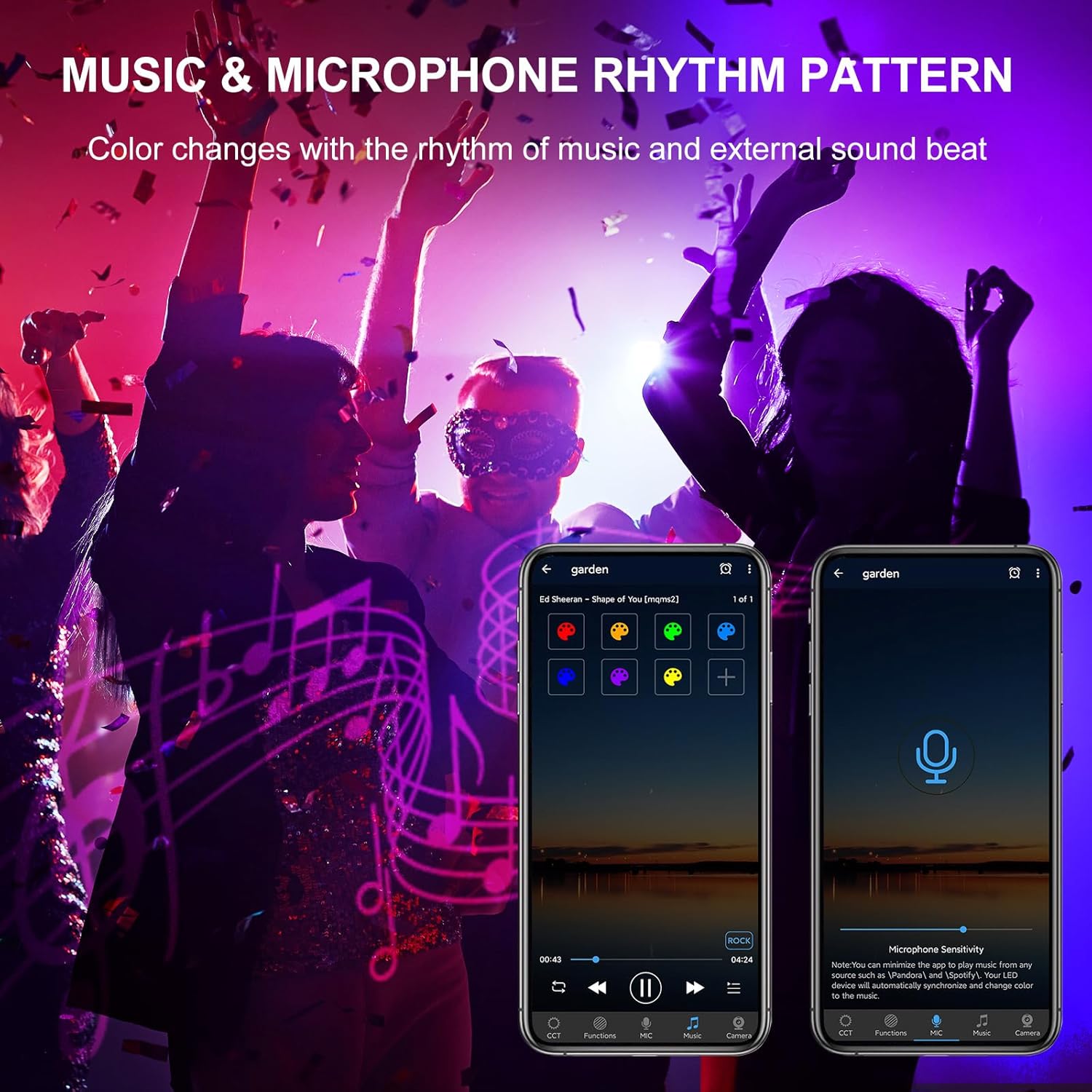
Figure 7: Music and microphone rhythm pattern settings.
- Music Mode: Play music directly within the app, and the lights will change colors according to the melody's rhythm.
- Microphone Mode: Allow the app to listen to surrounding music or sounds through your phone's microphone, and the lights will react to the beat.
3.4 Group Control
Control multiple MEIKEE lights simultaneously or individually using Bluetooth Mesh technology.
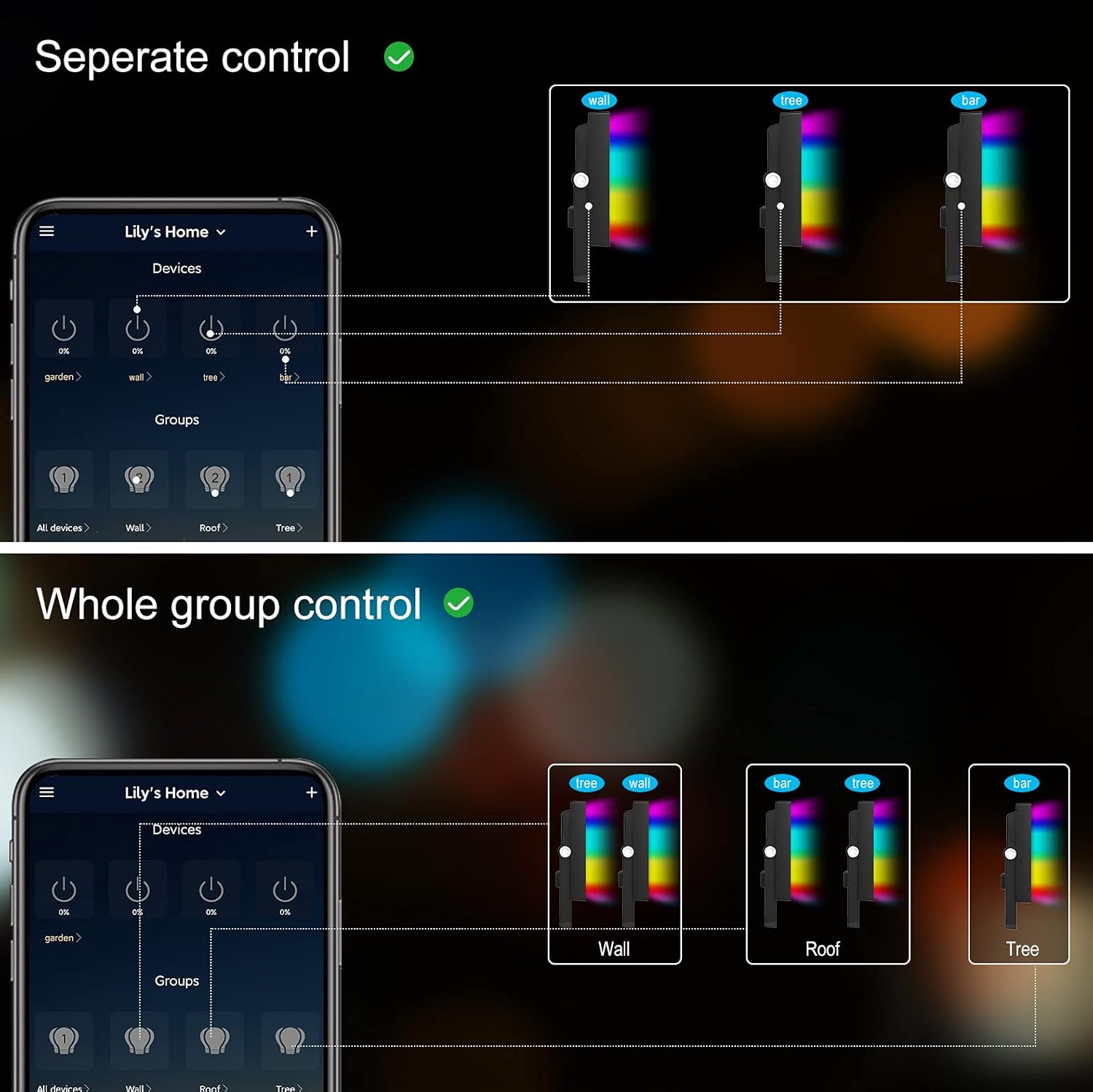
Figure 8: Separate and whole group control options.
- Individual Control: Select and control each light independently.
- Group Control: Create groups of lights within the app to control them all at once with a single command.
4. Maintenance
To ensure the longevity and optimal performance of your MEIKEE Wall Washer Light, follow these maintenance guidelines:
- Cleaning: Regularly wipe the light's surface with a soft, damp cloth to remove dust and debris. Avoid using harsh chemicals or abrasive cleaners, as they may damage the finish or internal components.
- Inspection: Periodically check the power cable and connections for any signs of wear, damage, or corrosion. Ensure all screws and mounting brackets are secure, especially after installation or if the light has been moved.
- Waterproof Integrity: Although rated IP66 waterproof, avoid submerging the light in water. Ensure the power connection point is protected from direct water exposure if not specifically designed for it.
- Environmental Considerations: While designed for outdoor use, extreme weather conditions (e.g., prolonged heavy rain, snow, or direct sunlight in very hot climates) may affect performance over time. Consider providing additional shelter if possible in such conditions.
- Storage: If storing the light for an extended period, disconnect it from power, clean it thoroughly, and store it in a cool, dry place away from direct sunlight and extreme temperatures.
5. Troubleshooting
If you encounter issues with your MEIKEE Wall Washer Light, refer to the following common troubleshooting steps:
| Problem | Possible Cause | Solution |
|---|---|---|
| Light does not turn on | No power supply; Loose connection; Faulty outlet | Check if the power plug is securely inserted. Test the outlet with another device. Ensure the power source is active. |
| Cannot connect to Bluetooth / App not responding | Bluetooth off; App glitch; Distance too far; Interference; Light needs reset | Ensure Bluetooth is on your phone. Restart the app. Move closer to the light (within 50m/164ft). Try restarting your phone. For a factory reset, power cycle the light 3-5 times quickly (on-off-on-off...). |
| Colors are not changing correctly | Incorrect mode selected; App synchronization issue | Verify the correct color or dynamic mode is selected in the app. Restart the app and reconnect to the light. |
| Lights in a group are out of sync | Temporary communication error | Ensure all lights are within Bluetooth range. Try re-grouping the lights in the app or power cycling the affected lights. |
If the problem persists after trying these steps, please contact MEIKEE customer support for further assistance.
6. Specifications
| Feature | Detail |
|---|---|
| Brand | MEIKEE |
| Model Number | RFLB042 |
| Color | RGBCW |
| Material | Acrylonitrile Butadiene Styrene (ABS), Aluminum |
| Light Source Type | Light Emitting Diode |
| Power Source | Corded Electric |
| Voltage | 120 Volts (AC) |
| Brightness | 3350 lumen |
| Wattage | 42 Watts |
| Color Temperature | 2700K-6500K |
| Waterproof Rating | IP66 |
| Product Dimensions | 16.85"L x 4.25"W x 2.17"H |
| Item Weight | 4.31 pounds |
| Included Components | Smart Bluetooth Wall Wash Lights, Remote Control, User Manual, Install Components |
7. Warranty and Support
MEIKEE is committed to providing high-quality products and customer satisfaction.
- Product Warranty: MEIKEE products are covered by a 2-year warranty from the date of purchase.
- Customer Service: For any inquiries, technical support, or warranty claims, please contact MEIKEE customer service via email through Amazon or the email address provided in your product packaging. We aim to respond within 24 hours.
- Protection Plans: Extended protection plans may be available for purchase separately to provide additional coverage beyond the standard warranty period. Please refer to your purchase details for more information.
