
1. Important Safety Information
Please read this manual thoroughly before installation and operation. Keep this manual for future reference. This smoke detector is designed to detect smoke particles and provide an audible alarm. It is not designed to detect heat, flames, or carbon monoxide. For optimal safety, ensure proper placement and regular testing.
- Do not paint the smoke detector. Paint can clog the sensing chambers and prevent the alarm from functioning correctly.
- Do not install in areas with high humidity, extreme temperatures, or excessive dust.
- Test the alarm weekly to ensure proper operation.
- Replace batteries promptly when the low battery warning is activated.
2. Product Overview
The Ecoey GS522C-A Smoke Detector utilizes advanced photoelectric sensing technology to provide early warning of smoldering fires. Its compact design and easy installation methods make it suitable for various residential environments. Equipped with a 10-year chip, this battery-operated device offers long-lasting protection for your home and family.

Figure 2.1: Four Ecoey Smoke Detectors, illustrating the product's appearance.

Figure 2.2: The compact size of the Ecoey Smoke Detector, designed for discreet placement.

Figure 2.3: Internal view highlighting the photoelectric sensor, which detects smoke particles.
3. Package Contents
Upon opening the package, verify that all items listed below are present and in good condition:
- Ecoey Smoke Detector (Model GS522C-A)
- 9V Battery (pre-installed, requires connection)
- Mounting Accessories (screws and anchors)
- Magnetic Mounting Sheets (for adhesive installation)
- User Manual

Figure 3.1: All items included in the Ecoey Smoke Detector package.
4. Specifications
| Model Number | GS522C-A |
| Sensor Type | Photoelectric |
| Power Source | 9V Battery (included) |
| Alarm Loudness | >85 dB at 3 meters |
| Product Dimensions | 1.5"D x 3.5"W x 3.5"H |
| Operating Humidity | ≤93% |
| Upper Temperature Rating | 50 Degrees Celsius |
| Material | Plastic |
| Installation Method | Self-Adhesive or Screws |
5. Setup and Installation
5.1 Battery Installation
- Gently twist the back cover of the smoke detector counter-clockwise to remove it.
- Locate the pre-installed 9V battery. Remove any plastic wrapping from the battery.
- Connect the battery terminals to the corresponding connectors inside the battery compartment. Ensure a secure fit.
- Place the battery into its compartment.
- Align the back cover with the main unit and twist clockwise until it locks securely.

Figure 5.1: Steps for installing the 9V battery into the smoke detector.
5.2 Mounting Options
The Ecoey Smoke Detector offers two convenient mounting options:
- Adhesive Mounting: For quick and easy installation without drilling, use the provided magnetic mounting sheets. Peel one side of the adhesive from a magnetic sheet and attach it to the back of the smoke detector. Peel the other side and firmly press the detector onto a clean, dry, flat surface on your ceiling or wall.
- Screw Mounting: For a more permanent installation, use the included screws and anchors. Mark the desired mounting location, drill pilot holes, insert anchors if necessary, and secure the mounting plate with screws. Then, attach the smoke detector to the mounting plate by twisting it clockwise until it locks.
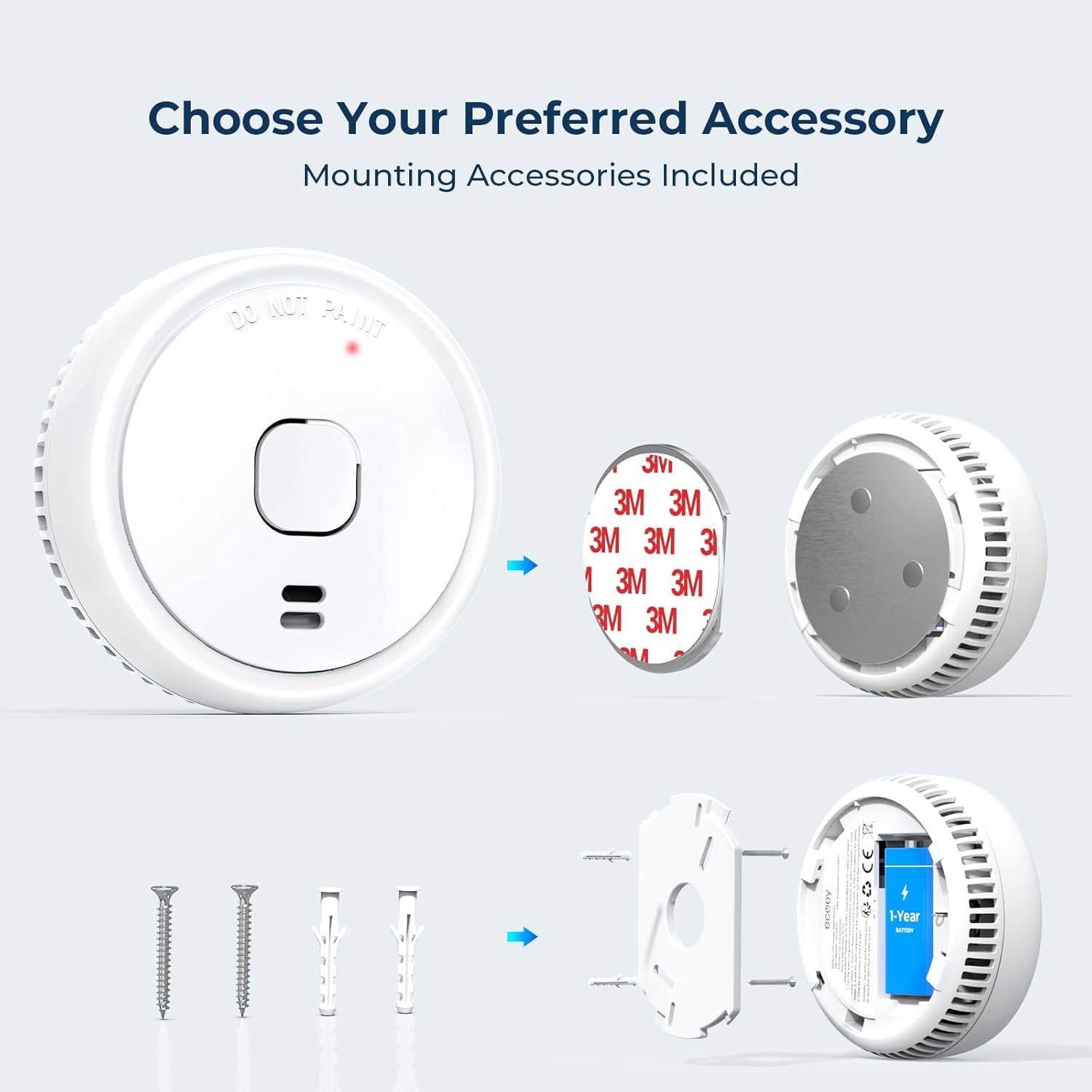
Figure 5.2: Illustration of the two mounting methods: adhesive magnetic sheets and traditional screws.
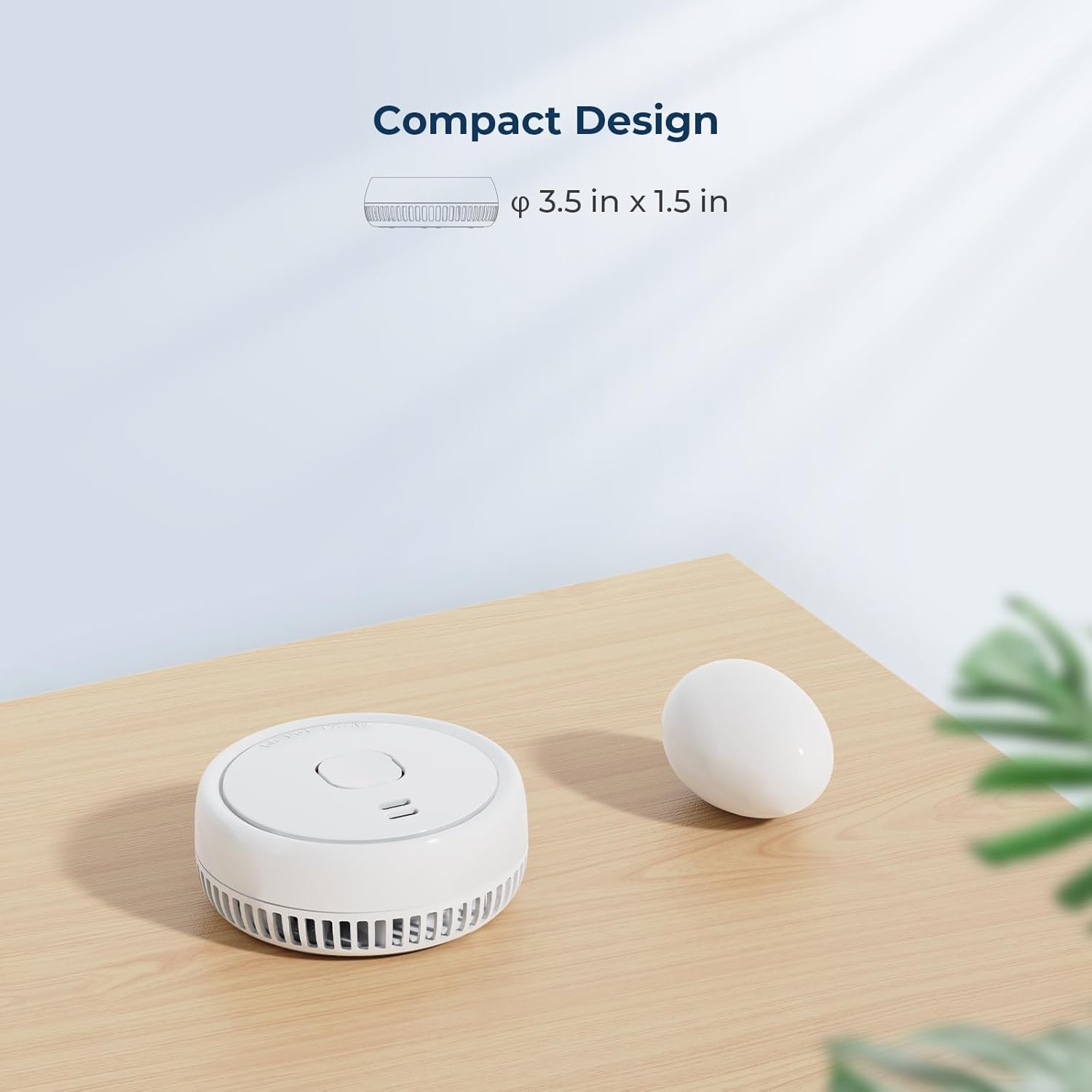
Figure 5.3: The compact design of the smoke detector, measuring approximately 3.5 inches in diameter and 1.5 inches in depth.
6. Operating Instructions
6.1 Testing the Alarm
To ensure your smoke detector is functioning correctly, perform a weekly test:
- Press and hold the Test/Silence button located on the front of the detector for approximately 5 seconds.
- The alarm will sound a loud, pulsating siren, and the red LED indicator will flash.
- Release the button. The alarm should stop.
If the alarm does not sound during the test, refer to the Troubleshooting section.
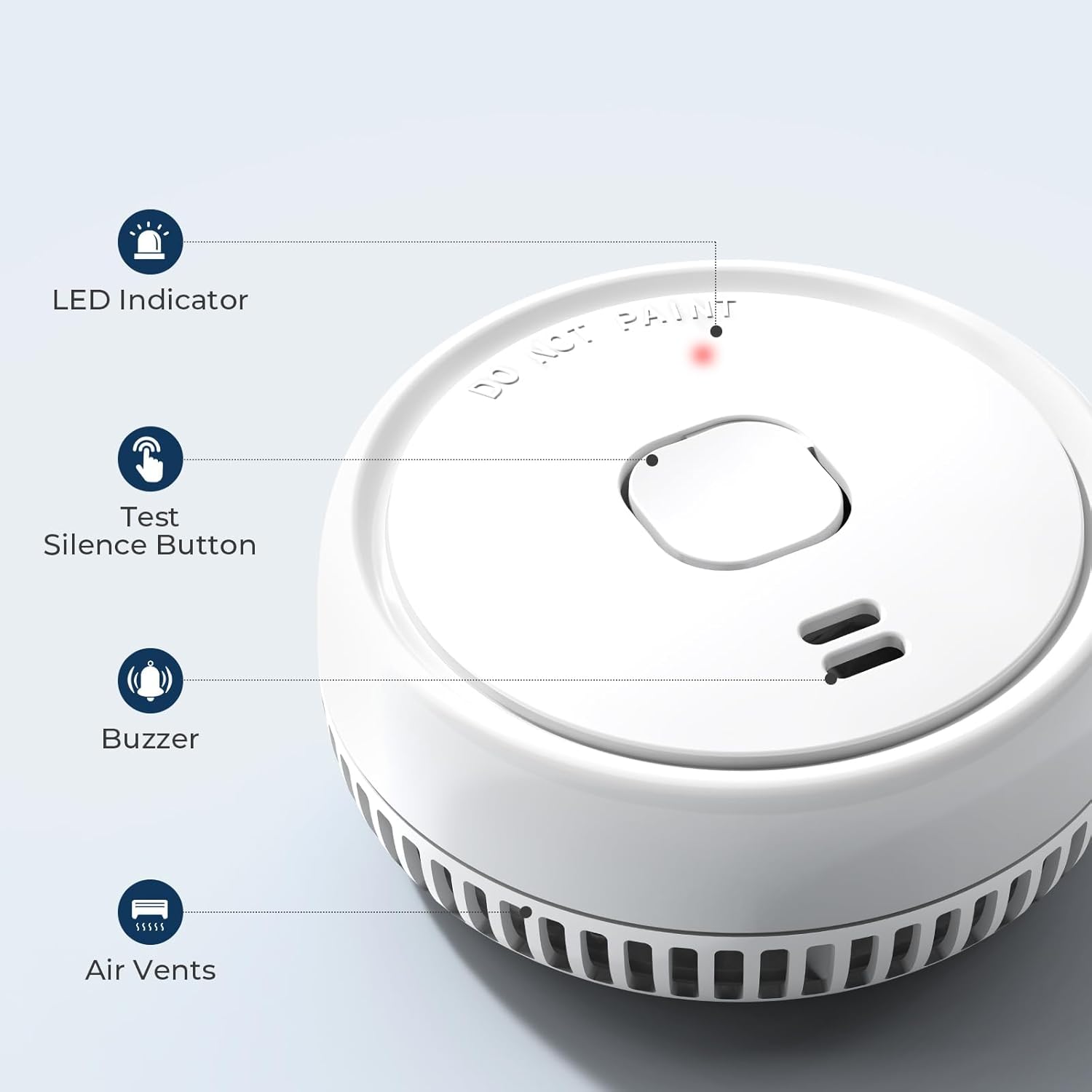
Figure 6.1: Key components of the smoke detector, including the Test/Silence button.
6.2 Silence Function
In case of a false alarm (e.g., from cooking smoke), you can temporarily silence the alarm:
- Press the Test/Silence button once.
- The alarm will temporarily silence for approximately 8 minutes. The red LED will continue to flash every 32 seconds to indicate it is in silence mode.
- After 8 minutes, if smoke is still present, the alarm will reactivate.
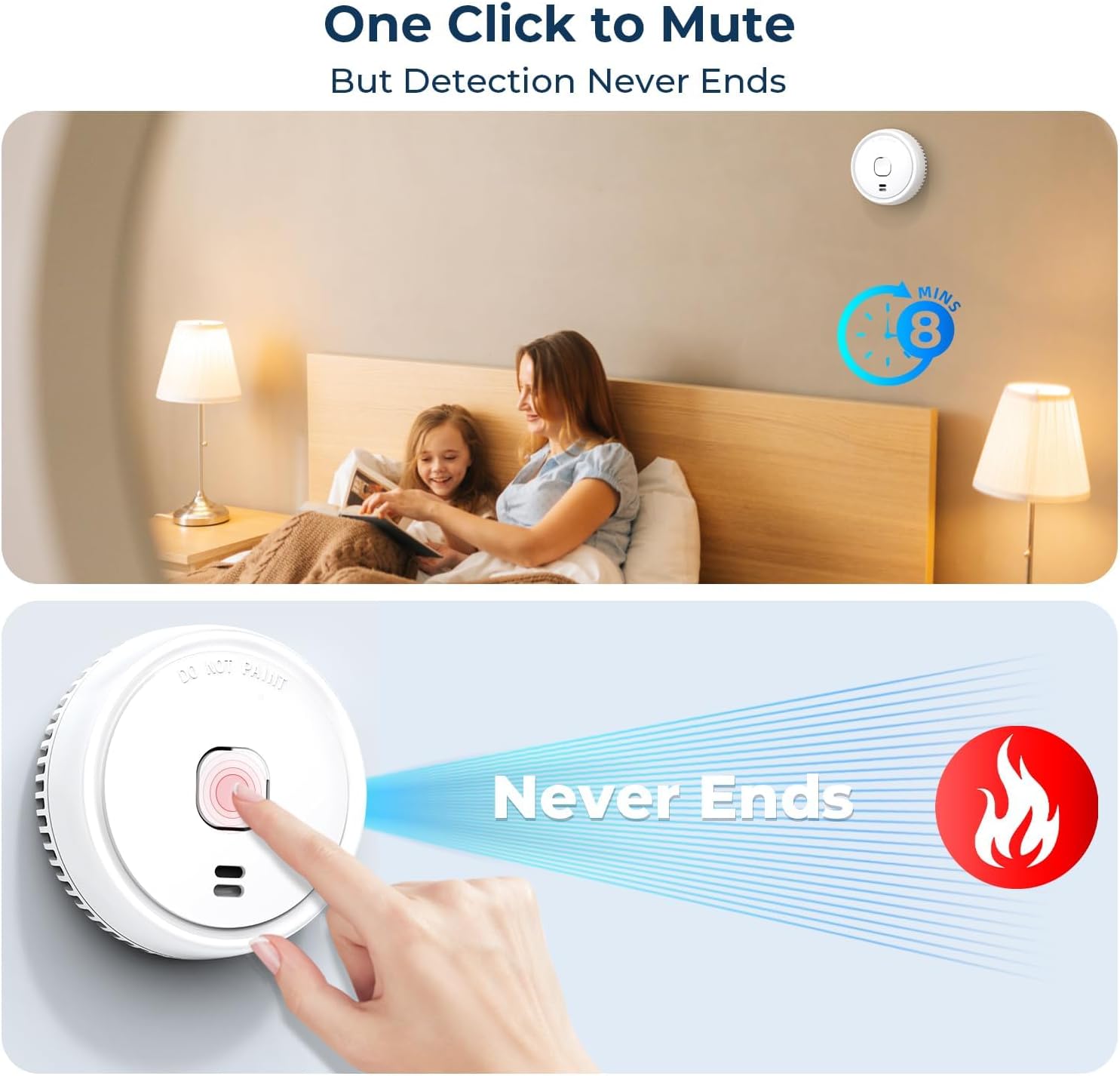
Figure 6.2: Activating the one-click silence function to temporarily mute the alarm.
6.3 Low Battery Warning
When the battery is low, the smoke detector will emit a short chirp and the red LED light will flash approximately every 32 seconds. This indicates that the battery needs to be replaced immediately to maintain continuous protection.
7. Maintenance
7.1 Regular Cleaning
To keep your smoke detector in optimal working condition, clean it regularly:
- Use a soft, damp cloth to wipe the exterior of the detector.
- Gently vacuum around the air vents to remove any dust or debris.
- Do not use cleaning solvents or harsh chemicals, as these can damage the unit.
7.2 Battery Replacement
When the low battery warning sounds, replace the 9V battery as follows:
- Twist the back cover counter-clockwise to remove it.
- Disconnect the old 9V battery from its terminals.
- Connect a new 9V battery (Alkaline recommended) to the terminals.
- Place the new battery into the compartment.
- Replace the back cover by twisting it clockwise until it locks.
- Test the alarm immediately after replacing the battery.
8. Troubleshooting
| Problem | Possible Cause | Solution |
|---|---|---|
| Alarm does not sound during test. | Battery not connected or dead. | Ensure battery is properly connected. Replace battery if necessary. |
| Alarm chirps every 32 seconds. | Low battery warning. | Replace the 9V battery immediately. |
| False alarms occur frequently. | Excessive steam, cooking smoke, or dust. Improper placement. | Relocate the detector away from kitchens, bathrooms, or dusty areas. Clean the detector. Use the silence function for temporary nuisances. |
| Red LED does not flash. | Unit is not powered or faulty. | Check battery connection. If problem persists after battery replacement, the unit may be faulty and needs replacement. |
9. Warranty Information
Ecoey products are designed for reliability and performance. For specific warranty details, including coverage period and terms, please refer to the warranty card included with your product or visit the official Ecoey website. Keep your purchase receipt as proof of purchase for any warranty claims.
10. Contact Information
For further assistance, technical support, or inquiries regarding your Ecoey Smoke Detector, please contact our customer service team:
- Website: Ecoey Official Store
- Please refer to the product packaging or official website for the most up-to-date contact details.