
1. Introduction
This manual provides instructions for the proper use, installation, and maintenance of your Maxxair Vent 00A01151K Hand Held Remote. This remote is designed to control compatible MaxxFan models, specifically the Exhaust Only MaxxFan 00A04301K/00A04401K and MaxxFan Deluxe 00-05301K/00-06401K models. Please read this manual thoroughly before operating the device.
2. Safety Information
- Keep the remote control away from water and excessive moisture.
- Do not expose the remote to extreme temperatures or direct sunlight for prolonged periods.
- Do not attempt to disassemble or modify the remote control. This may void the warranty and cause damage.
- Ensure batteries are inserted with correct polarity.
- Replace batteries promptly when the remote's performance degrades.
3. Package Contents
The Maxxair Vent 00A01151K Hand Held Remote package includes:
- 1 x Maxxair Vent 00A01151K Hand Held Remote (Black)
4. Product Overview
The Maxxair Vent 00A01151K Hand Held Remote is an ergonomic, infrared remote designed for convenient control of your MaxxFan. It features five distinct buttons for various fan functions.
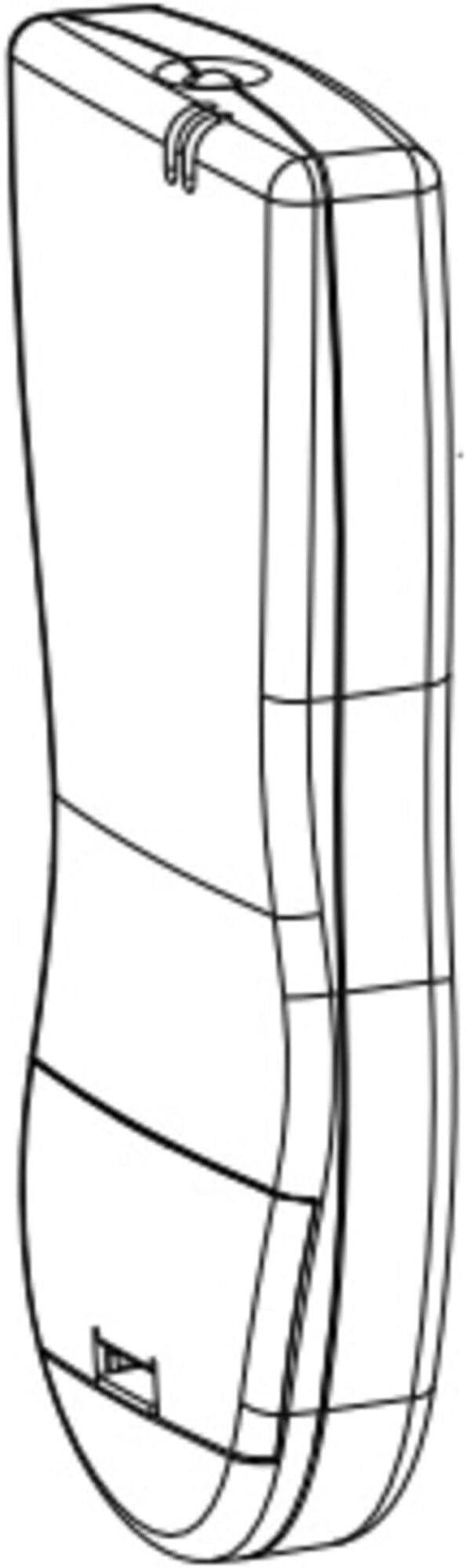
Image of the Maxxair Vent 00A01151K Hand Held Remote, showing its black casing and button layout.
Button Functions:
- Fan On/Power Off: Toggles the fan power.
- Vent Lid Position: Controls the opening and closing of the vent lid.
- Fan Auto Mode: Activates or deactivates automatic fan operation based on thermostat settings.
- Thermostat Set Temperature: Adjusts the desired temperature for automatic fan operation.
- Fan Speed: Cycles through available fan speed settings.
5. Setup
5.1 Battery Installation
- Locate the battery compartment cover on the back of the remote control.
- Slide the cover open in the direction indicated by the arrow.
- Insert the required batteries (typically AAA, refer to the compartment for specific type) ensuring correct polarity (+ and -) as marked inside the compartment.
- Slide the battery compartment cover back into place until it clicks securely.
5.2 Pairing (If Applicable)
This remote uses infrared (IR) technology, which typically does not require pairing. Ensure the remote is pointed directly at the MaxxFan's IR receiver for proper operation. If your MaxxFan model requires a specific pairing procedure, please refer to your MaxxFan's instruction manual.
6. Operating Instructions
To operate your MaxxFan using the remote, point the remote directly at the fan's control panel or IR receiver. Ensure there are no obstructions between the remote and the fan.
- Turning On/Off: Press the 'Fan On/Power Off' button once to turn the fan on. Press it again to turn the fan off.
- Adjusting Vent Lid: Use the 'Vent Lid Position' button to open or close the vent lid. Multiple presses may be required to fully open or close the lid, depending on the fan model.
- Activating Auto Mode: Press the 'Fan Auto Mode' button to enable or disable the automatic thermostat control. When active, the fan will operate to maintain the set temperature.
- Setting Thermostat Temperature: While in Auto Mode, use the 'Thermostat Set Temperature' button to cycle through available temperature settings. The fan will adjust its operation to reach and maintain this temperature.
- Changing Fan Speed: Press the 'Fan Speed' button to cycle through the different fan speed settings (e.g., Low, Medium, High).
7. Maintenance
7.1 Cleaning
Wipe the remote control with a soft, dry cloth. Do not use abrasive cleaners, solvents, or harsh chemicals, as these can damage the surface or internal components.
7.2 Battery Replacement
When the remote's range decreases or it becomes unresponsive, it is time to replace the batteries. Follow the battery installation steps outlined in Section 5.1. Always replace all batteries at the same time with new ones of the same type.
8. Troubleshooting
- Remote not responding:
- Check if the batteries are correctly installed and not depleted. Replace if necessary.
- Ensure there is a clear line of sight between the remote and the MaxxFan's IR receiver.
- Verify that the remote is compatible with your specific MaxxFan model.
- Fan not performing as expected in Auto Mode:
- Confirm that the 'Fan Auto Mode' is activated.
- Check the 'Thermostat Set Temperature' to ensure it is set to your desired level.
- Ensure the fan's internal thermostat is functioning correctly.
9. Specifications
- Brand: Maxx Air
- Model Name: 00A01151K
- Color: Black
- Connectivity Technology: Infrared
- Compatible Devices: MaxxFan Roof Vents (00A04301K/00A04401K, 00-05301K/00-06401K)
- Button Quantity: 5
- Controller Type: Button Control
- Battery Type: Battery (specific type not provided, typically AAA)
- Item Weight: 16 ounces
- Special Feature: Ergonomic design
10. Warranty and Support
This product comes with a limited warranty. Please contact us if you experience any issues within 30 days of receipt. For further assistance or technical support, please refer to the contact information provided with your original MaxxFan purchase or visit the official Maxx Air website.