
ODK DJFZ-012
ODK 55-inch Study Desk with Drawers and Keyboard Tray
Model: DJFZ-012 | Brand: ODK
1. Introduction
Thank you for choosing the ODK 55-inch Study Desk. This manual provides essential information for the safe assembly, operation, and maintenance of your new desk. Please read these instructions carefully before beginning assembly or use, and retain this manual for future reference.
1.1 Safety Information
- Ensure proper assembly for optimal stability. Incorrect assembly may lead to instability and potential injury.
- Observe all weight limits specified for the desk and its components (e.g., drawers, monitor stand). Overloading can cause damage or collapse.
- Keep the desk away from direct water sources and excessive humidity to prevent material damage.
- Regularly check all fasteners to ensure they remain tight. Retighten as necessary.

Image 1.1: The ODK 55-inch Study Desk, showcasing its spacious design and integrated features in a home office environment.
2. Included Components
Your ODK Study Desk package includes all necessary accessories, tools, and instructions for assembly. Please verify all parts are present and undamaged before beginning assembly.
- Desk frame components (metal legs, crossbars)
- Desk tabletop and monitor stand components (engineered wood)
- Keyboard tray and sliding mechanism
- Two fabric drawers
- Assembly hardware (screws, bolts, etc.)
- Assembly tools (e.g., hex key, Phillips head screwdriver)
- Instruction manual
3. Setup and Assembly
The ODK Study Desk is designed for straightforward assembly. All required accessories, tools, and detailed instructions are included in the package. It is recommended that one person performs the assembly.
3.1 General Assembly Guidelines
- Unpack all components and lay them out on a clean, soft surface to prevent scratches.
- Refer to the included step-by-step instruction booklet for detailed assembly diagrams and instructions.
- Ensure all screws and fasteners are tightened securely, but do not overtighten to avoid damaging the materials.
- The fabric drawers do not require complex assembly; simply unfold them and insert the hardboard bottom for robustness.
4. Operating Instructions
The ODK Study Desk is designed with several features to enhance your comfort and productivity.
4.1 Ergonomic Monitor Stand
The desk features a 4.5-inch elevated monitor stand, designed to promote an ergonomic working posture. This allows you to look directly at your computer screens, reducing neck strain. The 7.8-inch wide shelf can accommodate two monitors or provide additional storage space, helping to keep your desktop organized.

Image 4.1: Ergonomic design of the ODK desk, highlighting the elevated monitor stand and comfortable legroom to prevent neck pain.
4.2 Keyboard Tray
The desk includes a 23.6-inch wide pull-out keyboard tray. This tray is suitable for full-size 108-key keyboards or 87-key keyboards with an added mouse. It helps protect your keyboard from dust and can also serve as an additional storage drawer to maximize your workspace.

Image 4.2: The spacious keyboard tray, demonstrating its capacity for a full-size keyboard and mouse, and its pull-out mechanism.
4.3 Fabric Drawers
Two fabric drawers are integrated into the desk design, offering convenient additional storage. These drawers are designed for easy setup; simply unfold them and place the hardboard bottom for added stability. Each drawer has a weight capacity of 5 kg.
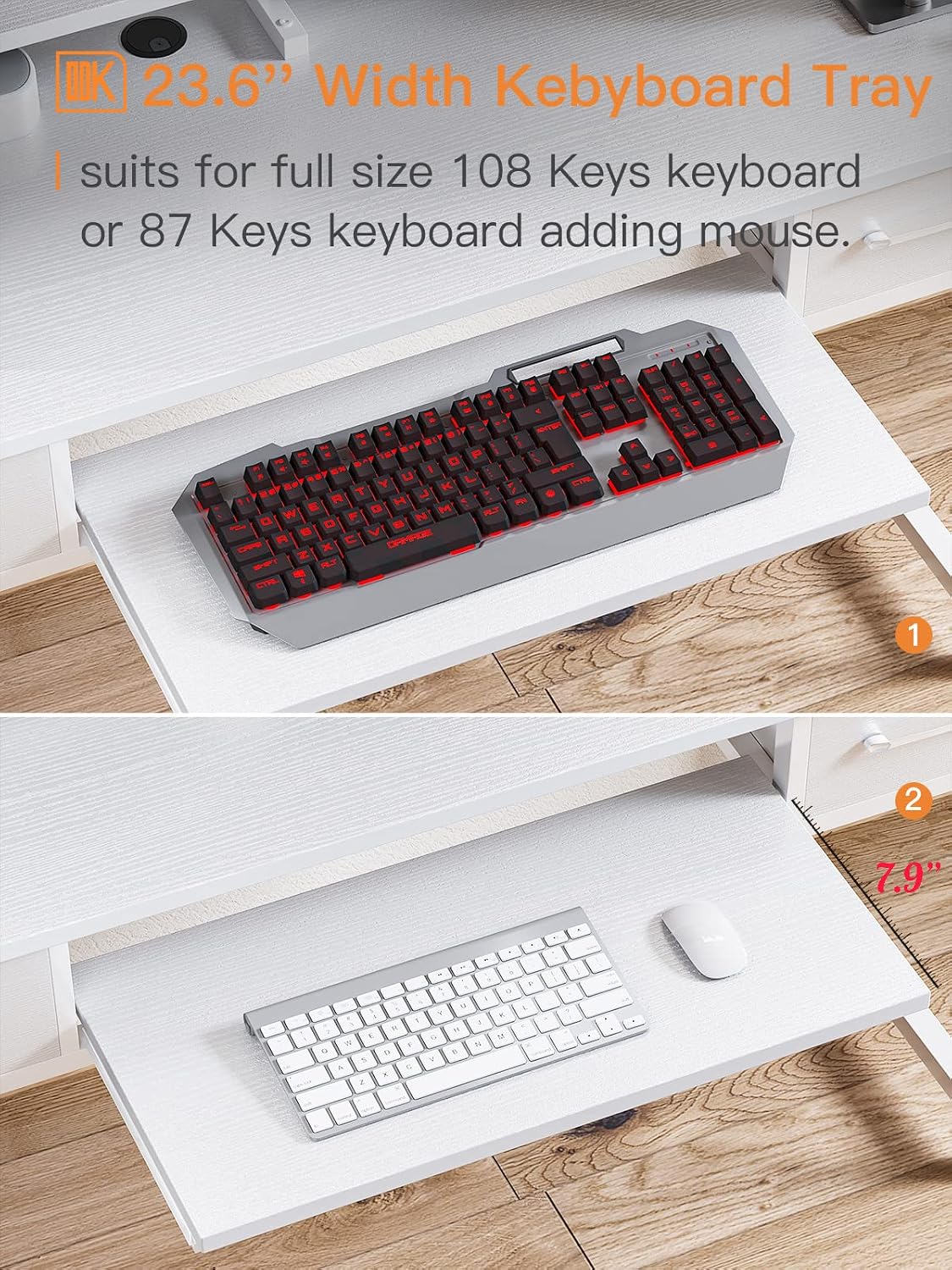
Image 4.3: An open fabric storage drawer, illustrating its capacity for various office supplies and personal items.
5. Maintenance
Proper care and maintenance will extend the life and appearance of your ODK Study Desk.
5.1 Cleaning
- The desk surface is made of high-quality particle board, designed to be scratch-resistant, anti-collision, and water-resistant.
- For general cleaning, wipe the desk surface with a soft, damp cloth. Avoid abrasive cleaners or harsh chemicals that could damage the finish.
- For spills, wipe immediately with a dry cloth to prevent watermarks, especially on the edges.
- The fabric drawers can be spot cleaned with a mild detergent and damp cloth. Allow to air dry completely.
5.2 General Care
- Periodically check and tighten all screws and bolts to maintain the desk's stability.
- Avoid placing extremely hot or cold items directly on the desk surface without protective coasters.
- The desk pads protect your wooden floor from scratches; ensure they are properly positioned.
6. Troubleshooting
If you encounter any issues with your ODK Study Desk, please refer to the following common solutions:
- Desk Wobbles: Ensure all screws and bolts are securely tightened. Check that the desk is placed on a level surface. Adjust the leveling feet if present.
- Keyboard Tray Sticks: Check the sliding mechanism for any obstructions. Ensure the tray is correctly aligned on its runners.
- Damaged Parts: If any parts are damaged upon arrival or during assembly, please contact customer support immediately for assistance.
- Missing Parts: If you find any components missing, please contact customer support with your product model number and a description of the missing part.
7. Specifications
Detailed specifications for the ODK 55-inch Study Desk (Model: DJFZ-012).

Image 7.1: Detailed dimensions of the ODK Study Desk, including the monitor stand, keyboard tray, and overall structure.
| Feature | Detail |
|---|---|
| Brand | ODK |
| Model Number | DJFZ-012 |
| Model Name | ODK Computer Desk with Keyboard Tray and Drawers |
| Product Dimensions (D x W x H) | 48 x 139.7 x 87.4 cm (18.9 x 55 x 34.4 inches) |
| Item Weight | 11.02 lbs (19.5 kg product weight mentioned in feature bullets) |
| Color | White |
| Style | Modern |
| Top Material Type | Engineered Wood |
| Base Material | Engineered Wood (Legs: Metal) |
| Special Feature | Monitor Stand |
| Number of Drawers | 2 |
| Drawer Type | Storage (Fabric) |
| Drawer Weight Capacity | 5 kg (11 lbs) |
| Keyboard Tray Dimensions | 23.6 inches (W) x 11 inches (D) |
| Monitor Stand Height | 4.5 inches |
| Maximum Recommended Weight | 100 lbs |
| Assembly Required | Yes |
| Recommended Number of People for Assembly | 1 |
| All Assembly Tools Included | Yes |
| Finish | Laminated |
| Features | Scratch-resistant, Anti-collision, Water-resistant |
8. Warranty and Support
ODK is committed to providing high-quality products and customer satisfaction.
8.1 Customer Support
If you encounter any product issues, such as damaged parts or assembly difficulties, please do not hesitate to contact us. We guarantee a response with a solution within 24 hours.
For support, please visit the ODK store on Amazon or contact us through the platform where you purchased the product.
ODK Store Link: Visit ODK Store
8.2 Warranty Information
Specific warranty details may vary by region and retailer. Please refer to your purchase documentation or contact customer support for comprehensive warranty information.
Related documentsDJFZ-012


Ask a question about this manual
Ask about setup, troubleshooting, compatibility, parts, safety, or missing instructions. Manuals+ will review the question and use this page’s manual context to help answer it.