
1. Introduction
Thank you for choosing the ODK CTFZ-47 Computer Desk. This manual provides essential information for the safe assembly, operation, and maintenance of your new desk. Please read these instructions carefully before beginning assembly and retain them for future reference.

Image 1: The ODK CTFZ-47 Computer Desk, showcasing its design and features in a typical home office environment.
2. Product Features
- Ergonomic Monitor Stand: Features a 4.5-inch elevated monitor stand shelf, designed to promote a comfortable working posture by raising screens to eye level, reducing neck strain. The 7.8-inch wide shelf can accommodate two monitors or provide additional storage space.
- Pull-Out Keyboard Tray: A 23.6-inch wide pull-out keyboard tray is integrated, suitable for full-size 108-key or 87-key keyboards along with a mouse. This tray helps protect your keyboard from dust and can also serve as a storage drawer.
- Integrated Fabric Drawers: Equipped with two fabric drawers for extra storage. These drawers require no assembly; simply unfold them and insert the provided hardboard bottom for stability. Each drawer has a weight capacity of 5kg (11lbs).
- Durable Construction: The tabletop is crafted from high-quality particle board, offering scratch-resistant, anti-collision, and waterproof properties. A thick, high-quality metal frame ensures the desk's stability and sturdiness.
- Floor Protection: Includes desk foot pads to prevent scratching on wooden floors.
- Cable Management: Features a cable hole on the monitor stand for organized wire routing.
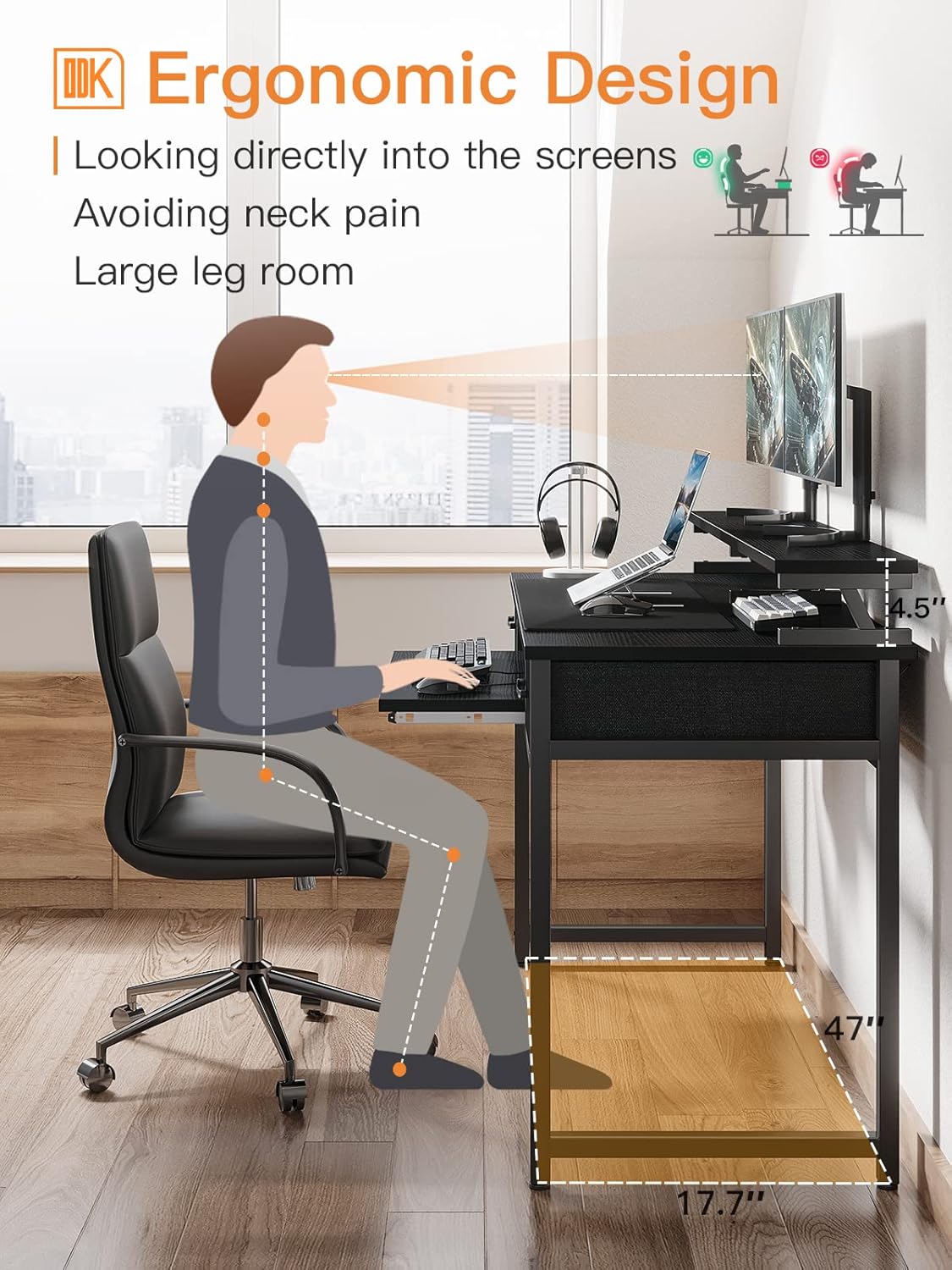
Image 2: An illustration demonstrating the ergonomic design of the desk, highlighting how the elevated monitor shelf helps maintain proper posture and reduce neck pain.
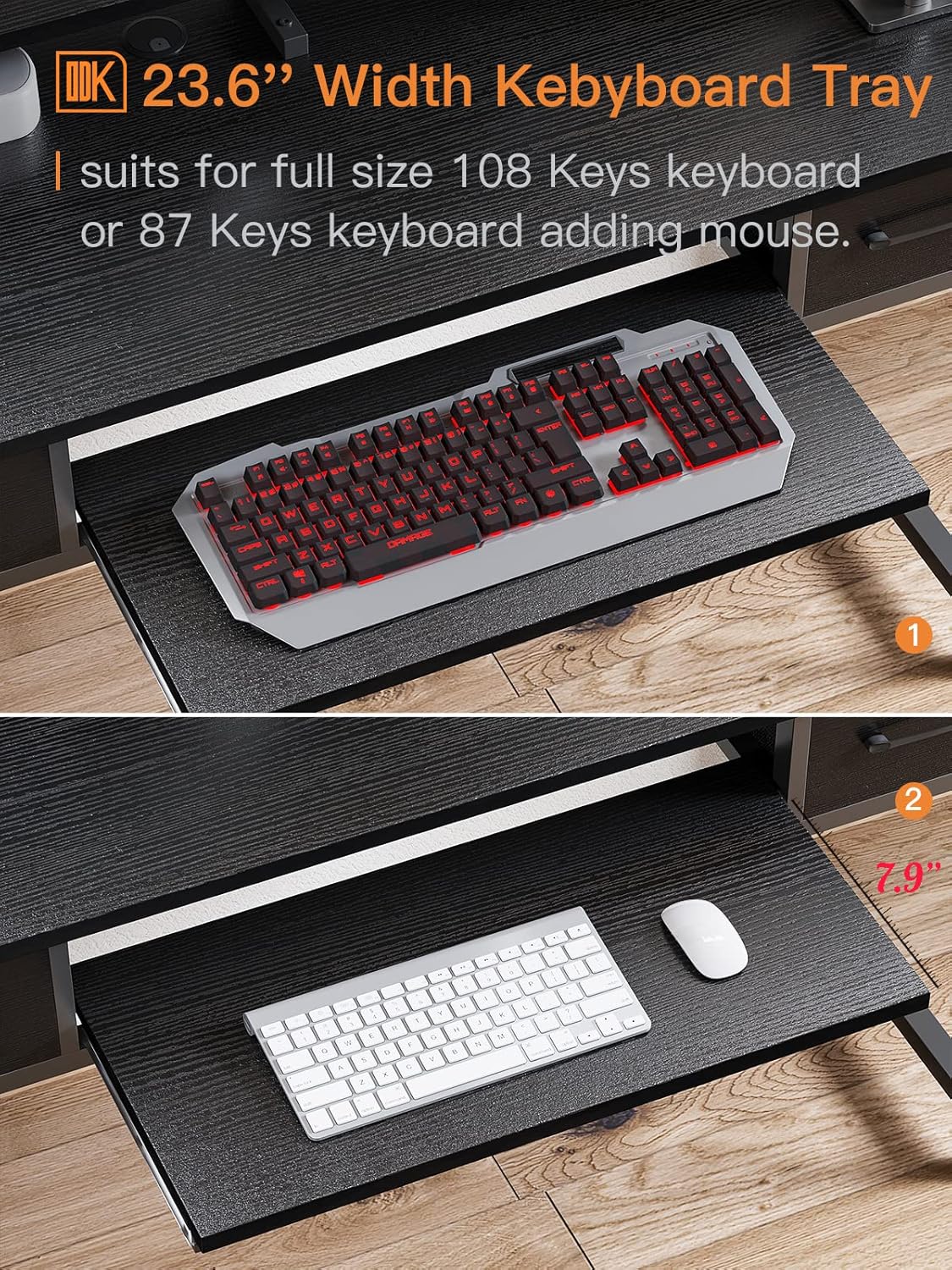
Image 3: A detailed view of the 23.6-inch wide pull-out keyboard tray, showing its capacity for a full-size keyboard and mouse.
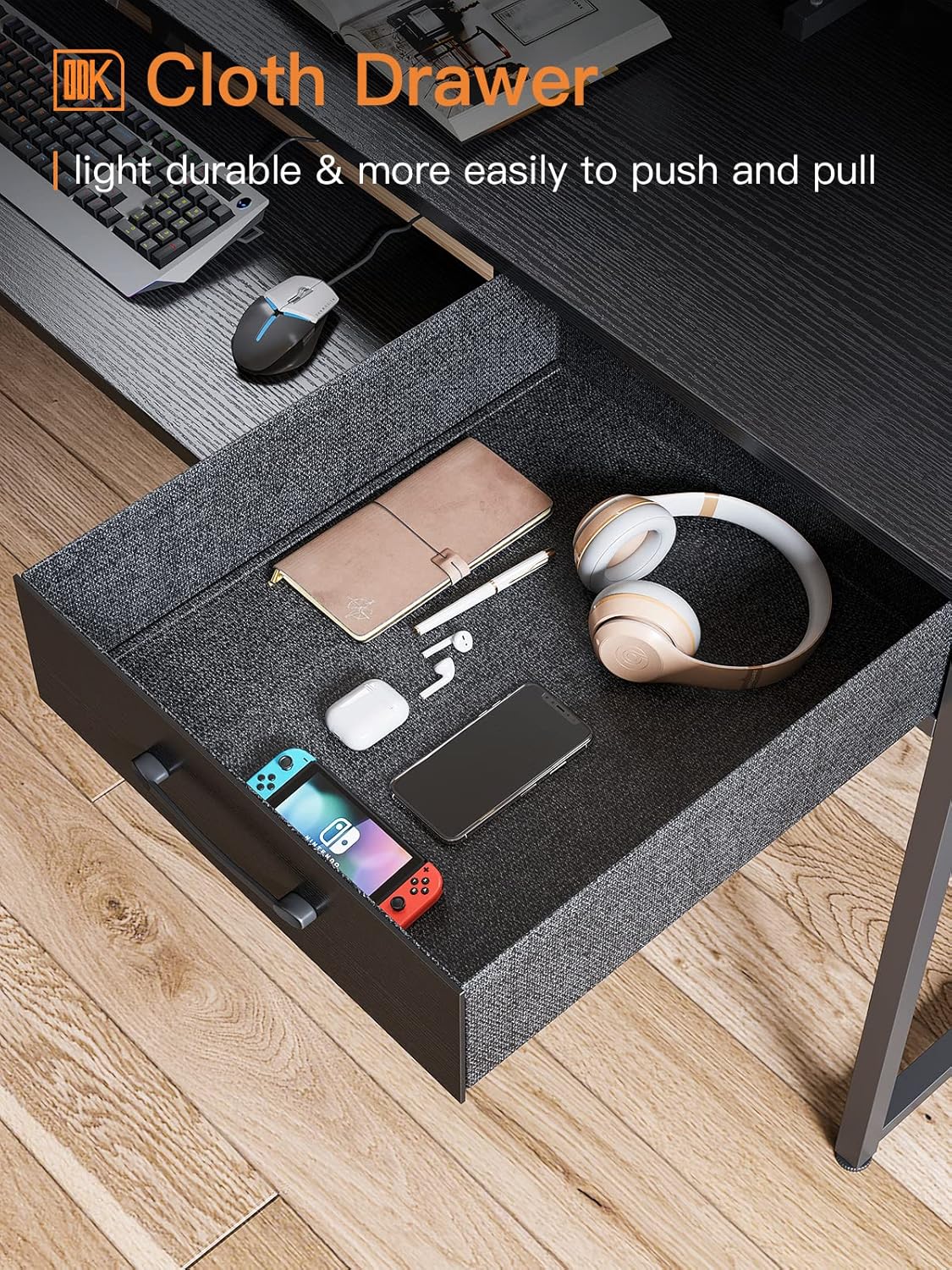
Image 4: An interior shot of one of the fabric drawers, illustrating its storage potential for various office supplies or personal items.
3. Safety Information
Please adhere to the following safety guidelines to ensure safe use and prevent damage or injury:
- Always ensure that the desk is properly assembled and stable before use.
- Do not overload the desk or the keyboard tray with items heavier than the specified weight limit. The drawer weight capacity is 5kg (11lbs).
- Keep the desk and surrounding area clear of any obstructions to prevent accidents.
- Always follow the manufacturer's instructions for assembly, use, and maintenance.
- Avoid standing or sitting on the desk surfaces, as this may cause instability or damage.
4. Setup and Assembly Instructions
The ODK CTFZ-47 Computer Desk is designed for easy assembly. All necessary hardware, tools, and a detailed instruction manual are included in the package. Please follow the step-by-step guide provided in your physical instruction manual for precise assembly.
General Assembly Steps:
- Unpack all components and verify against the parts list in your manual.
- Assemble the metal frame structure according to the diagrams.
- Attach the main tabletop and monitor shelf to the assembled frame.
- Install the pull-out keyboard tray mechanism and the tray itself.
- Unfold the fabric drawers and place the hardboard bottoms inside, then insert them into their designated slots.
- Ensure all screws are tightened and the desk is stable before use.
For visual guidance on dimensions and component placement, refer to the diagram below:

Image 5: A comprehensive diagram detailing the dimensions of the ODK CTFZ-47 Computer Desk, including the overall size, monitor shelf, keyboard tray, and drawers.
5. Operating Instructions
Your ODK CTFZ-47 Computer Desk is designed for straightforward use in your home office or bedroom. Here are instructions for utilizing its key features:
- Using the Monitor Shelf: Place your computer monitors on the elevated shelf to achieve an ergonomic viewing height. The shelf can support up to two standard monitors. Utilize the space underneath for additional storage or to keep your main desktop clear.
- Using the Keyboard Tray: Gently pull the keyboard tray outwards to access your keyboard and mouse. Push it back in when not in use to save space and protect your peripherals from dust.
- Using the Fabric Drawers: Pull the handles to open the fabric drawers. These are ideal for storing documents, office supplies, or personal items. Ensure not to exceed the 5kg (11lbs) weight limit per drawer.
- Cable Management: Route your monitor and peripheral cables through the designated cable hole on the monitor shelf to maintain a tidy and organized workspace.
6. Maintenance
Proper maintenance will extend the life and appearance of your ODK Computer Desk:
- Cleaning: Wipe surfaces with a soft, damp cloth. Avoid harsh chemicals or abrasive cleaners, which can damage the finish. For spills, wipe immediately.
- Inspection: Periodically check all screws and connections to ensure they remain tight. Re-tighten if necessary to maintain stability.
- Avoid Extreme Conditions: Do not expose the desk to direct sunlight for prolonged periods or to extreme temperature changes, as this may cause warping or discoloration.
- Weight Distribution: Distribute weight evenly across the desk surface and shelves to prevent stress on any single point.
7. Troubleshooting
If you encounter any issues with your ODK Computer Desk, consider the following common solutions:
- Desk Wobbles:
- Ensure all assembly screws are securely tightened.
- Verify the desk is on a flat, even surface. Adjust foot pads if necessary.
- Keyboard Tray Sticks:
- Check for any obstructions in the tray's runners.
- Ensure the tray is correctly aligned on its tracks.
- Drawers Not Sliding Smoothly:
- Confirm the fabric drawers are fully unfolded and the hardboard bottom is correctly inserted.
- Ensure nothing is obstructing the drawer's movement within its slot.
If problems persist, please contact ODK customer support for assistance.
8. Specifications
| Brand | ODK |
| Model Number | CTFZ-47 |
| Product Dimensions (L x W x H) | 47.2'' x 18.9'' x 34.4'' (including monitor shelf) |
| Keyboard Tray Dimensions (W x D) | 23.6'' x 11'' |
| Drawer Dimensions (L x W x H) | 16.9'' x 9.5'' x 4.5'' |
| Height from Floor to Keyboard Tray | 25'' |
| Product Weight | 15.5 kg (approximately 34.17 lbs) |
| Drawer Weight Capacity | 5 kg (11 lbs) per drawer |
| Material Type | Engineered Wood (Particle Board), Metal |
| Color | Black |
| Assembly Required | Yes (All tools included) |
9. Warranty and Support
The ODK CTFZ-47 Computer Desk comes with a Limited Warranty. For specific details regarding warranty coverage, terms, and conditions, please refer to the warranty information included in your product packaging or contact ODK customer support.
If you encounter any product problems, such as damaged parts or missing components, please feel free to contact ODK customer service. We guarantee a reply with a solution within 24 hours.
For further assistance or inquiries, please visit the official ODK Store on Amazon: ODK Store


