
olympus lock 100DR
Olympus Lock 100DR Deadbolt Lock User Manual
Model: 100DR | Brand: Olympus Lock
Introduction
The Olympus Lock 100DR N Series Rekeyable Deadbolt Lock is designed for securing cabinets and doors. This Grade 1 deadbolt lock features a 7/8" barrel diameter and a durable zinc die-cast body with a solid brass, pin tumbler cylinder. It is engineered for easy installation, use, and maintenance, making it an ideal solution for various institutional and commercial applications.
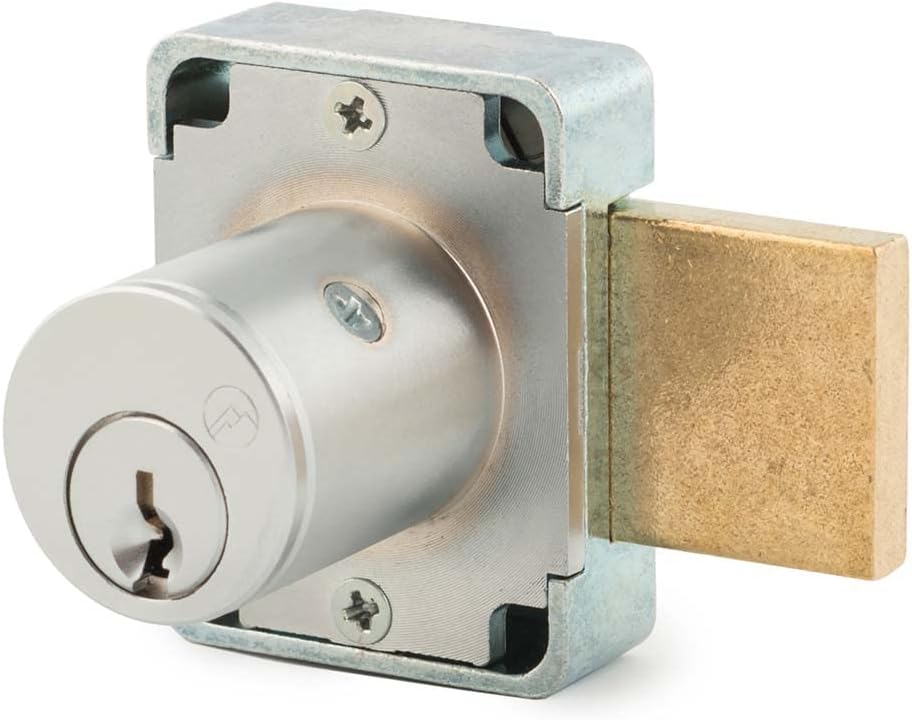
Image: The Olympus Lock 100DR Deadbolt Lock, showcasing its robust design and satin chrome finish.
Key Features
- Durable Construction: Features a Grade 1 rating with a durable zinc die-cast lock body and a solid brass, pin tumbler cylinder.
- Easily Rekeyable: Equipped with a set screw cylinder release mechanism for convenient rekeying. Keys are removable in both locked and unlocked positions.
- Versatile Application: Suitable for various cabinet and door locking needs in commercial and institutional settings.
- Non-Handed Design: Simplifies installation as the lock can be used on either left or right-handed doors.
- Keyed Alike Compatibility: Can be keyed together with other Olympus Lock N series locks for unified access.
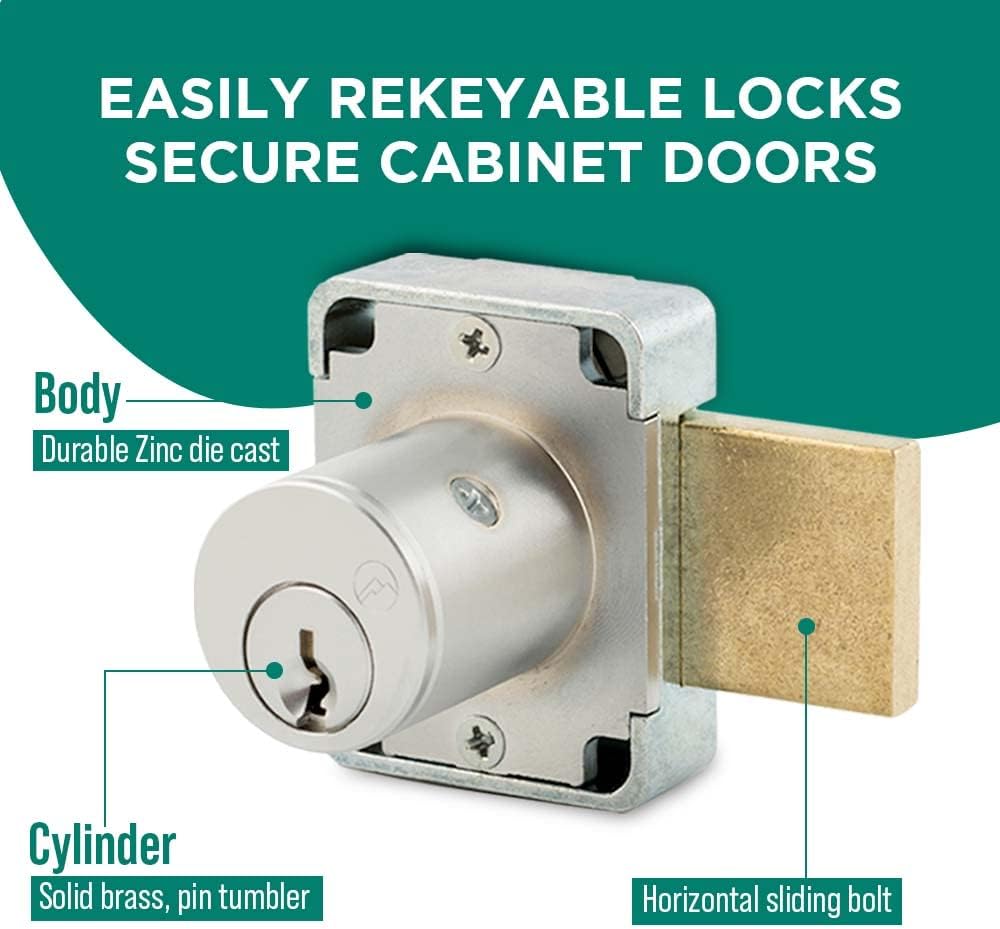
Image: Diagram illustrating the easily rekeyable design of the lock, highlighting the durable zinc die-cast body and solid brass pin tumbler cylinder.

Image: The Olympus Lock 100DR, indicating its ANSI/BHMA Grade 1 performance rating (E07121).
Package Contents
Each Olympus Lock 100DR Deadbolt Lock package includes the following components:
- 1 x 100DR Deadbolt Lock
- 2 x Keys (Key #915)
- 1 x 56-1 Bar Strike
- Lock Mounting Screws

Image: Visual representation of the package contents, including the deadbolt lock, two keys, the 56-1 bar strike, and mounting screws.
Setup and Installation
Follow these steps for proper installation of your Olympus Lock 100DR Deadbolt Lock. Ensure you have the necessary tools, such as a drill, screwdriver, and measuring tape, before beginning.
- Prepare the Door/Cabinet: Measure and mark the desired location for the lock on your cabinet or door. Refer to the dimensions diagram in the Specifications section for precise measurements.
- Drill Holes: Carefully drill the necessary holes for the lock cylinder and mounting screws according to the marked dimensions. Ensure holes are clean and free of debris.
- Insert Lock Body: Place the 100DR deadbolt lock body into the prepared opening, ensuring the cylinder is properly aligned.
- Secure Lock Body: Use the provided lock mounting screws to firmly attach the lock body to the door or cabinet. Do not overtighten.
- Install Bar Strike: Position the 56-1 bar strike on the frame or adjacent panel where the deadbolt will extend. Mark and drill pilot holes, then secure the strike with its screws. Ensure the strike is aligned for smooth bolt operation.
- Test Operation: Insert a key into the lock cylinder and test the locking and unlocking mechanism. The deadbolt should extend and retract smoothly into the strike plate without resistance.

Image: A hand inserting a key into a cabinet lock, demonstrating the final step of installation and testing.
Operating Instructions
The Olympus Lock 100DR Deadbolt Lock is designed for straightforward operation.
- Locking: Insert the key into the cylinder and turn it clockwise until the deadbolt fully extends into the strike plate. Remove the key. The key can be removed in both the locked and unlocked positions.
- Unlocking: Insert the key into the cylinder and turn it counter-clockwise until the deadbolt fully retracts. Remove the key.
- Rekeying: The lock is easily rekeyable using a set screw cylinder release mechanism. This process should be performed by a qualified locksmith or trained personnel to ensure proper security and function. Consult a locksmith for rekeying services.
Maintenance
Proper maintenance ensures the longevity and smooth operation of your deadbolt lock.
- Cleaning: Wipe the exterior of the lock with a soft, dry cloth. Avoid abrasive cleaners or solvents, which can damage the finish.
- Lubrication: Periodically apply a small amount of graphite lubricant or a silicone-based spray specifically designed for locks into the keyway. Do not use oil-based lubricants as they can attract dust and debris.
- Inspection: Regularly check the mounting screws for tightness and ensure the deadbolt operates smoothly. Address any looseness or resistance promptly.
Troubleshooting
| Problem | Possible Cause | Solution |
|---|---|---|
| Key is difficult to insert or turn. | Dirt or debris in keyway; worn key; lack of lubrication. | Clean keyway with compressed air. Apply graphite lubricant. Try a spare key. If problem persists, consult a locksmith. |
| Deadbolt does not extend or retract smoothly. | Misalignment of lock or strike plate; debris in bolt path; loose mounting screws. | Check alignment of lock and strike plate. Clear any obstructions. Tighten mounting screws. |
| Lock feels loose on the door/cabinet. | Loose mounting screws. | Tighten all mounting screws securely. |
Specifications
| Attribute | Detail |
|---|---|
| Model Name | 100DR |
| Brand | Olympus Lock |
| Lock Type | Deadbolt Lock (Key Lock) |
| Barrel Diameter | 7/8 inches |
| Cylinder Length | 15/16 inches |
| Material | Zinc Die-Cast Body, Solid Brass Pin Tumbler Cylinder |
| Finish | Satin Chrome |
| Grade | ANSI/BHMA Grade 1 (E07121) |
| Item Dimensions (L x W x H) | 1.5 x 1.5 x 1.63 inches |
| Item Weight | 1 Pound |
| Included Components | Lock, 2 Keys, 56-1 Bar Strike, Mounting Screws |

Image: Detailed technical drawing showing the standard dimensions for the 100DR Deadbolt Cabinet Door Lock, including cylinder length and barrel diameter.

Image: Comparison diagram of N Series Grade 1 Deadbolt Locks, showing dimensions for both 100DR (cabinet door) and 200DW (drawer) models.
Warranty and Support
Olympus Lock products are manufactured to high standards. For specific warranty information or technical support, please contact Olympus Lock directly. Details are typically available on the manufacturer's official website or through your point of purchase.
For further assistance, you may visit the Olympus Lock Store on Amazon.

Image: The official logo for Olympus Lock Inc., highlighting over 25 years of experience in designing and manufacturing rekeyable locks.
Related documents100DR


Ask a question about this manual
Ask about setup, troubleshooting, compatibility, parts, safety, or missing instructions. Manuals+ will review the question and use this page’s manual context to help answer it.