
Introduction
This manual provides detailed instructions for the safe installation, operation, and maintenance of the Nuvo TH621 Pro Series Commercial LED Track Head. Please read this manual thoroughly before installation and retain it for future reference.
The Nuvo TH621 Pro Series LED Track Head is designed for commercial, retail, and hospitality environments, offering high-lumen LED illumination with superior thermal management and advanced optics.
Safety Information
- WARNING: Risk of electric shock. Disconnect power at the fuse or circuit breaker before installation or servicing.
- This product must be installed in accordance with the applicable installation code by a person familiar with the construction and operation of the product and the hazards involved.
- Use only with H-type track systems.
- For indoor use only. Do not expose to water or moisture.
- Ensure all connections are secure and correct to prevent electrical hazards.
- Do not attempt to modify the fixture. Any modifications may void the warranty and create safety risks.
Package Contents
- Nuvo TH621 Pro Series Commercial LED Track Head (1 unit)
- Instruction Manual (this document)
Specifications
| Brand | Nuvo |
| Model Number | TH621 |
| Light Source Type | Integrated LED |
| Wattage | 30 Watts |
| Brightness | 2000 Lumens |
| Color Temperature | 3000 Kelvin (Warm White) |
| Color Rendering Index (CRI) | >93 |
| Beam Angle | 24 Degrees |
| Voltage | 120 Volts |
| Material | Aluminum, Polycarbonate |
| Finish | Powder Coated White |
| Dimensions (L x W x H) | 3.13" x 7.13" x 9.5" |
| Item Weight | 1.33 Pounds |
| Lifespan | Rated for 50,000 hours |
| Special Features | 350-degree rotation, 90-degree vertical articulation, Dimmable |
| Control Method | App (if compatible with smart track systems) |
| Installation Type | Semi Flush Mount (for H-type track) |
| Indoor/Outdoor Usage | Indoor Only |
Setup and Installation
Important: Before beginning installation, ensure the power supply to the track system is turned OFF at the circuit breaker.
- Verify Track System: Ensure your existing track system is an H-type track. This track head is designed exclusively for H-type track systems.
- Prepare the Track Head: Orient the track head connector to align with the track polarity. The connector has two prongs and a ground contact.
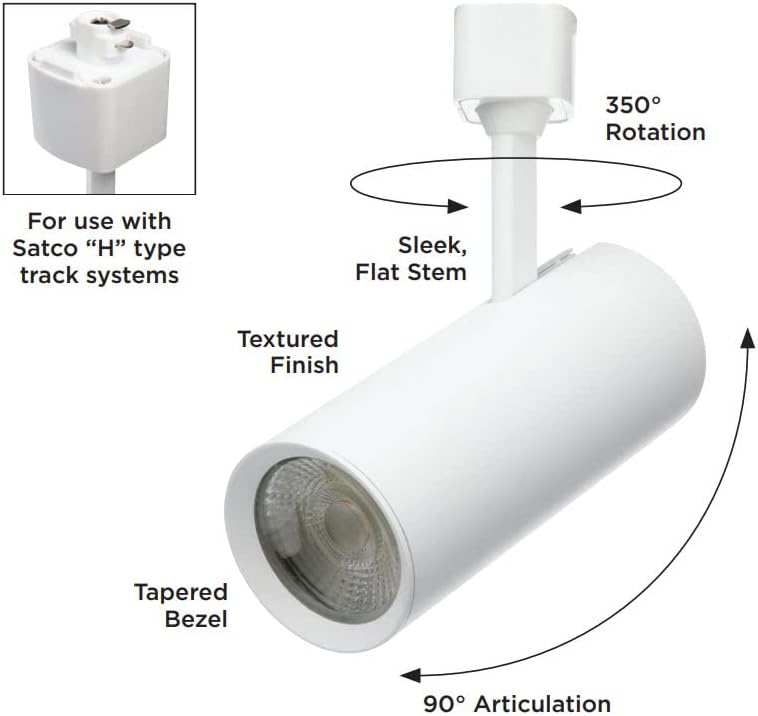
Image: Close-up view of the H-type track connector, showing the two prongs and ground contact for proper insertion into the track.
- Insert into Track: Insert the track head connector into the track slot. Push firmly until the connector is fully seated and the track head is securely in place.

Image: The Nuvo TH621 Pro Series LED Track Head shown installed on a white track system, demonstrating its cylindrical form and integrated light source.
- Secure the Track Head: Some track systems may have a locking mechanism. Ensure the track head is locked into position to prevent accidental dislodgement.
- Restore Power: Once installation is complete and secure, restore power to the track system at the circuit breaker.
Operating Instructions
The Nuvo TH621 track head offers flexible lighting control once installed.
- Power On/Off: Control the power to the track head using the wall switch connected to your track lighting system.
- Adjusting Direction: The track head features 350-degree horizontal rotation and 90-degree vertical articulation. Gently adjust the head to direct the light beam as desired. Avoid excessive force when adjusting.
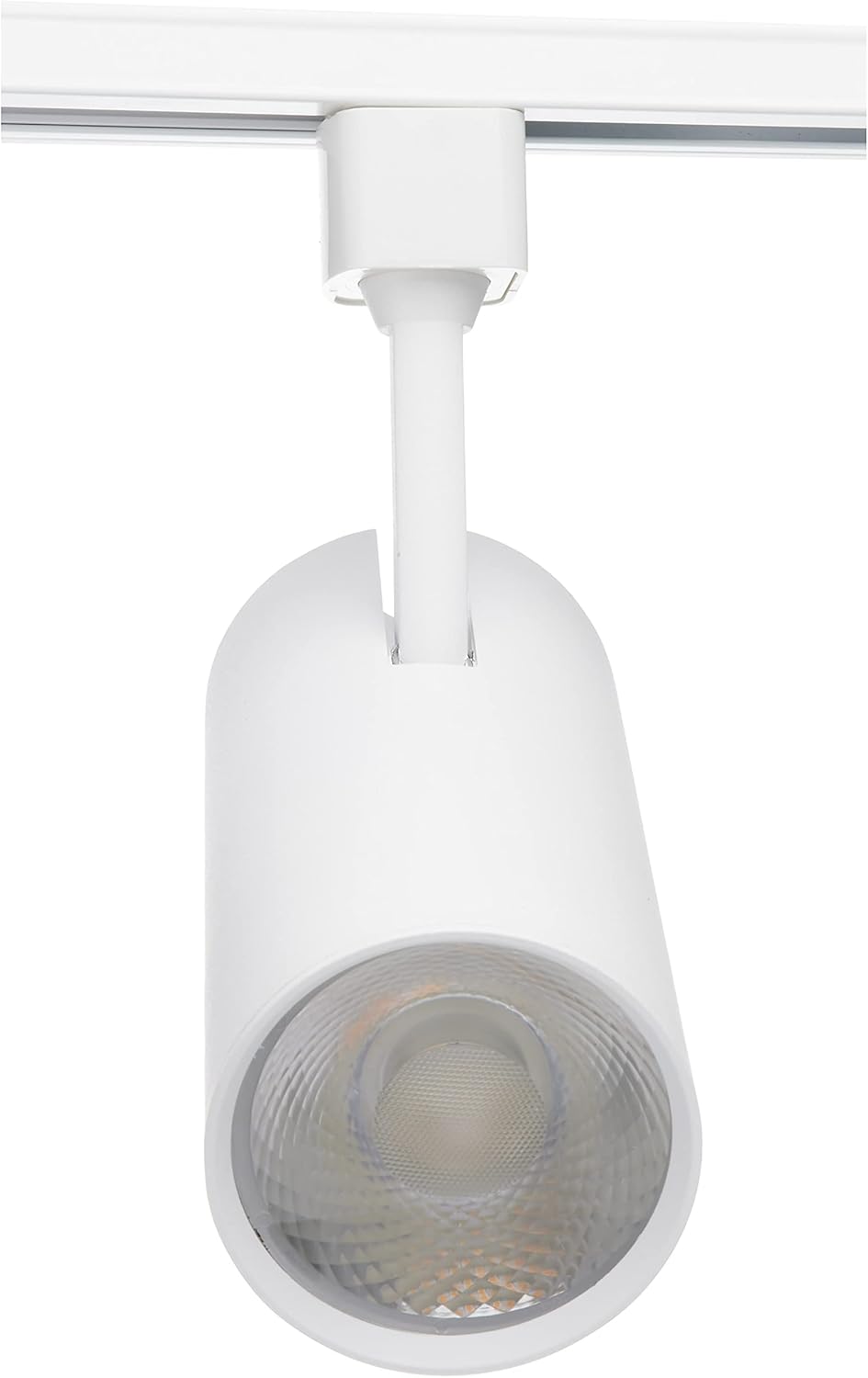
Image: A diagram showing the Nuvo TH621 track head with arrows indicating its 350-degree rotational capability and 90-degree vertical articulation for precise light positioning.
- Dimming: This track head is dimmable. If connected to a compatible dimmer switch, you can adjust the light intensity. Ensure your dimmer switch is rated for LED lighting.
- App Control: If your track lighting system is integrated with a smart home or app-controlled system, the track head may be controlled via the associated application. Refer to your smart system's manual for specific pairing and control instructions.
Maintenance
The Nuvo TH621 Pro Series LED Track Head requires minimal maintenance.
- Cleaning: Ensure power is OFF before cleaning. Wipe the fixture with a soft, dry cloth. Do not use abrasive cleaners, solvents, or cleaners containing alcohol, as these can damage the finish or electrical components.
- LED Light Source: The LED light source is integrated and not user-replaceable. The fixture is designed for a long operational life of up to 50,000 hours.
- Inspection: Periodically inspect the track head and track system for any signs of damage or loose connections. If any issues are found, disconnect power and consult a qualified electrician.
Troubleshooting
| Problem | Possible Cause | Solution |
|---|---|---|
| Light does not turn on. |
|
|
| Light flickers or dims unexpectedly. |
|
|
| Track head does not rotate or articulate smoothly. |
|
|
Warranty Information
The Nuvo TH621 Pro Series Commercial LED Track Head is covered by a 5-year limited manufacturer's warranty from the date of purchase. This warranty covers defects in materials and workmanship under normal use and service.
This warranty does not cover damage resulting from improper installation, accident, misuse, abuse, negligence, or unauthorized modification. For warranty claims, please retain your proof of purchase and contact Nuvo customer support.
Customer Support
If you have any questions, require technical assistance, or need to make a warranty claim, please contact Nuvo customer support through their official website or the retailer where the product was purchased.
For more information, visit the Nuvo Store on Amazon.


