
ASHATA ASHATApmb7ys5f9q553-11
ASHATA Portable Full Band Digital Radio User Manual
Model: ASHATApmb7ys5f9q553-11 | Brand: ASHATA
Introduction
The ASHATA Portable Full Band Digital Radio is a versatile device designed for comprehensive radio reception and multimedia playback. It supports FM, medium band, shortwave, and WB (North country weather band) frequencies, providing global access to broadcasts. Beyond radio, it offers Bluetooth connectivity and memory card playback, allowing you to enjoy your favorite music with 6 EQ modes. Its compact design, LCD display, alarm clock, and long-lasting removable battery make it an ideal companion for various listening needs.

Image: Front view of the ASHATA Portable Full Band Digital Radio, showcasing its compact size and LCD display.
Key Features
- Full Band Reception: Supports FM, medium band, short band, and WB (North country weather band) broadcasts.
- Multiple Play Modes: Connect via Bluetooth or play music from a Memory Card (up to 256GB). Features a "music spectrum display" mode.
- Easy Tuning: In radio mode, supports coded wheel or type tuning, automatic search, and manual saving of stations.
- Long Battery Life: Built-in 1000mAh removable lithium battery ensures extended usage. Backlight display for dark environments.
- Multi-functional: Includes lock and mute functions, time display, battery indicator, timed power-on, alarm, and adjustable sleep timer (90, 80, 70, 60, 50, 40, 30, 20, 10 minutes).
- High Power Speaker: Delivers full frequency shock with bright treble, distinct mid-range, and powerful bass.

Image: Diagram illustrating the complete functionality and powerful performance of the radio, highlighting features like 3W speaker, loud volume, portability, durable lithium battery, pulley tuning, Bluetooth, TF card support, lock function, sleep time, 114 station memory, LED display, alarm clock, and time display.

Image: Visual representation emphasizing the full band digital radio capabilities, including FM, Medium Band, Short Band, and WB (North American country weather band) reception.
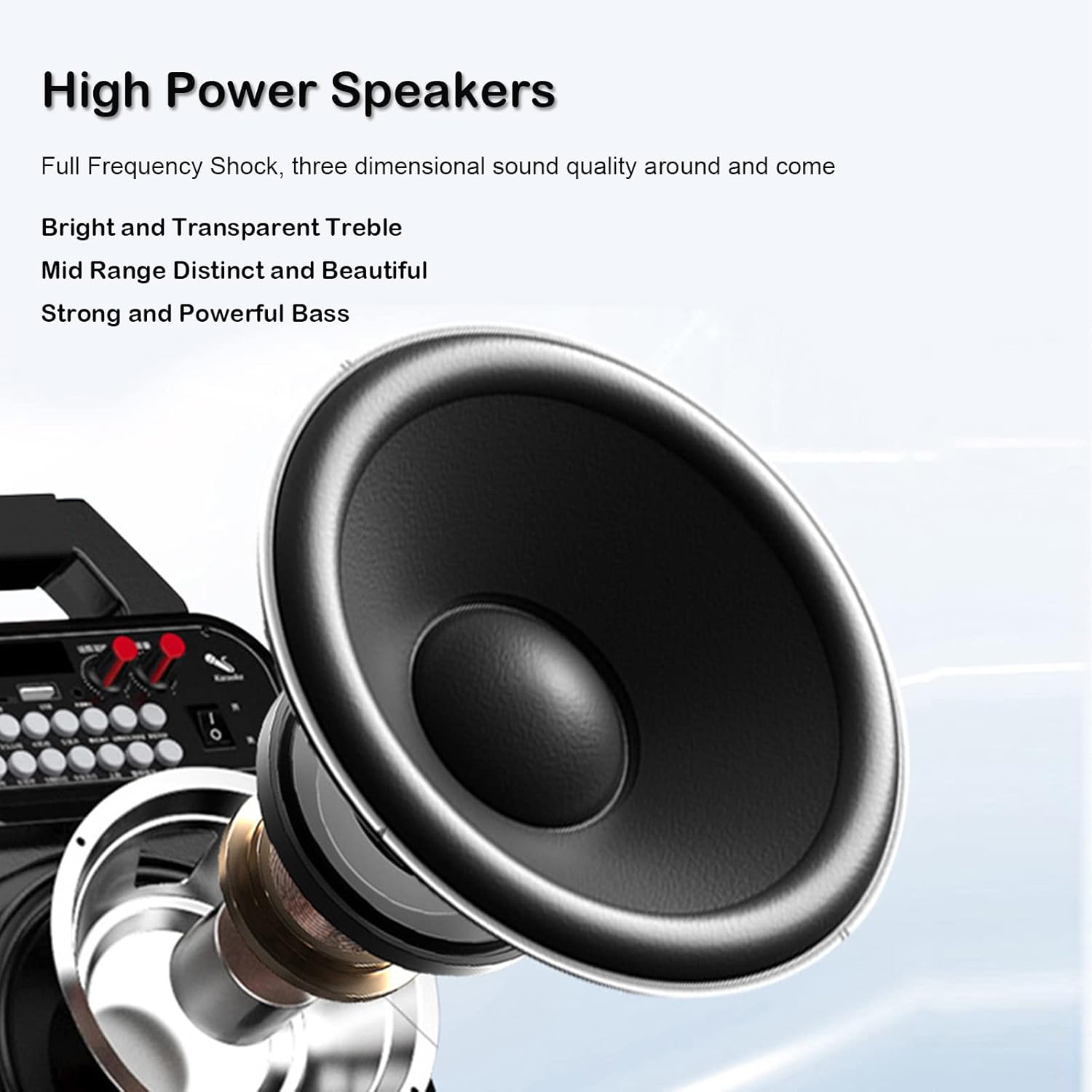
Image: Depiction of the radio's wireless Bluetooth connection, showing a smartphone connected to the device, indicating a stable transmission range of up to 10 meters with Bluetooth Version 5.0.

Image: Illustration highlighting the large capacity 1000mAh built-in lithium battery, emphasizing long usage time and fast charging capabilities.

Image: Close-up view of the radio's speaker components, detailing the high power speaker's ability to deliver full frequency shock, bright treble, distinct mid-range, and powerful bass.
What's in the Box
Upon opening your ASHATA Portable Full Band Digital Radio package, you should find the following items:
- Digital Radio Unit
- User Manual
- Lanyard
- Storage Bag
- Charging Cable

Image: All components included in the ASHATA Portable Full Band Digital Radio package: the radio unit, lanyard, charging cable, storage bag, and battery.
Setup Guide
1. Battery Installation
The ASHATA Portable Full Band Digital Radio uses a removable lithium battery. To install or replace the battery:
- Locate the battery compartment cover on the back of the radio.
- Gently slide or unclip the cover to open it.
- Insert the 1000mAh lithium battery into the compartment, ensuring the contacts align correctly.
- Close the battery compartment cover securely.

Image: View of the radio's open battery compartment with the removable battery placed next to it, showing the correct orientation for installation.
2. Charging the Battery
Before first use, it is recommended to fully charge the radio's battery.
- Connect the provided charging cable to the charging port on the radio.
- Connect the other end of the charging cable to a compatible USB power source (e.g., computer USB port, USB wall adapter).
- The charging indicator on the radio (if available) will show the charging status. Once fully charged, the indicator may change or turn off.
Operating Instructions
1. Power On/Off
- To power on the radio, press and hold the Power button.
- To power off, press and hold the Power button again.
2. Radio Mode (FM/MW/SW/WB)
The radio supports FM, Medium Wave (MW), Shortwave (SW), and Weather Band (WB) frequencies.
- Band Selection: Press the BAND button to cycle through FM, MW, SW, and WB modes.
- Tuning:
- Coded Wheel Tuning: Rotate the tuning wheel on the side of the radio to manually adjust the frequency.
- Type Tuning: Use the numerical keypad (if available) to directly input a frequency.
- Automatic Search: Press and hold the SCAN or AUTO button to automatically search for and save available stations.
- Saving Stations: After tuning to a desired station, follow the on-screen prompts or refer to the specific button (e.g., MEM or SAVE) to store it in memory. The radio can memorize up to 114 stations (32 for FM, 32 for medium band, 50 for short band).

Image: The radio's display showing a frequency, illustrating its capability to memorize 114 radio stations across different bands and support 6 EQ modes in BT/Memory Card mode.
3. Bluetooth Mode
Connect your radio to a Bluetooth-enabled device for wireless audio playback.
- Switch the radio to Bluetooth mode (usually by pressing the MODE button until "BT" or a Bluetooth icon appears).
- On your external device (e.g., smartphone), enable Bluetooth and search for available devices.
- Select "ASHATA Radio" or a similar name from the list to pair.
- Once paired, you can play audio from your device through the radio's speaker.
4. Memory Card (TF Card) Playback
Play music directly from a TF (MicroSD) card.
- Insert a TF card (up to 256GB) with supported music formats into the designated slot.
- Switch the radio to Memory Card mode (usually by pressing the MODE button until "CARD" or a memory card icon appears).
- Use the navigation buttons to browse and select tracks.
5. EQ Modes
The radio supports 6 EQ modes (FM/MW/SW/WB/BT/Music) to customize your audio experience. Press the EQ button to cycle through available equalization presets.
6. Alarm Clock & Sleep Timer
- Setting Alarm: Press the ALARM button and follow the on-screen instructions to set the alarm time and desired alarm source (e.g., radio, buzzer).
- Sleep Timer: Press the SLEEP button repeatedly to set the automatic power-off timer to 90, 80, 70, 60, 50, 40, 30, 20, or 10 minutes.
- Time Display: The LCD displays the current time. You can switch between 12-hour and 24-hour formats in the settings.
7. Lock & Mute Functions
- Lock: Press the LOCK button to prevent accidental button presses. Press again to unlock.
- Mute: Press the MUTE button to temporarily silence the audio. Press again to unmute.
Maintenance
Proper maintenance ensures the longevity and optimal performance of your ASHATA Portable Full Band Digital Radio.
- Cleaning: Use a soft, dry cloth to wipe the exterior of the radio. Do not use abrasive cleaners, solvents, or strong chemicals, as they may damage the surface.
- Battery Care: If the radio will not be used for an extended period, it is advisable to remove the battery to prevent leakage. Store the battery in a cool, dry place.
- Storage: Store the radio in a cool, dry environment, away from direct sunlight, extreme temperatures, and high humidity. Use the provided storage bag for protection.
- Water Resistance: This product is not water resistant. Avoid exposure to water or excessive moisture.
Troubleshooting
If you encounter issues with your radio, please refer to the following common problems and solutions:
| Problem | Possible Cause | Solution |
|---|---|---|
| Radio does not power on. | Battery is depleted or not installed correctly. | Ensure battery is fully charged and correctly inserted. |
| No sound or low volume. | Volume is too low; Mute function is active; Poor signal. | Increase volume. Deactivate Mute. Adjust antenna or move to an area with better reception. |
| Poor radio reception. | Weak signal; Antenna not extended; Interference. | Fully extend the telescopic antenna. Try repositioning the radio. Avoid strong electromagnetic interference sources. |
| Bluetooth connection issues. | Radio not in pairing mode; Device too far; Interference. | Ensure radio is in Bluetooth pairing mode. Keep devices within 10 meters. Restart both devices. |
| Memory card not recognized. | Card not inserted correctly; Unsupported format; Corrupted card. | Reinsert the TF card. Ensure music files are in a supported format. Try a different TF card. |
Specifications
| Feature | Detail |
|---|---|
| Brand | ASHATA |
| Model Number | ASHATApmb7ys5f9q553-11 |
| Connectivity Technology | Bluetooth |
| Tuner Technology | FM, AM (Medium Wave), Shortwave, Weather Band |
| Power Source | Battery Powered (1000mAh removable lithium battery) |
| Special Feature | Portable, LCD Display, Alarm Clock, Speaker, 6 EQ Modes, Memory Card Support |
| Item Weight | 8.1 ounces |
| Package Dimensions | 5.51 x 5 x 2.05 inches |
| Color | Khaki |
| Water Resistance Level | Not Water Resistant |
Warranty and Support
ASHATA products are manufactured with high quality standards. For information regarding warranty coverage, technical support, or service inquiries, please refer to the warranty card included in your product packaging or visit the official ASHATA website. Please retain your proof of purchase for any warranty claims.
For further assistance, you may contact ASHATA customer support through the contact information provided on the official brand store page or product documentation.
Visit the ASHATA Store on Amazon for more information.
Ask a question about this manual
Ask about setup, troubleshooting, compatibility, parts, safety, or missing instructions. Manuals+ will review the question and use this page’s manual context to help answer it.