
ecobee EB-STATE6-01
ecobee Smart Thermostat Premium User Manual
Model: EB-STATE6-01
Introduction
The ecobee Smart Thermostat Premium is designed to optimize your home's energy usage and comfort through advanced technology. It includes a SmartSensor to address temperature imbalances and features a built-in air quality monitor, smoke alarm detection, and geofencing capabilities. This manual provides essential information for setting up, operating, and maintaining your ecobee Smart Thermostat Premium.
Safety Information
Before beginning installation or operation, please read all safety instructions carefully. Ensure the power to your HVAC system is turned off at the circuit breaker before handling any wiring. Professional installation is recommended if you are unsure about any steps. This device operates on 24 Volts AC.
Package Contents
- ecobee Smart Thermostat Premium
- ecobee SmartSensor
- Backplate
- Wire labels
- Screws & drywall plugs
- Power Extender Kit (for systems without a C-wire)
- Trim plate
- Quick start guide
Setup & Installation
For detailed installation instructions, please refer to the Installation Manual (PDF). A Power Extender Kit is included for homes without a C-wire, ensuring compatibility with most 24VAC HVAC systems.
Compatibility
The ecobee Smart Thermostat Premium is compatible with a wide range of HVAC systems, including furnaces, ACs (2H/2C), heat pumps (2H/2C + 2 stage AUX), boilers, PTACs, and fan coil units (3 fan speeds).

Figure 1: HVAC System Compatibility Chart
This chart details the types of HVAC systems compatible with the ecobee Smart Thermostat Premium, along with the required wiring configurations. It helps users determine if their existing system is supported and what wiring is needed for installation.
Operating Instructions
Basic Operation
The thermostat features a large, vibrant display for easy interaction. You can adjust the temperature directly on the screen by tapping the desired temperature. Select your preferred mode (Heat, Cool, Auto, Off) from the main menu.
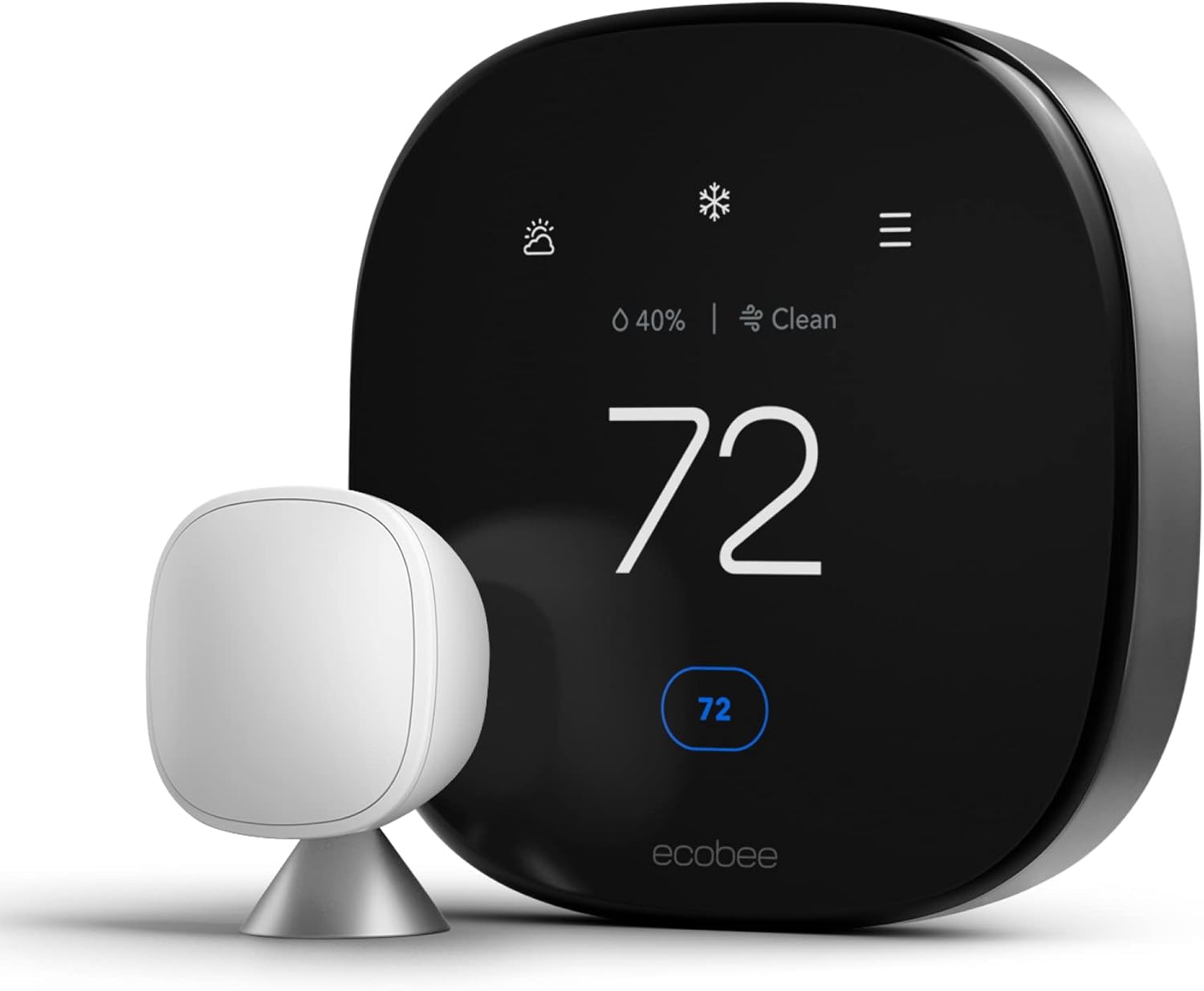
Figure 2: ecobee Smart Thermostat Premium with SmartSensor
This image displays the ecobee Smart Thermostat Premium alongside its included SmartSensor, showcasing the sleek design of both components.
SmartSensor Functionality
The included SmartSensor helps eliminate hot and cold spots by adjusting the temperature based on occupancy in the rooms that matter most. Multiple SmartSensors can be used in larger homes to ensure consistent comfort throughout.

Figure 3: SmartSensor Included
This image highlights the SmartSensor, a key component of the ecobee system, positioned next to the thermostat in a home environment.
Air Quality Monitoring
The built-in air quality monitor provides real-time data on your indoor air quality, alerting you to potential issues and offering tips for improvement. It also reminds you when to change your furnace's air filter.

Figure 4: Built-in Air Quality Monitor
A smartphone screen shows the ecobee app interface, displaying detailed information about indoor air quality, including pollutant levels and recommendations.
Voice Control and Smart Home Integration
The thermostat integrates with popular voice assistants like Siri and Amazon Alexa, allowing you to control your home's temperature using voice commands. It also functions as a home monitoring hub, detecting smoke alarms and potential break-ins when armed (ecobee Smart Security plan required for full monitoring features).

Figure 5: Voice Control Capabilities
This image illustrates the convenience of voice control, showing a user interacting with the ecobee thermostat using voice commands.

Figure 6: Home Monitoring Hub
The ecobee app interface on a smartphone demonstrates the thermostat's home monitoring capabilities, including arming and disarming security features.
Scheduling and Comfort Settings
Create custom schedules for heating and cooling to match your daily routine. Utilize Comfort Settings (Home, Away, Sleep) to automatically adjust temperatures based on occupancy and your preferences, maximizing energy savings and comfort.
Maintenance
The ecobee Smart Thermostat Premium will alert you when it's time to change your furnace's air filter, ensuring optimal system performance and air quality. Regularly wipe the screen and exterior with a soft, dry cloth to keep it clean. Avoid using abrasive cleaners or solvents.
Troubleshooting
If you encounter issues, first ensure the thermostat is properly powered and connected to your Wi-Fi network. Many common problems can be resolved by restarting the thermostat or checking the wiring connections. For more detailed troubleshooting steps, refer to the comprehensive User Manual (PDF) or the User Guide (PDF).
Specifications
| Feature | Detail |
|---|---|
| Brand | ecobee |
| Model Name | Smart Thermostat Premium |
| Model Number | EB-STATE6-01 |
| Product Dimensions | 2.9"D x 4.09"W x 4.09"H |
| Controller Type | Amazon Alexa, Android, Apple HomeKit, Google Assistant, iOS |
| Special Feature | Amazon Alexa, Siri, Wired Smart Thermostat |
| Color | Black |
| Specific Uses | Furnace |
| Temperature Control Type | Heating, Cooling |
| Connectivity Technology | Bluetooth, Wi-Fi |
| Power Source | Battery Powered (1 Lithium Ion battery included) |
| Voltage | 24 Volts |
| Material | Metal |
| Mounting Type | Wall Mount |
| Energy Star Certified | Yes |
| UPC | 627988004006 |
Warranty & Support
The ecobee Smart Thermostat Premium comes with a 3-year manufacturer's warranty. For support, detailed user guides, and additional resources, please visit the official ecobee Store on Amazon or consult the provided PDF documents: Installation Manual, User Manual, and User Guide.
Related documentsEB-STATE6-01


Ask a question about this manual
Ask about setup, troubleshooting, compatibility, parts, safety, or missing instructions. Manuals+ will review the question and use this page’s manual context to help answer it.