
1. Introduction
Thank you for choosing the LASTAR 10,000 Lux UV Free Daylight Lamp. This device is designed to provide natural light therapy, which may help improve sleep, concentration, energy levels, and overall vitality. It features adjustable brightness, multiple color temperatures, a timer function, and a memory function for personalized use. Please read this manual thoroughly before operating the device to ensure safe and effective use.
2. Important Safety Information
Please observe the following safety precautions to prevent injury or damage to the device:
- Do not immerse the device in water or any other liquid.
- Keep the device away from heat sources and direct sunlight.
- Do not use the device if the power cord or plug is damaged.
- Ensure the device is placed on a stable, flat surface or securely mounted to a wall.
- Avoid direct, prolonged eye contact with the light source, especially at maximum brightness.
- Consult a healthcare professional before use if you have any pre-existing eye conditions, skin conditions, or are taking medications that increase light sensitivity.
- This device is for indoor use only.
3. Package Contents
Verify that all items are present in the package:
- LASTAR 10,000 Lux UV Free Daylight Lamp
- USB-C Power Cable
- Power Adapter
- Wall Mounting Screws and Anchors (1 set)
- User Manual
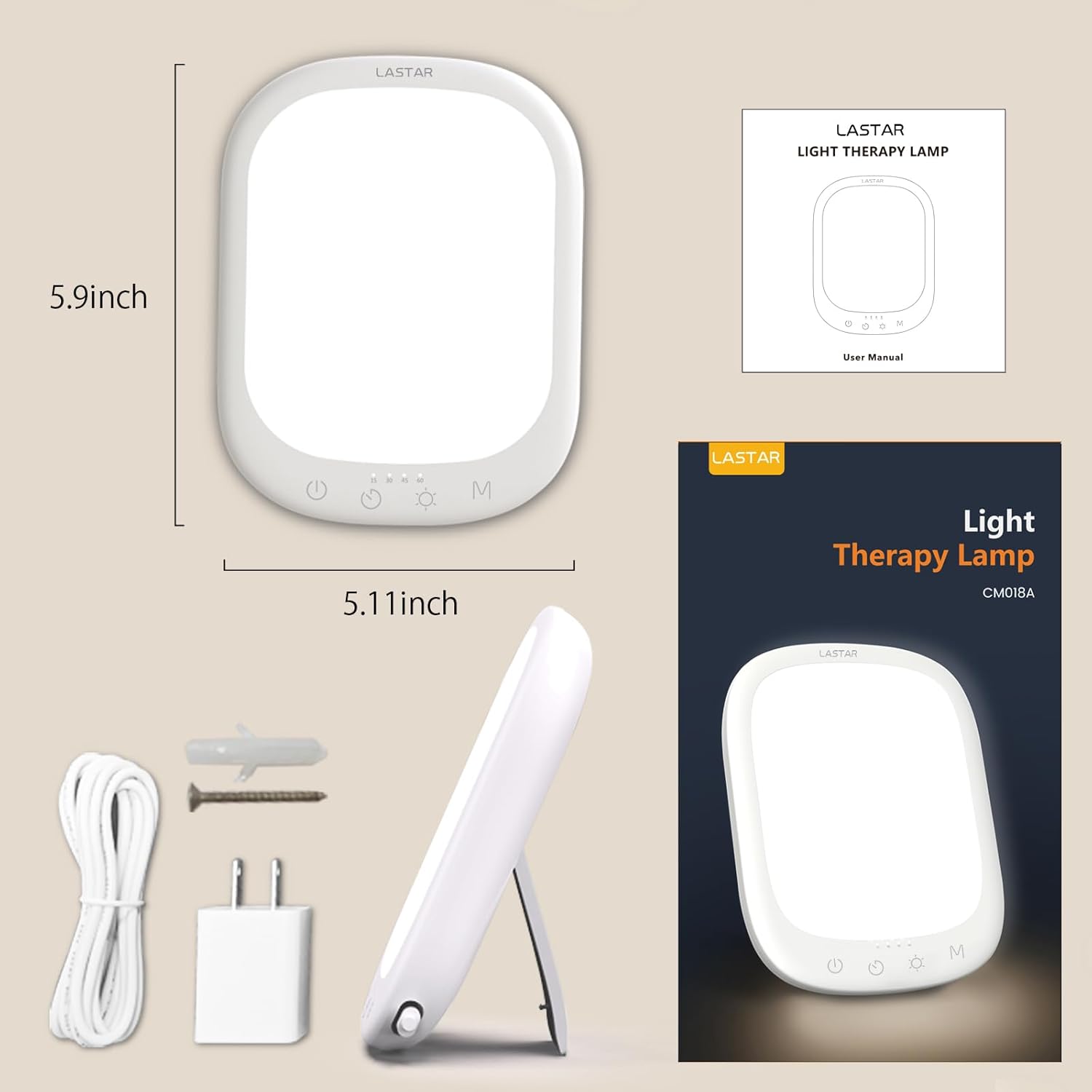
Image: The package contents of the LASTAR Sun Lamp, showing the lamp, power adapter, USB-C cable, wall mounting screws and anchors, and the user manual.
4. Product Overview
The LASTAR Daylight Lamp features a sleek, compact design with intuitive touch controls located at the bottom front of the device. It includes a built-in kickstand for desktop use and a keyhole slot for wall mounting.

Image: Front view of the LASTAR Sun Lamp, showcasing its minimalist design and touch-sensitive control panel at the base.
Control Panel:
- Power Button (⏻): Turns the lamp On/Off.
- Brightness Adjustment (☀): Cycles through 5 brightness levels (15%, 30%, 50%, 70%, 100%).
- Timer Button (⏱): Sets the auto-off timer for 15, 30, 45, or 60 minutes.
- Color Temperature (M): Adjusts between 4 color temperature options (3000K, 4000K, 5000K, 6000K).
5. Setup
The LASTAR Daylight Lamp offers versatile placement options:
Desktop Placement:
Simply extend the integrated kickstand located on the back of the lamp to position it upright on any flat surface. Ensure the surface is stable to prevent the lamp from tipping over.
Wall Mounting:
The lamp can be mounted on a wall using the provided screws and anchors. Locate the keyhole slot on the back of the device. Mark the desired position on the wall, drill a pilot hole, insert the anchor, and then screw in the screw, leaving a small portion exposed for the keyhole to hook onto. Carefully hang the lamp, ensuring it is secure.

Image: The back of the LASTAR Sun Lamp, illustrating the adjustable kickstand for tabletop use and the keyhole for wall mounting, along with the included screws and anchors.
Power Connection:
Connect the USB-C power cable to the port on the lamp and plug the power adapter into a standard electrical outlet. The lamp is now ready for operation.
6. Operation
Turning On/Off:
Press the Power Button (⏻) once to turn the lamp on. Press it again to turn the lamp off.
Adjusting Brightness:
With the lamp on, short press the Brightness Adjustment Button (☀) to cycle through the 5 available brightness levels: 15%, 30%, 50%, 70%, and 100%.

Image: A visual representation of the five brightness levels available on the LASTAR Sun Lamp, demonstrating the range from dim to full intensity.
Changing Color Temperature:
Touch the Color Temperature Button (M) to switch between the 4 color temperature settings: 3000K (warm light), 4000K, 5000K, and 6000K (cool daylight).

Image: This diagram displays the four distinct color temperature options of the LASTAR Sun Lamp, ranging from a warm 3000K to a cool 6000K.
Setting the Timer:
Press the Timer Button (⏱) to set the automatic shut-off timer. Available settings are 15, 30, 45, and 60 minutes. The corresponding indicator light will illuminate to show the selected duration. The lamp will automatically turn off once the timer expires.
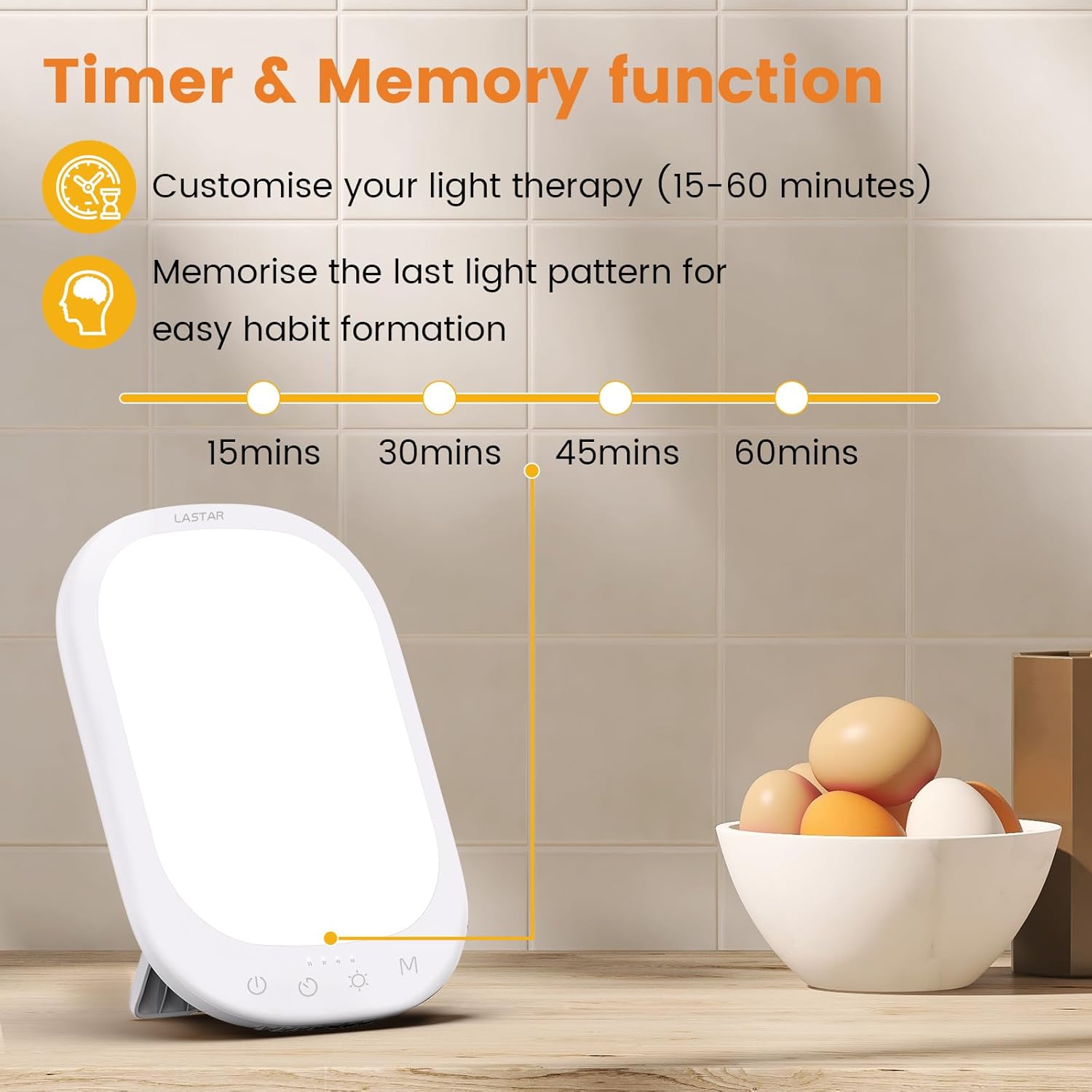
Image: The LASTAR Sun Lamp's timer function is shown, highlighting the selectable durations of 15, 30, 45, and 60 minutes for automated operation.
Memory Function:
The lamp features a memory function that recalls the last used brightness and color temperature settings when turned off. The next time the lamp is powered on, it will resume with these previously selected settings.
7. Features
- 20 Lighting Modes: Combines 4 color temperature options (3000K/4000K/5000K/6000K) with 5 brightness levels (15%/30%/50%/70%/100%) for a total of 20 customizable lighting experiences.
- 10,000 Lux Full Spectrum Light: Provides natural, UV-Free light designed to mimic daylight, promoting improved mood, energy, and sleep patterns.
- Portable Design: Its medium-thickness and compact size make it easy to carry in a backpack, suitable for home, office, or travel.
- Optimized Setting: Equipped with an adjustable stand and wall mounting holes for flexible placement. Supports USB-C charging and smart plug integration for convenience.
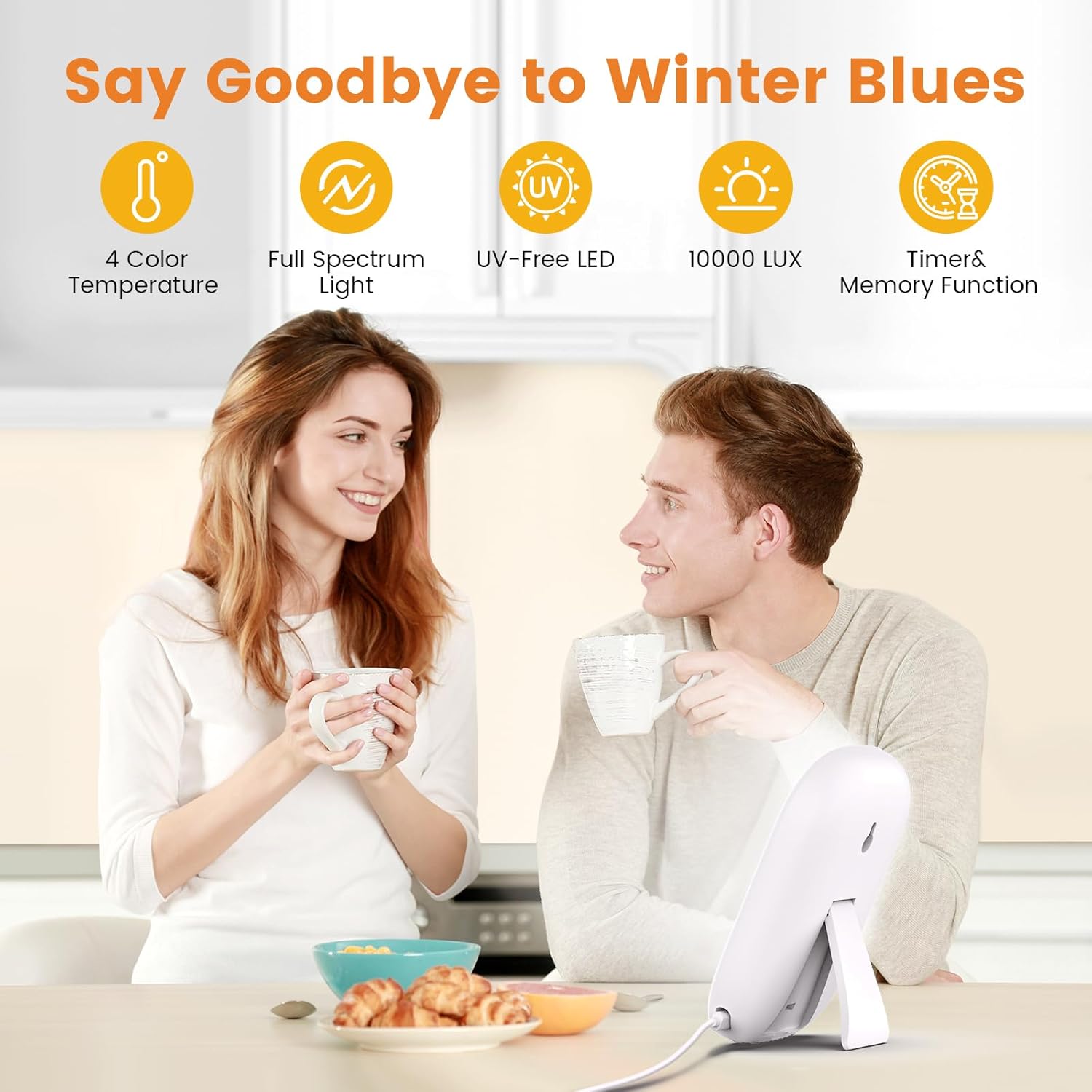
Image: An overview of the LASTAR Sun Lamp's main features, including its 4 color temperature settings, full spectrum light, UV-free LED technology, 10,000 Lux output, and integrated timer and memory functions.
8. Maintenance
To ensure the longevity and optimal performance of your LASTAR Daylight Lamp, follow these maintenance guidelines:
- Cleaning: Disconnect the power before cleaning. Use a soft, dry cloth to wipe the surface of the lamp. Do not use abrasive cleaners, solvents, or harsh chemicals, as these may damage the finish.
- Storage: When not in use for extended periods, store the lamp in a cool, dry place, away from direct sunlight and moisture.
- Handling: Handle the lamp with care to avoid dropping or impacting it, which could damage internal components.
9. Troubleshooting
If you encounter any issues with your LASTAR Daylight Lamp, please refer to the following common problems and solutions:
| Problem | Possible Cause | Solution |
|---|---|---|
| Lamp does not turn on. | Power cable not properly connected or no power from outlet. | Ensure the USB-C cable is securely connected to both the lamp and the power adapter. Verify the power adapter is plugged into a working electrical outlet. |
| Light flickers or is dim. | Insufficient power supply or faulty cable. | Use the original power adapter and cable. Try a different outlet. If the issue persists, contact customer support. |
| Controls are unresponsive. | Temporary software glitch or dirty touch panel. | Disconnect and reconnect the power to reset the device. Clean the touch control area with a soft, dry cloth. |
If the problem persists after attempting these solutions, please contact LASTAR customer support for further assistance.
10. Specifications
- Product Dimensions: 5 x 5 x 5.9 inches
- Weight: 10.23 ounces
- Light Intensity: 10,000 Lux
- Color Temperature Options: 3000K, 4000K, 5000K, 6000K
- Brightness Levels: 5 (15%, 30%, 50%, 70%, 100%)
- Timer Functions: 15, 30, 45, 60 minutes
- UV-Free: Yes
- Power Source: USB-C (supports smart plug)
- Base Material: Plastic
- Shade Material: Acrylonitrile Butadiene Styrene
- Switch Type: Touch
11. Warranty and Support
This product is covered by a manufacturer's warranty. For specific warranty details and duration, please refer to the warranty card included in your product packaging or visit the official LASTAR website.
Legal Disclaimer:
Statements regarding dietary supplements have not been evaluated by the FDA and are not intended to diagnose, treat, cure, or prevent any disease or health condition.
Customer Support:
For technical support, troubleshooting, or warranty claims, please contact LASTAR customer service through the following channels:
- Website: Visit the LASTAR Store on Amazon
- Email: Refer to product packaging for contact email.
- Phone: Refer to product packaging for contact number.


