
Introduction
This manual provides detailed instructions for the proper setup, operation, and maintenance of your SMAEL Men's Military Waterproof Sport Watch, Model 8038. Please read this manual thoroughly to ensure optimal performance and longevity of your watch. This watch features a dual time display (analog and digital), LED backlight, and is designed for various sports activities.
Product Overview
The SMAEL Model 8038 is a robust sport watch designed for durability and functionality. It combines a classic analog display with a versatile digital display, offering multiple features for daily use and outdoor activities.
- Dual Time Display: Shows both analog and digital time simultaneously.
- LED Backlight: Illuminates the digital display for visibility in low-light conditions.
- 50M Water Resistance: Suitable for everyday use, splashes, and brief immersion.
- Multifunctionality: Includes features like stopwatch, alarm, and date display.
- Durable Construction: Features a strong PU strap and a case made of strong rubber with high-strength hardened glass.
Watch Components
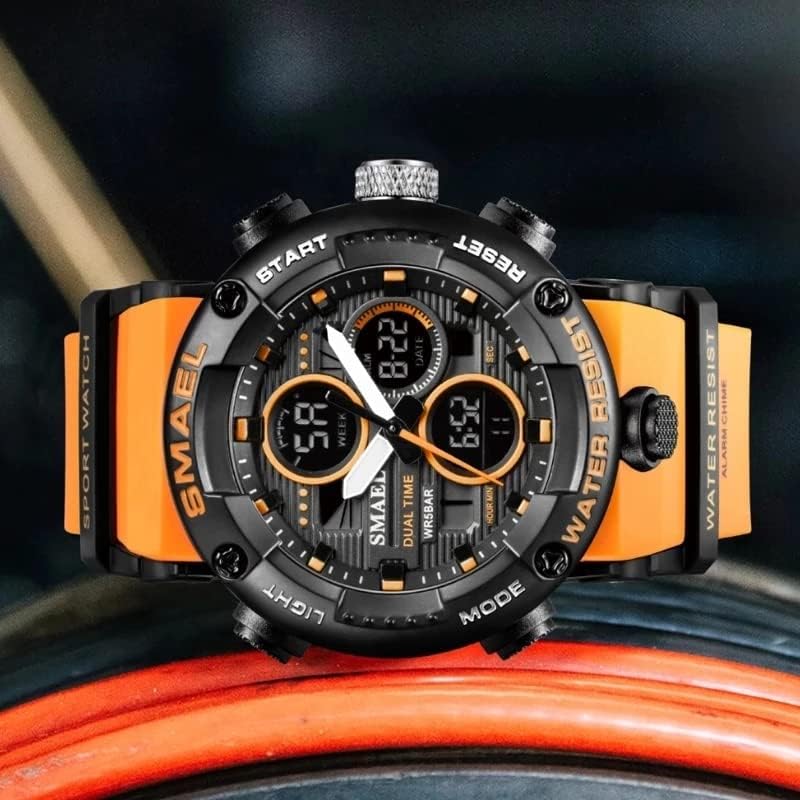
Familiarize yourself with the watch's buttons and display areas:
- LIGHT Button: Activates the LED backlight.
- MODE Button: Cycles through different digital display modes (Time, Alarm, Stopwatch).
- START Button: Used to start/stop functions in stopwatch mode or adjust settings.
- RESET Button: Used to reset functions or confirm settings.
- Analog Hands: Display the current time.
- Digital Display: Shows time, date, day, and other functions.

Setup Instructions
Setting Digital Time and Date
- Press the MODE button repeatedly until the digital time display starts flashing, indicating it is in setting mode.
- Use the START button to adjust the flashing value (e.g., seconds, minutes, hour).
- Press the RESET button to move to the next setting item (e.g., from seconds to minutes, then hour, date, month, day of week).
- Repeat steps 2 and 3 until all desired settings are adjusted.
- Press the MODE button to exit the setting mode and save your changes.
Setting Analog Time
The analog time is typically set by pulling out the crown (the knob on the side of the watch) and rotating it to adjust the hands. Push the crown back in to start the analog movement.
Operating Instructions
Switching Modes
Press the MODE button to cycle through the available digital functions: Time Display, Alarm Setting, and Stopwatch.
Using the LED Backlight
Press the LIGHT button to illuminate the digital display for a few seconds. This feature is useful in dark environments.

Stopwatch Function
- Press the MODE button until the stopwatch display appears (usually showing '00:00:00').
- Press the START button to begin timing.
- Press the START button again to pause the stopwatch.
- Press the RESET button to clear the stopwatch to zero.
Alarm Function
- Press the MODE button until the alarm setting display appears.
- Use the START and RESET buttons to set the desired alarm time.
- Press the MODE button to exit the alarm setting.
- The alarm will sound at the set time. Press any button to stop the alarm.
Maintenance
Cleaning Your Watch
To clean your watch, wipe it with a soft, damp cloth. Avoid using harsh chemicals or abrasive materials, as these can damage the watch's finish or seals.
Battery Replacement
When the display dims or the watch stops functioning, the battery may need replacement. Battery replacement should ideally be performed by a qualified watch technician to ensure the water resistance seal is properly maintained.
Water Resistance Guidelines
Your SMAEL Model 8038 watch is rated for 50 meters (5 ATM) water resistance. This means it is suitable for everyday use, such as splashes, rain, and brief immersion in water. However, to maintain the integrity of the water resistance:
- Do not press any buttons underwater. Pressing buttons underwater can compromise the watch's seals and allow water to enter.
- Avoid exposure to hot water or steam. Hot water, saunas, and hot tubs can cause the watch's seals to expand and contract, leading to water leakage.
- While rated for 50M, it is recommended to avoid prolonged swimming or diving to prevent potential issues.
Troubleshooting
- Digital Display is Dim or Blank: This usually indicates a low battery. Replace the battery as soon as possible.
- Analog Hands Not Moving: Check if the crown is pushed in completely. If it is, the battery for the analog movement might be depleted.
- Time is Inaccurate: Re-set the time following the instructions in the Setup section. If inaccuracy persists, the battery may be weak or the movement may require servicing.
- Buttons Unresponsive: Ensure the watch is not in a locked mode (if applicable, though not a common feature for this model). If unresponsive, a battery issue or internal malfunction may be present.
- Moisture Inside the Watch: If you observe condensation or moisture under the glass, this indicates a compromised water resistance seal. Stop using the watch immediately and seek professional repair to prevent further damage.
Specifications
| Feature | Detail |
|---|---|
| Brand | SMAEL |
| Model Name | 8038 |
| Display Type | Analog-Digital |
| Watch Movement Type | Japanese Quartz |
| Water Resistance Depth | 50 Meters (5 ATM) |
| Case Material Type | Rubber |
| Band Material Type | Polyurethane (PU) |
| Clasp Type | Buckle |
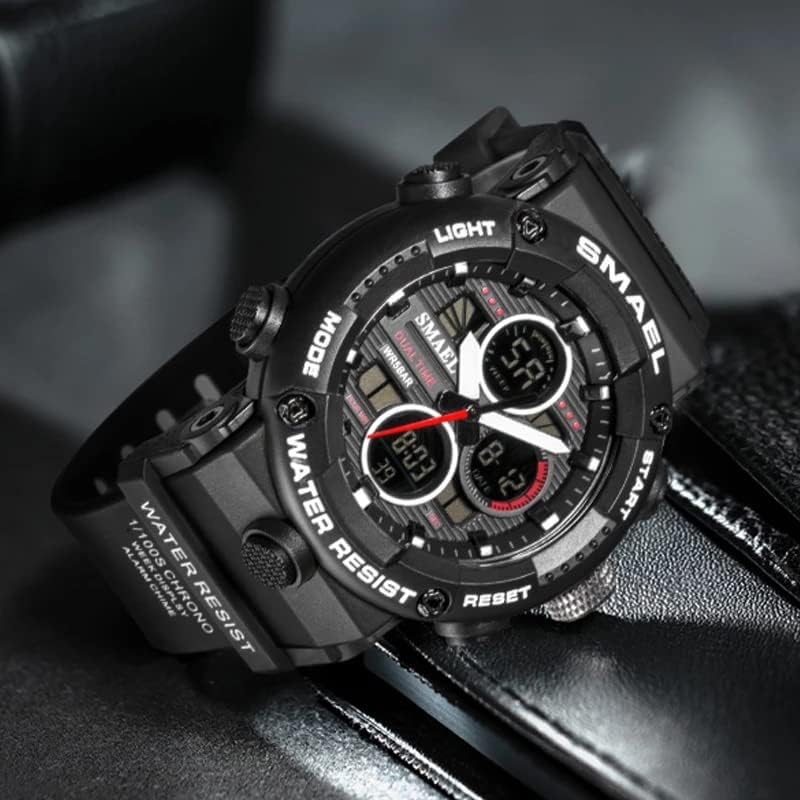
| Case Diameter | Approximately 52mm (from image) |
| Case Thickness | Approximately 18mm (from image) |
| Band Width | Approximately 22mm (from image) |
| Weight | Approximately 66g (from image) |
| Power Source | Battery Powered |
| Additional Features | Chronograph, Alarm, LED Backlight |
Warranty and Support
Warranty Information
This SMAEL watch comes with a Lifetime Warranty. Please retain your proof of purchase for any warranty claims.
Customer Support
For any questions, concerns, or technical assistance regarding your SMAEL watch, please contact the seller or manufacturer directly. Refer to your purchase documentation for specific contact details.
