Product Overview
The JASHEN F12 is a versatile wet and dry vacuum cleaner designed for efficient cleaning of hard floors. It combines vacuuming, mopping, and drying in a single pass, ensuring a fresh and clean home with minimal effort. Its intelligent design includes separate water tanks for clean and dirty water, ensuring you always clean with fresh water.

Image: The JASHEN F12 wet and dry vacuum cleaner, its charging dock, and a bottle of floor cleaning solution. This image illustrates the main components included with the product.
Key Features:
- All-in-One Cleaning: Vacuums, mops, and dries hard floors simultaneously for comprehensive cleaning.
- Versatile Application: Ideal for all hard floor types, including vinyl, tile, and sealed wood like parquet.
- Long-lasting Battery: Features a replaceable battery that charges in approximately 180 minutes, providing up to 35 minutes of runtime.
- Powerful Suction: Adjustable suction power with a Max mode for tackling stubborn dirt and spills.
- Dual Water Tank System: Separates clean and dirty water, ensuring continuous cleaning with fresh water.
- User-Friendly Controls: Convenient controls on the handle and a large LED display for easy access to functions and important information.
- Self-Cleaning Function: Automatic cleaning of the roller brush during charging to prevent unpleasant odors and maintain hygiene.
Setup and Assembly
Before first use, ensure all components are present and assemble the vacuum cleaner according to these steps.
- Unpack Components: Carefully remove all parts from the packaging. Verify that all items listed in the packing list are included.
- Handle Assembly: Insert the handle into the main body of the vacuum cleaner until it clicks securely into place.
- Charging the Battery: Place the vacuum cleaner on its intelligent charging station. Connect the charging station to a power outlet. The LED display will indicate charging status. A full charge takes approximately 180 minutes.
- Fill Fresh Water Tank: Remove the fresh water tank from the vacuum cleaner. Open the cap and fill it with clean tap water. For enhanced cleaning, you may add a small amount of JASHEN floor cleaning solution (ensure it is compatible with wet/dry vacuums). Do not exceed the MAX fill line. Securely close the cap and reinsert the tank into the vacuum.

Image: The JASHEN F12 vacuum cleaner docked on its intelligent charging station, ready for charging or self-cleaning.

Image: A hand holding the transparent fresh water tank, filling it with water. This demonstrates the process of preparing the vacuum for wet cleaning.

Image: A bottle of JASHEN floor cleaning solution, indicating its use for various hard floor types like tiles, wood, and marbles.
Operating Instructions
Follow these steps for effective cleaning with your JASHEN F12 vacuum cleaner.
- Power On: Press the power button located on the handle to turn on the vacuum cleaner. The LED display will illuminate, showing the current mode and battery level.
- Select Mode: Use the mode selection button on the handle to switch between standard cleaning and Max mode for tougher messes.
- Begin Cleaning: Tilt the vacuum cleaner back to engage the brush roll and begin moving it across the hard floor surface. The vacuum will simultaneously dispense clean water, scrub, and suction up dirty water and debris.
- Cleaning Pet Messes: The JASHEN F12 is effective at cleaning up pet paw prints and other common pet-related messes on hard floors.
- Hard Floor Compatibility: The vacuum is designed for various hard floor surfaces, including wood, tile, and vinyl.
- Power Off: When finished, press the power button again to turn off the vacuum. Return it to the charging station for self-cleaning and recharging.
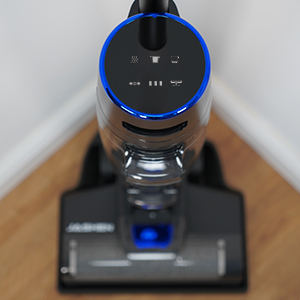
Image: A close-up view of the JASHEN F12's LED display, showing various indicators for mode, battery, and water levels.

Image: The JASHEN F12 vacuum head positioned next to a spill of liquid and debris on a wooden floor, demonstrating its wet cleaning capability.
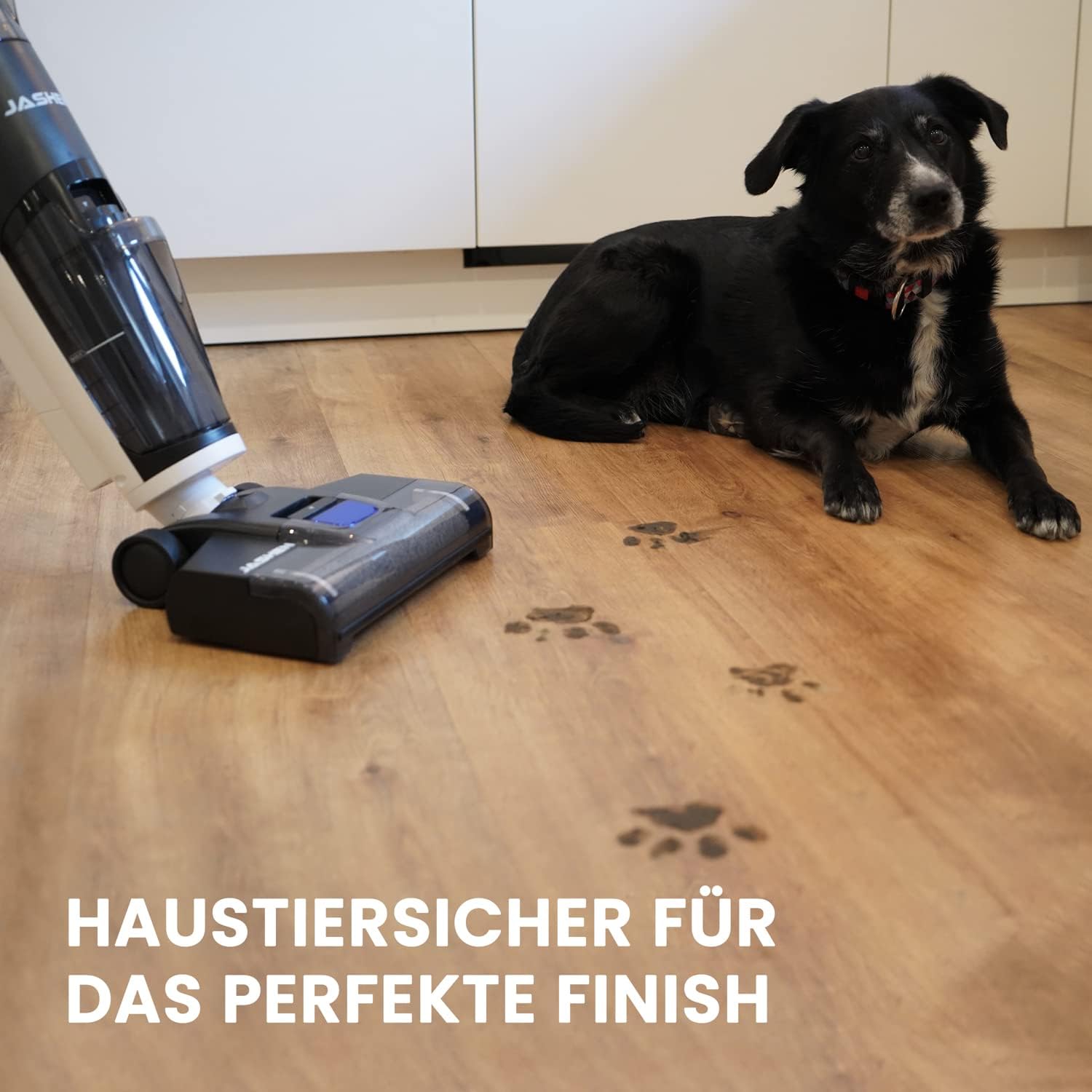
Image: The JASHEN F12 vacuum head cleaning up muddy paw prints on a wooden floor, with a dog resting in the background, highlighting its pet-friendly cleaning.

Image: A close-up of the JASHEN F12 brush head transitioning between a wooden floor and a tiled floor, illustrating its suitability for various hard floor types.
Maintenance
Regular maintenance ensures optimal performance and extends the lifespan of your JASHEN F12.
- Self-Cleaning Cycle: After each use, place the vacuum on the charging station. Press the self-clean button (if available, or it may start automatically). This function thoroughly cleans the roller brush, preventing odors and maintaining hygiene.
- Emptying Dirty Water Tank: After each cleaning session, remove the dirty water tank. Open the drain cap and empty the contents into a sink or toilet. Rinse the tank thoroughly with clean water.
- Cleaning the Roller Brush: Even with self-cleaning, occasional manual cleaning of the roller brush may be necessary. Remove the brush cover and then the roller brush. Rinse it under running water and remove any tangled hair or debris. Allow it to air dry completely before reinserting.
- Cleaning/Replacing Filter: Locate the filter, usually within the dirty water tank assembly. Remove and rinse it under water. Allow it to dry completely before reinserting. Replace the filter every 3-6 months, or as needed, depending on usage.
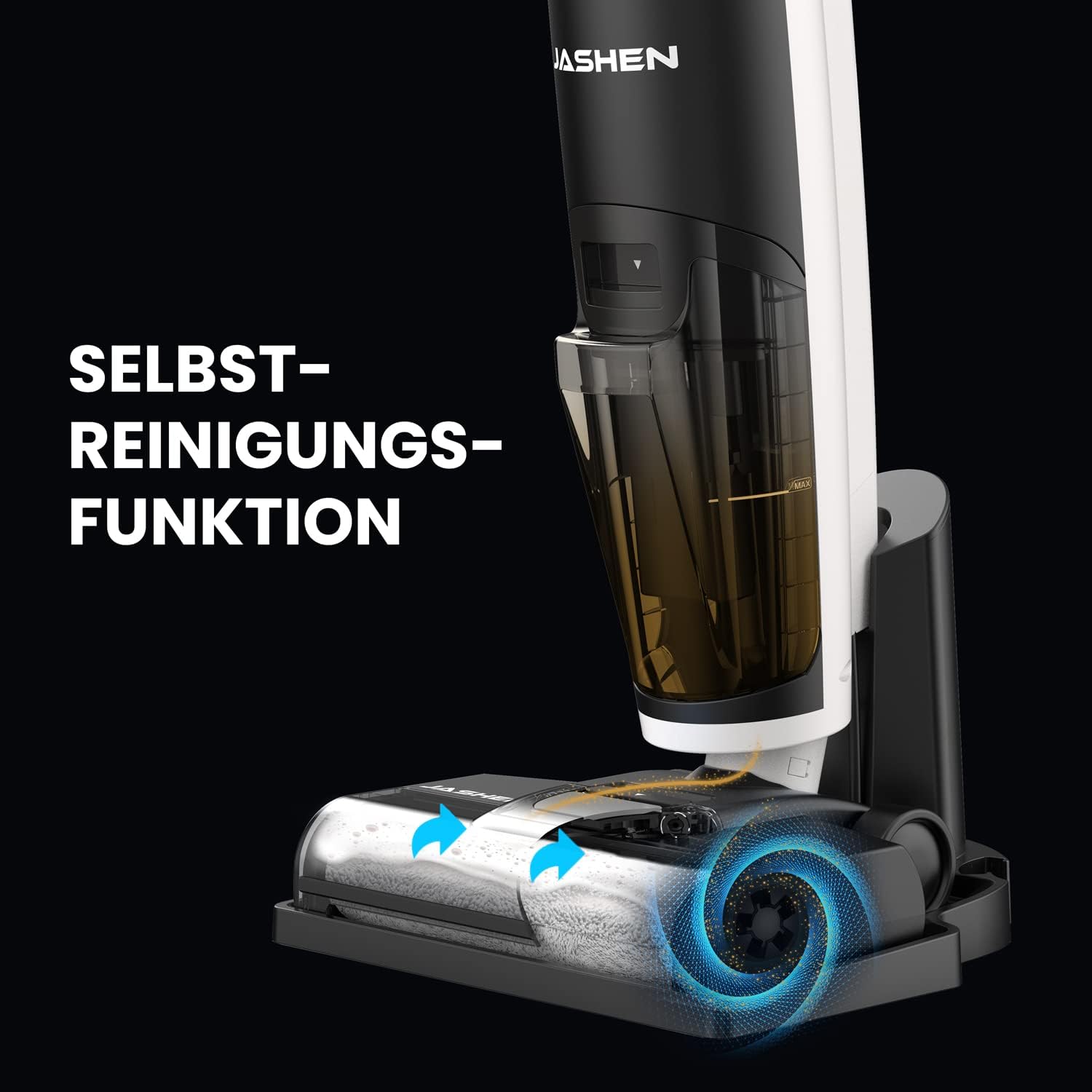
Image: An illustration showing the self-cleaning function of the JASHEN F12, with water and air currents cleaning the brush roll while docked.

Image: A hand pouring water into the dirty water tank, demonstrating the rinsing process after emptying its contents.

Image: A hand holding the roller brush, having just removed it from the vacuum cleaner's head, illustrating the process for manual cleaning or replacement.
Troubleshooting
If you encounter issues with your JASHEN F12, refer to the following common problems and solutions.
| Problem | Possible Cause | Solution |
|---|---|---|
| Vacuum does not turn on. | Battery is low or depleted. | Place the vacuum on the charging station and allow it to charge fully. |
| Poor suction or cleaning performance. | Dirty water tank is full; Fresh water tank is empty; Roller brush is clogged; Filter is dirty. | Empty and rinse the dirty water tank. Refill the fresh water tank. Clean the roller brush. Clean or replace the filter. |
| Unpleasant odor from the vacuum. | Dirty water tank or roller brush needs cleaning. | Perform a self-cleaning cycle. Thoroughly clean the dirty water tank and roller brush manually. |
| Water leakage. | Water tanks not properly seated or caps not closed. | Ensure both fresh and dirty water tanks are correctly installed and their caps are securely closed. |
Specifications
| Feature | Detail |
|---|---|
| Brand | JASHEN |
| Model Number | F12 (JS50006) |
| Color | Black |
| Dimensions (L x W x H) | 112 x 28 x 26 cm |
| Weight | 5 Kilograms |
| Power | 220 Watts |
| Voltage | 220 Volts |
| Battery Life | Up to 35 minutes |
| Charging Time | Approx. 180 minutes |
| Special Features | Wet/Dry Cleaning, Self-Cleaning, Bagless |
| Filter Type | HEPA Filter |
| Surface Recommendation | Hard Floor |
| Power Source | Battery Powered |
Warranty and Support
For warranty information and customer support, please refer to the documentation included with your purchase or contact the retailer/manufacturer directly. Specific warranty terms may vary by region and retailer.
For technical assistance or spare parts inquiries, please visit the official JASHEN website or contact their customer service department.


