
Andoer LM60W
Andoer LM60W Portable LED Photography Fill Light User Manual
Model: LM60W
1. Product Overview
The Andoer LM60W Portable LED Photography Fill Light is a high-quality continuous light source designed for various photography and video applications. It features a 60W COB bead, 5600K color temperature, and dimmable brightness, making it suitable for product, portrait, wedding photography, live streaming, and studio filmmaking.
- High-quality COB bead provides 60W high power output and stable illumination.
- 5600K±200K color temperature matches natural daylight for a natural look.
- Brightness is adjustable from 0% to 100%.
- Color rendering index (CRI) is over 95, ensuring authentic color representation.
- Equipped with an aluminum cooling fin and a super silent cooling fan for efficient heat dissipation.
- Standard Bowens Mount design allows for compatibility with various accessories (reflector, softbox, diffuser, etc.).
- Lightweight (approx. 1.04kg) and portable for outdoor use.
- Brightness can be adjusted via a backside control knob or the included remote control.

Figure 1: Andoer LM60W LED Photography Fill Light and its remote control.

Figure 2: The Andoer LM60W light in use during a photography session, demonstrating its application.
2. Package Contents
Please check the package contents upon receipt to ensure all items are present and undamaged:
- 1 x LED Video Light (Andoer LM60W)
- 1 x Remote Control
- 1 x Lamp Cover
- 1 x Power Cord
3. Setup Instructions
- Mounting the Light:
Attach the Andoer LM60W LED light to a compatible light stand using its integrated mounting bracket. Ensure the light is securely fastened to prevent accidental falls.

Figure 3: The light's adjustable mounting allows for flexible lighting angles.
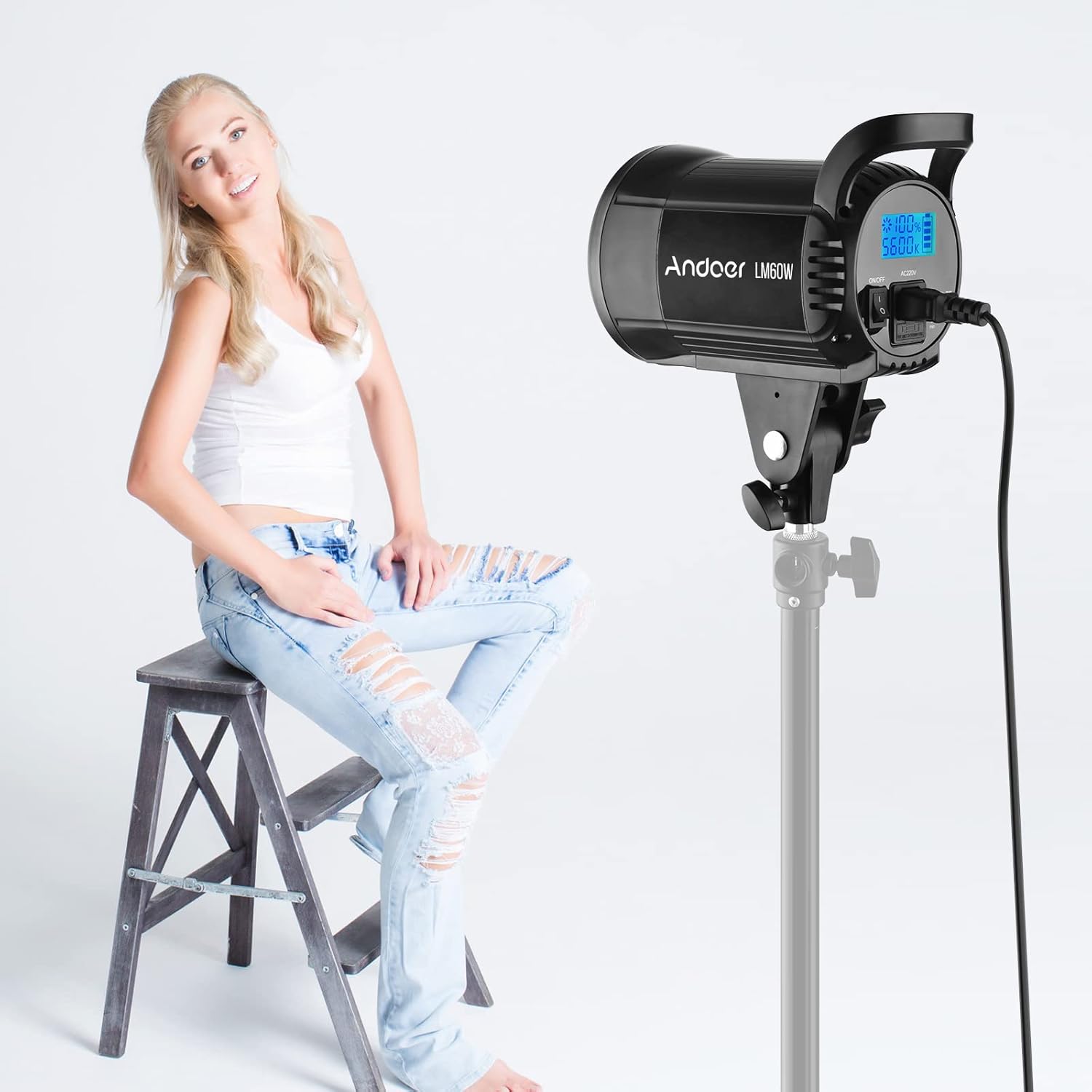
Figure 4: Detailed view of the light's dimensions and the 15mm light stand mounting hole.
- Attaching Accessories (Optional):
The light features a standard Bowens Mount. To attach accessories like reflectors, softboxes, or diffusers (not included), align the accessory with the Bowens mount on the front of the light and twist until it locks into place.
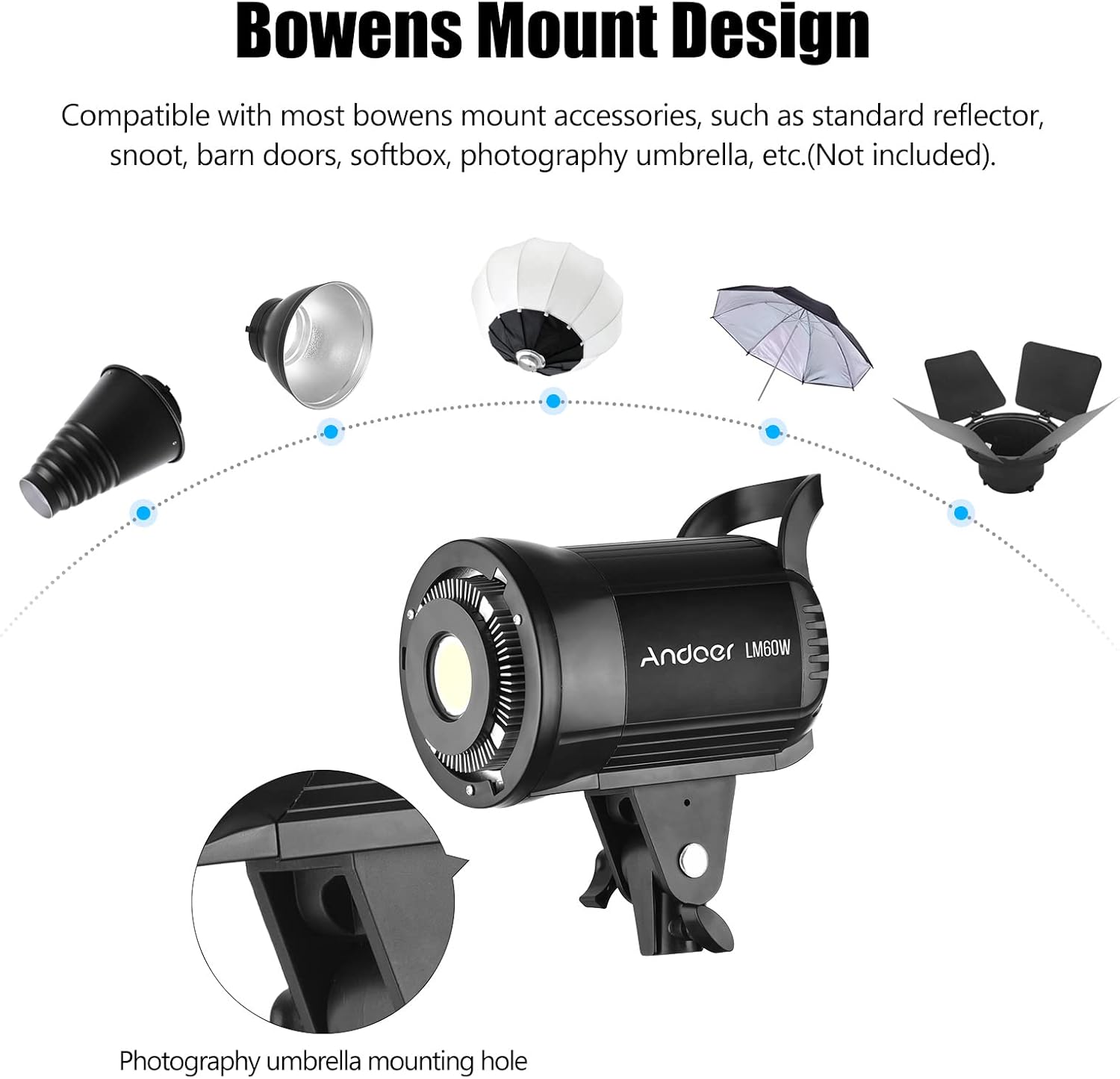
Figure 5: The Bowens Mount design allows for compatibility with a wide range of light modifiers.
- Power Connection:
Connect the provided power cord to the AC220V input port on the back of the LED light. Plug the other end into a suitable power outlet.
- Remote Control Battery Installation:
The remote control requires 2 AAA batteries (not included). Open the battery compartment on the back of the remote and insert the batteries, observing the correct polarity.
4. Operating Instructions
- Powering On/Off:
Locate the ON/OFF switch on the back of the light. Flip the switch to 'ON' to power on the device. Flip to 'OFF' to power it down.

Figure 6: Rear panel of the light, showing the power switch and control knob.
- Adjusting Brightness:
Brightness can be adjusted from 0% to 100% using the control knob on the back of the light. Rotate the knob clockwise to increase brightness and counter-clockwise to decrease it.

Figure 7: Visual representation of adjusting brightness using the control knob.
- Using the Remote Control:
The included remote control allows for convenient adjustment of brightness and power from a distance. Use the 'ON' and 'OFF' buttons to control power, and the '+' and '-' buttons to adjust brightness. The 'K+' and 'K-' buttons are for color temperature adjustment, though this model has a fixed 5600K temperature.

Figure 8: The remote control provides flexible operation from a distance.
- Adjusting Lighting Angle:
The light's mounting bracket allows for tilting and rotating to achieve the desired lighting angle. Loosen the adjustment knob on the bracket, position the light, and then tighten the knob to secure it.
Product Demonstration Video
Video 1: A demonstration of the Andoer LM60W Portable LED Photography Fill Light, showcasing its features and ease of use in various settings. This video highlights the light's adjustability, remote control functionality, and overall performance.
5. Maintenance
- Cleaning: Use a soft, dry cloth to clean the exterior of the light. Do not use abrasive cleaners or solvents.
- Storage: When not in use, store the light in a cool, dry place, away from direct sunlight and excessive humidity.
- Heat Dissipation: Ensure the cooling vents are not obstructed during operation to maintain optimal heat dissipation. The light is designed with an aluminum cooling fin and a super silent cooling fan for efficient heat management.

Figure 9: Illustration of the light's excellent heat dissipation system, crucial for prolonged use.
6. Troubleshooting
| Problem | Possible Cause | Solution |
|---|---|---|
| Light does not turn on. |
|
|
| Remote control not working. |
|
|
| Light is overheating. |
|
|
7. Specifications
| Feature | Detail |
|---|---|
| Power | 60W |
| Color Temperature | 5600K±200K |
| Brightness | 0%-100% Dimmable |
| CRI (Color Rendering Index) | >95 |
| Mount Type | Bowens Mount |
| Remote Control Power Supply | 2x AAA batteries (Not included) |
| Remote Control Distance | Approx. 20M |
| Item Weight | Approx. 1.04 kg (3.45 pounds) |
| Package Dimensions | 11.26 x 10.12 x 7.36 inches |
8. Warranty and Support
Andoer products are designed for reliability and performance. For any issues or inquiries, please contact Andoer customer support. Keep your purchase receipt as proof of purchase for warranty claims.
For further assistance, please visit the official Andoer store or contact their customer service department.
Note: This product is not water resistant. Avoid exposure to moisture.
Ask a question about this manual
Ask about setup, troubleshooting, compatibility, parts, safety, or missing instructions. Manuals+ will review the question and use this page’s manual context to help answer it.