
1. Introduction
Thank you for choosing the VULKKANO SUB6 6.5-inch Active Subwoofer. This manual provides essential information for the proper installation, operation, and maintenance of your device. Please read these instructions carefully before use to ensure optimal performance and longevity of your subwoofer.
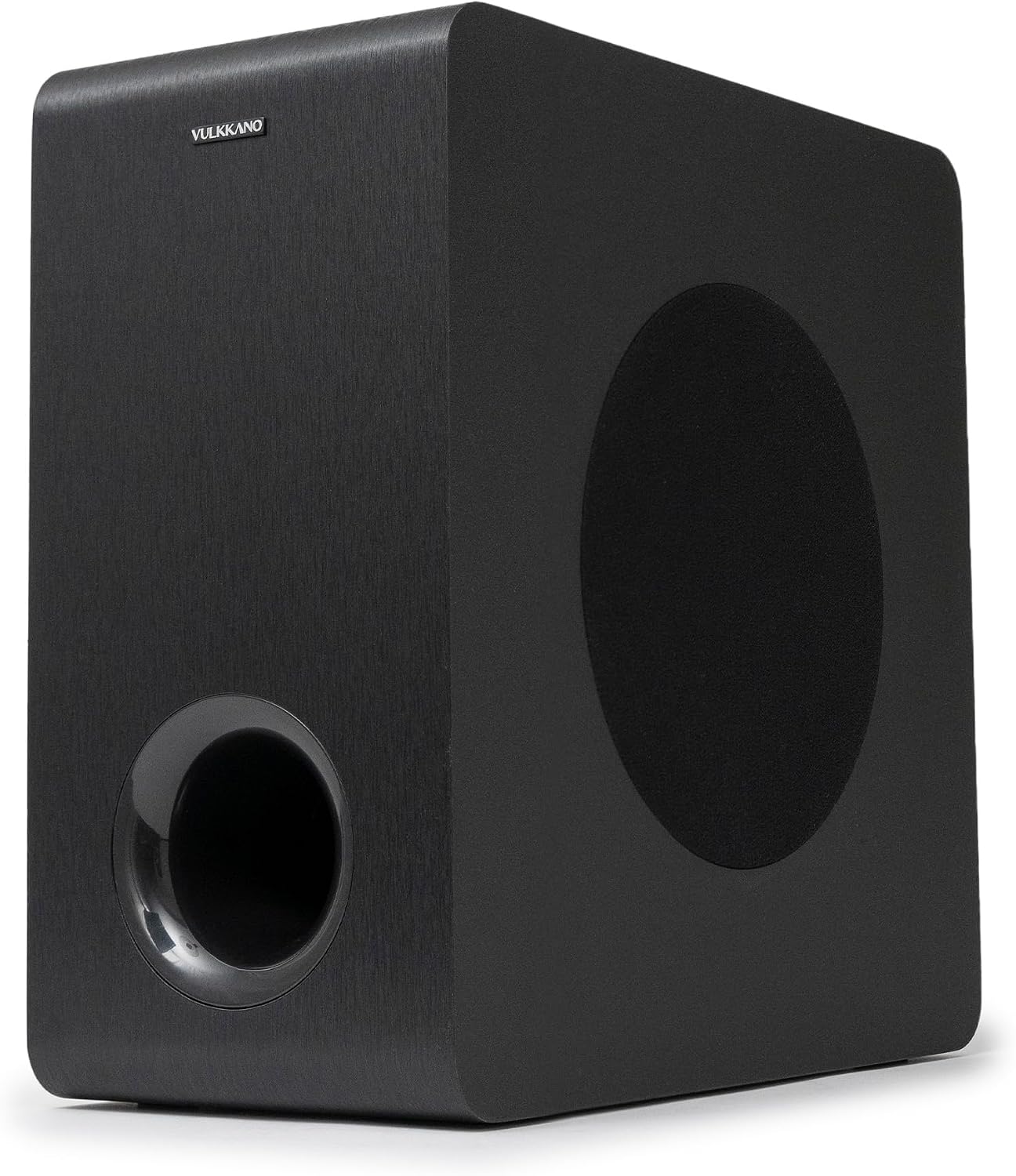
Image 1.1: Front and side view of the VULKKANO SUB6 active subwoofer, showcasing its compact black design and front-firing port.
2. Package Contents
Please verify that all items listed below are included in your package:
- VULKKANO SUB6 Active Subwoofer
- LFE Single-Ended RCA Cable
- Power Adapter
- User Manual (this document)

Image 2.1: The VULKKANO SUB6 subwoofer, LFE RCA cable, power adapter, and user manual as included in the product package.
3. Product Features
The VULKKANO SUB6 active subwoofer is designed to enhance your audio experience with deep and defined bass. Key features include:
- 6.5-inch Driver: Provides powerful and detailed bass response.
- Adjustable Volume Control: Located on the rear panel for precise output level matching.
- Low-Pass Filter Adjustment: Allows customization of the subwoofer's frequency response (60 Hz - 250 Hz) to seamlessly integrate with your main speakers.
- Phase Adjustment: Optimizes bass integration with other speakers in your audio system.
- Multiple Connectivity Options: Includes RCA and Bluetooth for versatile connection to various audio sources.
- Compact Design: Elegant black finish and compact dimensions (22P x 38l x 42H cm) allow for flexible placement in any room.
- Auxiliary Output: For interfacing with additional audio devices.
4. Setup and Installation
4.1. Placement
For optimal bass performance, consider the following placement guidelines:
- Place the subwoofer on a stable, level surface.
- Experiment with different locations in your room. Corner placement often enhances bass output, but may also lead to "boomy" sound. Placing it near your main speakers can improve sound integration.
- Avoid placing the subwoofer directly against a wall or in a cabinet, as this can restrict airflow and affect sound quality.
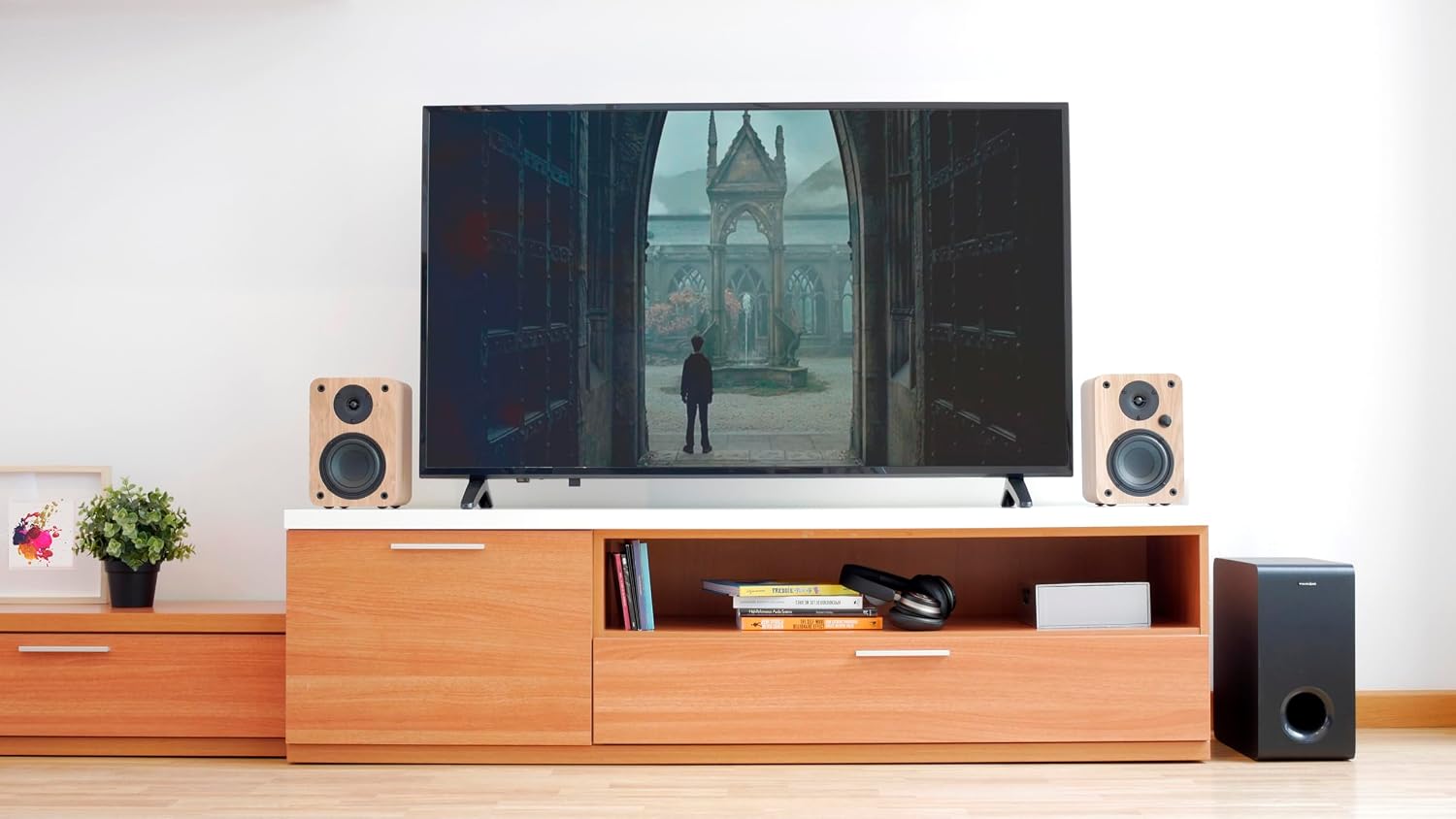
Image 4.1: The VULKKANO SUB6 subwoofer positioned discreetly next to a television and main speakers, illustrating a typical home setup.
4.2. Connections
The VULKKANO SUB6 offers multiple connection options:

Image 4.2: The rear panel of the VULKKANO SUB6, detailing the volume and low-pass controls, RCA inputs, and power input.
- RCA Connection:
- Connect the supplied LFE single-ended RCA cable from the LFE/Subwoofer output of your amplifier or receiver to the RCA input on the VULKKANO SUB6 rear panel.
- Ensure the connections are secure.
- Bluetooth Connection:
- Power on the subwoofer.
- Press the MODE button (often integrated with the Volume knob) to select Bluetooth input. The LED indicator will show the Bluetooth status.
- On your audio device (e.g., smartphone, computer), search for Bluetooth devices and select "VULKKANO SUB6" to pair.
- Once paired, the LED indicator will confirm the connection.
- Power Connection:
- Connect the power adapter to the DC IN port on the subwoofer's rear panel.
- Plug the power adapter into a suitable wall outlet.
5. Operation and Controls
The VULKKANO SUB6 features intuitive controls on its rear panel:
- VOLUME Knob: Adjusts the overall output level of the subwoofer. Rotate clockwise to increase volume, counter-clockwise to decrease. This knob may also function as a MODE selector when pressed.
- LOW PASS Knob (60 Hz - 250 Hz): Controls the upper frequency limit of the subwoofer. Adjust this to blend the subwoofer's bass output smoothly with your main speakers. A lower setting is typically used with larger main speakers, while a higher setting is suitable for smaller satellite speakers.
- PHASE Switch: This switch (usually 0° or 180°) helps to align the subwoofer's sound waves with those of your main speakers. Experiment with both settings to find the one that produces the most coherent and impactful bass at your listening position.
- MODE Button/LED Indicators: Selects the input source (RCA, Bluetooth). The LED indicators provide visual feedback on the selected input and connection status.
Initial Adjustment Tips:
- Start with the VOLUME knob at a low setting.
- Set the LOW PASS knob to approximately 80 Hz initially, then fine-tune based on your main speakers' frequency response.
- Play some music or movie content with strong bass.
- Gradually increase the VOLUME until the bass output is balanced with your main speakers.
- Adjust the LOW PASS and PHASE settings to achieve the most natural and integrated bass sound.
6. Maintenance and Care
To ensure the longevity and optimal performance of your VULKKANO SUB6 subwoofer, follow these maintenance guidelines:
- Cleaning: Use a soft, dry cloth to clean the exterior surfaces. Do not use liquid cleaners, aerosols, or abrasive materials, as these can damage the finish.
- Ventilation: Ensure adequate ventilation around the subwoofer. Do not block any vents or place the unit in an enclosed space that could lead to overheating.
- Environment: Avoid exposing the subwoofer to extreme temperatures, humidity, direct sunlight, or excessive dust.
- Power: Disconnect the power adapter from the wall outlet if the subwoofer will not be used for an extended period.
7. Troubleshooting
If you encounter issues with your VULKKANO SUB6 subwoofer, refer to the following common problems and solutions:
| Problem | Possible Cause | Solution |
|---|---|---|
| No sound from subwoofer |
|
|
| Distorted or "boomy" bass |
|
|
| Bass sounds weak or disconnected |
|
|
| Subwoofer enters standby mode unexpectedly (if applicable) |
|
|
8. Technical Specifications
| Feature | Specification |
|---|---|
| Model Name | SUB6 |
| Type | Active Subwoofer |
| Driver Size | 6.5 inches (16.51 cm) |
| Frequency Response | 60 Hz - 250 Hz |
| Maximum Speaker Output Power | 25 Watts |
| Power (Rated) | 60 kWh |
| Connectivity Technology | Auxiliary, Bluetooth |
| Wireless Communication Technology | Bluetooth |
| Control Method | Remote Control (not explicitly listed as included, but mentioned in specs) / Manual Knobs |
| Input Voltage | 230 Volts |
| Power Source | Corded Electric |
| Product Dimensions (L x W x H) | 22 x 38 x 42 cm |
| Item Weight | 4 Kilograms |
| Material | Plastic |
| Color | Black (Note: Specification lists "multicolore", but product images consistently show black.) |
| ASIN | B09XHLYLXP |
| Model Number | 8437023900338 |
9. Warranty and Support
9.1. Warranty Information
The VULKKANO SUB6 subwoofer comes with a Limited Warranty. Please refer to the warranty card included in your package or contact VULKKANO customer support for detailed terms and conditions regarding warranty coverage.
9.2. Customer Support
For technical assistance, troubleshooting beyond this manual, or warranty inquiries, please contact VULKKANO customer support. Contact information can typically be found on the VULKKANO official website or on the product packaging.
When contacting support, please have your product model (SUB6) and serial number (if applicable) ready.


