
1. Introduction
This manual provides instructions for the safe and proper use of your UPBRIGHT 12V AC/DC Adapter. This adapter is designed to power specific Comfier Shiatsu back massagers and seat cushions. Please read this manual thoroughly before use and retain it for future reference.
2. Product Overview
The UPBRIGHT 12V AC/DC Adapter is a reliable power supply unit featuring global input voltage compatibility and multiple safety protections. It is specifically designed to provide stable 12V DC power to compatible devices.
2.1 What's in the Box
- One (1) UPBRIGHT 12V AC/DC Adapter
2.2 Key Features
- UL Listed: Ensures safety and quality standards.
- World Wide Input Voltage: 100-240VAC 50/60Hz, suitable for international use.
- Safety Protections:
- OVP (Over Voltage Output Protection)
- OCP (Over Current Output Protection)
- SCP (Short Circuit Output Protection)
- Output: 12V DC, 2A (2000mA)
- Connector Type: Barrel Round Connector
2.3 Compatibility
This adapter is compatible with the following Comfier Shiatsu Back Massager and Massage Chair Pad Seat Cushion models:
- Comfier CF-2401
- Comfier CF-2606
- Comfier CF-2606MC
- Comfier CF-2206
- Comfier CF-2206G

Figure 1: Examples of compatible Comfier massager models.
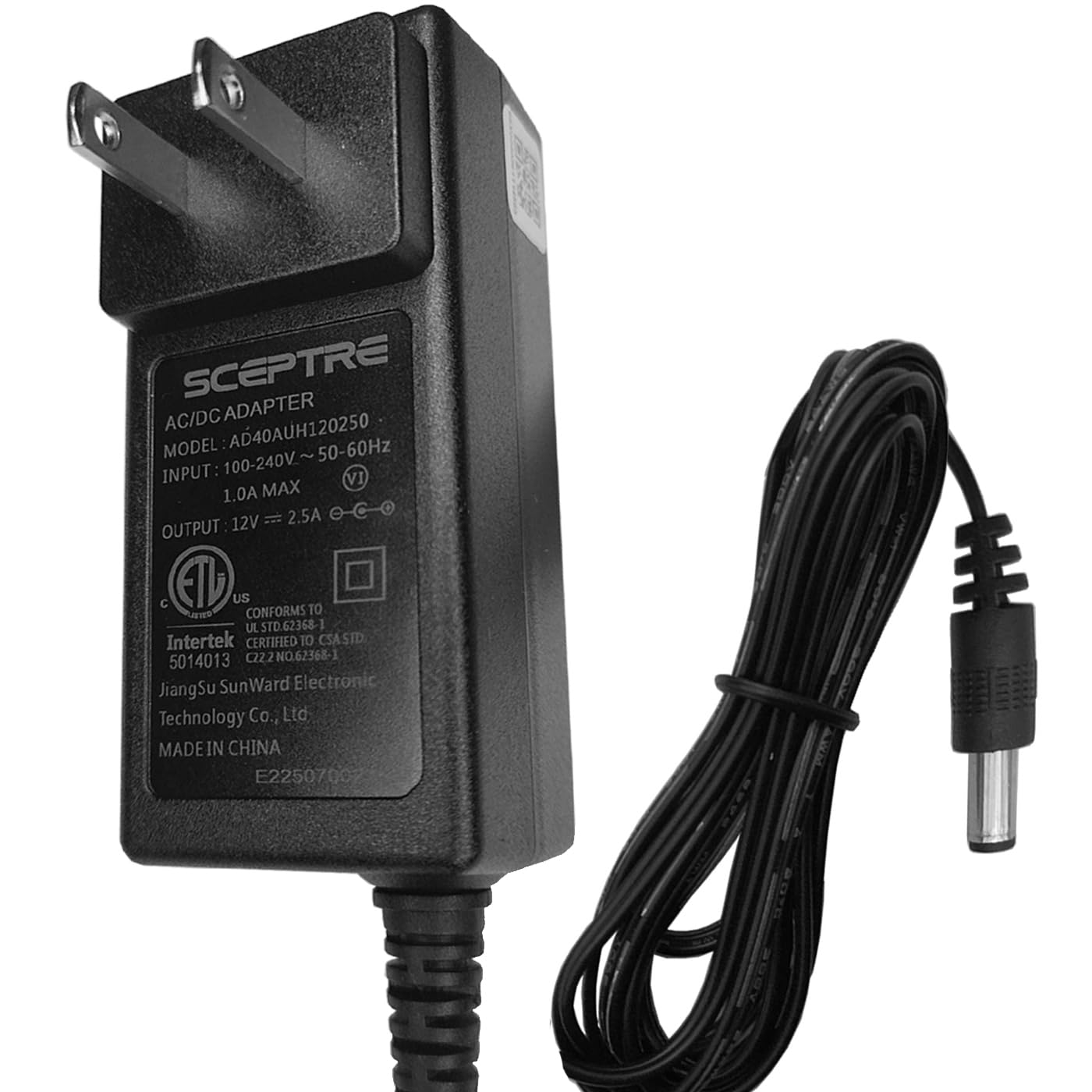
Figure 2: UPBRIGHT 12V AC/DC Adapter.
3. Setup Instructions
- Verify Compatibility: Ensure your device requires a 12V DC power supply with a 2A (or less) current rating and a barrel round connector. Refer to your device's original power adapter or manual for specifications.
- Connect to Device: Insert the barrel connector of the UPBRIGHT adapter firmly into the power input port of your Comfier massager.
- Connect to Power Outlet: Plug the AC prongs of the adapter into a standard wall outlet (100-240VAC, 50/60Hz).
- Power On: Once connected, your device should be ready for operation. Follow your device's specific instructions to power it on.

Figure 3: Adapter with cable, ready for connection.

Figure 4: Examples of international outlet adapters (may be included with international orders).
4. Operating Instructions
The UPBRIGHT 12V AC/DC Adapter functions as a power supply for your compatible device. It does not have operational controls itself. Once properly connected, it continuously supplies power to the connected device. Refer to the instruction manual of your Comfier massager for its specific operating procedures.
4.1 Safety Precautions
- Do not expose the adapter to water or excessive moisture.
- Do not disassemble or modify the adapter.
- Avoid using the adapter in extreme temperatures.
- Ensure the adapter is used with devices that match its voltage and current specifications.
- Unplug the adapter from the wall outlet when not in use for extended periods.
5. Maintenance
The UPBRIGHT 12V AC/DC Adapter requires minimal maintenance.
- Cleaning: Disconnect the adapter from both the power outlet and the device before cleaning. Wipe the exterior with a soft, dry cloth. Do not use liquid cleaners or abrasive materials.
- Storage: Store the adapter in a cool, dry place away from direct sunlight and extreme temperatures when not in use. Avoid tightly winding the cable to prevent damage.
6. Troubleshooting
If you experience issues with your UPBRIGHT 12V AC/DC Adapter, refer to the following common solutions:
| Problem | Possible Cause | Solution |
|---|---|---|
| Device not powering on. | Adapter not properly connected. Wall outlet not functioning. Device malfunction. | Ensure the adapter is fully plugged into both the device and the wall outlet. Test the wall outlet with another device. Consult your device's manual or manufacturer for troubleshooting. |
| Adapter feels unusually hot. | Overload or poor ventilation. | Disconnect the adapter immediately. Ensure the device's power requirements do not exceed 12V 2A. Ensure the adapter is in a well-ventilated area. If overheating persists, discontinue use and contact support. |
| Loose connection. | Connector not fully inserted or damaged. | Ensure the barrel connector is fully inserted. Inspect the connector for any visible damage. |
7. Specifications
| Feature | Detail |
|---|---|
| Input Voltage | 100-240VAC, 50/60Hz |
| Output Voltage | 12V DC |
| Output Current | 2A (2000mA) |
| Connector Type | Barrel Round Connector |
| Safety Features | OVP, OCP, SCP Protection |
| Certifications | UL Listed, CE, CCC, ROHS |
| Item Weight | 4 ounces (approx. 113 grams) |
| Package Dimensions | 5 x 4 x 2 inches (approx. 12.7 x 10.16 x 5.08 cm) |
8. Warranty and Support
UPBRIGHT provides the following warranty for this product:
- Refund Policy: 30 days from the date of purchase.
- Exchange Policy: 24 months from the date of purchase for product defects.
For warranty claims or technical support, please contact UPBRIGHT customer service through your retailer or the official UPBRIGHT website.

Figure 5: UPBRIGHT Limited Warranty Certificate.
