
Odokee UE-218-Blue
Odokee Digital Dual Alarm Clock User Manual
Model: UE-218-Blue | Brand: Odokee
Product Overview
The Odokee Digital Dual Alarm Clock is designed for ease of use and functionality, featuring a large, dimmable LED display, dual alarms with customizable settings, and a convenient USB charging port. This manual provides detailed instructions to help you get the most out of your new alarm clock.

Image: Front view of the Odokee Digital Dual Alarm Clock, displaying the time and day of the week with blue LED digits.
Setup
Follow these steps to set up your alarm clock for the first time:
- Power Connection: Connect the included AC adapter to the clock and plug it into a standard wall outlet. The clock is primarily AC-powered.
- Battery Backup (Optional): For power outage protection, insert 3 AAA batteries (not included) into the battery compartment. This will preserve time and alarm settings during a power interruption. Note that the USB charging port will not function on battery power.
- Setting Time: Use the clearly labeled buttons on the clock to set the current time. The intuitive design makes this process straightforward. You can choose between a 12-hour or 24-hour time display.
- Adjusting Display Brightness: Utilize the dimmer dial on the side to adjust the LED display brightness from 0% (fully dark) to 100% (very bright) to suit your preference, especially for nighttime use.

Image: The alarm clock connected to a power adapter, illustrating its primary power source and the location for optional battery backup.

Image: Rear view of the alarm clock, highlighting the control dials for brightness and volume, and clearly labeled buttons for setup.
Operating Instructions
Setting Alarms
The clock features two independent alarms (Alarm 1 and Alarm 2) to accommodate different schedules.
- Set Alarm Time: Press the 'ALARM 1 SET' or 'ALARM 2 SET' button. Use the '+' and '-' buttons to adjust the hour and minute. Press the 'ALARM SET' button again to confirm.
- Select Alarm Mode: Each alarm can be set for specific days using the 7-5-2 alarm mode:
- 7-Day Mode (MON-SUN): Alarm sounds every day.
- 5-Day Mode (MON-FRI): Alarm sounds on weekdays only.
- 2-Day Mode (SAT-SUN): Alarm sounds on weekends only.
- Choose Alarm Sound: Select from 5 built-in alarm tones: Beep, Birds Chirping, Buzzer, Soft Music, or Siren. The alarm begins quietly and gradually increases in volume (30dB-110dB adjustable) to prevent abrupt waking.
- Adjust Alarm Volume: Use the volume dial on the side to set your desired alarm volume.
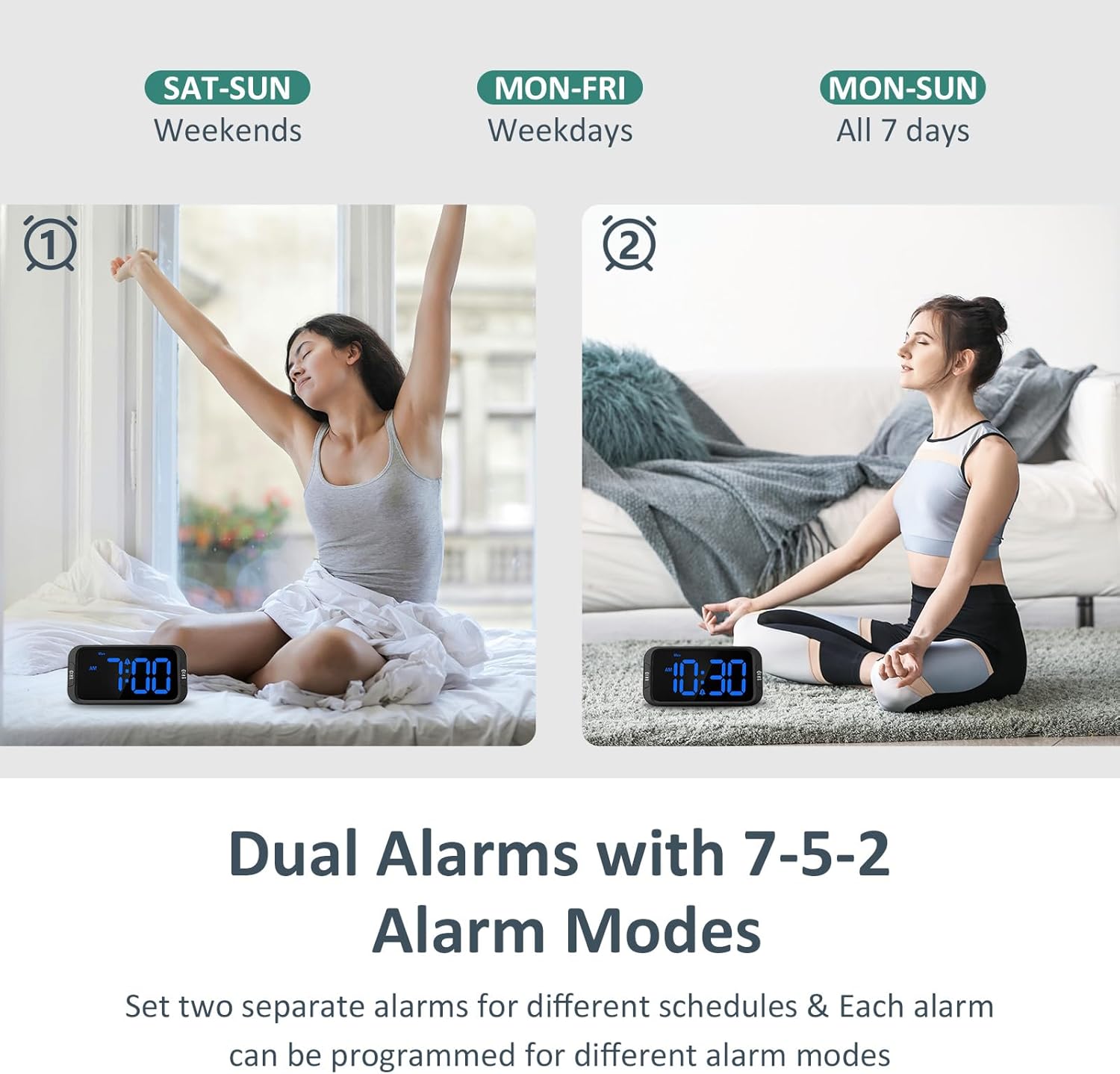
Image: Illustration of the dual alarm functionality with options for weekday, weekend, or all 7-day settings.

Image: Visual representation of the five selectable alarm sounds available on the clock.
Snooze Function
When the alarm sounds, press the large SNOOZE button on top for an additional 9 minutes of rest. The alarm will sound again after the snooze period.

Image: A hand reaching for the large snooze button on the top of the alarm clock.
Turning Alarms On/Off
To quickly turn off an active alarm, press the corresponding 'ON/OFF' button located on the front sides of the clock. These buttons are easily accessible even when half-asleep.
USB Charging Port
A USB port is located on the back of the clock, allowing you to charge your phone or other mobile devices conveniently overnight. This port is active only when the clock is connected to AC power.

Image: The alarm clock displaying large numbers, with a smartphone connected to its USB charging port.
Maintenance
To ensure the longevity and optimal performance of your Odokee Digital Dual Alarm Clock, please observe the following maintenance guidelines:
- Cleaning: Gently wipe the clock's surface with a soft, dry cloth. Avoid using abrasive cleaners or solvents, which may damage the finish or display.
- Placement: Place the clock on a stable, flat surface away from direct sunlight, excessive heat, or moisture.
- Battery Replacement: If using the battery backup feature, replace the 3 AAA batteries periodically to ensure reliable power retention during outages. While batteries preserve settings, they are not intended for continuous operation.
Troubleshooting
If you encounter any issues with your alarm clock, refer to the following common solutions:
- Clock Not Displaying Time: Ensure the AC adapter is securely plugged into both the clock and a working power outlet. If using battery backup, check if the batteries are correctly inserted and have sufficient charge.
- Alarm Not Sounding: Verify that the alarm is set to the correct time and the alarm mode (7-day, 5-day, or 2-day) is appropriate for the current day. Check that the alarm volume is not set to minimum.
- Display Too Bright/Dim: Use the dimmer dial on the side of the clock to adjust the brightness to your desired level.
- USB Charging Not Working: Confirm that the clock is connected to AC power. The USB charging port does not function when the clock is running solely on battery backup.
- Settings Lost After Power Outage: If settings are lost, ensure that fresh AAA batteries are installed for the backup function. The battery backup is designed to retain settings during power interruptions.
Specifications
| Feature | Detail |
|---|---|
| Brand | Odokee |
| Model Number | UE-218-Blue |
| Color | Black - Blue Led |
| Display Type | Digital |
| Product Dimensions | 1.97"W x 2.76"H |
| Item Weight | 6.3 ounces (178.6 Grams) |
| Power Source | Corded Electric |
| Battery Backup | Requires 3 AAA Batteries (Not Included) |
| Special Features | Large Display, Snooze, Adjustable Brightness, Adjustable Volume, Charging Port |
| Alarm Tones | 5 (Beep, Birds Chirping, Buzzer, Soft Music, Siren) |
| Alarm Volume Range | 30dB-110dB |
| Display Dimmer | 0-100% Adjustable |
| Time Format | 12/24 Hour Optional |
| Material | Plastic, Acrylonitrile Butadiene Styrene |
| Mounting Type | Tabletop |
| Country of Origin | China |

Image: Diagram showing the compact dimensions of the alarm clock.
Warranty and Support
Odokee stands behind the quality of its products. Your Digital Dual Alarm Clock comes with a hassle-free 18-month warranty. For any questions, concerns, or support needs, please contact Odokee customer service. Information regarding easy returns and friendly customer service is available through your purchase platform.
For further assistance, you may visit the Odokee Store on Amazon.
Ask a question about this manual
Ask about setup, troubleshooting, compatibility, parts, safety, or missing instructions. Manuals+ will review the question and use this page’s manual context to help answer it.