
1. Introduction
The NEBO Luxtreme SL25 is a high-performance rechargeable spotlight designed for various applications, offering exceptional brightness and a long-range beam. This manual provides essential information for safe and effective use of your device. Please read it thoroughly before operation.
2. Safety Information
Observe the following safety precautions to prevent injury or damage to the device:
- Do not look directly into the light beam. The intense light can cause temporary vision impairment or eye damage.
- Keep the device out of reach of children.
- Do not disassemble, modify, or attempt to repair the unit. Contact qualified service personnel for repairs.
- Use only the provided USB-C charging cable and a compatible power adapter.
- Avoid exposing the device to extreme temperatures or direct sunlight for prolonged periods.
- Ensure the charging port cover is securely closed when not charging to maintain water resistance.
3. Package Contents
Verify that all items are present in your package:
- NEBO Luxtreme SL25 Spotlight
- USB-C Charging Cable
- Car Charger
- Lanyard
- Removable Belt Clip
- Allen Key (for belt clip installation)
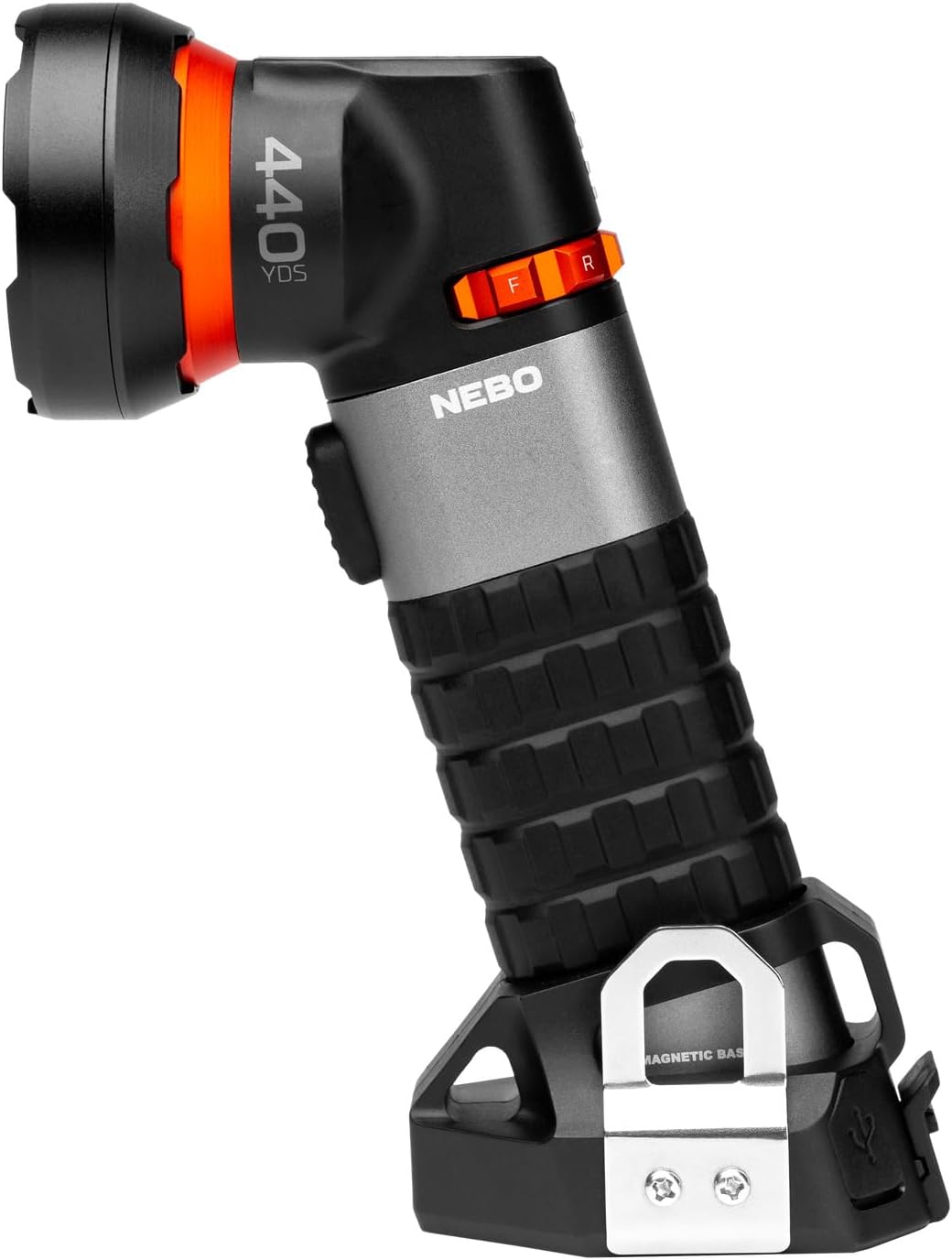
Image: The NEBO Luxtreme SL25 Spotlight, showcasing its design and features.
4. Product Features
The NEBO Luxtreme SL25 Spotlight offers a range of advanced features:
- Long-Range Beam: Illuminates up to 400 meters.
- Versatile Lighting Modes: Includes COB spot, white, and red light modes for various needs.
- Durable Construction: Made from aircraft-grade aluminum with an IP67 waterproof rating.
- USB-C Rechargeable: Convenient and fast charging.
- Intuitive Operation: Features a front button and a mode select dial for easy control.
- Magnetic Base: Strong integrated magnetic base for hands-free use.
- Tripod Mountable: Allows for stable, secure lighting (tripod not included).
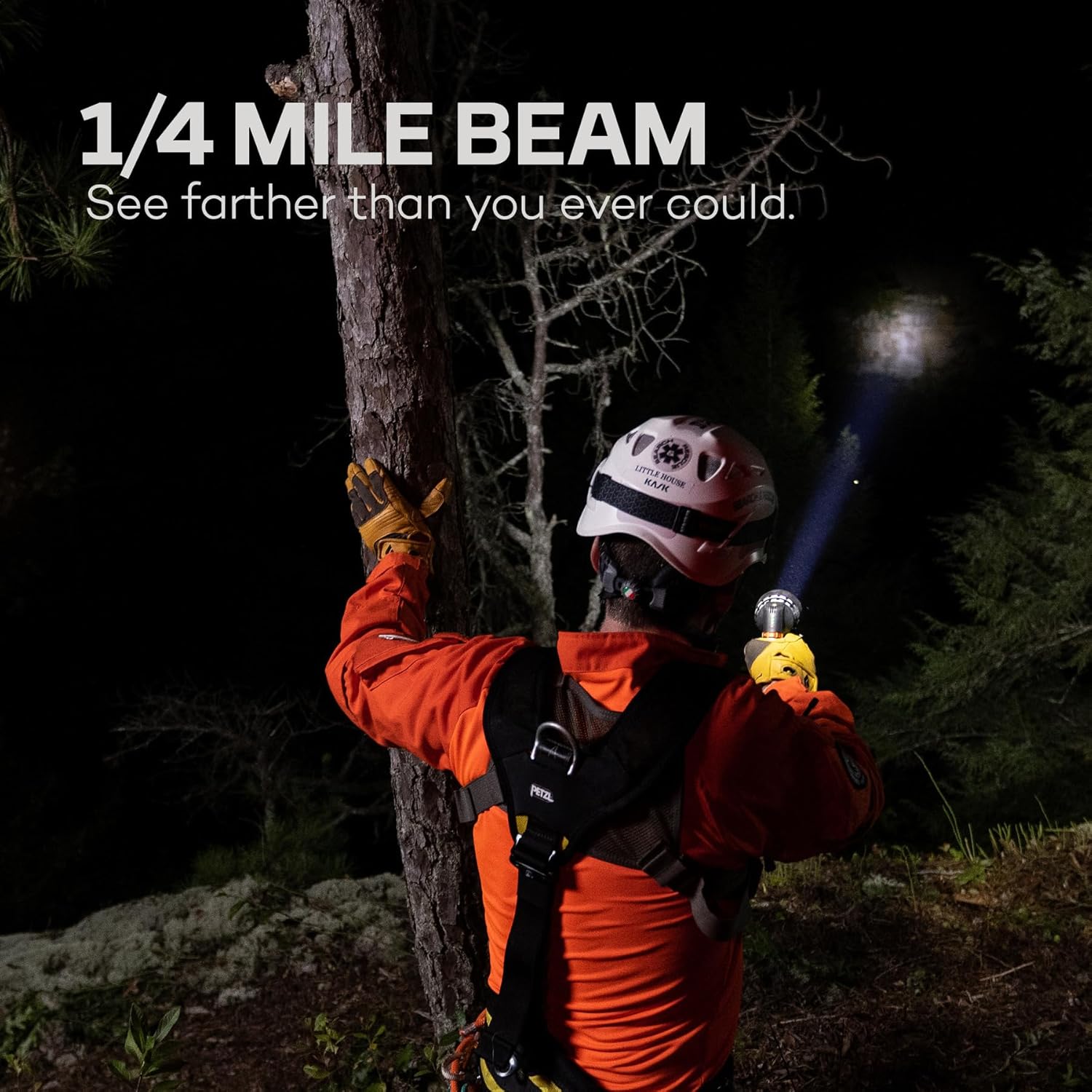
Image: A person using the NEBO Luxtreme SL25 Spotlight, demonstrating its powerful 1/4 mile beam in a dark outdoor setting.

Image: Close-up of the USB-C charging port on the NEBO Luxtreme SL25, highlighting its rechargeable capability.
5. Setup
5.1 Initial Charging
Before first use, fully charge the NEBO Luxtreme SL25 Spotlight.
- Locate the USB-C charging port, typically covered by a protective cap.
- Open the protective cap.
- Connect the provided USB-C charging cable to the spotlight and to a compatible USB power source (e.g., wall adapter, car charger, computer USB port).
- The charging indicator lights will show the charging status. Allow the device to charge until all indicators show a full charge.
- Once charging is complete, disconnect the cable and securely close the protective cap to maintain water resistance.
5.2 Attaching the Belt Clip
The removable belt clip can be attached for convenient carrying.
- Identify the mounting points on the side of the spotlight.
- Align the belt clip with the mounting points.
- Use the provided Allen key and screws to securely fasten the belt clip.

Image: The removable belt clip and Allen key, used for attaching the clip to the NEBO Luxtreme SL25.
6. Operating Instructions
6.1 Power On/Off
To turn the spotlight on or off, press the main power button located on the front of the device.
6.2 Mode Selection
The NEBO Luxtreme SL25 features a mode select dial for easy switching between light modes.
- Rotate the mode select dial to choose between the available lighting options: COB spot, white light, and red light.
- The intelligent power control allows for smooth transitions between modes.

Image: Close-up of the mode select dial on the NEBO Luxtreme SL25, showing the intuitive control for light modes.

Image: The NEBO Luxtreme SL25 operating in red light mode, useful for maintaining night vision.
6.3 Magnetic Base Usage
The integrated magnetic base allows for hands-free operation.
- Attach the magnetic base to any ferrous metal surface for stable positioning.

Image: The NEBO Luxtreme SL25 attached to a metal surface, demonstrating the utility of its magnetic base.
6.4 Tripod Mounting
For extended stationary use, the spotlight can be mounted on a tripod.
- Locate the tripod mount screw hole on the device.
- Securely attach the spotlight to a compatible tripod (not included).

Image: The NEBO Luxtreme SL25 mounted on a tripod, illustrating its stable lighting capability.
7. Maintenance
7.1 Cleaning
- Wipe the exterior of the spotlight with a soft, damp cloth.
- Do not use abrasive cleaners or solvents, as they may damage the finish.
- Ensure the charging port cover is closed before cleaning to prevent water ingress.
7.2 Battery Care
- To prolong battery life, charge the device regularly and avoid complete discharge.
- If storing for an extended period, charge the battery to approximately 50% every 3-6 months.
7.3 Storage
- Store the spotlight in a cool, dry place away from direct sunlight and extreme temperatures.
8. Troubleshooting
| Problem | Possible Cause | Solution |
|---|---|---|
| Light does not turn on | Battery is depleted. | Recharge the battery using the provided USB-C cable. |
| Light is dim or flickers | Low battery charge. | Recharge the battery. |
| Device not charging | Charging cable not properly connected or faulty. Power source issue. | Ensure the USB-C cable is securely connected to both the spotlight and the power source. Try a different USB port or power adapter. |
| Water ingress (despite IP67 rating) | Charging port cover not securely closed. Damage to the housing. | Ensure all covers are tightly sealed before exposure to water. If damage is suspected, discontinue use and contact support. |
9. Specifications
| Feature | Detail |
|---|---|
| Model Number | NEB-SPT-1001-G |
| Special Feature | Durable |
| Color | Black and Silver |
| Power Source | Battery powered |
| Light Source Type | LED |
| Material | Rubber, Aluminum |
| Water Resistance Level | Water resistant (IP67) |
| White Brightness | 500 Lumens |
| Voltage | 3.7 Volts |
| Battery Type | Lithium-ion |
| Number of Batteries | 1 Lithium-ion (required) |
| Runtime | 2 hours |
| Mounting Type | Magnetic mount |
| Dimensions (DxWxH) | 9.3P x 6l x 18H cm |
| Recommended Uses | Outdoor and industrial use, camping, hiking, hunting, extreme weather conditions |
10. Warranty and Support
For detailed warranty information, product registration, or technical support, please visit the official NEBO website or contact your authorized retailer. Keep your proof of purchase for warranty claims.


