Introduction
Thank you for choosing the Xanlite SO1811N Solar Bollard. This outdoor lighting solution is designed for efficiency and convenience, featuring solar power, motion detection, and three operating modes. With an IP44 rating, it is suitable for various outdoor environments. Please read this manual carefully before installation and use to ensure proper function and longevity of your product.
Safety Information
- Ensure the product is installed in a location that receives direct sunlight for optimal charging.
- Do not attempt to disassemble or modify the product. This may void the warranty and pose safety risks.
- Keep the solar panel clean to maintain charging efficiency.
- This product is designed for outdoor use with an IP44 rating, meaning it is protected against solid objects larger than 1mm and splashing water from any direction. However, do not submerge it in water.
- Dispose of the product and its components responsibly according to local regulations at the end of its lifespan.
Package Contents
Please check the package for the following items:
- 1x Xanlite SO1811N Solar Bollard
- 1x Remote Control (Note: While listed, remote control functionality may vary or be optional)
- 1x Base
- 1x Pole
- Mounting hardware (screws, anchors) (Assumed, not explicitly listed but implied by "Ground Mounting")
Setup and Installation
The Xanlite SO1811N Solar Bollard is designed for ground mounting. Follow these steps for proper installation:
- Choose a Location: Select an outdoor area that receives ample direct sunlight throughout the day to ensure the solar panel charges effectively. Avoid shaded areas.
- Assemble the Bollard: Attach the pole to the base, then secure the lamp head to the top of the pole. Ensure all connections are firm.
- Ground Mounting:
- Position the assembled bollard in the desired location.
- Mark the positions for drilling holes through the base onto the ground.
- Drill the necessary holes and insert appropriate anchors (if required for your surface).
- Secure the bollard to the ground using the provided screws.
- Initial Charge: Allow the solar bollard to charge for at least 6-8 hours in direct sunlight before its first use.
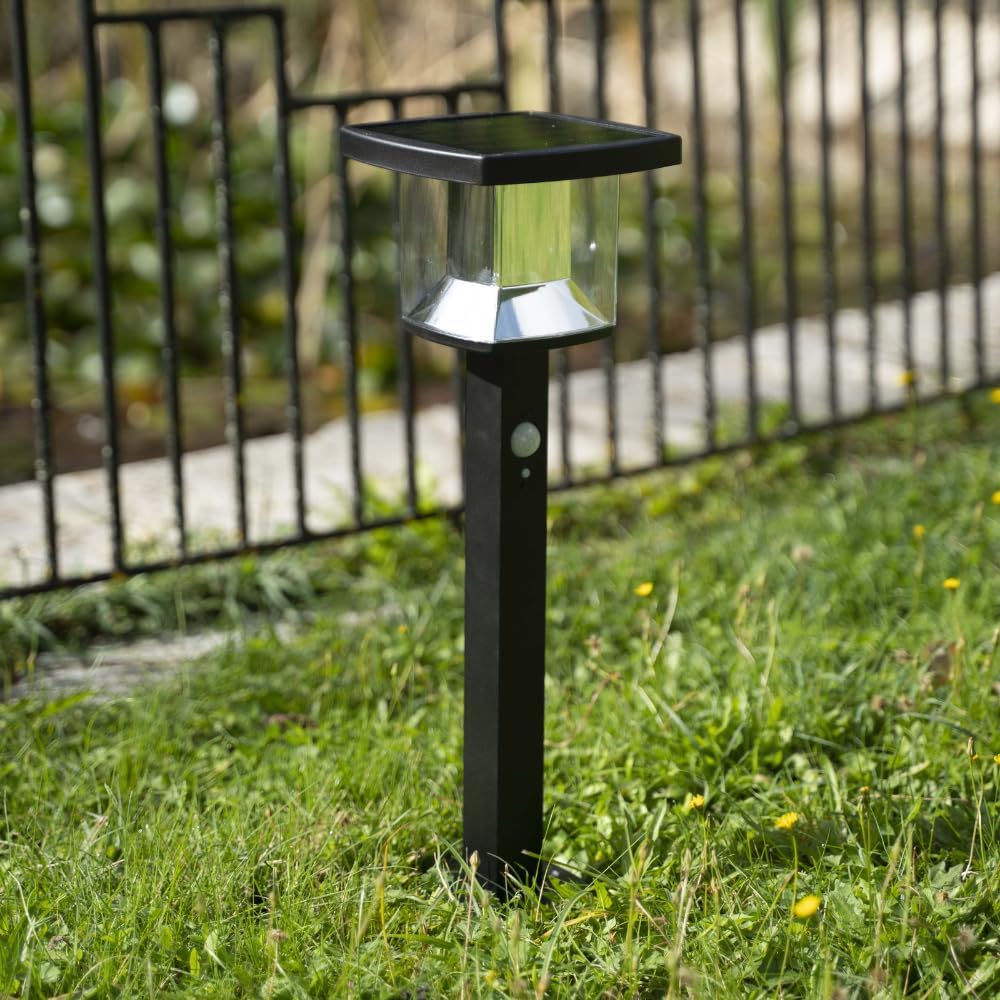
Image: The Xanlite SO1811N Solar Bollard installed in a garden, demonstrating its ground-mounted placement and aesthetic integration with outdoor landscaping.

Image: The solar bollard positioned beside a swimming pool, illustrating its suitability for various outdoor settings.
Operating Instructions
The SO1811N Solar Bollard features a motion detector and three operating modes for versatile lighting.

Image: A close-up view of the solar panel, highlighting its role in powering the device.

Image: A detailed view of the motion sensor and the LED light source, indicating the detection area and light output.
Motion Detection
The integrated motion detector automatically activates the light when movement is detected within its range. This feature conserves energy and provides light only when needed.
Operating Modes
The bollard offers 3 distinct operating modes. Refer to the product's specific instructions or the remote control (if included) for details on how to switch between these modes. Typically, these modes include:
- Mode 1: Dim light always on at night, brightens upon motion detection.
- Mode 2: Light off at night, brightens upon motion detection, then turns off.
- Mode 3: Constant medium brightness light at night (no motion detection).
The light delivers 600 lumens of cold white illumination when activated.

Image: The solar bollard emitting light at night, demonstrating its illumination capability.
Maintenance
Regular maintenance ensures optimal performance and extends the lifespan of your solar bollard.
- Cleaning the Solar Panel: Periodically wipe the solar panel with a soft, damp cloth to remove dust, dirt, and debris. A clean panel ensures maximum sunlight absorption and charging efficiency.
- Cleaning the Light Housing: Clean the stainless steel and plastic components with a mild detergent and a soft cloth. Avoid abrasive cleaners that could scratch the surfaces.
- Inspection: Regularly check for any loose connections or damage to the bollard. Address any issues promptly.
Troubleshooting
If you encounter issues with your Xanlite SO1811N Solar Bollard, refer to the following common problems and solutions:
| Problem | Possible Cause | Solution |
|---|---|---|
| Light does not turn on at night. | Insufficient solar charge. | Ensure the solar panel is in direct sunlight for at least 6-8 hours. Clean the solar panel. |
| Light is dim or flickers. | Low battery charge or dirty solar panel. | Allow for more charging time. Clean the solar panel. |
| Motion sensor not detecting movement. | Sensor obstructed or incorrect mode. | Ensure the sensor is clear of obstructions. Check the operating mode settings. |
| Light stays on constantly or does not turn off. | Sensor malfunction or continuous motion. | Check for continuous movement near the sensor. If the issue persists, contact customer support. |
Specifications
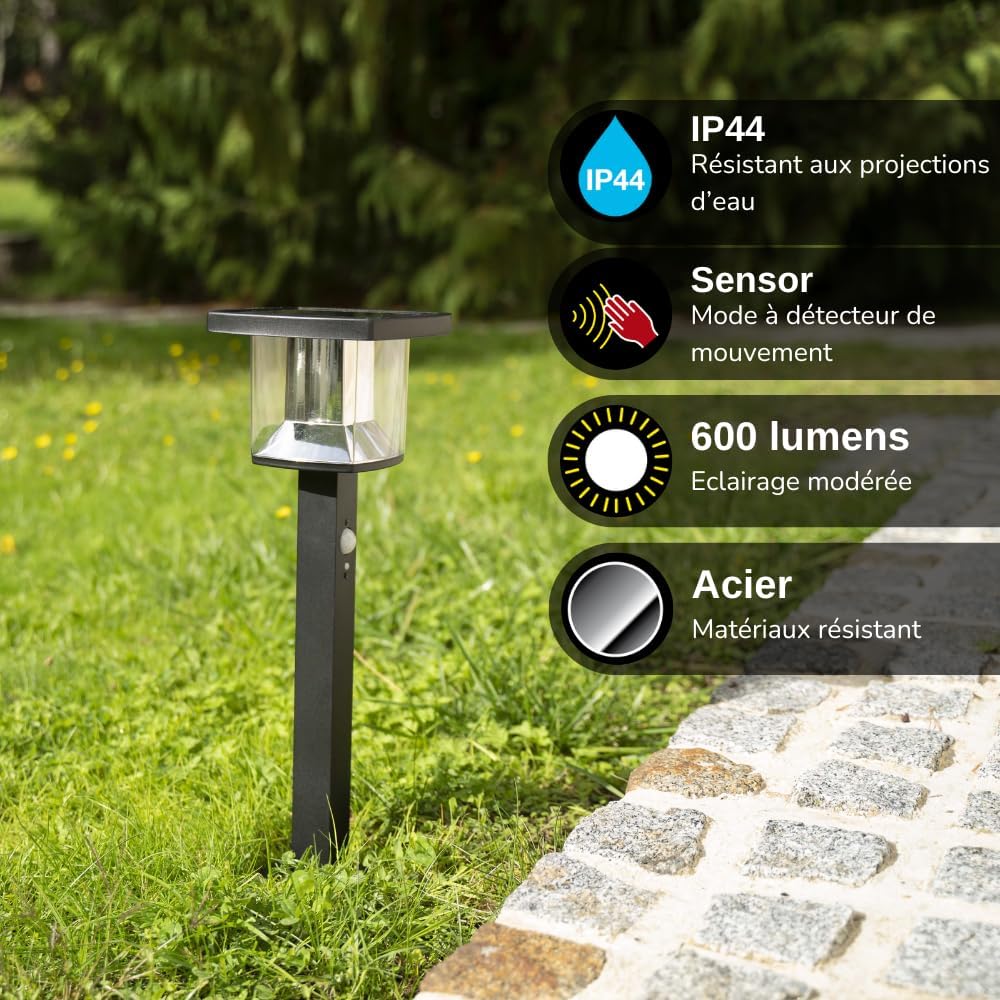
Image: Visual representation of key features including IP44 water resistance, motion sensor, 600 lumens brightness, and durable steel material.
| Feature | Detail |
|---|---|
| Model Number | SO1811N |
| Brand | Xanlite |
| Dimensions (Package) | 51.79 x 18.8 x 18.5 cm |
| Weight | 1.33 Kilograms |
| Material | Stainless Steel, Plastic |
| Color | Black (Bollard), Cold White (Light) |
| Light Source | LED |
| Luminous Flux | 600 Lumens |
| Color Temperature | Cold White |
| Power Source | Solar Powered |
| Voltage | 12 Volts (DC) |
| Special Features | Motion Detector, 3 Operating Modes |
| IP Rating | IP44 (Protected against splashing water) |
| Installation Type | Ground Mounting |
| Usage | Outdoor, Garden |
Warranty and Support
Xanlite is committed to providing quality products and excellent customer service. If you have any questions or require assistance with your SO1811N Solar Bollard, please do not hesitate to contact us.
- Customer Service: Refer to your purchase documentation or the Xanlite official website for contact information.
- Spare Parts: Information regarding the availability of spare parts is currently not available.
- Software Updates: Information regarding guaranteed software updates is currently not available.


