1. Introduction
Thank you for choosing the Xanlite Solar LED Wall Floodlight. This product is designed to provide efficient and reliable outdoor lighting using solar energy. Featuring two adjustable LED heads, a motion detector, and an IP44 rating, it is suitable for various outdoor applications such as driveways, balconies, gardens, and patios. This manual provides essential information for safe installation, operation, and maintenance of your floodlight.
2. Safety Information
- Read all instructions carefully before installation and use.
- Ensure the mounting surface is stable and can support the weight of the floodlight.
- Do not attempt to modify or disassemble the product. This may void the warranty and pose safety risks.
- Keep the solar panel clean to ensure optimal charging efficiency.
- This product is designed for outdoor use and is resistant to splashes (IP44). However, avoid submerging it in water.
- Dispose of the product and its components responsibly according to local regulations at the end of its lifespan.
3. Package Contents
Verify that all components are present before installation:
- Xanlite Solar LED Wall Floodlight unit (with integrated solar panel, 2 LED heads, and motion sensor)
- Mounting hardware (screws, wall plugs)
- User Manual
4. Setup and Installation
Proper installation is crucial for the floodlight's performance. Choose a location that receives direct sunlight for at least 6-8 hours daily to ensure optimal battery charging.
- Choose a Mounting Location: Select an outdoor wall or surface where the integrated solar panel will receive maximum direct sunlight throughout the day. Ensure the area is clear of obstructions like trees or overhangs that could block sunlight.
- Mark Drilling Points: Hold the floodlight unit against the desired mounting surface and mark the positions for the mounting screws.
- Drill Holes: Use an appropriate drill bit to drill holes at the marked positions. Insert the wall plugs into the drilled holes.
- Secure the Floodlight: Align the floodlight's mounting holes with the wall plugs and secure the unit firmly using the provided screws.
- Adjust Light Heads: The two LED heads are adjustable. Orient them to cover the desired lighting area. The heads can be adjusted vertically up to 45 degrees and horizontally up to 90 degrees.
- Adjust Motion Sensor: Position the motion sensor to cover the area where motion detection is desired.
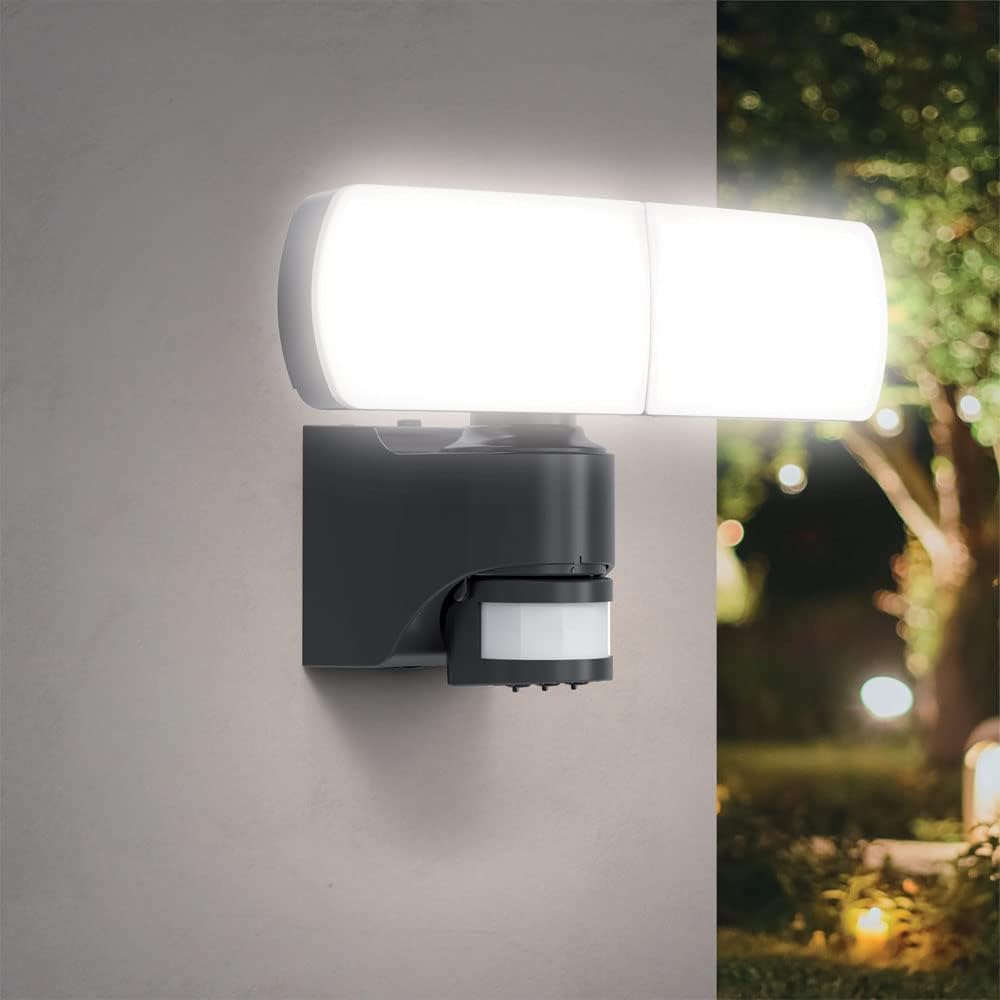
Image 1: Xanlite Solar LED Wall Floodlight installed on an outdoor wall, providing bright illumination. The unit features two adjustable light heads and a motion sensor below.

Image 2: Detail of the floodlight's adjustable heads, illustrating their vertical (45°) and horizontal (90°) orientation capabilities for precise light direction.
5. Operating Instructions
The Xanlite Solar LED Wall Floodlight operates automatically based on ambient light and motion detection.
- Initial Charge: Allow the floodlight to charge in direct sunlight for at least 24-48 hours before first use to ensure the internal battery is fully charged.
- Automatic Operation: The floodlight features a dusk-to-dawn sensor (crepuscular detector) and a motion sensor. It will automatically turn on at night when motion is detected within its range.
- Adjusting Sensor Settings: The motion sensor has three adjustable dials: SENS, TIME, and LUX.
- SENS (Sensitivity): Adjusts the detection range of the motion sensor. Turn clockwise for higher sensitivity (longer detection distance) and counter-clockwise for lower sensitivity.
- TIME (Duration): Sets how long the light remains on after motion is detected. Turn clockwise for a longer illumination period and counter-clockwise for a shorter period.
- LUX (Light Level): Determines the ambient light level at which the sensor becomes active. Turn towards the sun icon for the light to activate only in darker conditions, and towards the moon icon for it to activate in brighter conditions (e.g., dusk).
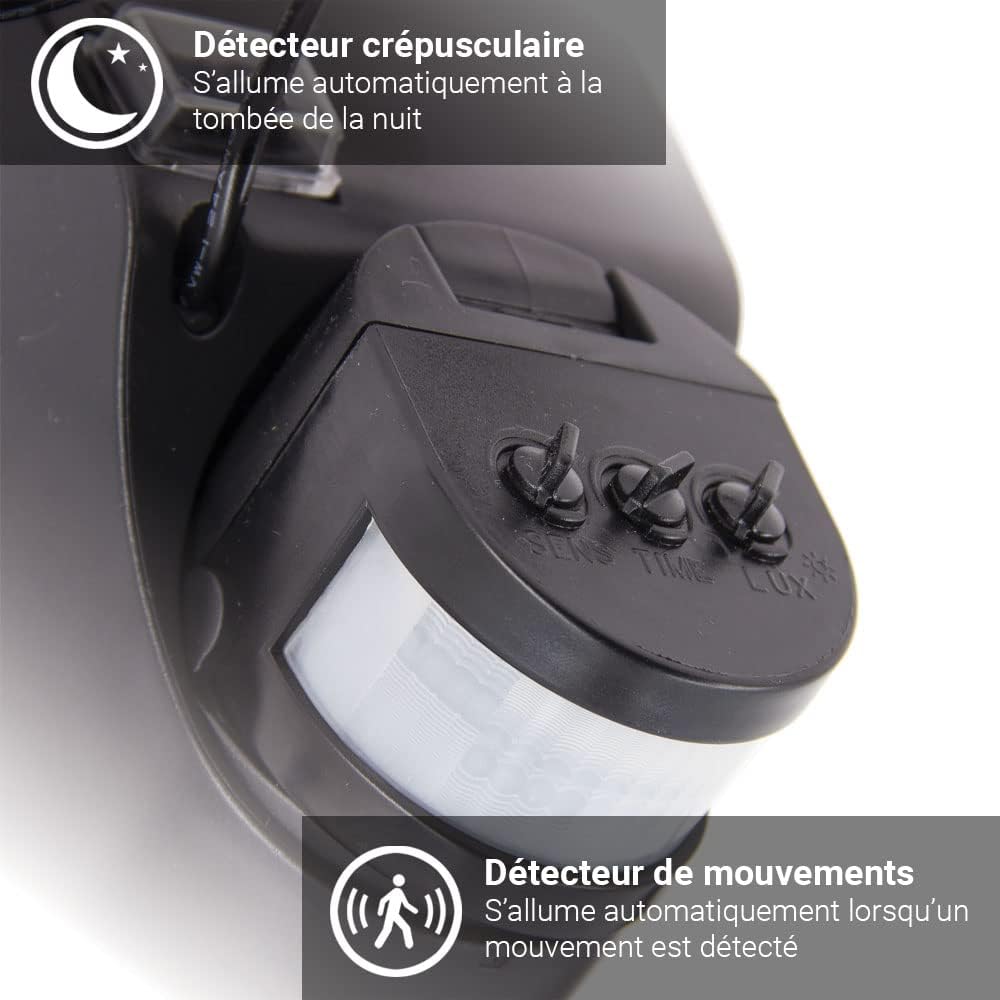
Image 3: Detailed view of the motion sensor unit, showing the SENS, TIME, and LUX adjustment dials for customizing detection range, illumination duration, and ambient light activation level.
6. Maintenance
Regular maintenance ensures optimal performance and longevity of your solar floodlight.
- Clean Solar Panel: Periodically wipe the solar panel with a soft, damp cloth to remove dust, dirt, leaves, or snow. A clean panel ensures maximum sunlight absorption and charging efficiency.
- Clean Light Heads and Sensor: Gently clean the LED light covers and motion sensor lens with a soft, dry cloth to maintain light output and sensor accuracy.
- Inspect Mounting: Occasionally check that the floodlight is securely mounted and that all screws are tight.

Image 4: Visual representation of the floodlight's durability, highlighting its resistance to rain showers and garden watering, as well as its ability to withstand cold temperatures and snow.
7. Troubleshooting
If your floodlight is not functioning as expected, try the following solutions:
- Light does not turn on at night:
- Ensure the solar panel is receiving sufficient direct sunlight during the day. Relocate if necessary.
- Check if the LUX setting is too high (set to activate only in very dark conditions). Adjust the LUX dial.
- Verify there are no obstructions blocking the motion sensor.
- Allow for an initial charge of 24-48 hours if it's the first use or after prolonged storage.
- Light stays on constantly or turns on during the day:
- Check the LUX setting. If set too low, it might activate in brighter conditions.
- Ensure the motion sensor is not continuously detecting movement (e.g., from swaying branches, passing vehicles, or pets). Adjust the SENS dial or reposition the sensor.
- Light is dim or only stays on for a short time:
- The battery may not be fully charged. Ensure the solar panel is clean and receives adequate direct sunlight.
- Check the TIME setting on the motion sensor. Adjust it for a longer illumination duration.
- In colder weather, battery performance can be reduced.
8. Specifications
| Feature | Detail |
|---|---|
| Brand | Xanlite |
| Model Number | PRS2T1500D |
| Light Type | LED |
| Luminosity | 1500 Lumens |
| Color Temperature | 6500 K (Cool White) |
| Power Source | Solar Powered |
| Material | Aluminum |
| Color | Black |
| Ingress Protection (IP) Rating | IP44 |
| Special Features | Motion Detector, Easy Installation, Adjustable Heads |
| Installation Method | Flush Mount (Wall Mount) |
| Usage | Outdoor (Driveway, Balcony, Garden, Patio) |
| Weight | 1.26 Kilograms |
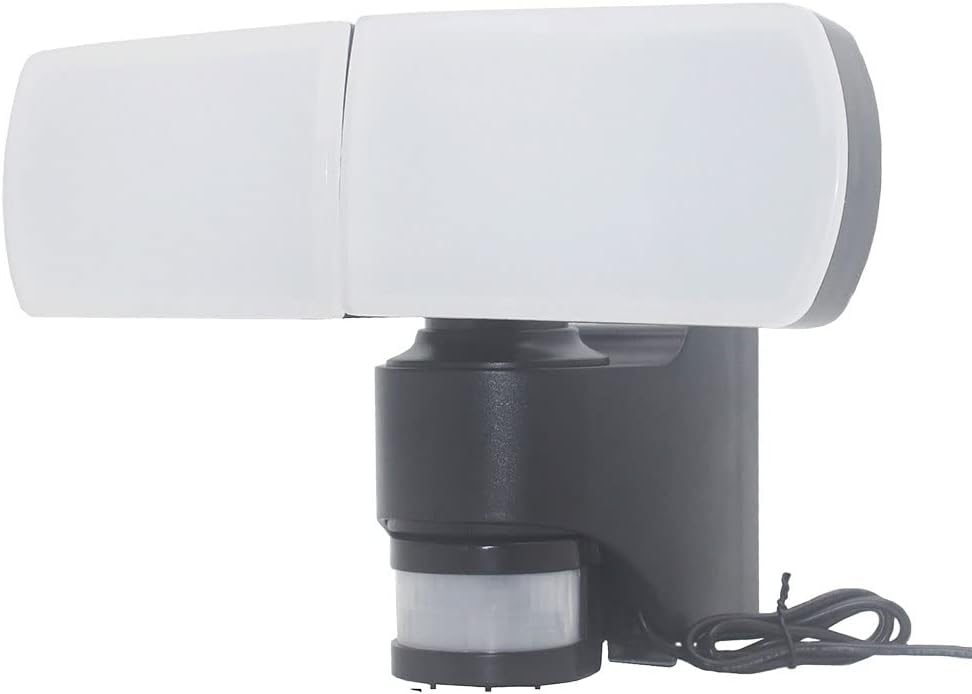
Image 5: Side profile of the Xanlite Solar LED Wall Floodlight, highlighting its integrated design with the solar panel on top and the motion sensor below the adjustable light heads.
9. Warranty Information
This Xanlite product is covered by a manufacturer's warranty against defects in materials and workmanship. Please refer to the warranty card included with your purchase or contact Xanlite customer service for specific warranty terms and conditions. Keep your proof of purchase for warranty claims.
10. Support
For further assistance, technical support, or to inquire about spare parts, please contact Xanlite customer service through their official website or the contact information provided with your product documentation. When contacting support, please have your product model number (PRS2T1500D) and purchase date available.


