
1. Introduction
This manual provides detailed instructions for the installation, operation, and maintenance of your Xanlite ECP50RDCW USB Rechargeable Magnetic Sensor LED Cabinet and Drawer Light. This device is designed to provide convenient, automatic illumination in dark spaces such as cabinets, drawers, and wardrobes. Please read this manual thoroughly before use to ensure proper function and safety.
2. Safety Instructions
- Do not expose the device to extreme temperatures, direct sunlight, or high humidity.
- Do not attempt to disassemble or modify the device. This may void the warranty and pose a safety risk.
- Keep the device away from water and other liquids.
- Use only the provided or a certified USB cable for charging.
- Ensure the installation surface is clean, dry, and smooth for optimal adhesive performance.
- This product contains a rechargeable battery. Dispose of the product and battery responsibly according to local regulations.
3. Package Contents
Verify that all components are present in the package:
- Xanlite ECP50RDCW LED Light Unit
- USB Charging Cable
- Magnetic Mounting Strips with Adhesive
- User Manual (this document)
4. Product Features
- Automatic Illumination: Equipped with a magnetic sensor for automatic light activation.
- Rechargeable Battery: Integrated battery, easily rechargeable via USB.
- Light Output: Delivers 50 lumens of neutral white light.
- Easy Installation: Features adhesive-based magnetic mounting for quick and secure placement.
- Energy Efficient: Low power consumption for extended battery life.
- Compact Design: Discreet aluminum design suitable for various interior decors.
5. Setup and Installation
The Xanlite ECP50RDCW light is designed for simple, tool-free installation using its magnetic and adhesive mounting system.
- Choose Location: Select a suitable location inside a cabinet, drawer, or wardrobe where you require illumination. Ensure the surface is clean, dry, and smooth.
- Prepare Surface: Clean the chosen surface thoroughly to remove any dust, grease, or moisture. This ensures optimal adhesion.
- Attach Magnetic Strips: Peel the protective backing from the adhesive side of the magnetic mounting strips. Firmly press the strips onto the cleaned surface. Hold for a few seconds to ensure good contact.
- Mount Light Unit: The LED light unit has built-in magnets. Align the light unit with the installed magnetic strips on the surface. The magnets will hold the light securely in place.
- Test Sensor: Close and open the cabinet/drawer to test the magnetic sensor's functionality. The light should turn on when the cabinet/drawer is opened and turn off when closed.
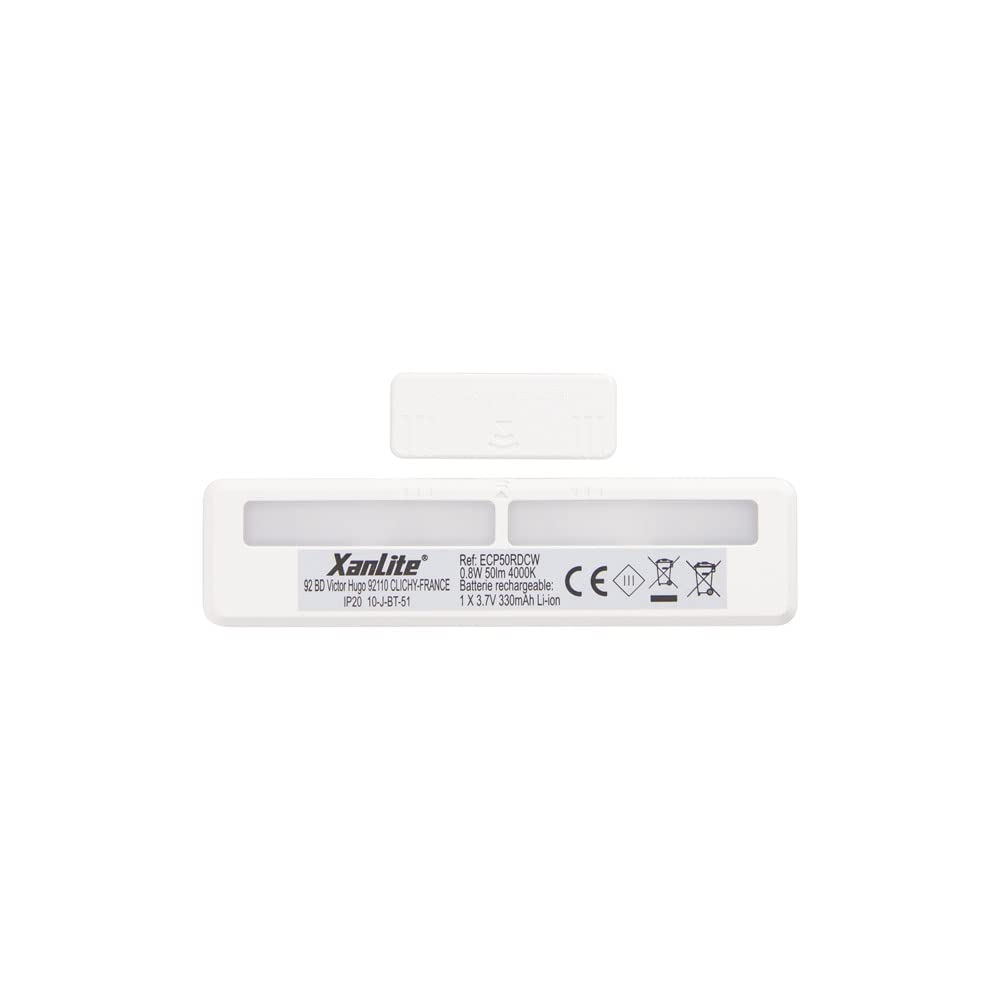
6. Operating Instructions
The Xanlite ECP50RDCW LED light operates automatically using its integrated magnetic sensor.
- Automatic Activation: When the light unit is installed and charged, it will automatically detect the opening of a cabinet or drawer via its magnetic sensor. The light will turn on instantly.
- Automatic Deactivation: When the cabinet or drawer is closed, the magnetic sensor will detect this change, and the light will automatically turn off after a short delay.
- Light Output: The device provides a neutral white light with a brightness of 50 lumens, suitable for illuminating small enclosed spaces.
7. Charging the Battery
The Xanlite ECP50RDCW features a built-in rechargeable battery. When the light output appears dim or the light does not activate reliably, it is time to recharge the unit.
- Remove Light Unit: Gently detach the LED light unit from the magnetic mounting strips.
- Connect USB Cable: Locate the USB charging port on the light unit. Insert the small end of the provided USB charging cable into this port.
- Connect to Power: Plug the larger end of the USB cable into a standard USB power adapter (e.g., phone charger, computer USB port) or a power bank.
- Charging Indicator: The light unit may have an indicator LED that changes color (e.g., red for charging, green for fully charged). Refer to the product for specific indicator behavior.
- Reattach Light Unit: Once fully charged, disconnect the USB cable and reattach the light unit to its magnetic mounting strips.
8. Maintenance
- Cleaning: Wipe the light unit with a soft, dry cloth. Do not use abrasive cleaners or solvents.
- Battery Care: To prolong battery life, avoid fully discharging the battery frequently. Recharge the unit when the light output diminishes. If storing for an extended period, charge the battery to about 50% every few months.
- Adhesive Check: Periodically check the adhesion of the magnetic strips. If they become loose, clean the surface and reapply new adhesive strips if necessary.
9. Troubleshooting
| Problem | Possible Cause | Solution |
|---|---|---|
| Light does not turn on. | Battery is discharged. Magnetic sensor not detecting movement. Light unit not properly attached. | Charge the battery using the USB cable. Ensure the magnetic strips are correctly positioned relative to the sensor. Reattach the light unit firmly to the magnetic strips. |
| Light is dim. | Low battery. | Recharge the battery. |
| Light turns on/off erratically. | Interference with magnetic sensor. Loose connection. | Ensure no other magnetic objects are near the sensor. Check if the light unit is securely attached to the magnetic strips. |
| Adhesive strips are not holding. | Surface not clean or smooth. Old adhesive. | Clean the surface thoroughly before application. Use new, strong adhesive strips. |
10. Specifications
| Feature | Detail |
|---|---|
| Model Number | ECP50RDCW |
| Brand | Xanlite |
| Light Type | LED |
| Luminous Flux | 50 Lumens |
| Light Color | Neutral White |
| Power Source | Rechargeable Battery (USB) |
| Sensor Type | Magnetic Detector |
| Mounting Method | Adhesive with Magnetic Attachment |
| Material | Aluminum |
| Energy Label | A+ |
| Weight | 1 Kilogram (Note: This seems high for a small light, likely package weight) |
| Country of Origin | China |
11. Warranty and Support
Xanlite is committed to providing quality products and excellent customer service. If you encounter any issues with your ECP50RDCW LED light or have questions not covered in this manual, please do not hesitate to contact Xanlite customer support.
For support, please visit the official Xanlite website or refer to the contact information provided with your purchase.


