
Introduction
Thank you for choosing the Renimer IT100 Wireless Earbuds. This manual provides detailed instructions for setting up, operating, maintaining, and troubleshooting your new earbuds. Please read this manual thoroughly before use to ensure optimal performance and longevity of your device.

Image: Renimer IT100 Wireless Earbuds shown inside their open charging case, highlighting the sleek black design and compact form factor.
1. Setup
1.1 Package Contents
Before you begin, please ensure all items are present in your package:
- Renimer IT100 Wireless Earbuds (Left and Right)
- Charging Case
- USB Type-C Charging Cable
- Silicone Ear Tips (S/M/L sizes)
- User Manual

Image: The Renimer IT100 Wireless Earbuds package contents, including the earbuds, charging case, USB-C cable, and various ear tip sizes.
1.2 Charging the Earbuds and Case
For first-time use, fully charge the earbuds and charging case.
- Place both earbuds into the charging case.
- Connect the USB Type-C charging cable to the charging port on the case and to a power source (e.g., USB wall adapter, computer USB port).
- The indicator lights on the charging case will illuminate to show charging status. A full charge typically takes approximately 1.5 hours for the case.
- Once fully charged, the indicator lights will show a steady state or turn off, depending on the model.
The earbuds provide 7-8 hours of playtime on a single charge, and the charging case extends total playtime to approximately 40 hours.

Image: Diagram illustrating the battery life of the Renimer IT100 earbuds, showing 7-8 hours for earbuds and 40 hours total with the charging case.
1.3 Pairing with a Bluetooth Device
The Renimer IT100 earbuds utilize Bluetooth 5.2 technology for stable and efficient connection.
- Initial Pairing:
- Open the charging case, and the earbuds will automatically power on and enter pairing mode.
- On your device (smartphone, tablet, etc.), enable Bluetooth and search for available devices.
- Select "IT100" from the list of available devices to connect.
- Once connected, you will hear an audible confirmation, and the earbud indicator lights may change.
- Re-pairing: The earbuds will automatically connect to the last paired device when taken out of the case, if Bluetooth is enabled on the device.

Image: A smartphone screen displaying the Bluetooth settings, with "IT100" highlighted as an available device for pairing.

Image: A diagram illustrating the internal components and benefits of Bluetooth 5.2 technology, including low latency and efficient power consumption.
2. Operating Instructions
2.1 Wearing the Earbuds
The IT100 earbuds are designed for a secure and comfortable fit. Choose the ear tips that best suit your ear canal for optimal sound quality and comfort.
- Gently insert the earbud into your ear canal.
- Rotate the earbud slightly until it feels snug and secure.
- Ensure the microphone is facing towards your mouth for clear call quality.

Image: A diagram illustrating the ergonomic design of the Renimer IT100 earbud, showing how it fits comfortably and securely in the ear.
2.2 Smart Touch Controls
The IT100 earbuds feature sensitive touch controls for easy management of music and calls.
| Action | Function |
|---|---|
| One Tap R/L | Play/Pause music, Answer/End call |
| Double Tap R | Next Track |
| Double Tap L | Previous Track |
| Long Tap 2s R/L | Reject Call |
| One Tap R (during call) | Volume Up |
| One Tap L (during call) | Volume Down |
| Quick Triple Tap R/L | Activate Voice Assistant (Siri/Google Assistant) |

Image: A visual guide to the touch control functions on the Renimer IT100 earbuds, showing various tap gestures and their corresponding actions.

Image: A person activating a voice assistant (Google Assistant/Siri) using the touch controls on the Renimer IT100 earbuds.
2.3 Single and Twin Mode
The IT100 earbuds support both single earbud use (mono) and dual earbud use (stereo).
- Single Mode: You can use either the left or right earbud independently. Simply take one earbud out of the case, and it will connect to your device. The other earbud can remain in the case or be used by another person.
- Twin Mode: For stereo sound, take both earbuds out of the case. They will automatically connect to each other and then to your paired device.

Image: An illustration showing the flexibility of using Renimer IT100 earbuds in either single (mono) or twin (stereo) mode.
3. Maintenance
3.1 Cleaning
Regular cleaning helps maintain sound quality and hygiene.
- Use a soft, dry, lint-free cloth to wipe the earbuds and charging case.
- For ear tips, remove them from the earbuds and clean with a mild soap solution if necessary, then rinse thoroughly and dry completely before reattaching.
- Do not use abrasive cleaners, alcohol, or chemical solvents.
3.2 Storage
When not in use, store the earbuds in their charging case to protect them and keep them charged.
- Store in a cool, dry place away from extreme temperatures.
- Avoid prolonged exposure to direct sunlight.
3.3 Water Resistance (IP7 Rating)
The Renimer IT100 earbuds are IP7 waterproof, meaning they are protected against immersion in water up to 1 meter for up to 30 minutes. This makes them suitable for sports and exercise, protecting against sweat, light rain, and accidental splashes.
Important:
- The charging case is not waterproof. Do not expose the charging case to water.
- Do not use the earbuds for swimming or showering.
- Ensure earbuds are completely dry before placing them back into the charging case to prevent damage.

Image: An illustration demonstrating the IP7 waterproof capability of the Renimer IT100 earbuds, showing protection against light rain, accidental splashes, and sweat.
4. Troubleshooting
If you encounter issues with your Renimer IT100 earbuds, please refer to the following common solutions:
4.1 Earbuds Not Pairing with Each Other or Device
- Ensure both earbuds are charged.
- Place both earbuds back into the charging case, close the lid, wait a few seconds, then open the lid again. This often resets the connection.
- On your device, forget or delete "IT100" from your Bluetooth device list. Then, repeat the pairing process from Section 1.3.
- Ensure your device's Bluetooth is enabled and within range (typically 10 meters/33 feet).
4.2 No Sound or Low Volume
- Check the volume level on both your earbuds (via touch control) and your connected device.
- Ensure the earbuds are properly seated in your ears to create a good seal.
- Clean any debris from the earbud mesh and ear tips.
- Reconnect the earbuds to your device.
4.3 Charging Issues
- Ensure the charging cable is securely connected to both the case and the power source.
- Try a different USB Type-C cable and/or power adapter.
- Make sure the charging contacts on the earbuds and inside the case are clean and free of debris.
4.4 Touch Controls Not Responding
- Ensure your fingers are clean and dry when using touch controls.
- Try resetting the earbuds by placing them in the case and closing the lid for a few seconds.
5. Specifications
| Feature | Detail |
|---|---|
| Model Name | IT100 |
| Brand | Renimer |
| Connectivity Technology | Bluetooth 5.2 |
| Audio Drivers | 13mm High-Efficiency Speakers |
| Noise Control | CVC8.0 Noise Cancellation (for calls) |
| Microphone | Built-in HD Mic |
| Playtime (Earbuds) | 7-8 hours (at 60% volume) |
| Total Playtime (with Case) | Up to 40 hours |
| Charging Time (Case) | Approx. 1.5 hours (via Type-C) |
| Water Resistance Rating | IP7 (Earbuds only) |
| Control Method | Touch Control |
| Earbud Weight | 4.1g (each) |
| Charging Case Weight | 47g |
| Compatible Devices | iOS 9.0+/Android 5.0+ with Bluetooth 4.0+ |
| Product Dimensions (Case) | 2.44 x 0.94 x 2.01 inches |
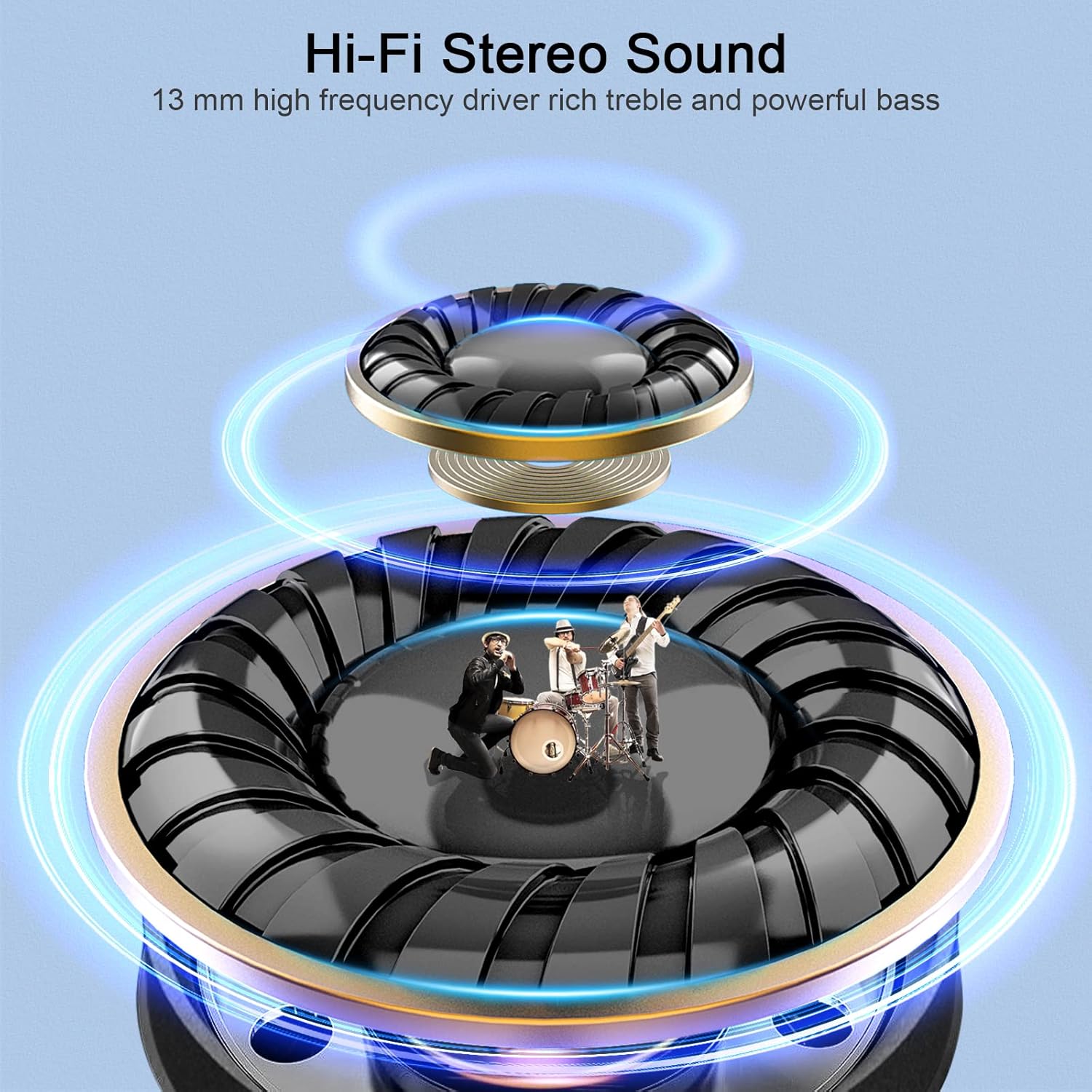
Image: A detailed diagram illustrating the 13mm high-fidelity stereo sound drivers within the Renimer IT100 earbuds, emphasizing rich treble and powerful bass.

Image: An illustration highlighting the lightweight design of the Renimer IT100 earbuds (4.1g each) and the charging case.
6. Warranty Information
Renimer products are designed and manufactured to the highest quality standards. For specific warranty details, please refer to the warranty card included in your product packaging or contact Renimer customer support.
This warranty typically covers manufacturing defects and material flaws under normal use. It does not cover damage caused by misuse, accidents, unauthorized modifications, or normal wear and tear.
7. Customer Support
If you have any questions, concerns, or require assistance with your Renimer IT100 Wireless Earbuds, please do not hesitate to contact our customer support team.
Please visit the official Renimer website for the most up-to-date contact information and support resources.
When contacting support, please have your product model (IT100) and purchase details ready.
