
1. Introduction
Thank you for choosing the Renimer IT100 Wireless Earbuds. These earbuds are designed to provide a superior audio experience with advanced Bluetooth 5.2 technology, Hi-Fi stereo sound, and a comfortable, waterproof design. This manual will guide you through the setup, operation, and maintenance of your new earbuds to ensure optimal performance and longevity.
2. Package Contents
Please check the package for the following items:
- Renimer IT100 Wireless Earbuds (Left and Right)
- Charging Case
- USB Type-C Charging Cable
- Ear Tips (S/M/L sizes)
- User Manual (this document)
3. Product Overview
Familiarize yourself with the components of your Renimer IT100 Wireless Earbuds.

Figure 3.1: Renimer IT100 Wireless Earbuds and Charging Case. This image displays the earbuds nestled within their compact charging case, highlighting their sleek design and portability.

Figure 3.2: Super Lightweight Design. This image illustrates the individual earbud weighing 4.1g and the charging case weighing 38.6g, emphasizing their minimal weight for comfortable wear and portability.
4. Setup
4.1 Charging the Earbuds and Case
Before first use, fully charge the earbuds and charging case.
- Place the earbuds into the charging case. Ensure they are correctly seated; the indicator lights on the earbuds will illuminate to show charging status.
- Connect the USB Type-C charging cable to the charging port on the case and plug the other end into a USB power adapter (not included) or a computer's USB port.
- The charging case indicator lights will show the charging progress. A full charge for the case typically takes about 1.5 hours.
- Once fully charged, disconnect the charging cable. The earbuds will charge automatically when placed in the case, providing up to 40 hours of total playtime with multiple recharges from the case.

Figure 4.1: Earbuds in Charging Case. This image shows the earbuds placed inside the charging case, illustrating how they are stored and charged.
4.2 Pairing with Your Device
The Renimer IT100 earbuds utilize Bluetooth 5.2 for a stable and efficient connection.
- Automatic Power On: Open the charging case, and the earbuds will automatically power on and enter pairing mode. The indicator light on one earbud will flash, indicating it is ready to pair.
- Activate Bluetooth: On your mobile device (smartphone, tablet, etc.), go to the Bluetooth settings and turn on Bluetooth.
- Select Device: Look for "Renimer IT100" (or similar) in the list of available Bluetooth devices and select it to connect.
- Connection Confirmation: Once successfully paired, you will hear an audible confirmation, and the earbud indicator lights will turn off or flash slowly.
- Reconnect: After the initial pairing, the earbuds will automatically connect to the last paired device when removed from the charging case, provided Bluetooth is enabled on your device.

Figure 4.2: Bluetooth 5.2 Technology. This diagram illustrates the advanced Bluetooth 5.2 chip within the earbud, highlighting its stable connection, low latency, and efficient power consumption.
5. Operating Instructions
The Renimer IT100 earbuds feature smart touch controls for easy management of music, calls, and voice assistants.
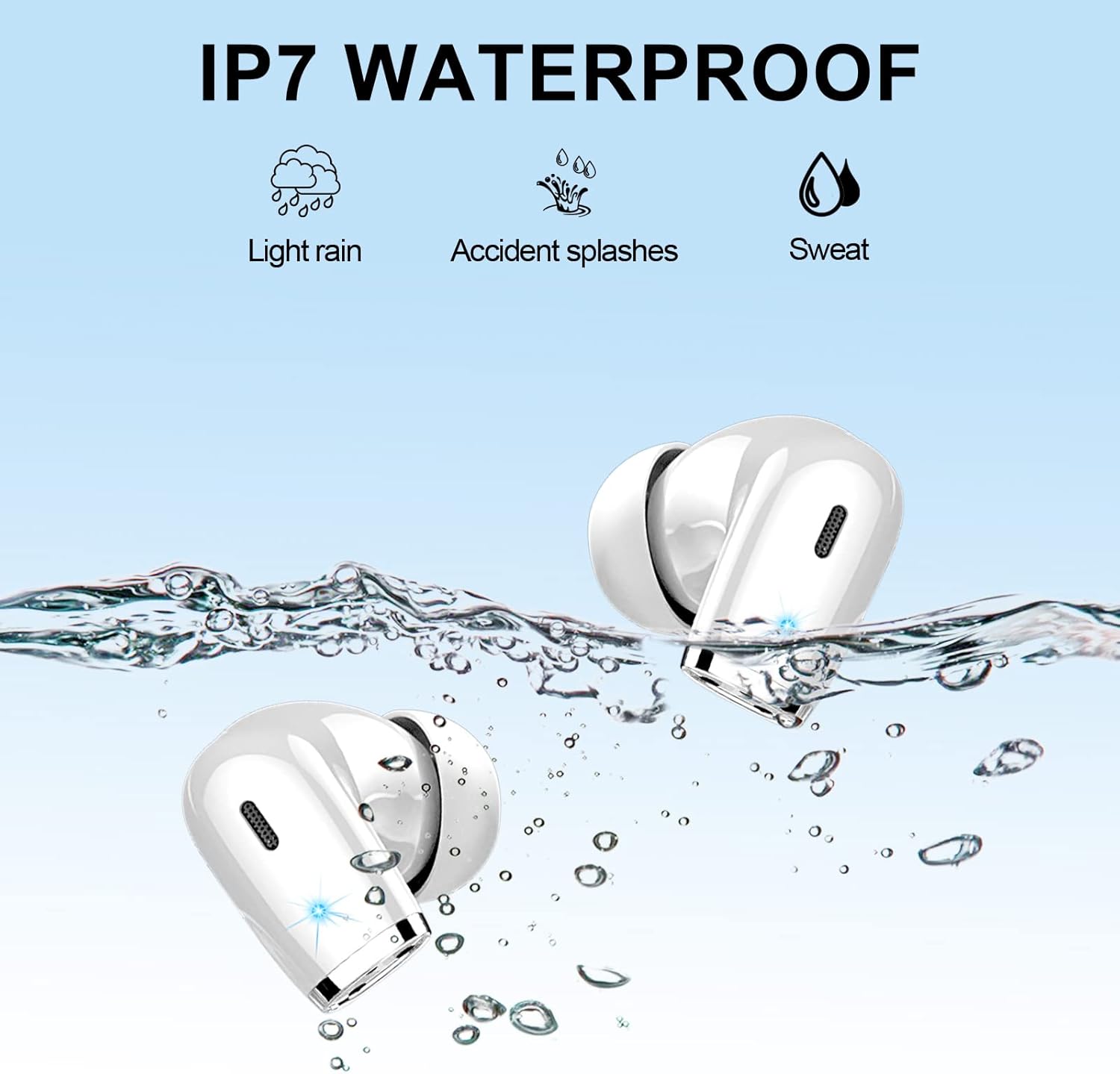
Figure 5.1: Smart Touch Control. This image displays a diagram of an earbud in an ear, with various touch gestures and their corresponding functions for music, calls, and voice assistant.
5.1 Music Control
- Play/Pause: Single tap on either earbud.
- Next Track: Double tap the right earbud.
- Previous Track: Double tap the left earbud.
- Volume Up: Triple tap the right earbud.
- Volume Down: Triple tap the left earbud.
5.2 Call Control
- Answer/End Call: Single tap on either earbud during an incoming call or active call.
- Reject Call: Press and hold either earbud for 2 seconds during an incoming call.
5.3 Voice Assistant
- Activate Voice Assistant (Siri/Google Assistant): Press and hold either earbud for 3 seconds.
6. Maintenance
6.1 Cleaning
To maintain optimal sound quality and hygiene:
- Regularly clean the earbuds, especially the ear tips and speaker mesh, with a soft, dry, lint-free cloth.
- Do not use harsh chemicals, cleaning solvents, or strong detergents.
- Ensure no moisture enters the speaker openings.
6.2 Water Resistance (IP7)
The Renimer IT100 earbuds are rated IP7 waterproof, meaning they are protected against the effects of temporary immersion in water (up to 1 meter for 30 minutes). This makes them suitable for:
- Light rain
- Accidental splashes
- Sweat during sports and exercise
Important: While IP7 rated, it is recommended to wipe the earbuds dry immediately after contact with water to prevent any potential long-term damage and ensure proper function. The charging case is not waterproof.

Figure 6.1: IP7 Waterproof. This image visually represents the IP7 waterproof capabilities of the earbuds, showing them submerged in water with icons for light rain, accidental splashes, and sweat.
6.3 Storage
When not in use, store the earbuds in their charging case to protect them from dust, damage, and to keep them charged.
7. Troubleshooting
If you encounter any issues with your Renimer IT100 earbuds, please refer to the following common solutions:
| Problem | Solution |
|---|---|
| Earbuds not pairing with device |
|
| Only one earbud is working |
|
| Low volume or poor sound quality |
|
| Earbuds not charging |
|
| Touch controls are too sensitive or unresponsive |
|
8. Specifications
| Model Number | IT100 |
| Bluetooth Version | 5.2 |
| Speaker Size | 13mm high-efficiency speakers |
| Playtime (Earbuds) | 7-8 hours (at 60% volume) |
| Total Playtime (with Charging Case) | Up to 40 hours |
| Charging Time (Case) | Approx. 1.5 hours (via Type-C) |
| Waterproof Rating | IP7 (Earbuds only) |
| Noise Control | CVC 8.0 for calls, Passive Noise Isolation for music |
| Control Method | Smart Touch Control |
| Single Earbud Weight | 4.1g |
| Charging Case Weight | 47g |
| Compatible Devices | iOS 9.0/Android 5.0 or above and Bluetooth 4.0 or later |
9. Warranty and Support
Renimer products are designed and manufactured to the highest quality standards. For warranty information, technical support, or customer service inquiries, please refer to the contact information provided with your purchase or visit the official Renimer website. Please retain your proof of purchase for warranty claims.
