
Product Overview
The OBODE P8 is an advanced robot vacuum and mop combo designed to provide comprehensive floor cleaning. It features d-ToF LiDAR Navigation for precise mapping and obstacle avoidance, an Auto Cleaning Station for self-emptying and mop washing/drying, and powerful dual spin mopping for effective stain removal. Compatible with smart home systems like Alexa, the P8 offers multiple cleaning modes and intelligent features to simplify your cleaning routine.

The OBODE P8 Robot Vacuum and Mop Combo, showcasing the main unit and its auto-cleaning station, along with two mop pads and a smartphone displaying the control app.
Setup Guide
1. Unboxing and Component Identification
Carefully remove all components from the packaging. Ensure all accessories are present as shown below.

An overview of all items included in the OBODE P8 package, including the robot, auto-cleaning station, mop pads, side brushes, filter, and water tanks.
2. Base Station Placement
Place the auto-cleaning station in an open area with good Wi-Fi coverage, away from direct sunlight and heat sources. Ensure there is at least 0.5 meters of clear space on both sides and 1.5 meters in front of the station for optimal robot navigation.
3. Water Tank Filling
- Open the tank lid on the auto-cleaning station.
- Remove the 'clean water' tank.
- Fill the clean water tank with clean tap water. You may add a few drops of the recommended cleaning solution (provided) for enhanced mopping performance.
- Place the clean water tank back into the base station and close the lid.
4. Mop Pad and Side Brush Installation
- Turn the robot vacuum upside down.
- Attach the mop pads to the magnetic pins on the underside of the robot.
- Press down the side brushes firmly into their designated slots until they click into place.
5. App Connection and Wi-Fi Setup
Download the 'obode Life' app from your smartphone's app store. Follow the in-app instructions to connect your OBODE P8 to your home Wi-Fi network (supports 2.4GHz only). This will enable smart control, mapping, and scheduling features.
Official OBODE P8 Robot Vacuum Operation Guide video, demonstrating the initial setup and app connection process.
Operating Instructions
Cleaning Modes
The OBODE P8 offers four distinct cleaning modes to suit various needs:
- Vacuum Only: Ideal for dry debris and dust.
- Mop Only: For hard floors requiring wet cleaning.
- Vacuum + Mop: Performs vacuuming first, then mopping.
- Vacuum & Mop at the same time: Simultaneous vacuuming and mopping for efficient cleaning.
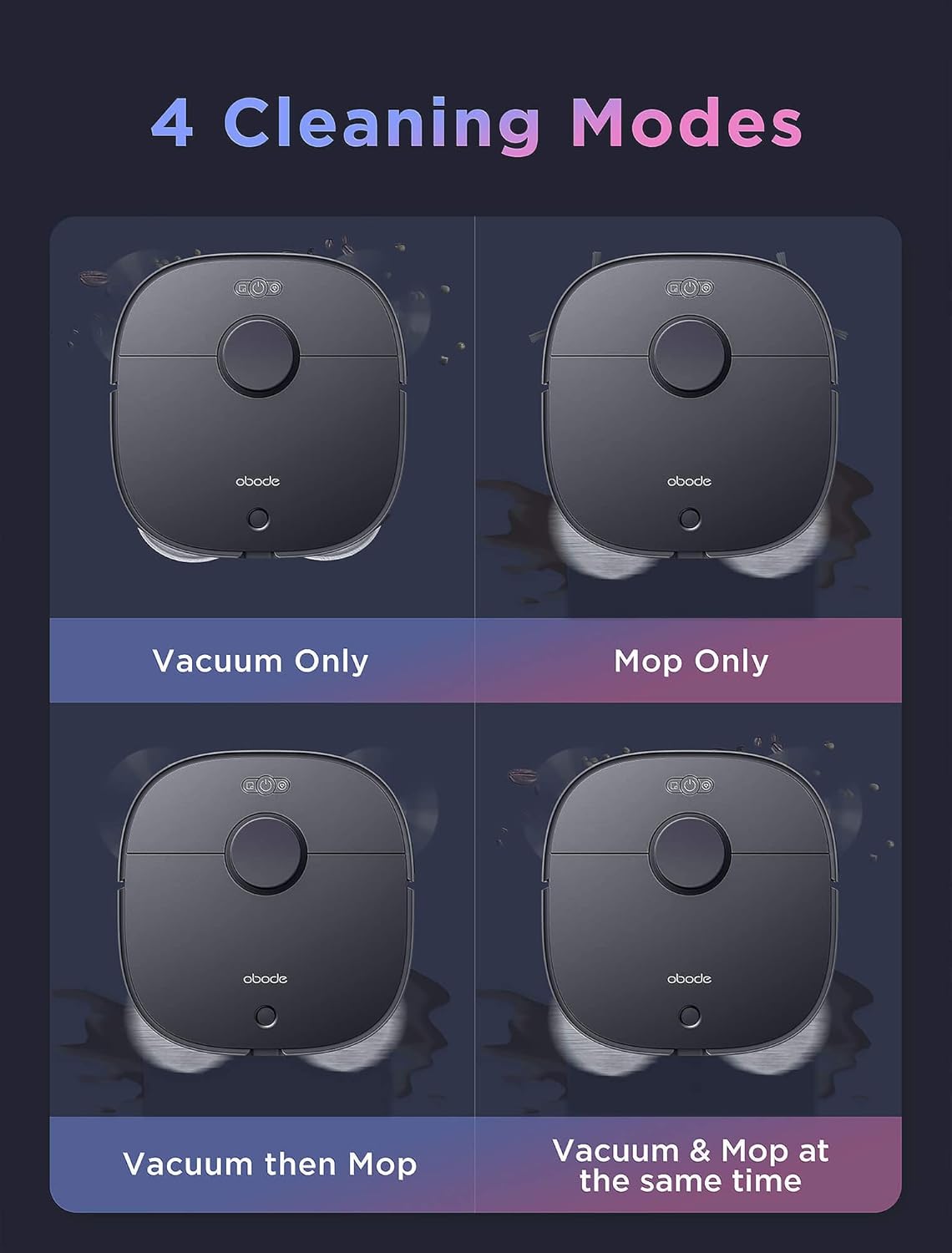
Visual representation of the four available cleaning modes: Vacuum Only, Mop Only, Vacuum then Mop, and Vacuum & Mop at the same time.
Navigation and Mapping
Equipped with d-ToF LiDAR Navigation and multiple sensors, the P8 accurately maps your home environment, identifies obstacles, and plans efficient cleaning paths. It supports multi-floor mapping (up to 3 levels) and allows for customized cleaning plans via the app.
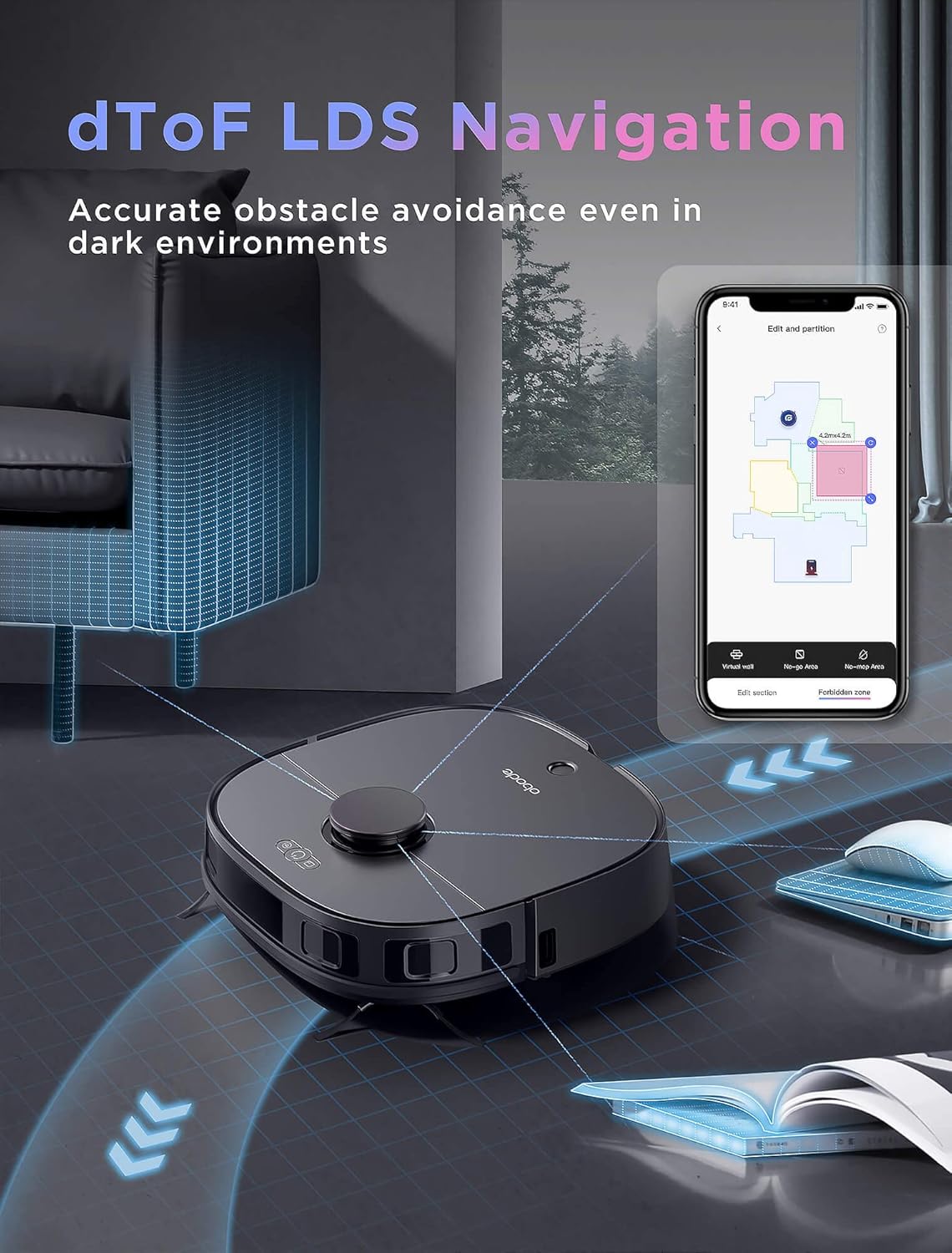
The OBODE P8 utilizing its d-ToF LDS Navigation system to accurately map and avoid obstacles in a living space.
Intelligent Carpet Detection
The P8 features ultrasonic carpet detection. When a carpet is detected during mopping, the robot will automatically lift its mop pads to avoid wetting the carpet. During vacuuming, it will automatically boost suction power on carpets for deeper cleaning.

The OBODE P8 demonstrating its Carpet Boost feature, automatically adjusting suction power when transitioning from hard floor to carpet.
App Control and Voice Commands
Control your OBODE P8 using the dedicated app to set cleaning schedules, define no-go zones, select specific rooms or zones for cleaning, and monitor cleaning progress. The robot is also compatible with voice assistants like Amazon Alexa for convenient hands-free operation.
Official OBODE P8 Robot Vacuum and Mop Combo video, highlighting its auto-cleaning station and smart features like app and voice control.
Maintenance
1. Dustbin Emptying
Regularly empty the robot's dustbin to maintain optimal vacuuming performance. Open the robot cover, remove the dustbin, and dispose of collected debris. The auto-cleaning station does not self-empty the dustbin, only cleans the mop pads.
2. Main Brush and Side Brush Cleaning
Periodically remove the main brush and side brushes to clear any tangled hair or debris. Use the provided cleaning tool to cut and remove hair from the main brush. Reinstall brushes securely.
3. Mop Pad Cleaning and Drying
The auto-cleaning station automatically washes and dries the mop pads. The P8 returns to the station to clean its mop pads during and after cleaning jobs. Hot air drying (55°C) prevents odor and bacteria growth.

Illustration of the OBODE P8's auto mop washing and drying features within the cleaning station.
4. Water Tank Maintenance
The auto-cleaning station has separate tanks for clean water and waste water. Regularly check and empty the waste water tank. Refill the clean water tank as needed. The robot automatically refills its onboard water tank from the clean water tank in the base station.
Specifications
| Feature | Detail |
|---|---|
| Brand | OBODE |
| Model Number | A8 |
| Special Features | LiDAR Navigation, Auto Cleaning Station, Wet/Dry Mopping, Ultrasonic Carpet Detection, Self-Emptying, Scheduling |
| Color | Black |
| Included Components | 1 x Mop Head, 2 x Cleaning Cloth |
| Filter Type | Cartridge |
| Power Source | Battery Powered |
| Control Method | App |
| Compatible Devices | Smartphones, Amazon Echo |
| Form Factor | Robotic |
| Product Dimensions | 15.75 x 15.75 x 5.12 inches |
| Item Weight | 46.9 pounds |
| Battery Type | 1 Lithium Ion batteries required (included) |
| First Available Date | October 14, 2023 |
Troubleshooting
Common Issues and Solutions:
- Robot gets stuck or tangled: Ensure the cleaning area is free of small objects, loose cables, or long hair. Regularly clean the main brush and side brushes to remove tangled hair.
- Poor cleaning performance: Check if the dustbin is full and empty it. Ensure mop pads are clean and properly installed. Verify water tanks are filled correctly.
- App connectivity issues: Ensure your Wi-Fi network is 2.4GHz. Restart your router, smartphone, and the robot. Follow in-app troubleshooting steps for re-pairing.
- Mop pads not drying properly: Ensure the auto-cleaning station is clean and free of debris. Verify the hot air drying function is active.
Warranty and Support
For detailed warranty information and further support, please refer to the official Instructions for Use (IFU) PDF document. You can typically find this document on the product's official support page or by searching for the product model number online.
For additional assistance, please contact OBODE customer support through their official website or the 'obode Life' app.
Official User Guide (PDF): Download Here


