
Jesebang IT100-White
Jesebang Wireless Earbuds User Manual
Model: IT100-White
1. Introduction
Thank you for choosing Jesebang IT100-White Wireless Earbuds. These earbuds are designed to provide a superior audio experience with advanced Bluetooth 5.2 technology, powerful 13mm dynamic drivers, and a comfortable, lightweight design. This manual will guide you through the setup, operation, and maintenance of your new earbuds to ensure optimal performance and longevity.

Image: Jesebang IT100-White Wireless Earbuds in their charging case.
2. Safety Information
- Do not disassemble or modify the earbuds or charging case.
- Keep the device away from extreme temperatures, humidity, and corrosive materials.
- Avoid prolonged exposure to high volume levels to prevent hearing damage.
- Clean the earbuds and charging case with a soft, dry cloth. Do not use harsh chemicals.
- Dispose of the product responsibly according to local regulations.
3. Package Contents

Image: Contents of the product package, including earbuds, charging case, USB-C cable, and ear tips.
Please check the package for the following items:
- Jesebang IT100-White Wireless Earbuds (L/R)
- Charging Case
- USB-C Charging Cable
- Silicone Ear Tips (S/M/L sizes)
- User Manual
4. Product Overview
Earbud Components

Image: Diagram highlighting key features of the earbuds, including 13mm dynamic drivers, wireless charging case, IP7 water resistance, touch control, ergonomic design, and AAC audio decoding.
- Touch Control Area: For managing playback, calls, and modes.
- Microphone: For clear voice capture during calls.
- LED Indicator: Shows pairing status and battery level.
- Charging Contacts: For charging within the case.
- Speaker/Driver: 13mm dynamic drivers for high-quality audio.
Charging Case Components

Image: The charging case displaying its battery level indicators (25%, 50%, 75%, 100%).
- Earbud Charging Slots: Securely holds and charges the earbuds.
- Battery Indicator Lights: Shows the charging status and battery level of the case.
- USB-C Charging Port: For charging the case.
5. Setup
5.1 Initial Charging
Before first use, fully charge both the earbuds and the charging case.
- Place the earbuds into the charging case. Ensure they are correctly seated.
- Connect the USB-C charging cable to the charging port on the case and plug the other end into a USB power adapter (not included) or a computer's USB port.
- The indicator lights on the charging case will illuminate to show the charging progress. Once fully charged, all lights will remain solid.
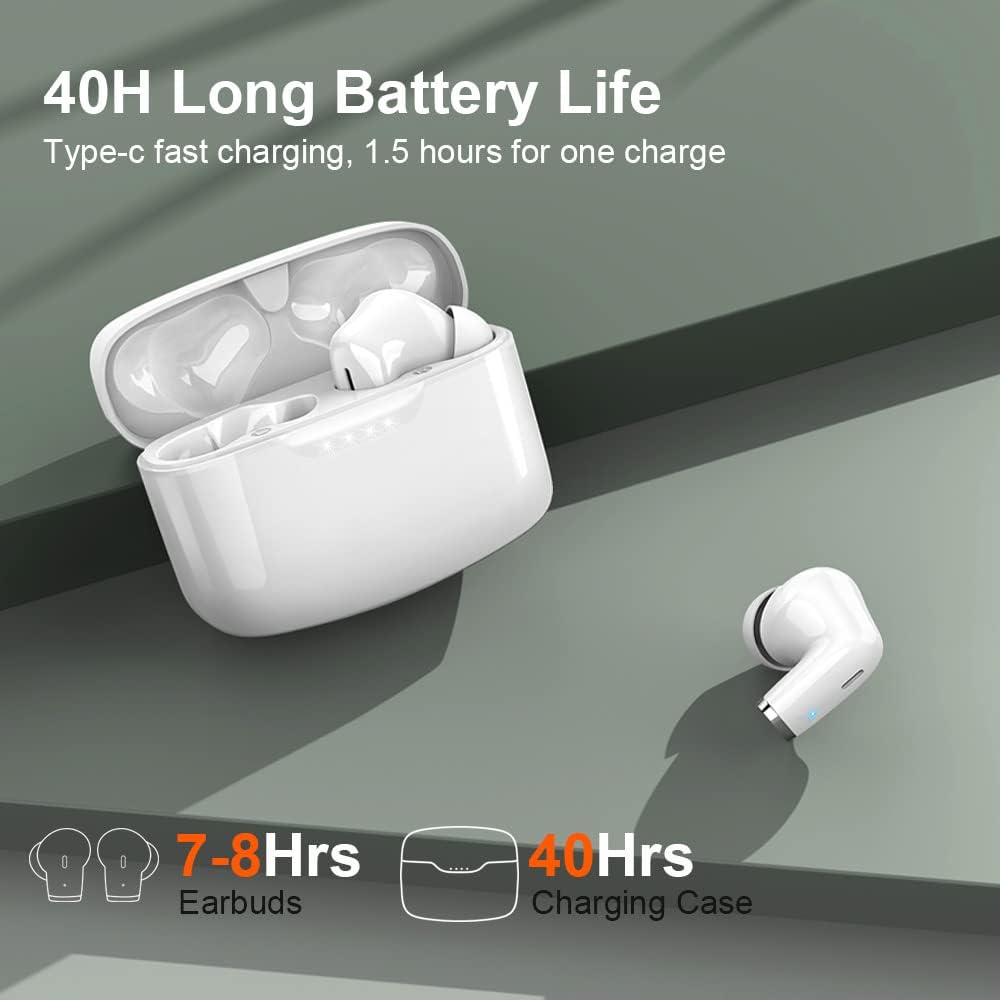
Image: Illustration showing the earbuds and charging case with their respective battery life: 7-8 hours for earbuds and 40 hours total with the charging case.
5.2 Pairing with Your Device
The earbuds support automatic pairing for convenience.

Image: The earbuds and charging case next to a smartphone displaying a successful Bluetooth connection to "IT100".
- Open the charging case. The earbuds will automatically power on and enter pairing mode. The LED indicator on one earbud will flash white, indicating it's ready to pair.
- On your device (smartphone, tablet, computer), enable Bluetooth.
- Search for "IT100" in the list of available Bluetooth devices and select it to connect.
- Once connected, the LED indicator on the earbud will turn off, and you will hear a confirmation tone.
- The earbuds will automatically reconnect to the last paired device when taken out of the case, provided Bluetooth is enabled on the device.
6. Operating Instructions
6.1 Wearing the Earbuds

Image: Illustration of the earbuds' ultra-lightweight design (4.1g per earbud) and the included S, M, L ear tip sizes for a comfortable fit.
Choose the ear tips that provide the best seal and comfort for your ears. Insert the earbuds gently into your ear canal and rotate them slightly until they fit snugly and securely.
6.2 Touch Controls
The IT100-White earbuds feature intuitive touch controls on each earbud.
| Function | Action |
|---|---|
| Play/Pause | Single tap on either earbud |
| Next Track | Double tap on the Right earbud |
| Previous Track | Double tap on the Left earbud |
| Volume Up | Press and hold the Right earbud |
| Volume Down | Press and hold the Left earbud |
| Answer/End Call | Single tap on either earbud |
| Reject Call | Press and hold on either earbud |
| Activate Voice Assistant | Triple tap on either earbud |
| Game Mode On/Off | Triple tap on the Right earbud |

Image: The earbuds and charging case next to a smartphone, illustrating fast charging via Type-C and low latency Game Mode (less than 60ms).
6.3 Charging the Earbuds
Place the earbuds back into the charging case. They will automatically disconnect from your device and begin charging. The LED indicators on the earbuds will show charging status.
6.4 Charging the Case
Connect the USB-C cable to the charging port on the case and a power source. The indicator lights on the case will show the charging progress. A full charge takes approximately 1.5 hours.

Image: The charging case highlighting its long endurance and fast charging capability via Type-C, showing 8 hours on a single charge and 40 hours total playtime.
7. Maintenance
7.1 Cleaning
Regularly clean your earbuds and charging case to maintain optimal performance and hygiene.
- Use a soft, lint-free cloth to wipe the surfaces of the earbuds and case.
- For ear tips, remove them from the earbuds and wash with mild soap and water. Ensure they are completely dry before reattaching.
- Gently clean the charging contacts on both the earbuds and the case with a dry cotton swab.
7.2 Storage
When not in use, store the earbuds in their charging case to protect them from dust and damage.
7.3 Water Resistance (IP7)

Image: A person wearing the earbuds while water is being poured over their face, illustrating the IP7 waterproof and sweatproof capabilities.
The earbuds are IP7 waterproof, meaning they are protected against immersion in water up to 1 meter for up to 30 minutes. This makes them suitable for workouts and light rain. However, they are not designed for swimming or prolonged submersion. Ensure the earbuds are dry before placing them back in the charging case to prevent damage.
8. Troubleshooting
If you encounter any issues with your earbuds, please refer to the following common solutions:
- Earbuds not pairing: Ensure both earbuds are charged. Place them back in the case, close the lid, then open it again to re-enter pairing mode. Delete "IT100" from your device's Bluetooth list and try pairing again.
- Only one earbud working: Place both earbuds back in the charging case, close the lid, and then take them out simultaneously. This should force them to reconnect to each other.
- No sound: Check the volume level on both your device and the earbuds. Ensure the earbuds are properly connected to your device.
- Charging issues: Ensure the charging cable is securely connected to both the case and the power source. Clean the charging contacts on the earbuds and case.
- Poor sound quality: Ensure the ear tips provide a good seal. Try different sized ear tips. Clean any debris from the earbud speakers.
If the issue persists, please contact customer support for further assistance.
9. Specifications
| Feature | Specification |
|---|---|
| Model Number | IT100-White |
| Bluetooth Version | 5.2 |
| Driver Size | 13mm Dynamic Drivers |
| Water Resistance Rating | IP7 |
| Earbud Playtime (Single Charge) | Up to 8 hours |
| Total Playtime (with Charging Case) | Up to 40 hours |
| Charging Time (Case) | Approx. 1.5 hours (USB-C) |
| Control Type | Touch Control |
| Earbud Weight (Single) | 4.1g |
| Frequency Range | 20 Hz - 20,000 Hz |
| Impedance | 32 ohms |
| Battery Composition | Lithium-polymer |
| Compatible Devices | Car audio system, Smart speaker, Music production equipment, Television, Motorcycle, Computer, Laptop, Phone, Mobile phone, Tablet, Game console |
10. Warranty and Support
Jesebang products come with a standard warranty. Please refer to the warranty card included in your package for specific terms and conditions. For technical support, troubleshooting, or warranty claims, please contact Jesebang customer service through the contact information provided on the product packaging or official website.
Note: Information regarding spare parts availability and software updates is not available at this time.
Related documentsIT100-White

Ask a question about this manual
Ask about setup, troubleshooting, compatibility, parts, safety, or missing instructions. Manuals+ will review the question and use this page’s manual context to help answer it.