
1. Introduction and Safety Information
Thank you for choosing the Midea MPPDA-09CRN7-QB7G1 Portable Air Conditioner. This manual provides essential information for the safe and efficient operation of your appliance. Please read it thoroughly before use and retain it for future reference.
1.1 Important Safety Instructions
- Always connect the unit to a grounded power outlet.
- Do not operate the unit with a damaged power cord or plug.
- Ensure the unit is placed on a flat, stable surface to prevent tipping.
- Maintain a minimum distance of 20 cm (8 inches) from walls or other objects for proper airflow.
- Do not insert fingers or objects into the air inlet or outlet.
- Unplug the unit before cleaning or performing any maintenance.
- This appliance is not intended for use by persons (including children) with reduced physical, sensory or mental capabilities, or lack of experience and knowledge, unless they have been given supervision or instruction concerning use of the appliance by a person responsible for their safety.
2. Product Overview
The Midea MPPDA-09CRN7-QB7G1 is a versatile portable air conditioner designed for cooling and heating residential spaces. It features a dual filtration system, a 24-hour timer, and a 'Follow Me' function for enhanced comfort.
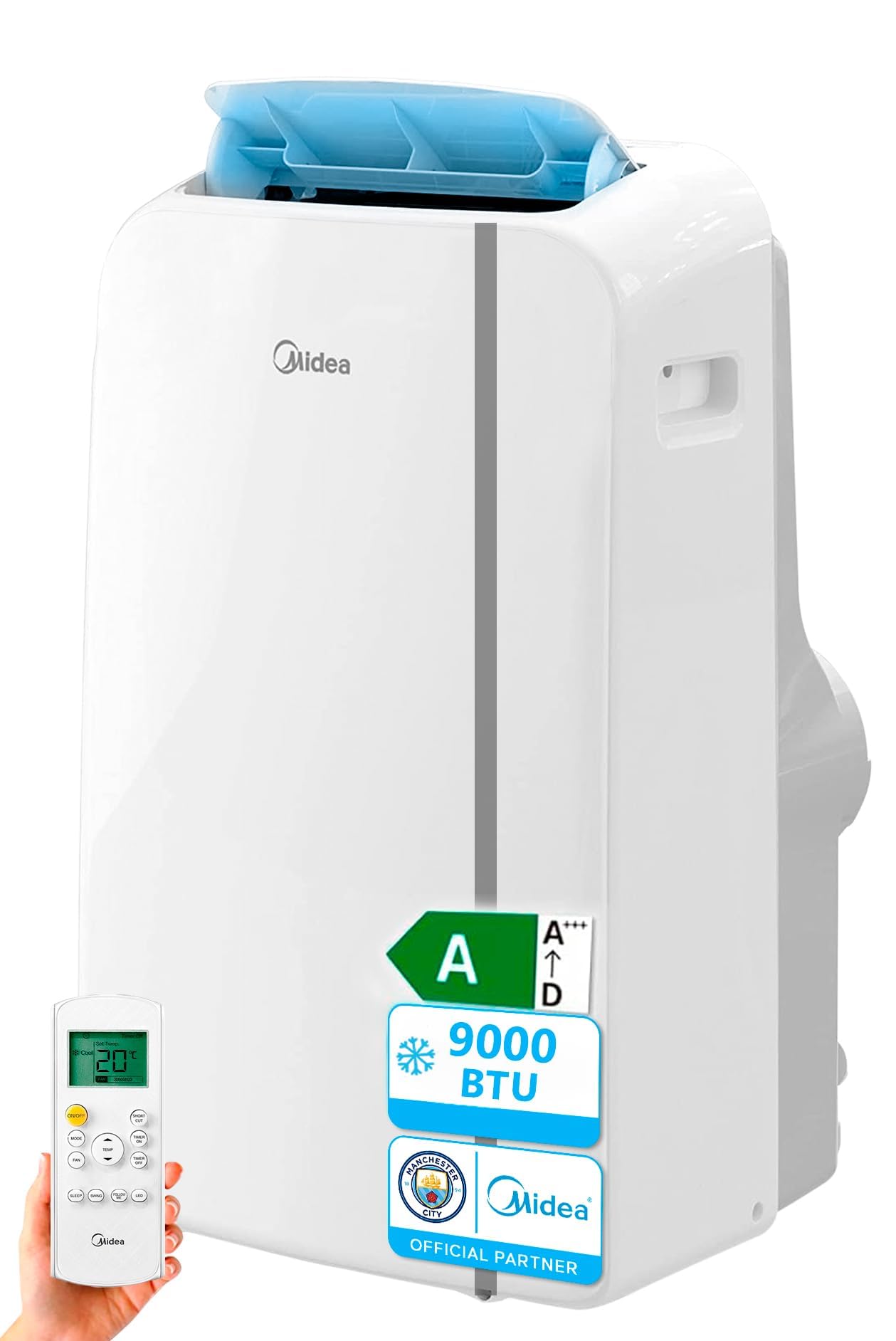
Figure 1: Midea MPPDA-09CRN7-QB7G1 Portable Air Conditioner. This image shows the front view of the white portable air conditioner unit, highlighting its compact design and control panel.
2.1 Key Features
- Dual Filtration System: Effectively removes bacteria, viruses, allergens, dust, and odors from the air.
- Window Kit: Includes a quick-connect window kit adaptable to various window sizes for easy exhaust hose installation.
- 24-Hour Timer: Allows scheduling the unit to turn on or off automatically within a 24-hour period.
- Follow Me Function: The remote control features a built-in temperature sensor. When activated, the unit adjusts its operation based on the temperature detected at the remote control's location, providing more precise comfort.
- Portable Design: No permanent installation required. Equipped with wheels for easy movement between rooms.
3. Setup and Installation
3.1 Unpacking
- Carefully remove the air conditioner from its packaging.
- Check for any shipping damage. If damaged, contact your retailer immediately.
- Retain the original packaging for future storage or transport.
3.2 Window Kit Installation
The included window kit is designed to exhaust hot air outside during cooling operation. Ensure your window opening height is at least 80 cm.
- Assemble the window slider kit according to your window type (horizontal or vertical).
- Attach the exhaust hose to the unit's exhaust outlet and then to the window slider kit adapter.
- Secure the window kit in the open window, ensuring a tight seal to prevent air leakage.
- Extend the exhaust hose as straight as possible to the window, avoiding sharp bends that can restrict airflow.
3.3 Power Connection
- Plug the power cord into a dedicated, grounded electrical outlet.
- Do not use extension cords or power strips.
4. Operation
4.1 Control Panel and Remote Control
The unit can be operated via the control panel on the top of the unit or using the included wireless remote control.
4.2 Operating Modes
- Cool Mode: Select for cooling. Adjust the desired temperature and fan speed.
- Heat Mode: Select for heating (heat pump function). Adjust the desired temperature and fan speed.
- Fan Mode: Circulates air without cooling or heating. Select desired fan speed.
- Dry Mode (Dehumidify): Reduces humidity in the room. Fan speed is typically fixed in this mode.
4.3 Fan Speed Settings
Choose between Low, Medium, and High fan speeds to adjust airflow and noise level.
4.4 Timer Function
Press the Timer button to set a delay for the unit to turn on or off. Use the up/down arrows to adjust the time in 1-hour increments, up to 24 hours.
4.5 Follow Me Function
Activate the 'Follow Me' function on the remote control. The unit will then sense the temperature at the remote's location and adjust its operation to maintain comfort around you.
5. Maintenance
5.1 Air Filter Cleaning
The dual filtration system includes a HEPA filter. Clean the air filter every two weeks or more frequently depending on usage and air quality.
- Unplug the air conditioner from the power outlet.
- Locate and remove the air filter(s) from the back or side of the unit.
- Wash the filter(s) with warm, soapy water. Rinse thoroughly.
- Allow the filter(s) to air dry completely before reinstalling. Do not expose to direct sunlight.
5.2 Unit Cleaning
- Wipe the exterior of the unit with a soft, damp cloth.
- Do not use harsh chemicals, abrasives, or solvents.
5.3 Storage
When storing the unit for an extended period:
- Drain any accumulated water from the unit.
- Clean the air filter(s).
- Unplug the power cord and coil it neatly.
- Cover the unit with a plastic bag or the original packaging to protect it from dust.
- Store in a dry, cool place.
6. Troubleshooting
| Problem | Possible Cause | Solution |
|---|---|---|
| Unit does not turn on |
|
|
| Insufficient cooling/heating |
|
|
| Unit is noisy |
|
|
| Water leakage |
|
|
7. Specifications
| Specification | Value |
|---|---|
| Model Number | MPPDA-09CRN7-QB7G1 |
| Product Dimensions (L x W x H) | 36.5 x 45.4 x 70 cm |
| Item Weight | 29.5 Kilograms |
| Power (Cooling/Heating) | 2.7 KW (2700 Watts) |
| Noise Level | 62 Decibels |
| Refrigerant | R-290 |
| Seasonal Energy Efficiency Ratio (SEER) | 3.5 |
| Energy Rating (BEE) | 5 Stars |
| Control Method | Remote Control |
| Minimum Window Opening Height | 80 Centimeters |
| Included Components | Portable Air Conditioner, Remote Control |
8. Warranty and Support
8.1 Warranty Information
This Midea portable air conditioner comes with a:
- Limited Warranty: 1 year on the entire unit.
- Extended Warranty: 3 years on the compressor.
Please retain your proof of purchase for warranty claims. The warranty covers manufacturing defects under normal use conditions.
8.2 Customer Support
For technical assistance, troubleshooting beyond this manual, or warranty service, please contact Midea customer support. Refer to the official Midea website or your purchase documentation for regional contact details.


